Review: Aqara U50 Smart Lock
Updated: 1 month ago
4.0
Based on methodology below
226
Insights analyzed
38
Grouped by key features
12
From expert reviews
Scores below reflect consolidated expert coverage across these features.
Bottom Line
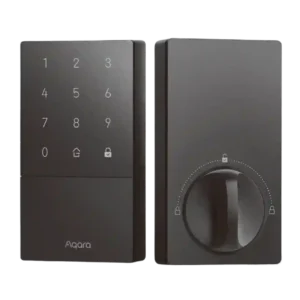
Choose the Aqara U50 for affordable Apple HomeKey and a reliable keypad with strong access-code features. Skip it if you want built-in Wi-Fi/Thread speed or a fingerprint reader, since a hub and Bluetooth can be limiting.
Best for
Apple Home users who want HomeKey on a budget, plus a touchscreen keypad for family and guest access codes.
Not for
Anyone who needs built-in Wi-Fi/Thread performance, a fingerprint reader, or simple no-hub setup across multiple smart-home platforms.
Verdict
Across long-form reviews, U50 is praised for HomeKey tap entry, a bright keypad, and a surprisingly deep Aqara automation stack (scheduled codes, one-time codes, user logs, and scene triggers). Installation is commonly a 10 to 15 minute swap for standard deadbolts, and the motor action feels smooth once calibrated. The tradeoff is ecosystem complexity: HomeKey generally wants a direct HomeKit pairing, while wider Matter and voice-assistant integrations lean on an Aqara hub and can introduce placement or latency quirks. A few reviewers also flag loud default voice prompts and mixed reports on door-status accuracy and IP rating. Evidence source: .
Pros
-
4.6based on 8 reviewsGuest Codes and Access: 4.6, based on 8 reviewsPasscode features are repeatedly highlighted, including multiple household codes, guest sharing, one-time use codes, and scheduled codes for regular visitors; some setups enforce longer minimum PIN lengths.
-
4.6based on 5 reviewsUser access management: 4.6, based on 5 reviewsUser access management is a strong point, with support for multiple users, one-time codes, scheduled or periodic access, and code-specific automations in the Aqara ecosystem.
-
4.5based on 9 reviewsValue and Price: 4.5, based on 9 reviewsValue is a major theme: most reviews call U50 one of the most affordable HomeKey-capable options, though the need for an additional hub to unlock full functionality can reduce the perceived bargain.
-
4.5based on 2 reviewsBackset compatibility: 4.5, based on 2 reviewsReviewed setups commonly mention support for the two typical US backset depths, which helps it work with most standard doors.
-
4.4based on 2 reviewsSecurity features (encryption): 4.4, based on 2 reviewsSecurity is framed around modern app and platform controls, with some reviews explicitly calling out AES-style encryption and secure ecosystem integrations.
-
4.4based on 12 reviewsSmart-home integration (Alexa, Google, Siri, HomeKit, Matter, Thread): 4.4, based on 12 reviewsIntegration is repeatedly cited as a strength, especially Apple HomeKey and Apple Home support; broader platform support (Google, Alexa, Matter/SmartThings) is often possible but typically depends on using an Aqara hub or compatible controller.
-
4.4based on 11 reviewsKeypad: 4.4, based on 11 reviewsThe keypad is widely liked for large, backlit digits and reliable code entry, but it typically needs a wake touch first and some users want the first press to register immediately.
-
4.4based on 8 reviewsLock/unlock speed: 4.4, based on 8 reviewsHomeKey taps and keypad entry are usually described as fast, and the motor action feels smooth once the door is aligned; app-based commands can be slower when Bluetooth is involved.
-
4.4based on 11 reviewsTouchscreen: 4.4, based on 11 reviewsThe touch interface is generally responsive and easy to use, with minor learning curve around waking the panel before entering a code.
-
4.3based on 7 reviewsAuto-lock: 4.3, based on 7 reviewsAuto-lock features are frequently praised, including timed auto-lock and door-closed-based locking; reviewers also like modes that temporarily bypass auto-lock for high-traffic situations.
-
4.3based on 6 reviewsInstallation and Setup: 4.3, based on 6 reviewsInstallation is generally described as quick and straightforward for standard single-cylinder deadbolts, with app-led calibration; a few reviews note instructions can be picture-heavy or require minor door/strike adjustments.
-
4.3based on 10 reviewsKey override reliability: 4.3, based on 10 reviewsMechanical key backup is consistently included and the hidden keyhole cover is appreciated for aesthetics and casual security, with reviewers generally treating it as a dependable fallback.
-
4.3based on 6 reviewsKeyway quality: 4.3, based on 6 reviewsKeyway and cylinder design are often framed positively because the lock can be rekeyed; one reviewer cautions that cylinder swaps can be non-standard and may have constraints.
-
4.3based on 4 reviewsAccess logs: 4.3, based on 4 reviewsAccess logs are a meaningful benefit in several reviews, showing event history and helping track who unlocked when, with retention commonly described in the weeks-to-month range.
-
4.3based on 1 reviewLocking motor: 4.3, based on 1 reviewLock operation is repeatedly described as smooth and quiet when aligned correctly, with less risk of grinding compared with poorly fitted smart locks.
-
4.3based on 9 reviewsApp: 4.3, based on 9 reviewsThe Aqara app is described as feature-rich for user management, logs, automations, and settings; a recurring complaint is that some controls (like sounds/volume) may require pairing to an Aqara hub.
-
4.3based on 3 reviewsDoor compatibility (deadbolt fit): 4.3, based on 3 reviewsMultiple strike/bolt plate options help the lock fit many common deadbolt cutouts, but proper alignment matters to avoid binding or abnormal bolt behavior.
-
4.2based on 12 reviewsBattery: 4.2, based on 12 reviewsBattery life is commonly positioned as months on four AA cells, with USB-C emergency power as a safety net; several reviewers report better battery behavior than early U100 units.
-
4.2based on 3 reviewsAuto-relock after failed attempts: 4.2, based on 3 reviewsFailed-attempt protections are discussed as a plus, with temporary keypad lockouts after repeated wrong codes and continued access via key or app for admins.
-
4.2based on 3 reviewsLocking reliability: 4.2, based on 3 reviewsOverall locking reliability is viewed as strong in daily use, including remembering codes and auto-lock behavior even when hub connectivity is imperfect, provided the door and strike are properly aligned.
-
4.2based on 6 reviewsExisting hardware reuse: 4.2, based on 6 reviewsSeveral reviewers highlight rekeyability to match existing keys as a major convenience, though installation still replaces the deadbolt hardware and some users reuse or swap strike components depending on fit.
-
4.2based on 1 reviewFeature additions via updates: 4.2, based on 1 reviewAt least one review notes that Aqara has expanded passcode controls over time (more granular periodic schedules), suggesting ongoing firmware and app improvements.
-
4.2based on 1 reviewJam detection: 4.2, based on 1 reviewSome reviews describe abnormal bolt or door-not-closed situations triggering alerts, helping users catch a misaligned door or failed latch/bolt extension.
-
4.1based on 7 reviewsBuild quality and durability: 4.1, based on 7 reviewsBuild quality is widely seen as solid (heavy feel, good materials), with the main complaints being a bulky footprint and a few plastic parts or covers that may feel less premium over time.
-
4.1based on 5 reviewsNotifications: 4.1, based on 5 reviewsNotifications and alerts are commonly used for status awareness (locked/unlocked, abnormal events, and user activity), with some reviews highlighting customizable alert behavior.
-
4.0based on 4 reviewsDoor-sense: 4.0, based on 4 reviewsDoor status sensing is a standout feature thanks to the built-in gyroscope approach, though at least one review finds it less reliable than a dedicated door sensor in tricky installs.
-
3.9based on 8 reviewsVoice control: 3.9, based on 8 reviewsVoice control is supported through major platforms, but often requires a hub integration and may be gated by platform security steps such as PIN requirements for unlocking.
-
3.9based on 5 reviewsWeather resistance: 3.9, based on 5 reviewsWeather protection is generally presented as suitable for outdoor exposure, but the exact IP rating varies across reviews (often IPX5; one source claims higher) and one review notes reduced dustproofing versus pricier models.
-
3.9based on 6 reviewsFinish durability: 3.9, based on 6 reviewsThe matte black finish is praised for hiding fingerprints and looking modern, but limited color options and bulky styling are recurring nitpicks.
-
3.8based on 8 reviewsRemote access: 3.8, based on 8 reviewsRemote control is generally available through smart-home ecosystems or hubs, and checking lock status is valued for peace of mind; performance varies, with Bluetooth-based paths sometimes feeling slower than hub-based control.
-
3.7based on 5 reviewsAlarm/siren loudness (if included): 3.7, based on 5 reviewsThe lock provides audible prompts and alarms, and some reviews like the adjustable volume options; others find default voice volume loud or note that certain door-open alarms can be inconsistent.
-
3.7based on 2 reviewsPhysical attack resistance: 3.7, based on 2 reviewsPhysical security is generally treated as appropriate for typical homes, with the hidden keyhole design adding a small deterrent and overall construction seen as sturdy.
-
3.6based on 1 reviewPick/drill resistance (if rated): 3.6, based on 1 reviewOne review references residential-grade security positioning and acknowledges that higher pick/drill resistance usually requires spending more, framing U50 as adequate rather than high-security.
-
3.5based on 8 reviewsBluetooth: 3.5, based on 8 reviewsBluetooth is central for HomeKey/HomeKit-style setups and works well up close, but it is also the main source of perceived latency or flakiness in remote-style control when a hub is not handling communication.
-
3.5based on 12 reviewsHub requirement: 3.5, based on 12 reviewsA hub is frequently recommended to unlock full functionality (broader integrations, Matter bridging, richer automations), but adds cost and can introduce placement or connectivity considerations.
Cons
-
3.0based on 7 reviewsWi-Fi: 3.0, based on 7 reviewsMost U50-focused reviews say there is no built-in Wi-Fi and that Wi-Fi-style remote/integration features depend on hubs; one included video appears to cover a different Aqara lock with built-in Wi-Fi, which can confuse expectations.
-
2.8based on 1 reviewWarranty and support: 2.8, based on 1 reviewSupport and warranty considerations come up mainly around modifications: at least one review warns that swapping the lock cylinder can void warranty and puts the user on their own.
-
1.0based on 7 reviewsFingerprint: 1.0, based on 7 reviewsMultiple sources emphasize the lack of a fingerprint reader as the main feature loss versus the U100, which is a dealbreaker for users who rely on biometric entry.
FAQ
Do I need an Aqara hub for the U50?
You can use the U50 in Apple Home without an Aqara hub (typically over Bluetooth via your Apple Home hub). For broader integrations, Matter bridging, and more Aqara-app features, reviews often recommend adding an Aqara hub.
Does the U50 support Apple HomeKey?
Yes. Multiple reviews highlight tap-to-unlock with iPhone or Apple Watch as a core strength and one of the biggest reasons to pick the U50.
Can I manage guest access codes?
Yes. Reviews describe individual user passcodes, one-time codes, and scheduled or periodic codes (especially through the Aqara app when paired with a hub).
How does the U50 handle low battery situations?
Most reviews cite four AA batteries with months of expected life and a USB-C port for emergency power so you can unlock if batteries die.
Is the U50 rekeyable?
Several reviews say the U50 can be rekeyed (unlike some earlier Aqara models), though one video notes cylinder swaps can be non-standard and may impact warranty.
Is remote unlocking fast and reliable?
HomeKey and keypad entry are usually described as quick. App-based remote control can feel slower or less consistent when it relies on Bluetooth; hub placement and connectivity can matter for the best experience.
Reviews we analyzed
Video Reviews
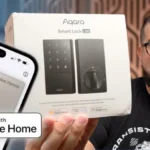
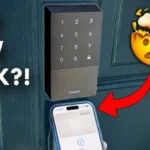
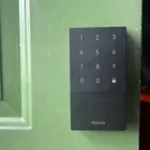
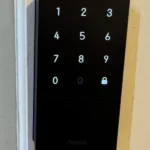
Article Reviews
Best Smart Locks
#1
4.3
Choose the Tapo DL110 for fast fingerprint entry and solid Wi-Fi remote control at a budget price. Skip it if your door/strike alignment...
Pros: Value and Price, Lock/unlock speed, Keyway quality, Hub requirement, Battery, User access management, Key override reliability
Cons: Geofencing
#2
4.2
Choose the FamiLock S3 Max if you want a single lock + doorbell with an indoor screen and fast palm unlock; Skip it...
Pros: Physical attack resistance, Weather resistance, User access management, Build quality and durability, Guest Codes and Access, Lock/unlock speed, Locking motor
Cons: Value and Price
#3
4.2
Choose Wyze Lock Bolt v2 for remote control plus fingerprint entry at a budget price. Skip it if you need door-ajar sensing or...
Pros: Hub requirement, Value and Price, Lock/unlock speed, Wi-Fi, User access management, Remote access, Backset compatibility
Cons: Door-sense
#4
4.2
Choose the Lockin Veno Pro if you want touchless palm access and a built-in video doorbell in one device. Skip it if you...
Pros: Door-sense, Key override reliability, Auto-lock, Weather resistance, Voice control, Keyway quality, Lock/unlock speed
Cons: Geofencing