

Review: Eureka J15 Ultra Self Emptying Robot Vacuum
Updated: 2 months ago
4.3
Based on methodology below
211
Insights analyzed
48
Grouped by key features
11
From expert reviews
Scores below reflect consolidated expert coverage across these features.
Bottom Line
Choose the J15 Ultra if edge mopping and hot-water pad washing matter more than flagship polish; Skip if you want the very best object avoidance or a dock that cleans its own tray for you.
Best for
Homes with mixed floors (hardwood/tile plus rugs or carpet) that want strong edge mopping and mostly hands-free upkeep—especially pet owners or households with long hair who value anti-tangle features.
Not for
Homes with very cluttered floors (socks, cords, toys) where you need class-leading obstacle avoidance, or shoppers who want detergent auto-dosing and a dock tray that self-cleans with zero rinsing.
Verdict
The J15 Ultra pairs very strong suction with a scrubbing-style dual-pad mop, and reviewers consistently highlight how well the swing-arm mop reaches along baseboards and around furniture legs. Mapping is typically quick and accurate, with room/zone scheduling and multi-floor support, and the dock automates emptying plus hot-water washing and hot-air drying for better hygiene. The tradeoff is that the app’s depth can feel overwhelming, and the FlexiRazor comb—while excellent for typical hair—can still catch very long fibers from shag rugs. For most mixed-floor homes, it offers a well-rounded balance of performance and automation. reviews
Pros
-
4.8based on 5 reviewsEdge‑Following Accuracy (Robot): 4.8, based on 5 reviewsEdge tracking is repeatedly described as very tight, with the extending mop pad keeping minimal distance from walls for more complete edge coverage.
-
4.6based on 11 reviewsEdge and Baseboard Cleaning (Hard Floors): 4.6, based on 11 reviews
-
4.6based on 6 reviewsPrice and Value: 4.6, based on 6 reviewsConsistently framed as a strong value: many reviews call it one of the best feature-to-price options in the ~$600–$700 range, especially given hot-water mop washing and advanced edge mopping.
-
4.6based on 2 reviewsCord management: 4.6, based on 2 reviewsThe dock includes built-in cable routing/wrap options that reviewers found convenient for a cleaner setup.
-
4.6based on 1 reviewKid-friendliness: 4.6, based on 1 reviewWhen run in quieter modes, reviewers describe it as household-friendly and less disruptive for families, though max-power vacuuming will still be audible.
-
4.6based on 9 reviewsMop lifting system: 4.6, based on 9 reviewsAuto mop lifting (often cited around ~12 mm) helps prevent wet carpets/rugs and enables seamless vacuum-then-mop workflows. Lift height is generally considered sufficient for common rugs and carpets.
-
4.6based on 7 reviewsSelf-cleaning cycle: 4.6, based on 7 reviewsAutomated mop-pad washing with hot water and hot-air drying is consistently highlighted as a key convenience feature, keeping pads cleaner between runs and improving hygiene.
-
4.6based on 3 reviewsUnder-Furniture Pickup: 4.6, based on 3 reviewsDespite being slightly taller than some newer low-profile bots, reviewers report it routinely fits under beds, cabinets, and low overhangs to reach debris others miss.
-
4.6based on 2 reviewsHard Floor — Large Debris Intake: 4.6, based on 2 reviewsLarge debris (crumbs, cereal, pet food, small bits) is generally handled in one or a few passes, with smart behavior that helps avoid scattering and a strong suction/brush combo.
-
4.5based on 7 reviewsMopping performance: 4.5, based on 7 reviewsTwo spinning pads with downward pressure create a scrubby mop action that reviewers say resembles “real mopping” more than basic drag pads. Returning to the dock to wash pads and focusing on stains improves consistency on mixed messes.
-
4.5based on 4 reviewsAssembly and Setup: 4.5, based on 4 reviewsSetup is generally described as straightforward: attach the ramp, fill tanks, dock the robot, pair it in the app, and let it map. Printed quick-start guides are repeatedly praised, though the number of in-app options can slow first-time configuration.
-
4.5based on 4 reviewsOdor control: 4.5, based on 4 reviewsHot-air mop drying (and frequent pad washing) helps prevent mildew and “smelly mop” issues, which reviewers see as a hygiene advantage over simpler docks.
-
4.5based on 11 reviewsDocking and Auto-Empty Reliability (Robot): 4.5, based on 11 reviewsDocking and automatic emptying are widely seen as dependable, with the robot reliably returning for emptying and mop service. App settings let you tune emptying/washing frequency to match your routine.
-
4.5based on 4 reviewsCarpet — Medium-Pile Pickup: 4.5, based on 4 reviews
-
4.5based on 3 reviewsHeadlight and LED lights: 4.5, based on 3 reviewsFront LEDs help the camera see in dim areas and are also called out as a nice design touch. Light toggles exist in the app on some builds.
-
4.5based on 8 reviewsHair‑Wrap / Tangle Resistance: 4.5, based on 8 reviewsFlexiRazor hair-cutting and comb detangling reduce wrap significantly and are often cited as best-in-class among comb-style systems. It’s not completely tangle-free with extremely long strands, and some “strong” settings aren’t always-on by default.
-
4.5based on 10 reviewsSuction and Airflow: 4.5, based on 10 reviewsThe headline 19,000 Pa suction is repeatedly praised, and reviewers report strong pickup across debris sizes. A few notes suggest performance gains don’t scale linearly with the spec and that non-max modes can feel less punchy than some rivals.
-
4.5based on 5 reviewsBin and Bag: 4.5, based on 5 reviewsThe robot collects debris in an onboard bin and auto-empties into a disposable bag in the dock. Bags are described as large and easy to access behind a front panel, supporting multi-week intervals between changes.
-
4.5based on 4 reviewsWater tank: 4.5, based on 4 reviewsThe dock’s separate clean/dirty tanks are large, lift out easily, and have clear handles/indicators. Capacity is frequently described as enough for multi-day to multi-week mopping, depending on how often you run it.
-
4.5based on 2 reviewsHard Floor — Fine Dust Pickup: 4.5, based on 2 reviewsReviews describe effective pickup of fine dust and dirt, aided by filtration that captures small particles. Routine filter care still matters for consistent fine-dust performance.
-
4.4based on 11 reviewsAI, Smart, App and Automation: 4.4, based on 11 reviewsThe app supports mapping, room/zone cleaning, schedules, no-go/no-mop zones, multi-floor maps, and smart behaviors like stain/spot cleaning. Reviewers praise the feature depth and automation, though it can feel like “a lot” at first.
-
4.4based on 3 reviewsAccessories and Tools: 4.4, based on 3 reviewsReviews report a complete kit—dock/ramp, side brush, mop pads, a cleaning brush/tool, manuals, and (in some cases) spare dust bags—so it’s ready to run out of the box.
-
4.4based on 6 reviewsMap and Path Efficiency (Robot Vacuums): 4.4, based on 6 reviewsMapping is frequently described as fast and accurate, with editable room divisions and multi-level support. Cleaning paths are generally systematic (back-and-forth/crisscross options) rather than random.
-
4.4based on 3 reviewsAesthetic design and finish: 4.4, based on 3 reviewsThe square-ish robot and two-tone/shiny-matte styling get favorable comments, and reviewers like the LED accents. The base station looks modern but is fairly large and visually prominent.
-
4.4based on 1 reviewPackaging quality: 4.4, based on 1 reviewUnboxing impressions are positive, with organized packaging and clearly separated parts/literature.
-
4.4based on 5 reviewsDried-On Stain Removal: 4.4, based on 5 reviewsReviews report good results on tougher or dried messes, helped by repeat passes, targeted spot cleaning, and hot-water mop-pad servicing through the dock.
-
4.4based on 2 reviewsArea Rug Handling: 4.4, based on 2 reviewsThe robot transitions well onto rugs, can lift the mop to keep fabrics dry, and is reported to pull debris from rug fibers effectively in test scenarios.
-
4.4based on 2 reviewsCorner Cleaning (Robot): 4.4, based on 2 reviewsThe robot’s shape and edge-focused mop extension help it reach corners better than many round bots, though some reviewers still wish for an extending side brush for even deeper corner reach.
-
4.4based on 2 reviewsFiltration / Dust Containment: 4.4, based on 2 reviewsReviews note a HEPA-style filter plus mesh/foam elements that capture fine dust; filters can be tapped out and some parts rinsed, but they need periodic upkeep to stay effective.
-
4.3based on 6 reviewsPet-Ready Features: 4.3, based on 6 reviewsPet-focused touches include strong pet-hair handling, anti-tangle cutting, obstacle detection for toys, optional “pet mode” settings, and camera viewing for checking on pets.
-
4.3based on 4 reviewsInnovation compared to competitors: 4.3, based on 4 reviewsExtending edge mop, hair-cutting detangling, and a wash/dry dock are cited as “flagship” innovations at a lower price tier. Missing features like detergent auto-dosing, extending side brush reach, or certain brush-lift systems keep it from being the most advanced option.
-
4.3based on 2 reviewsBuild quality and durability: 4.3, based on 2 reviewsPerceived build is solid for the price—often positioned above budget models and closer to mid/high-end competitors. Long-term durability isn’t proven, but day-one fit/finish and component access (tray, tanks, bin) are well regarded.
-
4.2based on 3 reviewsNoise level: 4.2, based on 3 reviewsNoise impressions vary: some call it very quiet in normal use, while measured max-power runs are above average and not ideal for TV/nap time in the same room. Noise is highly mode-dependent.
-
4.2based on 11 reviewsObstacle Avoidance (Robot): 4.2, based on 11 reviewsObject recognition/avoidance is generally strong and can label common obstacles, but it’s not flawless—dark rooms and soft items like socks can still cause issues. Several reviewers say it’s good for the price but not quite top-tier.
-
4.2based on 1 reviewChild lock: 4.2, based on 1 reviewA child lock option (along with toggles like do-not-disturb) is available in the app, which reviewers appreciated for family homes.
-
4.2based on 9 reviewsMaintenance requirements: 4.2, based on 9 reviewsThe hands-free dock reduces daily chores (auto-empty, mop washing/drying), but you’ll still rinse the dock tray, replace bags, and occasionally swap/clean mop pads. Compared with the Pro Ultra, the Ultra is often noted as missing a truly self-cleaning dock tray and some fully-automated extras.
-
4.2based on 4 reviewsEase of use: 4.2, based on 4 reviewsOnce mapped, day-to-day use is mostly press-and-go via presets and schedules. Minor friction points include one-time toggles for max modes/hair-cutting strength and the occasional need to do simple maintenance (tray rinse, pad swap).
-
4.1based on 4 reviewsBattery and Charging: 4.1, based on 4 reviewsBattery is often cited around 5,200 mAh with auto recharge-and-resume. Runtime varies widely by mode (some note ~90–120 minutes typical, others quote much longer), but most reviewers find it adequate once recharge/resume is enabled.
-
4.1based on 2 reviewsSoftware-update support / feature longevity: 4.1, based on 2 reviewsFirmware updates are available through the app. Reviewers note updates as a plus and hope they can refine obstacle avoidance and smart behaviors over time, but there’s no guarantee of major feature expansion.
-
4.1based on 2 reviewsStreaking / Residue: 4.1, based on 2 reviewsAuto washing during/after jobs helps reduce dirty streaks on floors, but residue can accumulate on the dock tray and needs occasional rinsing to keep everything clean.
-
4.0based on 5 reviewsControls and UI: 4.0, based on 5 reviewsUI feedback is mixed: several reviewers find the app well-designed and easy, while at least one found certain layouts confusing despite being tech-savvy. Expect a learning curve if you plan to tweak every setting.
-
4.0based on 3 reviewsComparative performance: 4.0, based on 3 reviewsReviewers compare it favorably to older iRobot/entry models and say it competes with pricier flagships on suction and mopping. It’s generally viewed as a step below the very best in obstacle avoidance and some premium convenience features.
-
4.0based on 2 reviewsClogging and debris prevention: 4.0, based on 2 reviews
-
4.0based on 4 reviewsPrivacy controls: 4.0, based on 4 reviewsRemote video/patrol features are praised for utility, and some reviews mention privacy/security certification. Others still flag general concerns about any internet-connected camera, so comfort level and opting out of camera features matter.
-
3.9based on 1 reviewCarpet — High-Pile Pickup: 3.9, based on 1 reviewIt can clean thicker rugs, but very long fibers/threads (e.g., shag) can still snag and challenge the brush even with anti-tangle tools—expect more monitoring or extra passes on high-pile rugs.
-
3.8based on 1 reviewDock noise: 3.8, based on 1 reviewThe auto-empty cycle can be noisy on higher settings, but some reviewers highlight a quieter/“soft” emptying option that reduces sound at the cost of a longer cycle.
-
3.6based on 1 reviewStuck resistance: 3.6, based on 1 reviewIt usually navigates cleanly, but at least one review reports occasional snagging on socks in dark rooms that requires intervention. No-go zones and better obstacle avoidance tuning can reduce interruptions.
Cons
-
3.1based on 3 reviewsSolution / Liquid system: 3.1, based on 3 reviewsMultiple reviews point out the lack of a detergent/solution tank or automatic dosing—most filling is water-only. Some also note limited fine-grain water-level controls for mopping compared with certain competitors.
FAQ
Does it automatically dispense detergent or cleaning solution when mopping?
Reviews repeatedly note there’s no detergent/solution tank or automatic dosing. Most reviewers simply filled the clean-water tank with water and relied on the dock’s hot-water mop washing and drying for hygiene.
Will it keep carpets and rugs from getting wet during a vacuum+mop run?
Yes, reviewers describe an automatic mop-lift feature (often cited around ~12 mm) when carpet or rugs are detected, which helps keep fabric surfaces dry while it boosts suction for carpet pickup.
How well does the anti-tangle hair system work in real homes?
The FlexiRazor/comb system is praised for cutting and reducing hair wrap, and several reviewers report little to no hair on the roller after runs. Very long fibers or threads (like shag-rug strands) can still snag, but it’s generally one of the stronger anti-tangle implementations mentioned.
What maintenance do you still need to do?
Expect to replace the dock bag periodically (often described as lasting weeks), refill the clean-water tank and empty the dirty-water tank for mopping, and occasionally rinse the removable dock tray/screen. Mop pads and filters also need periodic cleaning or replacement depending on use.
Does it have a camera, and what about privacy?
Several reviews mention onboard camera-based obstacle avoidance and remote “patrol”/live-view features, with some citing privacy/security certification. Others still raise general concerns about any connected camera, so using or disabling those features comes down to your comfort level.
How long does it run on a charge?
Runtime varies by mode and floor type: some reviewers report around 90–120 minutes in real use, while others cite much longer claims. In practice, recharge-and-resume support helps it finish larger homes even if it needs to top up mid-clean.
Reviews we analyzed
Video Reviews

Article Reviews
Best Robotic Vacuums
#1
4.5
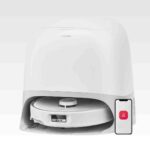
Choose the Roborock Qrevo Curv for a low-touch vacuum+mop that cleans edges/corners well and clears thresholds better than most. Skip if you have...
Pros: Hard Floor — Fine Dust Pickup, Hard Floor — Large Debris Intake, Hair Pickup — Hard Floors, Battery & Charging, Docking & Auto-Empty...
Cons: None
#2
4.3
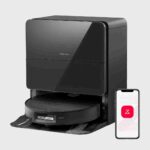
Choose Saros 10 if you want a slim, premium robot that vacuums hard, climbs thresholds, and runs a truly hands-off dock. Skip it...
Pros: Pet-Ready Features, Low-profile design, Suction & Airflow, Mop lifting system, Aesthetic design & finish, Hair‑Wrap / Tangle Resistance, Adaptive chassis lift
Cons: Streaking / Residue, Stuck resistance
#3
4.3
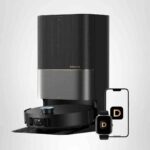
Choose the Dreame X50 Ultra for powerful all‑around cleaning with standout step/threshold climbing and low‑tangle brushes; Skip it if you need consistently perfect...
Pros: Adaptive chassis lift, Innovation compared to competitors, Hard Floor — Large Debris Intake, Hair‑Wrap / Tangle Resistance, Hair Pickup — Hard Floors, Self-cleaning...
Cons: Support & Reliability, Crevice / Groove Pickup (Hard Floors)
#4
4.3
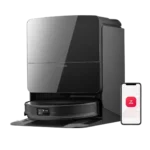
Choose it for standout obstacle avoidance, edge cleaning, and low-profile reach. Skip it if you want a cheaper robot or perfect cord handling.
Pros: Comparative performance, Hard Floor — Fine Dust Pickup, Under-Furniture Pickup, Hair Pickup — Carpets, Hair‑Wrap / Tangle Resistance, Corner Cleaning (Robot), Dock noise
Cons: Stuck resistance, Carpet — Low-Pile Pickup, Cord management, Streaking / Residue