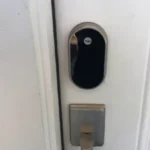
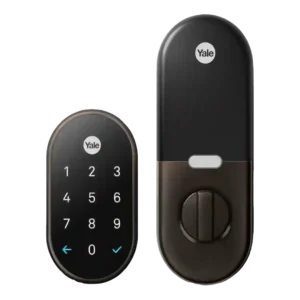
Review: Google Nest x Yale Smart Lock
Updated: 1 month ago
3.8
Based on methodology below
223
Insights analyzed
33
Grouped by key features
15
From expert reviews
Scores below reflect consolidated expert coverage across these features.
Bottom Line
Choose if you are already in the Nest app and want a polished keypad deadbolt with remote control and consistent performance. Skip if you need HomeKit/Alexa/Matter flexibility or hands-free auto-unlock and don’t want a separate Nest Connect hub.
Best for
Homes already running Nest devices that want a dependable keypad deadbolt with detailed history, notifications, and flexible guest codes inside one app.
Not for
Smart-home tinkerers who want HomeKit/SmartThings/Matter-style interoperability, or anyone who expects hands-free auto-unlock and a physical key backup.
Verdict
The Google Nest x Yale Smart Lock shines when you want dependable keyless entry backed by a polished Nest app experience. Reviews consistently praise its sturdy hardware, activity history, guest code scheduling, and auto-locking that reduces the chance you forget the door. The big tradeoff is ecosystem lock-in: remote features require a Nest Connect or Nest Secure, and broader smart-home hub support is largely absent. Several reviewers also note the keypad flow can feel finicky or slower because you must confirm with the check button, and voice-assistant support varies by software generation. If you are already invested in Nest, it is an easy, trustworthy upgrade; if not, the premium price is harder to justify.
Pros
-
4.6based on 2 reviewsWeather resistance: 4.6, based on 2 reviewsMultiple reviews cite wide operating temperature tolerance and successful use with gloves in cold conditions, suggesting good all-season usability. Direct water ingress testing is not widely discussed.
-
4.6based on 1 reviewWarranty and support: 4.6, based on 1 reviewAt least one review highlights a strong warranty package (including a lifetime limited warranty for finish/mechanical issues and multi-year electronics coverage). Support quality is not discussed in depth elsewhere.
-
4.5based on 1 reviewLock/unlock speed: 4.5, based on 1 reviewApp and keypad actions are usually described as quick enough for daily use, with audible chimes confirming completion. A few reviewers feel the extra confirmation step slows entry compared with locks that unlock immediately after a correct PIN.
-
4.4based on 8 reviewsLocking reliability: 4.4, based on 8 reviewsReliability is one of the strongest themes: many reviewers report consistent locking/unlocking and dependable auto-lock. Issues tend to come from installation alignment, weak Wi-Fi to the hub, or app-level sharing glitches rather than the bolt mechanism itself.
-
4.4based on 10 reviewsBuild quality and durability: 4.4, based on 10 reviewsHardware quality is frequently praised as sturdy, heavy, and well-made, with a premium feel. A few reviewers dislike the interior bulk or aesthetics, but overall durability and solidity are viewed positively.
-
4.3based on 8 reviewsNotifications: 4.3, based on 8 reviewsNotifications are often praised for speed and detail, including alerts for lock/unlock events, user-specific code use, low battery, hub offline status, and in some cases tamper or repeated wrong-code attempts.
-
4.3based on 9 reviewsAuto-lock: 4.3, based on 9 reviewsAuto-lock is widely praised and is often configurable (short delays up to several minutes) and can tie into Nest Home/Away behavior. Multiple testers report it working reliably, though it can be inconvenient without door-sense if the door is left ajar. Across reviews, the lock is repeatedly criticized for lacking hands-free auto-unlock (no proximity, Bluetooth, or GPS unlock). Expect to use the keypad or open the app each time.
-
4.3based on 8 reviewsAccess logs: 4.3, based on 8 reviewsMost reviews highlight a clear history or timeline in the Nest app showing lock/unlock events and, in many cases, which user code was used. A few mention the log is valuable for tracking guests and spotting odd activity.
-
4.2based on 11 reviewsRemote access: 4.2, based on 11 reviewsRemote lock/unlock is repeatedly called a top benefit when paired with the required Nest Connect/Nest Secure bridge. However, connectivity can drop if the hub is far from the router, and remote control can be unavailable during outages.
-
4.2based on 11 reviewsGuest Codes and Access: 4.2, based on 11 reviewsGuest access is a key strength in many reviews, with support for multiple PINs, scheduling, and expiration for renters or service providers. A notable counterpoint is that some testers saw app errors when trying to generate or share time-constrained codes.
-
4.1based on 10 reviewsBattery: 4.1, based on 10 reviewsBattery life is commonly described as strong (around a year, with some users reporting longer), with clear low-battery warnings in the app and on the lock. Many reviews mention the external 9V terminals as an emergency option if the AAs die.
-
4.1based on 13 reviewsApp: 4.1, based on 13 reviewsThe Nest app experience is usually described as polished and easy for daily lock/unlock, code management, and status checks. Some reviewers report early instability or occasional connectivity/code-generation glitches, especially during setup or when Wi-Fi signal is weak.
-
4.1based on 4 reviewsGeofencing: 4.1, based on 4 reviewsNest Home/Away features are frequently mentioned as a way to trigger or gate auto-locking based on presence. Reviewers appreciate the concept, but it does not provide true auto-unlock when approaching.
-
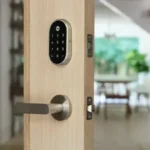
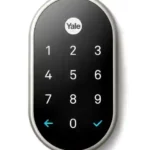
4.1based on 9 reviewsTouchscreen: 4.1, based on 9 reviewsThe touchscreen keypad is commonly praised for a sleek look and illumination on touch, and multiple reviewers say it works with gloves and resists fingerprint smudges. Some find the touch interaction inconsistent or lacking feedback depending on settings.
-
4.0based on 1 reviewJam detection: 4.0, based on 1 reviewAt least one reviewer reports the lock detecting a binding situation and prompting to check installation when the bolt could not extend, which helps diagnose door-frame depth or alignment problems.
-
4.0based on 1 reviewTamper detection sensitivity: 4.0, based on 1 reviewAt least one review notes tamper alerts, and others mention security notifications tied to suspicious activity like repeated wrong codes. Few provide deep detail on sensitivity settings, but the alerting is treated as useful.
-
4.0based on 9 reviewsUser access management: 4.0, based on 9 reviewsUser management is generally flexible, allowing unique codes, schedules, and guest invites through the Nest app. A recurring drawback is that app-level sharing can require guests to have Nest accounts, and some testers report errors when creating managed codes.
-
4.0based on 4 reviewsLocking motor: 4.0, based on 4 reviewsSeveral reviews describe the motor action as smooth and relatively quiet, with one calling it among the quietest tested. A few note the lock can be noisy with chimes or tones depending on volume settings.
-
4.0based on 14 reviewsInstallation and Setup: 4.0, based on 14 reviewsMost reviewers find the physical install manageable with basic tools, especially on standard doors, and they like the guided voice/app setup. Still, multiple accounts describe alignment hassles, door-frame modifications, or app/hub setup errors.
-
3.9based on 11 reviewsKeypad: 3.9, based on 11 reviewsThe keypad is generally easy to understand and supports one-touch locking, but repeated complaints include having to press a confirmation checkmark and occasional finicky input. Some reviewers want better feedback (haptic or clearer keypress confirmation).
-
3.9based on 2 reviewsPhysical attack resistance: 3.9, based on 2 reviewsReviews mention solid construction and at least one cites an ANSI/BHMA Grade 2 rating, suggesting above-minimum residential strength. The keyless design also removes common keyway attack surfaces, though reviewers still warn about keypad code hygiene.
-
3.8based on 1 reviewAuto-relock after failed attempts: 3.8, based on 1 reviewAt least one review notes alerts after repeated incorrect PIN attempts (for example after five wrong tries), indicating protective behavior and reporting around failed entries. Details on exact lockout behavior vary by reviewer.
-
3.8based on 6 reviewsDoor compatibility (deadbolt fit): 3.8, based on 6 reviewsOn standard deadbolt doors, installation is usually straightforward, but several reviews note fit issues on certain frames or holes that require filing, chiseling, or enlarging. Checking door type and measurements upfront matters.
-
3.6based on 2 reviewsExisting hardware reuse: 3.6, based on 2 reviewsBecause this lock replaces the deadbolt but typically keeps your doorknob, some installs reuse existing hardware successfully. However, at least one review needed a new handle due to a backplate-style setup, reducing reuse benefits.
-
3.6based on 11 reviewsHub requirement: 3.6, based on 11 reviewsRemote features generally require a Nest Connect or Nest Secure hub, which adds cost and another device to place near the door. Reviewers often accept this as the price of reliability, but it is a recurring drawback for non-Nest households.
-
3.5based on 1 reviewBackset compatibility: 3.5, based on 1 reviewCompatibility depends on your door measurements. One review calls out a hard backset limit (deadbolt center not more than 2.75 inches from the door edge), so older or unusual doors may be incompatible without changes.
Cons
-
3.2based on 13 reviewsValue and Price: 3.2, based on 13 reviewsMost reviewers call the lock expensive, especially if you also need a Nest Connect or paid installation, but several still consider it worth it for Nest households. Value drops sharply for people who are not already committed to the Nest ecosystem.
-
3.0based on 10 reviewsSmart-home integration (Alexa, Google, Siri, HomeKit, Matter, Thread): 3.0, based on 10 reviewsIntegration is largely described as Nest-centric, with frequent notes that HomeKit, SmartThings, Z-Wave, and similar ecosystems are not supported. Nest Secure integration is a standout, while cross-platform smart-home flexibility is a common weakness.
-
2.3based on 13 reviewsWi-Fi: 2.3, based on 13 reviewsThe lock itself typically lacks built-in Wi-Fi and relies on a Nest Connect/Nest Secure bridge for internet connectivity. When the bridge has a weak signal or struggles to stay connected, app access can become unreliable.
-
2.2based on 10 reviewsVoice control: 2.2, based on 10 reviewsVoice control is inconsistent across the review set: many describe no Alexa support and limited or missing assistant integration, while some report Google Assistant routines or voice locking/status checks. Expect this to depend on ecosystem and current software.
-
2.1based on 2 reviewsKey override reliability: 2.1, based on 2 reviewsBecause there is no physical key cylinder, reviewers are split: some like the security simplicity, while others dislike having no traditional fallback. Emergency 9V power is available, but several describe it as less convenient than a spare key.
-
2.0based on 2 reviewsDoor-sense: 2.0, based on 2 reviewsSeveral reviewers note the lock can auto-lock even if the door is not fully closed, and they specifically wish for a door sensor to prevent the bolt from extending when the door is ajar. This suggests limited or absent door-sense behavior.
FAQ
Does it need a hub for remote access?
Yes. Multiple reviews say you need either a Nest Connect module or a Nest Secure (Nest Guard) to bridge the lock to Wi-Fi for remote lock/unlock and management.
Will it work if the internet or power is out?
The keypad still works on battery power, but app-based remote access can be disabled when the network is down. Several reviews also mention you can use a 9V battery on external terminals for emergency power if the AAs die.
How many guest codes can you create and manage?
Reviews commonly cite up to 20 passcodes, with options for scheduling and expiration for guests, rentals, or service providers.
Does it support auto-unlock when you approach?
No. Multiple reviewers call out the lack of proximity or GPS-based auto-unlock, so you must use the keypad or the app each time.
Does it work with Alexa, HomeKit, or Google Assistant?
Most reviews describe it as primarily Nest-only with limited third-party integrations, and Alexa/HomeKit support is repeatedly called out as missing. Some reviewers report Google Assistant locking or status checks in certain setups, but others list no voice assistant support.
Reviews we analyzed
Video Reviews

Article Reviews
The-ambient
Tech Radar
Tech Gear Lab
Best Smart Locks
#1
4.3
Choose the Tapo DL110 for fast fingerprint entry and solid Wi-Fi remote control at a budget price. Skip it if your door/strike alignment...
Pros: Value and Price, Lock/unlock speed, Keyway quality, Hub requirement, Battery, User access management, Key override reliability
Cons: Geofencing
#2
4.2
Choose the FamiLock S3 Max if you want a single lock + doorbell with an indoor screen and fast palm unlock; Skip it...
Pros: Physical attack resistance, Weather resistance, User access management, Build quality and durability, Guest Codes and Access, Lock/unlock speed, Locking motor
Cons: Value and Price
#3
4.2
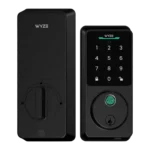
Choose Wyze Lock Bolt v2 for remote control plus fingerprint entry at a budget price. Skip it if you need door-ajar sensing or...
Pros: Hub requirement, Value and Price, Lock/unlock speed, Wi-Fi, User access management, Remote access, Backset compatibility
Cons: Door-sense
#4
4.2
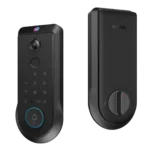
Choose the Lockin Veno Pro if you want touchless palm access and a built-in video doorbell in one device. Skip it if you...
Pros: Door-sense, Key override reliability, Auto-lock, Weather resistance, Voice control, Keyway quality, Lock/unlock speed
Cons: Geofencing