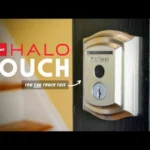
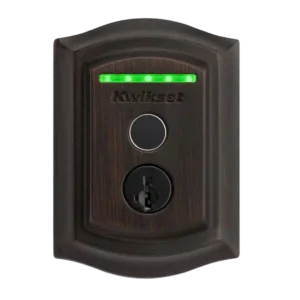
Review: Kwikset Halo Touch Fingerprint Smart Lock
Updated: 1 month ago
3.5
Based on methodology below
201
Insights analyzed
37
Grouped by key features
13
From expert reviews
Scores below reflect consolidated expert coverage across these features.
Bottom Line
Choose Halo Touch for fast fingerprint entry with built-in Wi-Fi and a strong deadbolt; Skip it if you want HomeKit or IFTTT-style integrations or a door-sense that makes auto-lock worry-free.
Best for
Homes that want quick fingerprint access for multiple family members, plus true remote locking and unlocking over Wi-Fi with no hub. Also good for households that value a physical key backup and easy rekeying.
Not for
Smart-home power users who rely on Apple HomeKit or IFTTT-style automations, or anyone who wants door-open sensing so auto-lock cannot throw the bolt while the door is ajar.
Verdict
Kwikset Halo Touch is a fingerprint-first smart deadbolt that tends to nail the basics: quick one-touch entry, quiet motor action, and dependable remote control once connected. Reviewers highlight the flexible user scheduling (up to 50 people) and the practical SmartKey rekey system for the physical backup key. The tradeoff is automation depth and situational awareness: there is no HomeKit or IFTTT support, and the lock cannot confirm whether the door is actually closed, which makes auto-lock something you should configure carefully. A few sources also report app lag and limited reporting of failed fingerprint attempts. Overall, it suits homes that prioritize convenience over a fully unified smart-home ecosystem.
Pros
-
5.0based on 7 reviewsHub requirement: 5.0, based on 7 reviewsNo hub is required; the lock connects directly to Wi-Fi for remote features.
-
4.7based on 2 reviewsLocking motor: 4.7, based on 2 reviewsMotor operation is repeatedly described as smooth and quiet, with several sources emphasizing low noise during locking and unlocking.
-
4.5based on 6 reviewsLock/unlock speed: 4.5, based on 6 reviewsFingerprint entry and physical interactions are generally fast, and some tests report near-instant app response. Other reviews report noticeable app lag, making speed perception mixed.
-
4.5based on 6 reviewsPhysical attack resistance: 4.5, based on 6 reviewsMultiple reviews cite high ANSI or BHMA grading and describe a beefy deadbolt and strong strike hardware, framing it as robust against forced entry.
-
4.4based on 4 reviewsRemote access: 4.4, based on 4 reviewsRemote access is a key strength: reviewers describe being able to lock and unlock from anywhere and manage users remotely once the lock is on Wi-Fi.
-
4.4based on 13 reviewsFingerprint: 4.4, based on 13 reviewsAcross reviews, fingerprint unlock is consistently fast and accurate. Limitations show up with wet or dirty fingers and sensor ergonomics for some hands, and several sources describe a two-fingerprint-per-user limit (with workarounds).
-
4.4based on 13 reviewsKey override reliability: 4.4, based on 13 reviewsMost reviews praise the physical key backup as a dependable fail-safe for dead batteries or edge cases, and note that key operation is smooth.
-
4.4based on 4 reviewsLocking reliability: 4.4, based on 4 reviewsCore locking and unlocking is generally dependable across reviews, with most reliability concerns centered on auto-lock behavior without door sensing rather than the motor itself.
-
4.3based on 8 reviewsKeyway quality: 4.3, based on 8 reviewsSmartKey rekeying is frequently mentioned as a practical advantage, letting owners rekey quickly without a locksmith. Security opinions vary by reviewer preference, but usability is consistently praised.
-
4.3based on 11 reviewsWi-Fi: 4.3, based on 11 reviewsBuilt-in Wi-Fi enables remote control without extra hardware and is generally stable once connected. Several reviews note it prefers a 2.4GHz network and changing Wi-Fi can require a reset and re-enrolling users.
-
4.2based on 1 reviewBackset compatibility: 4.2, based on 1 reviewInstaller walkthroughs describe an adjustable latch that supports common backsets (residential and some commercial), helping fit a wider range of doors.
-
4.2based on 1 reviewWeather resistance: 4.2, based on 1 reviewAt least one review expects it to withstand outdoor elements well based on fit and construction, but the review set offers limited long-term exposure data.
-
4.2based on 10 reviewsInstallation and Setup: 4.2, based on 10 reviewsInstallation is typically described as straightforward with clear instructions and app guidance. Some installers note cable management can be fiddly and door thickness edge cases may require extra care.
-
4.1based on 5 reviewsBuild quality and durability: 4.1, based on 5 reviewsOverall build is described as sturdy, sleek, and quiet in operation. A minority of comments mention cosmetic concerns on interior plastics or size bulk on the inside module.
-
4.1based on 6 reviewsBattery: 4.1, based on 6 reviewsRuns on four AA batteries, with reviewers reporting modest drain over weeks and appreciating visible battery status plus easy battery replacement.
-
4.1based on 5 reviewsPick/drill resistance (if rated): 4.1, based on 5 reviewsSeveral sources describe the cylinder as bump-resistant and pick-resistant due to SmartKey, and cite high residential grades. Few provide detailed drill-test specifics in these reviews.
-
4.0based on 12 reviewsUser access management: 4.0, based on 12 reviewsSupports up to 50 users with schedules by date and time, and reviewers highlight the ability to remove users remotely. Enrollment requires the person to be physically present at the lock because access is fingerprint-based.
-
4.0based on 4 reviewsBluetooth: 4.0, based on 4 reviewsBluetooth is commonly required for initial setup and for enrolling users at the door, while day-to-day remote control is handled over Wi-Fi.
-
4.0based on 6 reviewsAccess logs: 4.0, based on 6 reviewsHistory logs show lock events and how the lock was operated (fingerprint, app, voice, auto-lock). However, more than one reviewer reports failed fingerprint attempts may not appear in the history.
-
3.9based on 4 reviewsTwo-factor authentication availability: 3.9, based on 4 reviewsSeveral reviews describe a PIN requirement for voice unlocking, adding an extra layer of protection. Some also raise usability or privacy concerns about speaking a code aloud.
-
3.9based on 10 reviewsVoice control: 3.9, based on 10 reviewsVoice control for locking is generally reported as reliable. Unlocking typically requires a spoken PIN for security, and some reviews note platform limitations depending on the assistant.
-
3.9based on 2 reviewsFinish durability: 3.9, based on 2 reviewsReviewers generally report a solid finish and reference high grade ratings, though at least one source notes cosmetic scratching on plastic components and others mention limited finish choices.
-
3.8based on 1 reviewFeature additions via updates: 3.8, based on 1 reviewSeveral reviews mention firmware updates through the app and suggest future updates could improve app polish, notification behavior, and integration depth.
-
3.7based on 13 reviewsApp: 3.7, based on 13 reviewsThe app is easy to understand and includes lock control, people management, and history. Multiple reviews criticize lag or limited polish, while others report quick response and straightforward setup including firmware updates.
Cons
-
3.4based on 8 reviewsAuto-lock: 3.4, based on 8 reviewsAuto-lock is configurable and often works as intended, but several reviewers warn it can be risky without door sensing because the bolt may extend while the door is still open. No true proximity auto-unlock is described in the review set; entry is manual via fingerprint, app, voice assistant, or key.
-
3.3based on 7 reviewsValue and Price: 3.3, based on 7 reviewsPricing is typically described around the mid-$200 range. Some reviewers call it fair for hub-free Wi-Fi plus fingerprint, while others say it is expensive compared with better-integrated competitors.
-
3.1based on 7 reviewsNotifications: 3.1, based on 7 reviewsSome reviews report reliable push alerts for lock events, but others describe missed or inconsistent notifications and limited insight into unsuccessful attempts (especially with many users on one account).
-
3.1based on 9 reviewsSmart-home integration (Alexa, Google, Siri, HomeKit, Matter, Thread): 3.1, based on 9 reviewsWorks with Alexa and Google Assistant and can be used in routines, but reviewers repeatedly call out limited ecosystem depth (no HomeKit, no IFTTT) and fewer third-party integrations than some rivals.
-
2.6based on 3 reviewsGuest Codes and Access: 2.6, based on 3 reviewsThere are no guest PIN codes or keypad codes; guest access is primarily fingerprint enrollment. Reviewers note this can be inconvenient for short-term visitors or rentals if guests cannot enroll in person.
-
2.5based on 2 reviewsDoor compatibility (deadbolt fit): 2.5, based on 2 reviewsCompatibility is mostly standard for deadbolt doors, but reviews disagree at the thin end: one installer struggled on a 1-3/8 inch door, while another warns against doors under 1-3/4 inches.
-
2.0based on 1 reviewExisting hardware reuse: 2.0, based on 1 reviewIt is generally treated as a full deadbolt replacement rather than a retrofit that reuses existing exterior hardware, which some reviewers consider a downside versus modular designs.
-
1.0based on 3 reviewsDoor-sense: 1.0, based on 3 reviewsMultiple reviews emphasize the lack of a door-open sensor. The lock can report locked or unlocked status, but it cannot confirm whether the door is actually shut.
-
1.0based on 2 reviewsAuto-relock after failed attempts: 1.0, based on 2 reviewsReviews that tested repeated failed fingerprints did not observe a meaningful lockout by default, and failed attempts were not consistently logged or surfaced as alerts.
-
1.0based on 2 reviewsKeypad: 1.0, based on 2 reviewsNo keypad is included, and reviewers explicitly note it is not the right model if you want PIN code entry.
-
1.0based on 1 reviewGeofencing: 1.0, based on 1 reviewGeofencing is not offered, and reviewers explicitly recommend other locks if proximity-based unlocking is a priority.
-
1.0based on 1 reviewTouchscreen: 1.0, based on 1 reviewNo touchscreen is included; the exterior interaction is via the fingerprint sensor plus the physical keyway.
FAQ
Does the Halo Touch require a hub or bridge?
No. Multiple reviews describe it as hub-free because it has built-in Wi-Fi. Bluetooth is still used for initial pairing and enrolling users at the door.
How many users and fingerprints can it store?
Reviews commonly cite up to 50 users. Several sources describe two fingerprints per user, with some suggesting workarounds by creating additional user entries for more fingers.
Does it support Apple HomeKit or IFTTT?
No. Multiple reviews call out the lack of HomeKit, and some also note no IFTTT support. Integrations are mainly focused on Alexa and Google Assistant.
Does it auto-unlock or use geofencing?
No. Reviews describe entry as manual via fingerprint, the app, voice assistant, or the physical key rather than proximity-based auto-unlock.
Is the auto-lock feature safe to use?
Auto-lock is configurable and generally works, but multiple reviewers warn it can extend the bolt while the door is still open because there is no door sensor, which can cause the bolt to hit the frame.
Does it provide access history and notifications?
The app provides a history log and can send lock and unlock alerts, but several reviews report inconsistent visibility into failed fingerprint attempts and occasional notification misses in some setups.
Reviews we analyzed
Video Reviews

Article Reviews
Best Smart Locks
#1
4.3
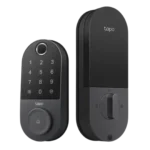
Choose the Tapo DL110 for fast fingerprint entry and solid Wi-Fi remote control at a budget price. Skip it if your door/strike alignment...
Pros: Value and Price, Lock/unlock speed, Keyway quality, Hub requirement, Battery, User access management, Key override reliability
Cons: Geofencing
#2
4.2
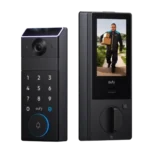
Choose the FamiLock S3 Max if you want a single lock + doorbell with an indoor screen and fast palm unlock; Skip it...
Pros: Physical attack resistance, Weather resistance, User access management, Build quality and durability, Guest Codes and Access, Lock/unlock speed, Locking motor
Cons: Value and Price
#3
4.2
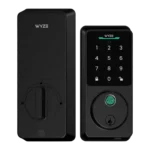
Choose Wyze Lock Bolt v2 for remote control plus fingerprint entry at a budget price. Skip it if you need door-ajar sensing or...
Pros: Hub requirement, Value and Price, Lock/unlock speed, Wi-Fi, User access management, Remote access, Backset compatibility
Cons: Door-sense
#4
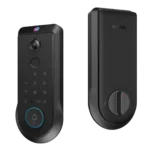
4.2
Choose the Lockin Veno Pro if you want touchless palm access and a built-in video doorbell in one device. Skip it if you...
Pros: Door-sense, Key override reliability, Auto-lock, Weather resistance, Voice control, Keyway quality, Lock/unlock speed
Cons: Geofencing