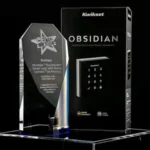
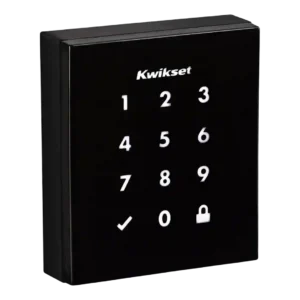
Review: Kwikset Obsidian Smart Lock
Updated: 1 month ago
3.1
Based on methodology below
124
Insights analyzed
30
Grouped by key features
8
From expert reviews
Scores below reflect consolidated expert coverage across these features.
Bottom Line
Choose the Kwikset Obsidian for a clean, keywayless PIN lock that fits modern doors; Skip it if you want built-in Wi-Fi/Bluetooth or richer app-based guest access without depending on a Z-Wave hub.
Best for
Homes that want a clean, modern, fully keyless look and mostly use PINs, especially if they already run a Z-Wave hub (SmartThings, Wink, Control4) for routines and remote status checks.
Not for
Anyone who insists on a physical key backup, wants HomeKit/Matter-first support or built-in Wi-Fi/Bluetooth, or needs lots of time-limited guest codes that are easy to create and manage from a dedicated app.
Verdict
Kwikset Obsidian is a minimalist touchscreen deadbolt that prioritizes clean design and simple PIN entry, and reviewers generally found its locking reliable with a handy auto-relock option and SecureScreen protection. The catch is that the smart experience is ecosystem-dependent: remote control, voice assistants, and activity history typically require a Z-Wave hub, and some platforms still make code management awkward. Another tradeoff is backup and upkeep: there is no physical key, so batteries and the 9V jump terminals matter, and reported battery life varies. Installation is straightforward for many doors, but a few reviewers ran into finicky alignment or setup steps.
Pros
-
4.5based on 1 reviewExisting hardware reuse: 4.5, based on 1 reviewIf you are replacing another Kwikset deadbolt, the footprint and standard door prep can make swaps easier, with minimal changes to the door.
-
4.3based on 3 reviewsLocking reliability: 4.3, based on 3 reviewsAcross reviews, the lock generally operated consistently without jamming, and the auto-relock feature performed reliably when enabled.
-
4.1based on 3 reviewsSecurity features (encryption): 4.1, based on 3 reviewsSecureScreen (decoy/random digits) helps prevent fingerprint-based code guessing, and Z-Wave versions mention encryption; the keywayless design also removes common key-based attack vectors like bump keys.
-
4.1based on 4 reviewsAuto-lock: 4.1, based on 4 reviewsAuto-relock/auto-lock features are commonly praised for convenience and worked consistently in testing, but toggling settings may require opening the interior panel and using small switches.
-
4.0based on 2 reviewsPick/drill resistance (if rated): 4.0, based on 2 reviewsKeywayless entry reduces the risk of traditional picking and bump-key attacks; reviews do not provide an explicit drill-resistance rating.
-
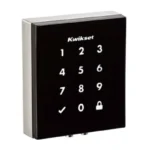
4.0based on 8 reviewsKeypad: 4.0, based on 8 reviewsThe illuminated touchscreen keypad is central to the design and is generally responsive and easy to use, though a few reviewers note it can take multiple touches to wake.
-
4.0based on 8 reviewsTouchscreen: 4.0, based on 8 reviewsThe glossy, minimalist touch surface looks premium on modern doors but can smudge; SecureScreen and anti-fingerprint coatings help reduce obvious fingerprint trails.
-
3.8based on 2 reviewsAccess logs: 3.8, based on 2 reviewsAccess history is available in some setups (and was highlighted in early coverage), but in practice it can depend on the hub and platform, and not every controller app exposes detailed logs.
-
3.7based on 2 reviewsPhysical attack resistance: 3.7, based on 2 reviewsRemoving the keyway reduces exposure to key-based attacks, but otherwise Obsidian is a standard deadbolt without advanced intrusion sensing or active defense features.
-
3.5based on 4 reviewsLock/unlock speed: 3.5, based on 4 reviewsUnlocking is generally quick once the keypad wakes, but some reviewers reported slower wake behavior and slightly slower operation in hot, sunny conditions.
-
3.5based on 1 reviewBuild quality and durability: 3.5, based on 1 reviewThe exterior build is described as sturdy and the mechanism proved reliable in use, but at least one reviewer reported sloppy bolt machining that made installation harder.
-
3.5based on 1 reviewFeature additions via updates: 3.5, based on 1 reviewZ-Wave Plus versions cite over-the-air firmware update capability, but overall functionality remains intentionally minimalist and still depends on the hub ecosystem.
-
3.5based on 6 reviewsInstallation and Setup: 3.5, based on 6 reviewsMany reviewers found setup straightforward with good hardware options, but others ran into alignment issues, confusing instructions, or a tricky handing/calibration step that required rework.
Cons
-
3.4based on 8 reviewsGuest Codes and Access: 3.4, based on 8 reviewsObsidian stores up to 16 codes on the standalone model and up to 30 codes on connected versions, with 4 to 8 digits per code; code limits and scheduling features vary by model and ecosystem.
-
3.3based on 7 reviewsSmart-home integration (Alexa, Google, Siri, HomeKit, Matter, Thread): 3.3, based on 7 reviewsIntegration centers on Z-Wave hubs (such as SmartThings, Wink, and Control4) with Alexa/Google voice control typically routed through that hub; multiple reviews call out missing native HomeKit support.
-
3.3based on 3 reviewsNotifications: 3.3, based on 3 reviewsThe lock provides audio/LED indicators (including low-battery alerts) and hub apps can show lock state, but native, lock-specific push notifications are limited and platform-dependent.
-
3.2based on 4 reviewsVoice control: 3.2, based on 4 reviewsVoice control generally works for locking and status checks through Alexa/Google when paired with a hub, but unlocking by voice is often restricted for security.
-
3.2based on 8 reviewsBattery: 3.2, based on 8 reviewsPowered by four AA batteries with low-battery warnings and external 9V jump terminals for emergencies; battery life reports vary (some cite roughly 5 to 6 months), and battery access can require partial disassembly.
-
3.2based on 6 reviewsValue and Price: 3.2, based on 6 reviewsPricing is mid-to-premium for a touchscreen deadbolt; value is better if you already own a Z-Wave hub, but paying extra for a hub and living with limited code controls can reduce perceived value.
-
3.1based on 6 reviewsRemote access: 3.1, based on 6 reviewsWhen paired to a Z-Wave hub, reviewers were able to lock/unlock and check status remotely, but code management and other functions can be restricted by the chosen platform.
-
2.9based on 8 reviewsUser access management: 2.9, based on 8 reviewsYou can add/remove PINs and use an optional master code, but advanced guest access controls (expiring or scheduled codes) are limited or unavailable on some models and hubs.
-
2.8based on 1 reviewLocking motor: 2.8, based on 1 reviewMotor noise is noticeable to some reviewers, who describe the mechanism as loud during operation.
-
2.6based on 4 reviewsApp: 2.6, based on 4 reviewsApp support is inconsistent: some versions rely on a smart-home hub app rather than a dedicated Kwikset app, which can limit advanced controls like remote code creation on certain platforms.
-
2.4based on 1 reviewWeather resistance: 2.4, based on 1 reviewThe black exterior can absorb heat in direct sun; at least one reviewer noted it can get hot to the touch and may slow slightly under high heat.
-
2.3based on 3 reviewsDoor-sense: 2.3, based on 3 reviewsReviews note no full door-open/closed alerting, but some describe auto-lock behavior that only triggers when the door is closed and may beep when it is not fully shut.
-
2.3based on 5 reviewsHub requirement: 2.3, based on 5 reviewsMost smart features require a compatible Z-Wave hub; without it, Obsidian behaves like a standalone keypad deadbolt.
-
1.1based on 4 reviewsWi-Fi: 1.1, based on 4 reviewsThere is no built-in Wi-Fi; remote access typically depends on Z-Wave plus a hub rather than direct Wi-Fi connectivity.
-
1.0based on 8 reviewsKey override reliability: 1.0, based on 8 reviewsObsidian is keywayless, so there is no physical key override if electronics fail; the emergency fallback is the external 9V jump terminals plus your PIN.
-
1.0based on 2 reviewsBluetooth: 1.0, based on 2 reviewsMultiple reviews explicitly note there is no Bluetooth, so there is no phone-proximity unlock or key fob option.
-
1.0based on 1 reviewAlarm/siren loudness (if included): 1.0, based on 1 reviewReviews note no built-in alarm/siren, so there is no siren loudness benefit to rely on.
FAQ
Does the Kwikset Obsidian have a physical key backup?
No. Obsidian is keywayless, so entry is by PIN (or through a connected hub setup). If the batteries die, you can use the external 9V terminals to power it long enough to enter a code.
Do I need a hub for smart features?
For remote control, voice assistants, and most smart-home routines, yes: the connected model relies on Z-Wave and typically needs a compatible hub. The keypad works without a hub.
How many user codes can it store?
Depending on the model, Obsidian supports up to 16 codes (standalone) or up to 30 codes (connected), with 4 to 8 digits per code and an optional master code.
Will it work with HomeKit or Google Home?
Reviews note no native HomeKit support, and voice control usually depends on pairing the lock to a Z-Wave hub and then using Alexa or Google Assistant through that platform.
How often will I change batteries?
It uses four AA batteries and gives low-battery warnings, plus has 9V jump terminals for emergencies. Reported life varies, with some users citing around 5 to 6 months depending on usage and conditions.
Reviews we analyzed
Video Reviews

Article Reviews
Tech Radar
Best Smart Locks
#1
4.3
Choose the Tapo DL110 for fast fingerprint entry and solid Wi-Fi remote control at a budget price. Skip it if your door/strike alignment...
Pros: Value and Price, Lock/unlock speed, Keyway quality, Hub requirement, Battery, User access management, Key override reliability
Cons: Geofencing
#2
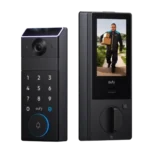
4.2
Choose the FamiLock S3 Max if you want a single lock + doorbell with an indoor screen and fast palm unlock; Skip it...
Pros: Physical attack resistance, Weather resistance, User access management, Build quality and durability, Guest Codes and Access, Lock/unlock speed, Locking motor
Cons: Value and Price
#3
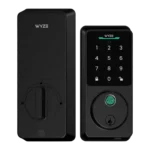
4.2
Choose Wyze Lock Bolt v2 for remote control plus fingerprint entry at a budget price. Skip it if you need door-ajar sensing or...
Pros: Hub requirement, Value and Price, Lock/unlock speed, Wi-Fi, User access management, Remote access, Backset compatibility
Cons: Door-sense
#4
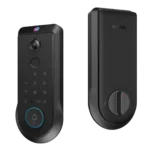
4.2
Choose the Lockin Veno Pro if you want touchless palm access and a built-in video doorbell in one device. Skip it if you...
Pros: Door-sense, Key override reliability, Auto-lock, Weather resistance, Voice control, Keyway quality, Lock/unlock speed
Cons: Geofencing