If you want better aspect ratio
Choose Alogic Edge 40-inch 5K ultrawide. It scores 4.9 vs 2.5 for aspect ratio, with a 4.3 overall score.
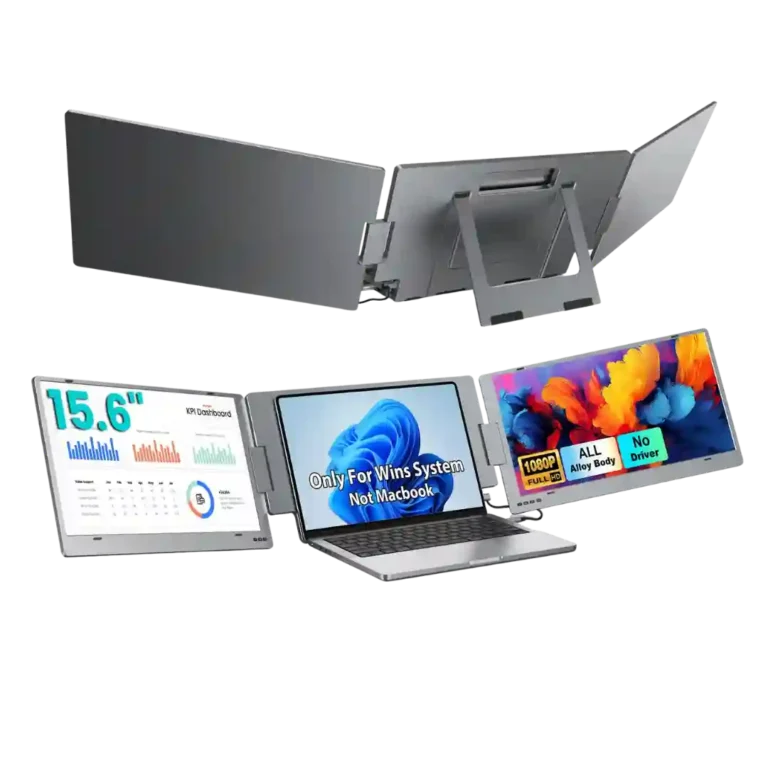
Choose the X90E if you want a fast, one-cable way to turn a compatible laptop into a three-screen workstation. Skip it if weight, strict device compatibility, color-critical work, or high-refresh gaming matter more.
Remote workers, analysts, coders, presenters, and frequent travelers who want desktop-like multitasking from a compatible laptop and value a clean one-cable setup.
Color-critical creatives, competitive gamers, or anyone sensitive to extra bag weight should look elsewhere; buyers also need to verify that their laptop supports the required video connection.
The X90E earns its strongest marks as a productivity tool: reviewers repeatedly say the dual 15.6-inch panels turn a laptop into a much more capable three-screen workspace, and the single USB-C connection makes setup unusually simple. Build quality is another strength, with metal construction, sturdy hinges, and generally useful kickstand adjustment. The picture is clear and bright enough for office work, but expert testing finds limited color gamut and uneven luminance, so it is a weaker fit for professional color work. Portability is the main tradeoff: some owners find it easy to carry, while others call the roughly 2.1–2.2 kg body heavy or awkward. Compatibility is also restrictive in the main X90E expert reviews, and several customers report laptop connection failures. Overall, its value is compelling when those limitations fit your workflow.
Compared with other Monitors, this product is above average in cable management, value for money, eye comfort features, near average in overall picture quality, setup ease, below average in sleep and wake behavior, screen uniformity, refresh rate.
| Attribute | This product | Category average | Difference |
|---|---|---|---|
| sleep and wake behavior | 1.0 | 3.3 | -2.3 |
| screen uniformity | 2.0 | 4.3 | -2.3 |
| refresh rate | 2.5 | 4.5 | -2.0 |
| port selection | 2.5 | 4.4 | -1.9 |
| cable management | 5.0 | 3.4 | +1.6 |
| color gamut | 2.8 | 4.6 | -1.9 |
| aspect ratio | 2.5 | 4.4 | -1.9 |
| panel type | 3.0 | 4.6 | -1.6 |
Choose Alogic Edge 40-inch 5K ultrawide. It scores 4.9 vs 2.5 for aspect ratio, with a 4.3 overall score.
Choose Dell UltraSharp 52 Thunderbolt Hub Monitor, U5226KW. It scores 5.0 vs 1.0 for sleep and wake behavior, with a 4.3 overall score.
Choose MSI MPG 322URX QD-OLED. It scores 4.9 vs 2.0 for screen uniformity, with a 4.1 overall score.
Choose Gigabyte MO27U2 Gaming Monitor. It scores 4.7 vs 2.3 for competitive gaming suitability, with a 4.1 overall score.
Products reviewers directly compared with this model, grouped into quick takeaways.
Usually, yes. Most reviewers describe it as plug-and-play with one USB-C cable, though the host port must support video and a few customers reported compatibility or defective-unit problems.
For office work, reviewers generally find it clear, crisp, and bright enough. Expert testing is less enthusiastic about color gamut and luminance uniformity, so it is not the strongest choice for professional color work.
It folds into one package and many owners say it fits a laptop bag, but portability is subjective. Expert reviewers and some customers emphasize the roughly 2.1–2.2 kg weight and large desk footprint.
It can handle casual use, and one customer reports a very good PS5 experience, but the 60Hz panels are specifically criticized as a weak fit for competitive gaming.
The dedicated X90E expert reviews describe Windows-only operation with a video-capable USB-C or Thunderbolt connection. Some customer reports claim broader compatibility, so the review set is inconsistent and device support should be verified carefully.
That is one of the most praised features. Reviewers repeatedly report one-cable video and power operation, although some laptops may need external power and running multiple screens can increase battery drain.
These are a few of the reviews included in our analysis.
![KYY X90E Triple Laptop Screen Extender [Review]](https://servicedig.com/wp-content/uploads/2026/01/75253_thumb-150x150.webp)


The KYY X90E Portable Monitor is an easy way to give more screen space to a laptop
Introduction: The Portable Productivity Powerhouse For professionals and power users, screen real estate is a non-negotiable asset for...
KYY X90E adds two extra 15.6 inch screens to your laptop using one USB C cable, making work easier and faster anywhere.
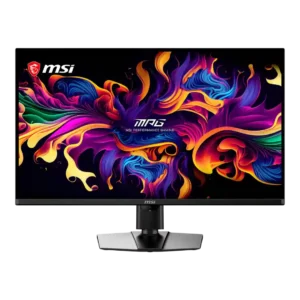
Best for exceptional 4K HDR, accurate color, fast 240Hz gaming, and strong work connectivity. Skip it if you need built-in speakers, ultrawide immersion, television-level HDR brightness, or a budget-friendly upgrade.
Pros: panel type, response time
Cons: built-in speakers, curved screen immersion
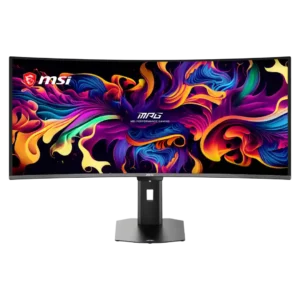
Best for class-leading 360Hz ultrawide motion, spectacular HDR, deep blacks, and unusually strong work-and-play connectivity. Skip it if you want 4K-like text sharpness, a matte screen, or the best value...
Pros: screen size, panel type
Cons: Resolution, cable management

Choose the RD280UG for coding, trading, writing, or creative work that benefits from a tall, sharp 3:2 screen and strong eye-care features. Skip it for serious HDR, color-critical creation, esports,...
Pros: VESA mount compatibility, productivity versatility
Cons: HDR performance, local dimming performance
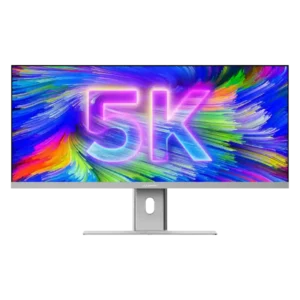
Best for a single, expansive Mac-friendly workspace with excellent color, sharp 5K2K detail, and one-cable docking. Skip it if you need strong HDR, competitive-gaming response, powerful speakers, or a stand...
Pros: productivity versatility, aspect ratio
Cons: HDR performance, HDMI 2.1 support