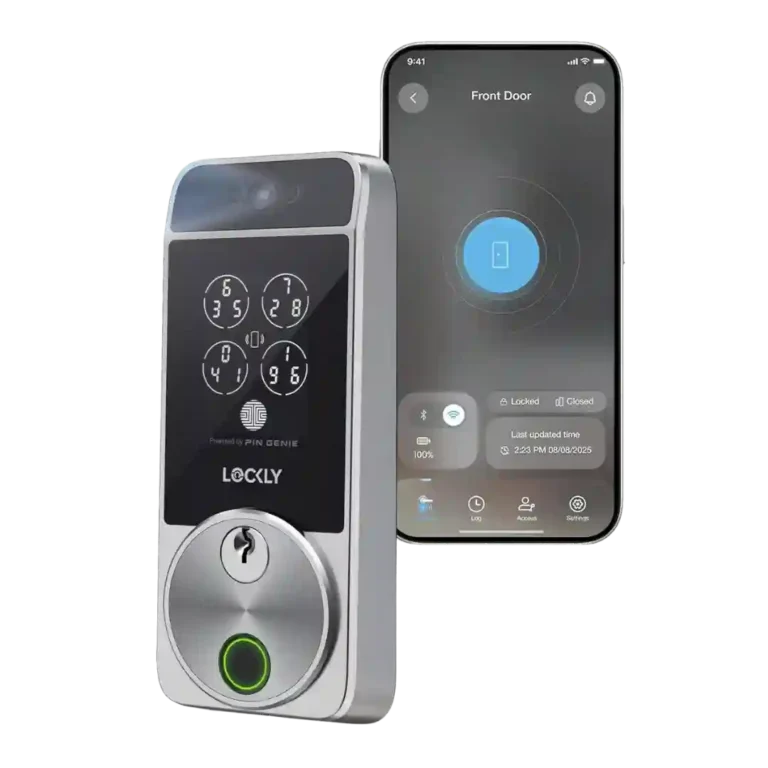
Lockly Visage Zeno Series Smart Lock

Lockly Visage Zeno Series Smart Lock Review

Brand: Lockly
Released: January 9, 2024
Updated: 2 weeks ago
4.0
Consolidated expert score
138
Review insights
31
Scored features
14
Expert reviews

Bottom Line

Choose the Lockly Visage if you want fast hands-free facial unlocking, Apple Home Key, and many backup access methods. Skip it if the price, exposed door sensor, app quirks, or battery drain with always-on scanning will bother you.

Best for

Best for smart-home users who want the most frictionless entry possible and will use facial recognition, Apple Home Key, fingerprint access, keypad codes, and app/voice controls. It is especially compelling for Apple Home users who value Home Key and automations.

Not for

Not for shoppers who mainly want a simple low-cost deadbolt, a built-in video doorbell, or a clean hidden door-sensor design. It is also less ideal if you need flawless Wi-Fi remote access or long battery life with always-on face scanning.

Verdict

The Lockly Visage Zeno Series earns strong reviewer praise for turning facial recognition into a practical front-door feature rather than a gimmick. Testers repeatedly found face unlock fast, accurate, and hard to fool, with fingerprint, keypad, Apple Home Key, app, voice, and physical-key access adding useful backups. The tradeoff is that all this tech brings a high price, a visible door sensor, occasional app or Wi-Fi rough edges, and battery-life compromises if always-on face scanning is used. It comes across as a highly capable smart lock whose best feature is also the one most likely to justify its cost.

Compared in Reviews

Products reviewers directly compared with this model, grouped into quick takeaways.

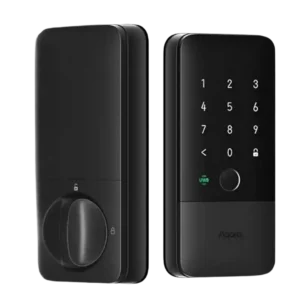
Aqara U100

  • Worse: overall performance ZDNET said the Visage clearly outperformed the Aqara U100.
  • Worse: build sturdiness ZDNET found the Visage sturdier than the Aqara U100, despite the Aqara being cheaper.

August Smart Lock Pro

  • Worse: feature breadth TechRadar said the cheaper August model lacks headline features such as facial recognition and fingerprint unlocking.

August Wi-Fi Smart Lock

  • Better: IFTTT support PCMag noted that August's lock supports IFTTT, which the Visage lacks, while the broader sentence contrasts feature sets.

Feature Scorecards

Summary

31 reviewed features
  • Very positive 4.5-5.0 29% 9 features
  • Positive 3.5-4.4 52% 16 features
  • Neutral 2.5-3.4 16% 5 features
  • Negative 1.5-2.4 3% 1 feature
  • Very negative below 1.5 0% 0 features

Pros

  • 5.0
    based on 1 review
    Hub requirement: 5.0, based on 1 review
    Review evidence for hub requirement was positive: TechRadar specifically liked not needing a separate hub.
  • 5.0
    based on 1 review
    Touchscreen: 5.0, based on 1 review
    Touchscreen evidence was limited but positive, with PCMag reporting touchpad entries were processed immediately.
  • 5.0
    based on 10 reviews
    Facial recognition: 5.0, based on 10 reviews
    Facial recognition was the clearest consensus win, with reviewers repeatedly describing it as fast, accurate, reliable, and difficult to fool.
  • 4.9
    based on 7 reviews
    Locking reliability: 4.9, based on 7 reviews
    Overall locking reliability was one of the strongest themes, with reviewers saying the lock worked perfectly, performed well, or kept working every time.
  • 4.8
    based on 5 reviews
    Security features (encryption): 4.8, based on 5 reviews
    Security evidence was strong for anti-spoofing and privacy, with reviewers unable to fool face unlock using photos and one citing encryption as a strength.
  • 4.7
    based on 5 reviews
    Lock/unlock speed: 4.7, based on 5 reviews
    Lock and unlock speed was a major strength, especially facial recognition, with reviewers repeatedly describing access as nearly instant, quick, or within seconds.
  • 4.5
    based on 3 reviews
    Build quality and durability: 4.5, based on 3 reviews
    Build quality was generally praised as sturdy, sleek, and more substantial than some alternatives.
  • 4.5
    based on 2 reviews
    Voice control: 4.5, based on 2 reviews
    Voice control worked well in the reviews that tested it, with PCMag and Tom's Guide reporting responsive or snappy results.
  • 4.5
    based on 1 review
    Access logs: 4.5, based on 1 review
    Access-log evidence was limited but positive, with one reviewer valuing real-time lock-activity monitoring.
  • 4.4
    based on 8 reviews
    Smart-home integration (Alexa, Google, Siri, HomeKit, Matter, Thread): 4.4, based on 8 reviews
    Smart-home integration was broadly praised, especially Apple HomeKit/Home Key and Alexa routines, though one reviewer noted Matter and Thread were absent.
  • 4.3
    based on 2 reviews
    Key override reliability: 4.3, based on 2 reviews
    The physical keys were a reliable backup in the reviews that discussed them, with one saying they were easy to use and another saying they turned smoothly.
  • 4.2
    based on 9 reviews
    Fingerprint: 4.2, based on 9 reviews
    Fingerprint performance was mostly strong, but not universal: several reviewers found it fast and accurate, while others disliked placement or had hit-and-miss scans.
  • 4.2
    based on 3 reviews
    Guest Codes and Access: 4.2, based on 3 reviews
    Guest access was useful for family or visitors, with reviewers praising custom codes, iCloud sharing, and easier guest entry.
  • 4.1
    based on 8 reviews
    Battery: 4.1, based on 8 reviews
    Battery impressions were split between praise for the two rechargeable packs and complaints about short life under always-on scanning or default settings.
  • 4.0
    based on 6 reviews
    Keypad: 4.0, based on 6 reviews
    The keypad was viewed as secure thanks to PIN Genie, though reviewers also said it can slow entry or make code entry less convenient.
  • 4.0
    based on 5 reviews
    User access management: 4.0, based on 5 reviews
    User access management was generally strong after app updates, but initial user setup could be confusing.
  • 4.0
    based on 1 review
    Feature additions via updates: 4.0, based on 1 review
    Feature-update evidence was limited to ZDNET, which said app updates improved user management and usability.
  • 4.0
    based on 10 reviews
    Installation and Setup: 4.0, based on 10 reviews
    Installation was usually described as easy, painless, or straightforward, but several reviewers noted setup pain from cabling, Bluetooth timing, or deadbolt alignment.
  • 3.8
    based on 3 reviews
    Auto-lock: 3.8, based on 3 reviews
    Auto-lock worked well in favorable installs, but one reviewer warned it becomes unreliable when the deadbolt does not slide smoothly.
  • 3.8
    based on 9 reviews
    Value and Price: 3.8, based on 9 reviews
    Value opinions were context-dependent: reviewers saw strong feature value, but the high price, missing video, and battery caveats kept it from being an easy buy for everyone.
  • 3.8
    based on 2 reviews
    Locking motor: 3.8, based on 2 reviews
    Motor feedback was mixed: one reviewer praised the quieter operation, while another said the deadbolt mechanism was not as smooth as a cheaper alternative.
  • App
    3.6
    based on 9 reviews
    App: 3.6, based on 9 reviews
    The app drew mixed reactions: reviewers liked the newer interface or slick setup tools, but several found it undercooked, confusing, or only mostly reliable.
  • 3.5
    based on 3 reviews
    Door compatibility (deadbolt fit): 3.5, based on 3 reviews
    Deadbolt fit was mostly manageable as a direct swap, but reviewers warned that the door and bolt need to move smoothly or the lock may struggle to auto-lock.
  • 3.5
    based on 2 reviews
    Remote access: 3.5, based on 2 reviews
    Remote access was divided, with quick on-demand actions in one review and Wi-Fi inaccessibility in another.
  • 3.5
    based on 1 review
    Keyway quality: 3.5, based on 1 review
    Keyway quality evidence was limited to one reviewer who said rekeying was possible but harder and more time-consuming than expected.

Cons

  • 3.3
    based on 3 reviews
    Bluetooth: 3.3, based on 3 reviews
    Bluetooth feedback was mixed, with complaints about short setup windows and Bluetooth 4.2 alongside one Apple Home user finding response times surprisingly good.
  • 3.3
    based on 2 reviews
    Notifications: 3.3, based on 2 reviews
    Notifications worked, but reviewers could find them excessive when both lock and smart-home platforms sent alerts.
  • 3.0
    based on 4 reviews
    Wi-Fi: 3.0, based on 4 reviews
    Wi-Fi was a recurring caveat, including failed syncing, 2.4GHz-only support, spotty remote access, and battery-drain tradeoffs.
  • 3.0
    based on 3 reviews
    Industrial design: 3.0, based on 3 reviews
    Reviewers split on the design: one called it Lockly's least attractive smart lock, another saw the newer design as more attractive, and a video reviewer still found it not especially attractive.
  • 2.6
    based on 8 reviews
    Door-sense: 2.6, based on 8 reviews
    Door-sense was the most consistent hardware complaint: it worked accurately for some reviewers, but many disliked the exposed wired sensor or complicated sensor alternatives.
  • 2.3
    based on 2 reviews
    Camera and doorbell performance: 2.3, based on 2 reviews
    Camera and doorbell feedback was mostly about absence: reviewers liked the lock but wished the price included video surveillance, package awareness, or doorbell-style features.

Compared With Category Average

Compared with other Smart Locks, this product is above average in Hub requirement, Touchscreen, Smart-home integration (Alexa, Google, Siri, HomeKit, Matter, Thread), below average in Camera and doorbell performance, Industrial design, Notifications.

Summary

8 compared features
  • Above average 0.4+ pts higher 50% 4 features
  • Same as average within 0.3 pts 0% 0 features
  • Below average 0.4+ pts lower 50% 4 features
Attribute This product Category average Difference
Camera and doorbell performance 2.3 4.2 -2.0
Hub requirement 5.0 3.7 +1.3
Touchscreen 5.0 3.7 +1.3
Industrial design 3.0 4.1 -1.1
Smart-home integration (Alexa, Google, Siri, HomeKit, Matter, Thread) 4.4 3.6 +0.8
Facial recognition 5.0 4.2 +0.8
Notifications 3.3 4.1 -0.9
Wi-Fi 3.0 3.7 -0.7

FAQ

Does the Lockly Visage facial recognition actually work well?

Yes. Reviewers consistently found it fast and accurate, including in bright light, darkness, sunglasses, and anti-photo tests.

Is the Lockly Visage worth the high price?

It can be if facial recognition, Apple Home Key, fingerprint access, keypad entry, app control, and voice control matter to you. Reviewers still called out the price as a major tradeoff.

Does it need a separate hub?

Reviewers liked that it has built-in Wi-Fi and does not require the older separate hub setup. Apple Home users can also rely heavily on HomeKit/Home Key workflows.

What are the biggest complaints?

The most repeated complaints were the exposed door sensor, app rough edges, occasional Wi-Fi issues, high price, and battery drain when face scanning is left always on.

How good is the fingerprint reader?

Most reviewers found it fast and accurate, but a few disliked the placement or said alignment made scans less consistent.

Does it replace a video doorbell?

No. Reviewers noted that the Visage uses face-recognition sensors, but it does not provide a normal video feed, doorbell, or package-viewing experience.

Consider This Instead

Overall Top Smart Locks Alternatives

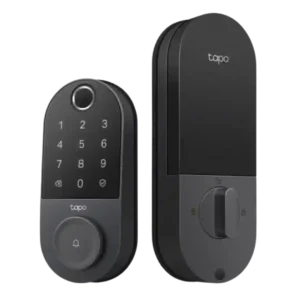
#1 Tapo Smart Door Lock DL110
4.4
12 reviews

Choose the Tapo DL110 if you want fast fingerprint entry, strong app control, long battery life, and premium features under a lower price. Skip it if your door/strike alignment is...

Pros: Value and Price, Lock/unlock speed

Cons: Existing hardware reuse, Door compatibility (deadbolt fit)
#2 Lockin Veno Pro Smart Deadbolt Lock
4.3
12 reviews

Choose the Lockin Veno Pro if you want touchless palm unlocking, local video storage, and one device for lock plus doorbell. Skip it if you need polished Matter features, discreet...

Pros: Lock/unlock speed, Wi-Fi

Cons: Feature additions via updates, Warranty and support

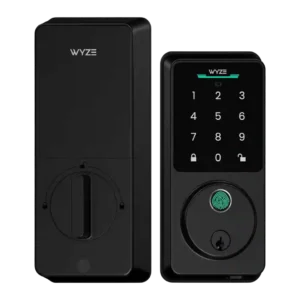
#3 Wyze Auto-Lock Bolt v2 Smart Lock
4.3
8 reviews

Choose the Wyze Lock Bolt v2 for low-cost Wi-Fi, fast fingerprint entry, and flexible codes. Skip it if you need Matter/HomeKit support, rechargeable batteries, or stronger door-sense behavior.

Pros: Lock/unlock speed, Keypad

Cons: Door-sense, Battery
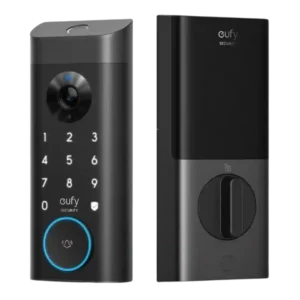
#4 myQ Secure View 3-in-1 Smart Lock
4.3
7 reviews

Choose it if you want a fast, camera-equipped smart lock with strong biometric options and myQ ecosystem control. Skip it if open smart-home integrations, subscription-free advanced alerts, or a basic...

Pros: Lock/unlock speed, Locking motor

Cons: Smart-home integration (Alexa, Google