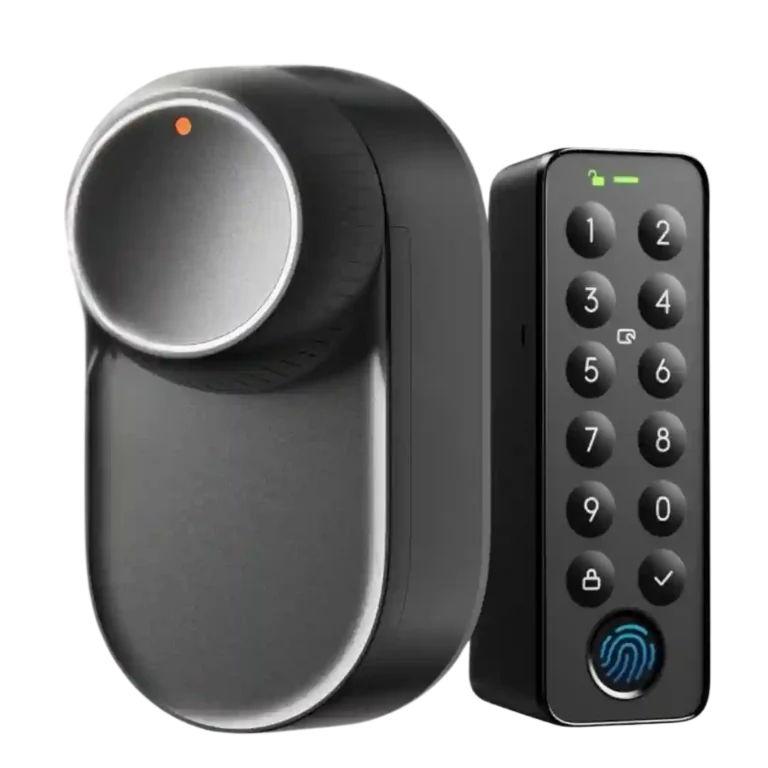
SwitchBot Lock Ultra

SwitchBot Lock Ultra Review

Brand: Switchbot
Released: May 30, 2025
Updated: 2 weeks ago
4.0
Consolidated expert score
182
Review insights
34
Scored features
13
Expert reviews

Bottom Line

Choose the SwitchBot Lock Ultra for easy retrofit setup, strong motor performance, battery backups, and many unlock methods. Skip it if you need hub-free Matter, dependable geofencing, Apple Home Key, or a full exterior lock replacement.

Best for

Best for renters, retrofit-lock buyers, and smart-home users who want to keep existing exterior hardware while adding app, keypad, fingerprint, NFC, and face-unlock options. It also suits unusual doors where full replacement locks are impractical.

Not for

Not for buyers who want a hub-free Matter lock, Apple Home Key, a full exterior keypad lock, or a physical-security cylinder upgrade. It is also risky for anyone relying heavily on geofencing or a tricky lift-to-lock door.

Verdict

Reviewers generally frame the SwitchBot Lock Ultra as a meaningful refinement of SwitchBot’s retrofit lock idea: easier to install, neater on the door, stronger at turning stiff locks, and much better protected against battery failure. The Keypad Vision adds the flashiest convenience, with face unlock often working well, though lighting and positioning can still matter. The main tradeoff is ecosystem dependence: Bluetooth-only local control is fine for basics, but Matter, remote access, Wi-Fi, and many automations require a SwitchBot hub, and geofencing remains inconsistent. Odd doors may also need adapter work.

Compared in Reviews

Products reviewers directly compared with this model, grouped into quick takeaways.

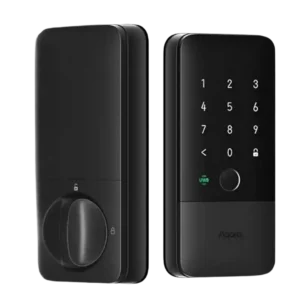
Accara U200

  • Worse: design The reviewer prefers the Lock Ultra’s look over the Accara U200.
  • More expensive: price The reviewer says the Lock Ultra costs less than the Accara U200.
  • Better: Apple Home Key support The reviewer notes the Accara U200 offers retrofit Apple Home Key support while the Lock Ultra does not.

Lock Pro

  • Worse: speed, reliability, and calibration The reviewer calls the Lock Ultra a big step up from the Lock Pro.
  • Worse: installation quality The Lock Ultra gave the reviewer a neater and more secure installation than the Lock Pro.

SwitchBot Lock Pro

  • Worse: value and relevance The reviewer says the older SwitchBot Lock Pro can be forgotten now that the Ultra exists.
  • Worse: overall refinement The reviewer says the Lock Ultra improves on the original SwitchBot Lock Pro.

Feature Scorecards

Summary

34 reviewed features
  • Very positive 4.5-5.0 29% 10 features
  • Positive 3.5-4.4 53% 18 features
  • Neutral 2.5-3.4 15% 5 features
  • Negative 1.5-2.4 3% 1 feature
  • Very negative below 1.5 0% 0 features

Pros

  • App
    4.8
    based on 8 reviews
    App: 4.8, based on 8 reviews
    The SwitchBot app was widely praised for easy pairing, clear calibration, smooth menus, and stable operation, with a few feature-description caveats.
  • 4.7
    based on 10 reviews
    Battery: 4.7, based on 10 reviews
    Battery evidence was strongly positive overall, especially for the rechargeable pack and backup/emergency power, though one reviewer wondered about Keypad Vision drain.
  • 4.7
    based on 12 reviews
    Installation and Setup: 4.7, based on 12 reviews
    Installation and setup were consistently praised as quick, simple, or beginner-friendly, though odd doors or adapters could complicate the process.
  • 4.7
    based on 6 reviews
    Build quality and durability: 4.7, based on 6 reviews
    Build quality was consistently described as tough, robust, solid, or premium, with only a mild plastic-build caveat from one reviewer.
  • 4.6
    based on 8 reviews
    Locking reliability: 4.6, based on 8 reviews
    Locking reliability was strong overall, with several reviewers reporting solid operation, reliable locking, and no failed unlocks, except in special night-mode or sensor cases.
  • 4.5
    based on 7 reviews
    Existing hardware reuse: 4.5, based on 7 reviews
    Reviewers liked that the retrofit design keeps existing exterior hardware, keys, and deadbolts, making it renter-friendly and low-modification.
  • 4.5
    based on 7 reviews
    Locking motor: 4.5, based on 7 reviews
    Motor evidence was strong overall, with reviewers praising torque, quietness, and strength, aside from a weak night-mode/sticky-lock caveat.
  • 4.5
    based on 4 reviews
    Notifications: 4.5, based on 4 reviews
    Notification evidence was positive where tested, including accurate lock-open notifications, Apple Home notifications, and helpful battery alerts.
  • 4.5
    based on 3 reviews
    Security features (encryption): 4.5, based on 3 reviews
    Security feature evidence was positive for local biometric handling, anti-peek passcodes, and face-recognition resistance to photos or videos.
  • 4.5
    based on 2 reviews
    Feature additions via updates: 4.5, based on 2 reviews
    Firmware and update evidence was positive where mentioned, including a fixed face-registration issue and praise for SwitchBot’s update pace.
  • 4.4
    based on 9 reviews
    Keypad: 4.4, based on 9 reviews
    The keypad was repeatedly described as essential, convenient, flexible, and fast, especially when paired with face, fingerprint, NFC, and PIN methods.
  • 4.4
    based on 12 reviews
    Industrial design: 4.4, based on 12 reviews
    Design was generally praised as smaller, modern, neater, and more premium, though wood veneers and side latches drew minor criticism.
  • 4.4
    based on 4 reviews
    User access management: 4.4, based on 4 reviews
    User access management was praised for detailed controls, temporary access, and adjustable authorizations, with one reviewer wanting finer scheduling.
  • 4.4
    based on 7 reviews
    Lock/unlock speed: 4.4, based on 7 reviews
    Lock/unlock speed was mostly praised as fast or quicker than prior models, though Bluetooth phone unlocking could take several seconds in one review.
  • 4.3
    based on 12 reviews
    Value and Price: 4.3, based on 12 reviews
    Value was generally positive thanks to fair pricing and strong bundles, though one reviewer felt the appeal fell when keypad cost pushed it near full smart locks.
  • 4.3
    based on 3 reviews
    Access logs: 4.3, based on 3 reviews
    Reviewers who discussed logs valued being able to see activity history, with one noting accurate logs and another saying they help check who came and went.
  • 4.3
    based on 5 reviews
    Door compatibility (deadbolt fit): 4.3, based on 5 reviews
    Door compatibility was a major strength for unusual doors, deadbolts, jimmy-proof locks, and mortise locks, though one reviewer needed custom adapters.
  • 4.3
    based on 9 reviews
    Facial recognition: 4.3, based on 9 reviews
    Facial recognition was often praised as hands-free and reliable, but some reviewers had issues with lighting, positioning, or early firmware.
  • 4.3
    based on 4 reviews
    Weather resistance: 4.3, based on 4 reviews
    Weather evidence was positive for the keypad and lock surviving rain, wind, and cold testing, with one cold-weather facial-recognition caveat.
  • 4.2
    based on 5 reviews
    Guest Codes and Access: 4.2, based on 5 reviews
    Guest and temporary access options were praised for codes, emergency options, Airbnbs, and vacation rentals, but one reviewer wanted more scheduling flexibility.
  • 4.1
    based on 5 reviews
    Fingerprint: 4.1, based on 5 reviews
    Fingerprint access was mostly fast and convenient, although one reviewer reported the scanner sometimes failed to respond.
  • 4.0
    based on 4 reviews
    Bluetooth: 4.0, based on 4 reviews
    Bluetooth was praised when used for local control and keypad communication, but one reviewer found Bluetooth-based phone control slow.
  • 4.0
    based on 2 reviews
    Wi-Fi: 4.0, based on 2 reviews
    Wi-Fi evidence focused on hub bridging and connection quality; setup could be fast, but app responsiveness depends on hub Wi-Fi quality.
  • 4.0
    based on 1 review
    Camera and doorbell performance: 4.0, based on 1 review
    Doorbell-related evidence was limited but positive, with the keypad button described as a useful doorbell-style feature.
  • 4.0
    based on 1 review
    Voice control: 4.0, based on 1 review
    Voice control evidence was limited but positive, with one reviewer simply calling voice control nice.
  • 3.8
    based on 4 reviews
    Remote access: 3.8, based on 4 reviews
    Remote access was useful for visitors and temporary access, but reviewers repeatedly noted that it depends on a hub.
  • 3.7
    based on 3 reviews
    Key override reliability: 3.7, based on 3 reviews
    Key override reliability depended on door hardware: some reviewers valued keeping a manual key path, while another lost outside-key access on their setup.
  • 3.6
    based on 8 reviews
    Smart-home integration (Alexa, Google, Siri, HomeKit, Matter, Thread): 3.6, based on 8 reviews
    Smart-home integration was powerful but mixed: Matter, Apple Home, Home Assistant, and automations worked well for some, while others had unreliable or basic Matter behavior.

Cons

  • 3.2
    based on 5 reviews
    Auto-lock: 3.2, based on 5 reviews
    Auto-lock drew mixed evidence: some reviewers liked the extra security or found it reliable, while lift-to-lock doors and a bad door sensor broke the experience for others.
  • 3.1
    based on 6 reviews
    Hub requirement: 3.1, based on 6 reviews
    Hub requirement was a common tradeoff: hubs unlock Matter, remote access, and integrations, but several reviewers treated that dependency as a limitation.
  • 3.0
    based on 1 review
    Alarm/siren loudness (if included): 3.0, based on 1 review
    The keypad speaker is clearly audible, but one reviewer found the voice prompts annoying enough to lower the score.
  • 2.8
    based on 2 reviews
    Door-sense: 2.8, based on 2 reviews
    Door-sense was split: one reviewer found the sensor useful for auto-lock, while another said the magnet still reported the door state unreliably.
  • 2.5
    based on 1 review
    Jam detection: 2.5, based on 1 review
    Jam-related evidence was limited and mixed-negative, with a lift-to-lock reviewer saying the lock complains it is stuck and needs recalibration.
  • 1.5
    based on 2 reviews
    Geofencing: 1.5, based on 2 reviews
    Geofencing was one of the clearest weak points, with reviewers calling it haphazard or saying it did not work in testing.

Compared With Category Average

Compared with other Smart Locks, this product is above average in Battery, Door compatibility (deadbolt fit), Existing hardware reuse, below average in Geofencing, Jam detection, Auto-lock.

Summary

8 compared features
  • Above average 0.4+ pts higher 50% 4 features
  • Same as average within 0.3 pts 0% 0 features
  • Below average 0.4+ pts lower 50% 4 features
Attribute This product Category average Difference
Geofencing 1.5 3.0 -1.5
Battery 4.7 3.7 +1.0
Jam detection 2.5 3.7 -1.2
Auto-lock 3.2 4.2 -1.0
Door compatibility (deadbolt fit) 4.3 3.4 +0.9
Existing hardware reuse 4.5 3.6 +0.9
App 4.8 4.0 +0.8
Hub requirement 3.1 3.8 -0.7

FAQ

Is the SwitchBot Lock Ultra easy to install?

Most reviewers found installation quick and beginner-friendly, often taking only minutes. A few unusual doors or adapters required drilling, custom parts, or extra care.

Does the Lock Ultra work without replacing the outside lock?

Yes. Reviewers repeatedly highlighted the retrofit design, which keeps the outside cylinder, deadbolt, and existing keys in place.

How reliable is face unlock with Keypad Vision?

Several reviewers found face unlock accurate, hands-free, and impressive, including in darker conditions. Others noted failures in harsh lighting, positioning quirks, or early firmware issues.

Do you need a SwitchBot hub?

For basic Bluetooth local control, no. Reviewers note that remote access, Wi-Fi, Matter, Apple Home, voice assistants, and broader smart-home integrations require a compatible SwitchBot hub or bridge.

How good is the battery system?

Reviewers strongly praised the rechargeable main battery, backup battery, and emergency power options. One reviewer did wonder whether always-scanning face unlock could affect Keypad Vision battery life.

Is geofencing dependable?

No reviewer evidence supports treating it as dependable yet. One reviewer called it haphazard, and another said it did not work in repeated tests.

Is the keypad necessary?

Not strictly, but reviewers often treated a keypad as essential or highly valuable because it adds reliable outside entry methods beyond a phone, such as PIN, fingerprint, NFC, and face unlock.

Consider This Instead

If you want better Jam detection

Choose Aqara U50 Smart Lock. It scores 4.5 vs 2.5 for Jam detection, with a 4.0 overall score.

Compare

Overall Top Smart Locks Alternatives

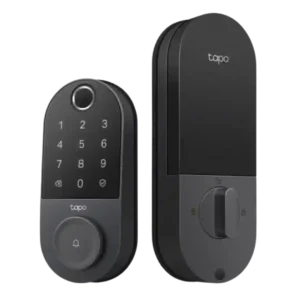
#1 Tapo Smart Door Lock DL110
4.4
12 reviews

Choose the Tapo DL110 if you want fast fingerprint entry, strong app control, long battery life, and premium features under a lower price. Skip it if your door/strike alignment is...

Pros: Value and Price, Lock/unlock speed

Cons: Existing hardware reuse, Door compatibility (deadbolt fit)
#2 Lockin Veno Pro Smart Deadbolt Lock
4.3
12 reviews

Choose the Lockin Veno Pro if you want touchless palm unlocking, local video storage, and one device for lock plus doorbell. Skip it if you need polished Matter features, discreet...

Pros: Lock/unlock speed, Wi-Fi

Cons: Feature additions via updates, Warranty and support

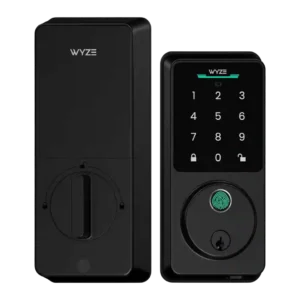
#3 Wyze Auto-Lock Bolt v2 Smart Lock
4.3
8 reviews

Choose the Wyze Lock Bolt v2 for low-cost Wi-Fi, fast fingerprint entry, and flexible codes. Skip it if you need Matter/HomeKit support, rechargeable batteries, or stronger door-sense behavior.

Pros: Lock/unlock speed, Keypad

Cons: Door-sense, Battery
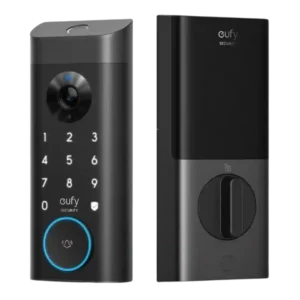
#4 myQ Secure View 3-in-1 Smart Lock
4.3
7 reviews

Choose it if you want a fast, camera-equipped smart lock with strong biometric options and myQ ecosystem control. Skip it if open smart-home integrations, subscription-free advanced alerts, or a basic...

Pros: Lock/unlock speed, Locking motor

Cons: Smart-home integration (Alexa, Google