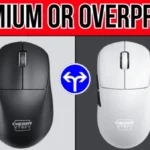
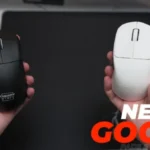
- Worse: weight IGN says the M64 Pro beats the Logitech G Pro X Superlight 2 on weight.
Cherry M64 Pro Review
Bottom Line
Choose the Cherry M64 Pro if you want a light, plug-and-play wireless mouse with a distinctive ergonomic shape. Skip it if you need software control, granular DPI, easy wired charging, or the best value at $139.
Best for gamers who want a very light, plug-and-play wireless mouse with a distinctive ergonomic M64 shape and strong tracking. It suits palm or claw users who value fast wireless performance over deep software control.
Not ideal for users who need granular DPI/software customization, frequently play while charging, prefer fingertip grip, or have large hands that are easily cramped. Value-focused buyers may prefer the cheaper standard version.
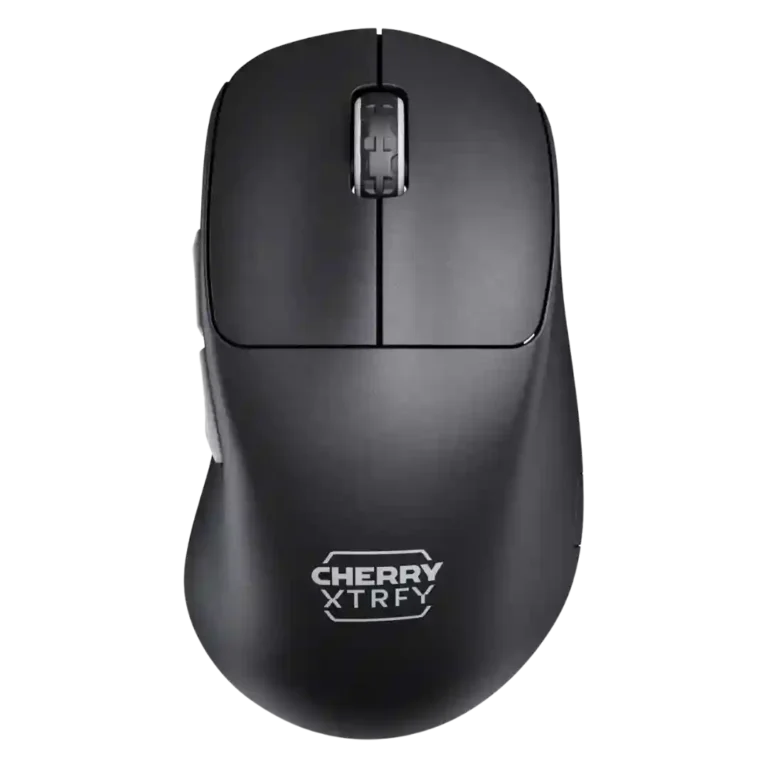
The Cherry M64 Pro lands as a lightweight, performance-first wireless mouse with a shape reviewers found distinctive and often comfortable. Its best evidence centers on low weight, strong sensor tracking, stable wireless performance, smooth glide, and an ergonomic feel that can lock the hand in well for palm or claw styles. The tradeoff is that Cherry’s no-software approach keeps setup simple but makes detailed adjustments tedious, while the side-mounted charging port repeatedly drew complaints. Value is also contested: some reviewers considered the performance worth it, but others saw the 8K upcharge and $139 price as difficult against strong competitors.
Compared in Reviews
Products reviewers directly compared with this model, grouped into quick takeaways.
- More expensive: price IGN says the M64 Pro is only a narrow discount versus the Viper V3 Pro.
M4
- Worse: thumb curvature The reviewer preferred the M64's less aggressive curve over the older M4 shape.
- Worse: shape and grip comfort The reviewer preferred the M64 over the M4 because the updated shape felt better to grip.
Feature Scorecards
Summary
41 reviewed features- Very positive 4.5-5.0 32% 13 features
- Positive 3.5-4.4 44% 18 features
- Neutral 2.5-3.4 22% 9 features
- Negative 1.5-2.4 2% 1 feature
- Very negative below 1.5 0% 0 features
Pros
-
The 2.4GHz connection was praised in one review as both fast and reliable.
-
Long-session comfort had limited but strong evidence, with one reviewer reporting no hand fatigue after long gaming sessions.
-
Glide smoothness was praised, with reviewers describing the M64 as butter smooth and noting excellent glide across surfaces.
-
Reviewers praised tracking precision for smooth response, aim adjustments, and accurate shots, with one M64 user calling the experience very good.
-
Connection stability was strong in the scored reviews, with no hiccups, no stuttering, and no reliability problems called out.
-
Wireless performance was a major strength, with reviewers reporting top-notch, smooth, responsive, and issue-free wireless use.
-
Wireless latency was praised, with reviewers reporting no lag, no delays, and no wireless-experience issues.
-
Weight was one of the clearest strengths, with reviewers repeatedly calling the mouse very light, impressively lightweight, or easy to maneuver.
-
Balance and weight distribution drew positive comments, with reviewers describing the build as well balanced or having good weight balance.
-
Motion consistency was a strength, with reviewers describing smooth response, consistent tracking, and no wireless tracking problems.
-
Sensor performance was consistently positive, with reviewers reporting good tracking, no hiccups, and reliable behavior even on less-than-ideal surfaces.
-
Firmware reliability had limited positive evidence, with one reviewer calling the dongle and mouse firmware update super easy.
-
Button responsiveness was mostly reliable, with reviewers saying buttons were fine in game, avoided misclicks, and never misbehaved.
-
Shape comfort was mostly praised for a natural, distinctive M64 feel, though reviewers also framed it as a less-safe shape for some users.
-
FPS suitability was generally positive for responsiveness and precision, although one reviewer viewed the M64 shape as better for slower-paced play.
-
Scroll wheel quality was well received for tactile steps, satisfying use, granular control, and easy movement.
-
Switch feel was mostly praised as amazing, fast, snappy, and satisfying, though one early hands-on impression was more reserved.
-
Build quality was generally solid, with many reviewers reporting sturdy shells and no creaking, though some found flexing or minor creaks.
-
Surface compatibility was positive in the scored review, which found the sensor performed well on plastic and wood surfaces.
-
The ergonomic design was usually praised for the thumb groove, low profile, and locked-in feel, but it was less successful for larger hands.
-
The polling rate was generally seen as responsive and smooth, though IGN found the jump beyond 1000Hz hard to notice and tied it to battery drain.
-
Cable flexibility itself was generally liked, but flexible cables did not fully solve the awkward side-charging experience.
-
Claw grip comfort was generally strong thanks to the low button height, but large-hand users may still feel cramped.
-
Click noise was acceptable to mixed, ranging from loud in one review to balanced or mellow in others.
-
Side button quality split reviewers: some complained about reach, mushiness, or pre-travel, while others praised the thumb buttons as dependable or exceptional.
-
Battery life was mixed: several reviews found it strong or good, while IGN said peak-performance use drained it unpredictably.
-
Durability over time was mixed, with one review praising finish wear resistance and another treating click wobble as concerning.
-
Premium feel was mixed: some impressions found it solid and distinctive, while IGN said the ultralight design felt a little cheap.
-
Palm grip comfort depended on hand size, with some reviewers able to palm it comfortably while IGN found it cramped for large hands.
-
Grip texture was mixed: reviewers liked the grippy or smooth finish, while one criticized the black coating as a fingerprint magnet.
-
Lift-off distance had limited mixed evidence, with one reviewer needing to switch to 2 mm when using hard surfaces.
Cons
-
Materials quality was mixed, balancing praise for a non-hollow shell and durable finish against complaints about cheap feel and fingerprint-prone coating.
-
Value for money was highly mixed, with praise from some reviewers but repeated concerns about the 8K upcharge and $139 competition.
-
Left and right click quality was mixed because reviewers noted wobble or a stiff right button despite otherwise usable performance.
-
DPI range was mixed: one reviewer found enough presets to settle in, while another criticized the lack of fine granularity.
-
Software usability was polarizing: no-software plug-and-play appealed to some, while others found manual button combinations annoying or tedious.
-
Button customization was limited in the one scored review, which said the mouse restricts customization.
-
Charging convenience was the most common drawback, with quick charging and flexible cables offset by an awkward side port.
-
Profile and setting switching was divisive: on-device presets can be quick, but bottom controls and indicator-light workflows were tedious or problematic.
-
Fingertip grip comfort was weak in the available evidence because reviewers found the curvature or wider dimensions awkward for fingertip use.
-
Debounce customization received negative evidence from one reviewer, who found the lowest debounce setting caused ghost or slam-click behavior.
Compared With Category Average
Compared with other Gaming Mouse, this product is above average in firmware reliability, below average in debounce customization, button customization, charging convenience.
Summary
8 compared features- Above average 0.4+ pts higher 13% 1 feature
- Same as average within 0.3 pts 0% 0 features
- Below average 0.4+ pts lower 88% 7 features
| Attribute | This product | Category average | Difference |
|---|---|---|---|
| firmware reliability | 4.5 | 2.7 | +1.8 |
| debounce customization | 2.0 | 3.7 | -1.7 |
| button customization | 2.8 | 4.3 | -1.5 |
| charging convenience | 2.7 | 4.0 | -1.3 |
| DPI range | 3.0 | 4.2 | -1.2 |
| profile switching | 2.7 | 3.8 | -1.1 |
| software usability | 2.9 | 3.9 | -1.0 |
| fingertip grip comfort | 2.7 | 3.7 | -1.1 |
FAQ
Is the Cherry M64 Pro comfortable?
Most reviewers found the M64 Pro comfortable, especially because of its low-profile ergonomic shape and thumb groove. Large-hand users may find palm and claw grips cramped.
Does the M64 Pro have noticeable wireless lag?
The review evidence is strongly positive on wireless feel. Reviewers reported no lag, no latency, no hiccups, and generally smooth wireless performance.
Is the 8K polling rate worth it?
Opinions are mixed. One reviewer found the 8K polling rate noticeably responsive, while IGN said higher-than-1000Hz polling was hard to perceive and mainly affected battery drain.
How is the charging setup?
Charging is quick in the positive reviews, but the side-mounted USB-C port is a recurring complaint. Several reviewers found it awkward or unpleasant when using the mouse wired.
Does the M64 Pro use software?
No. Reviewers described it as plug-and-play with on-mouse controls, which some liked for simplicity, but others found the manual button combinations tedious.
How are the side buttons?
Side button feedback is mixed. Some reviewers praised the large, crisp thumb buttons, while others found the M64 side buttons mushy, pre-traveled, or harder to reach.
Consider This Instead
If you want better debounce customization
Choose Turtle Beach Kone II Air. It scores 4.8 vs 2.0 for debounce customization, with a 4.3 overall score.
If you want better charging convenience
Choose Logitech G502 X Wired. It scores 5.0 vs 2.7 for charging convenience, with a 4.2 overall score.
If you want better profile switching
Choose Logitech G502 X Lightspeed. It scores 5.0 vs 2.7 for profile switching, with a 4.2 overall score.
If you want better fingertip grip comfort
Choose Logitech G PRO X Superlight 2. It scores 5.0 vs 2.7 for fingertip grip comfort, with a 4.1 overall score.
Overall Top Gaming Mouse Alternatives
Choose the ROG Harpe II Ace for ultralight FPS play, precise tracking, smooth glide, and web-based tuning. Skip it if you need palm-grip support, MMO buttons, onboard profiles, or long...
Pros: acceleration control, wireless latency
Cons: onboard memory, MMO gaming suitability

Best for MMO/MOBA control, swappable panels, strong wireless performance, and long battery life. Skip it if you want a light FPS mouse, low price, or no Synapse quirks.
Pros: sensor performance, click latency
Cons: software stability, Bluetooth support
Choose the Aerox 3 Wireless Gen 2 if you want a light, fast wireless FPS mouse with strong software and battery life. Skip it if you dislike honeycomb shells, need...
Pros: click latency, motion consistency
Cons: palm grip comfort, fingertip grip comfort
Choose the Kone II if you want a large, ergonomic mouse with deep customization and strong sensor performance. Skip it if you have small hands, need an ambidextrous mouse, or...
Pros: click latency, motion consistency
Cons: handedness options, portability