- Worse: scroll wheel sturdiness The reviewer found the XM2we wheel sturdier than the Razer DeathAdder V3.
- More expensive: price The reviewer noted the XM2we is cheaper than the Razer DeathAdder V3 Pro, but not necessarily budget.
- More expensive: price The reviewer framed the XM2we as much cheaper than the Razer DeathAdder V3 Pro.
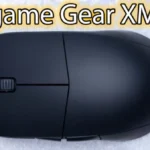
Endgame Gear XM2we Review
Bottom Line
Choose the XM2we for claw-grip FPS play, smooth glide, strong build, and low-latency wireless value. Skip it if you need Bluetooth, ambidextrous use, quiet clicks, flawless battery reporting, or a smaller fingertip shape.
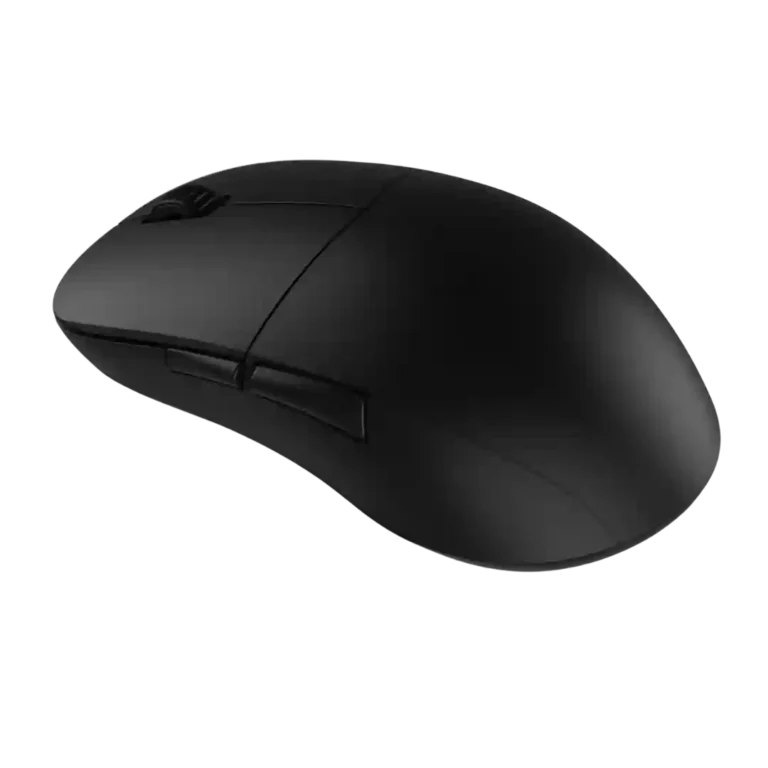
Best for medium-to-large-hand claw-grip FPS players who want a simple, light wireless mouse with stable performance, smooth glide, strong side buttons, and premium build at a competitive price.
Not for users who need Bluetooth, left-handed or truly ambidextrous support, quiet or very light clicks, rich software features, RGB, or a smaller safer fingertip shape.
Across the reviews, the XM2we comes through as a no-frills wireless gaming mouse that prioritizes shape, build quality, glide, and practical performance over extras. The strongest agreement is around its claw-friendly XM1-style shape, solid shell, smooth PTFE feet, responsive wireless feel, and strong value in the premium lightweight class. The main tradeoff is that Endgame Gear keeps the package simple: no Bluetooth, no RGB, limited button layout, an underside CPI/profile button, and software that can misreport battery life. Clicks are another split point, with many reviewers liking the crisp optical tactility while others found them heavy, stiff, or uneven. For FPS-focused users who like wider rear-hump claw shapes, the review evidence is highly favorable.
Compared in Reviews
Products reviewers directly compared with this model, grouped into quick takeaways.
- Cheaper: price The reviewer criticized the XM2we for costing more than the Logitech G203 Lightsync.
- Better: battery life The reviewer said the XM2we's battery life is far below the Logitech G305 Lightspeed.
Feature Scorecards
Summary
51 reviewed features- Very positive 4.5-5.0 41% 21 features
- Positive 3.5-4.4 43% 22 features
- Neutral 2.5-3.4 8% 4 features
- Negative 1.5-2.4 8% 4 features
- Very negative below 1.5 0% 0 features
Pros
-
Drag-click support received unusually strong praise from one reviewer, who said the grippy coating and button design made it outperform other mice for that use.
-
Claw-grip comfort was a major strength, with several reviewers describing the XM1-derived shape as excellent or near-perfect for claw users.
-
Button response was praised for snappy actuation and little pre-travel, though one reviewer noted the light right click could trigger unexpectedly.
-
Connection stability was praised, with reviewers reporting no dropouts, no hiccups, and no cutouts during wireless use.
-
Build quality was one of the strongest points, with reviewers repeatedly describing the shell as solid, tight, premium, and free of major creaks or flex.
-
Motion consistency was praised through stable polling, smooth movement, and top-tier-feeling performance in the reviewed units.
-
Premium feel was a recurring strength, with reviewers praising the overall quality, chassis feel, and polished execution despite the no-frills package.
-
FPS suitability was a standout theme, with reviewers repeatedly recommending it for shooters, low-CPI flicks, CS:GO, and precise headshot-style play.
-
Wireless latency was usually praised as unnoticeable or very low, with one reviewer saying any initial-click delay was not much of a problem.
-
Reviewers generally found tracking accurate and dependable in games, with strong praise for fast flicks and precision; one reviewer preferred lighter smaller mice for raw aiming.
-
Side button quality was one of the most consistent strengths, with reviewers praising placement, tactility, crispness, and low travel.
-
Value for money was mostly praised because it competes in the premium lightweight wireless class at a lower price, though one review found it expensive against budget rivals.
-
Wireless performance was a clear strength, with reviewers reporting no practical gap versus wired use, no lag, and strong in-game reliability.
-
Most reviewers praised the balance as stable or excellent, especially for wireless use, though one noted a slight rear or side-button heaviness.
-
Polling-rate evidence was positive where mentioned, with reviewers calling the 1,000Hz rate responsive or stable.
-
The dongle-based wireless connection drew positive feedback for avoiding connection drops, though the evidence is about stable 2.4GHz use rather than broader wireless flexibility.
-
The DPI/CPI ceiling was considered more than enough for competitive shooter play.
-
Firmware reliability was praised in one review that found the implementation up to the task during heated play.
-
Long-session comfort had limited but positive evidence, with one reviewer reporting no strain over long use.
-
Onboard memory was praised because saved profiles let the mouse run well without keeping software installed.
-
Programmable buttons were praised in one review for being easily accessible in the standard layout.
-
Shape comfort was strongly positive for the right hand size and grip, especially claw, but some reviewers found the shape subjective or difficult to adapt to.
-
Glide smoothness was broadly praised thanks to large PTFE feet, though a few reviewers noted slower or rougher behavior on certain hard or very soft pads.
-
Debounce customization was seen as useful because it can be lowered to zero, improving click latency or click registration for certain uses.
-
Battery life was consistently viewed as good to excellent, ranging from roughly two days to over a week depending on usage, with several reviewers calling it a strength.
-
Sensor performance was generally strong, with many reviewers saying the PAW3370 implementation felt flawless or very good despite not being the newest sensor.
-
Ergonomic touches such as thumb-accessible side buttons and finger angling were praised, although the shape remains hand-size dependent.
-
Materials quality was praised for the matte finish, clean shell, and robust hardware feel.
-
Switch durability evidence was positive but limited, focusing on optical durability claims and low double-click risk rather than long-term wear testing.
-
Weight was widely praised as light or featherweight, though reviewers comparing it to 50g-class rivals sometimes considered it only moderately light.
-
Scroll-wheel quality was mostly praised for sturdy, notchy, or tactile feel, although some reviewers found it rigid, stiff, or in need of tighter steps.
-
Click latency was mostly judged responsive or low, especially with debounce lowered, though one reviewer measured slightly more delay than usual.
-
Software usability was mostly praised for being light, simple, and easy, though a couple of reviewers found it basic or slightly unpolished.
-
Lift-off distance was viewed positively by reviewers who liked the stock 2mm feel or valued the option to reduce it for minimal cursor movement.
-
Switch feel was generally liked for tactility and crispness, but reviewers frequently qualified that the optical clicks are heavy or not universally preferred.
-
The cable received mostly positive feedback for flexibility and its angled connector, but one reviewer still found it seriously stiff.
-
Grip texture divided reviewers: many loved the grippy coating once warmed up, but others found it slippery, fingerprint-prone, or dirty-looking.
-
Charging was generally considered simple and convenient, with reviewers pointing to straightforward USB-C charging and about a two-hour charge estimate.
-
Water and dust resistance had limited indirect praise, with one reviewer liking that the closed shell avoids holes where dirt or water could enter.
-
Button remapping was considered functional and easy, but reviewers described the options as basic rather than deep.
-
Main-click quality was mixed: reviewers liked the snappy optical feel and low pre-travel, but several found the buttons heavy, stiff, uneven, or easy to trigger accidentally.
-
Palm-grip comfort was adequate but not the main strength, with reviewers generally describing palm use as okay or fairly comfortable.
-
Macro support was functional but not a highlight; the one review mentioning it said routine macro creation was easy enough in the companion app.
Cons
-
Surface compatibility was mixed: sensor tracking worked well on varied surfaces, but glide could feel rough or terrible on some hard or ultra-soft pads.
-
Portability was only mildly criticized because there is no built-in dongle storage, which matters mainly for travel.
-
Fingertip comfort was mixed to negative: large hands may manage relaxed fingertip grip, but several reviewers found the width or scroll placement limiting.
-
Click noise was a downside in the one review that focused on it, with the reviewer saying the loud clicks would be obvious to others nearby.
-
Profile switching drew criticism because the CPI/profile button sits on the underside, making on-the-fly adjustments inconvenient.
-
Software stability was the clearest weak point because battery reporting was described as unreliable in multiple reviews.
-
Bluetooth support was called out as a missing versatility feature, making the mouse more dependent on the included USB dongle.
-
Handedness is limited: one reviewer explicitly noted the side-button placement and shape make it a right-handed mouse rather than truly ambidextrous.
Compared With Category Average
Compared with other Gaming Mouse, this product is above average in firmware reliability, value for money, side button quality, below average in profile switching, Bluetooth support, surface compatibility.
Summary
8 compared features- Above average 0.4+ pts higher 50% 4 features
- Same as average within 0.3 pts 0% 0 features
- Below average 0.4+ pts lower 50% 4 features
| Attribute | This product | Category average | Difference |
|---|---|---|---|
| firmware reliability | 4.5 | 2.7 | +1.8 |
| profile switching | 2.3 | 3.8 | -1.6 |
| Bluetooth support | 2.0 | 3.6 | -1.6 |
| surface compatibility | 3.0 | 4.3 | -1.3 |
| value for money | 4.5 | 3.7 | +0.8 |
| side button quality | 4.5 | 3.7 | +0.8 |
| software stability | 2.0 | 3.0 | -1.0 |
| claw grip comfort | 4.9 | 4.0 | +0.9 |
FAQ
Is the Endgame Gear XM2we good for FPS games?
Yes. Reviewers repeatedly praised its accuracy, low-latency wireless feel, stable shape, and smooth glide for shooters such as Valorant, Call of Duty: Warzone, Apex Legends, Fortnite, CS:GO, and DOOM Eternal.
What grip style suits it best?
The evidence points most strongly to claw grip, especially for medium-to-large hands. Palm grip can be okay for some users, while fingertip grip drew more caveats because of the width, rear hump, and scroll-wheel reach.
How is the battery life?
Battery feedback was generally positive, with reviewers reporting around 48 to 50 hours, about a week, or even longer depending on use. The main caveat is that some reviewers found the software battery estimate unreliable.
Are the clicks good?
The click feel is divisive. Many reviewers liked the crisp, tactile optical switches, but several found the main buttons heavy, stiff, uneven, or louder than ideal.
Does it have Bluetooth?
No opinionated evidence shows Bluetooth as a strength. One reviewer specifically treated the lack of Bluetooth as a versatility limitation because the mouse depends on the dongle or wired mode.
How good is the software?
Reviewers mostly liked the software because it is simple, light, and not bloated. The strongest negative was unreliable battery reporting, and some reviewers described customization as basic.
Consider This Instead
If you want better software stability
Choose Turtle Beach Kone II Air. It scores 5.0 vs 2.0 for software stability, with a 4.3 overall score.
If you want better profile switching
Choose Logitech G502 X Lightspeed. It scores 5.0 vs 2.3 for profile switching, with a 4.2 overall score.
If you want better Bluetooth support
Choose Glorious Model I 2 Wireless. It scores 4.8 vs 2.0 for Bluetooth support, with a 4.0 overall score.
If you want better handedness options
Choose Corsair M75 Wireless. It scores 4.7 vs 2.0 for handedness options, with a 3.9 overall score.
Overall Top Gaming Mouse Alternatives
Choose the ROG Harpe II Ace for ultralight FPS play, precise tracking, smooth glide, and web-based tuning. Skip it if you need palm-grip support, MMO buttons, onboard profiles, or long...
Pros: acceleration control, wireless latency
Cons: onboard memory, MMO gaming suitability

Best for MMO/MOBA control, swappable panels, strong wireless performance, and long battery life. Skip it if you want a light FPS mouse, low price, or no Synapse quirks.
Pros: sensor performance, click latency
Cons: software stability, Bluetooth support
Choose the Aerox 3 Wireless Gen 2 if you want a light, fast wireless FPS mouse with strong software and battery life. Skip it if you dislike honeycomb shells, need...
Pros: click latency, motion consistency
Cons: palm grip comfort, fingertip grip comfort
Choose the Kone II if you want a large, ergonomic mouse with deep customization and strong sensor performance. Skip it if you have small hands, need an ambidextrous mouse, or...
Pros: click latency, motion consistency
Cons: handedness options, portability