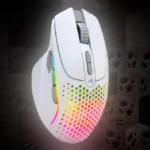
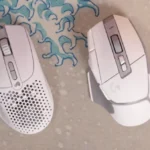
- More expensive: price The Model I 2 Wireless was positioned as cheaper than the Logitech G502 X Plus.
- Worse: weight The Model I 2 Wireless was described as dramatically lighter than the Logitech G502 X Plus.
- Better: button-swapping implementation The reviewer preferred Logitech's simpler, tool-free button-swapping approach.
Glorious Model I 2 Wireless Review
Bottom Line
Choose the Glorious Model I 2 Wireless if you want a lightweight ergonomic mouse with strong tracking, glide, and remappable buttons. Skip it if you need long RGB-on battery life, left-handed support, or a true MMO button grid.
Best for right-handed gamers who want an ergonomic lightweight wireless mouse with more controls than a basic FPS mouse, strong glide, and flexible button remapping.
Not for left-handed users, gamers who need excellent RGB-on battery life, or players who want a dedicated MMO button grid or the most feature-packed premium wheel setup.
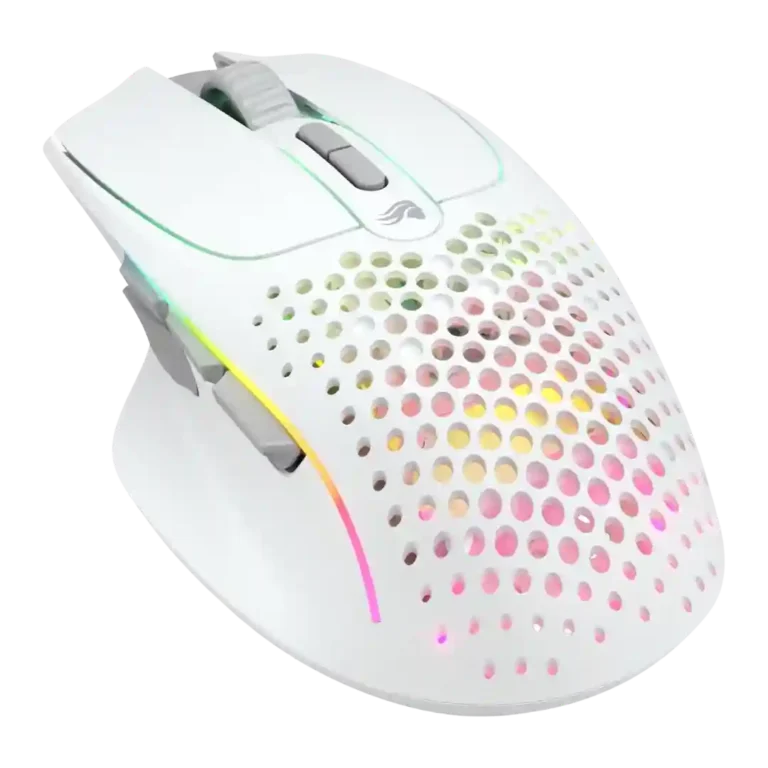
Across the reviews, the Glorious Model I 2 Wireless comes across as a lightweight ergonomic gaming mouse that balances comfort, smooth glide, accurate tracking, and unusually flexible button controls. Reviewers repeatedly liked the hand feel, low weight, responsive sensor, and easy remapping, with several calling it strong for long sessions and travel. The tradeoff is that its feature set sits between categories: it has more buttons than many lightweight FPS mice, but not enough or not ideally placed for dedicated MMO users, and its RGB can drain the battery quickly. Software is generally usable, but battery reporting, sleep behavior, and occasional recognition bugs kept it from feeling fully polished.
Compared in Reviews
Products reviewers directly compared with this model, grouped into quick takeaways.
- Worse: ergonomics and extra buttons The reviewer preferred the Model I 2 over the ambidextrous Model O for ergonomics and side buttons.
- Compared: size and button count The Model I 2 Wireless was framed as larger and more button-rich than this lightweight alternative.
Feature Scorecards
Summary
53 reviewed features- Very positive 4.5-5.0 36% 19 features
- Positive 3.5-4.4 45% 24 features
- Neutral 2.5-3.4 17% 9 features
- Negative 1.5-2.4 2% 1 feature
- Very negative below 1.5 0% 0 features
Pros
-
Cross-platform compatibility was praised for Windows, macOS, Linux, and easy pairing across multiple devices.
-
Skate durability was praised directly as high quality and durable.
-
Long-session comfort was a major strength, with reviewers reporting no cramping, discomfort, or fatigue over extended use.
-
Glide smoothness was a consistent strength, with reviewers describing effortless, smooth movement across pads and surfaces.
-
Wireless performance was strongly positive, with reviewers reporting no latency, response, or gameplay-performance problems.
-
Bluetooth support was appreciated for extra device flexibility, though reviewers still favored 2.4 GHz for gaming.
-
Surface compatibility was positive, with testing across varied surfaces and bare-table use.
-
Sensor sentiment was strongly positive, with reviewers calling the BAMF sensor high-performing, spot-on, and free of tracking-speed problems.
-
Reviewers consistently described tracking as accurate and issue-free during gaming, including precise aiming and smooth tracking.
-
Reviewers strongly praised the low weight, often comparing it favorably with heavier ergonomic competitors.
-
Shape comfort was a repeated strength, with reviewers calling the mouse natural, comfortable, and improved over related models.
-
Connection stability was strong across reviews, with no dropouts or lag issues reported in normal wireless use.
-
Button responsiveness was praised, especially the crisp main buttons and easy actuation in games.
-
Claw-grip comfort was positive, with multiple reviewers finding the shape comfortable for claw or hybrid grips.
-
Left and right clicks were reviewed positively for their split-shell design, feel, and low travel.
-
The DPI system was praised mainly for easy, visible sensitivity switching rather than raw maximum DPI alone.
-
Motion consistency was supported by smooth, accurate tracking during gameplay.
-
Onboard memory was praised for helping the mouse move between devices.
-
Build quality was mostly praised as solid, sturdy, and improved, with one review noting slight creaking.
-
Value was generally positive, with reviewers often calling the $100 price fair or strong for the weight and features.
-
Switch feel was generally positive, with reviewers calling clicks tactile, crisp, satisfying, and nice-feeling.
-
FPS suitability was mostly positive thanks to tracking, weight, and comfort, though one reviewer personally struggled with the thumb rest.
-
Profile switching was useful for genre changes, device movement, and easily swapping settings.
-
Ergonomics were one of the strongest themes, especially the contoured shape, thumb rest, and long-use comfort.
-
Programmable buttons were a major strength, with reviewers valuing remapping, layers, shortcuts, and expanded control options.
-
Palm-grip comfort was positive for reviewers whose hands fit the ergonomic body and thumb rest.
-
Wireless latency was generally praised as unnoticeable, though Bluetooth gaming drew one caution.
-
Cable flexibility was praised; reviewers found it light, flexible, and low-drag when used wired.
-
2.4 GHz connectivity was praised as stable, solid, and more reliable for gaming use.
-
Portability was split: reviewers liked it for travel, but one found it bulky and lacking dongle storage.
-
Software usability was mostly positive for simplicity and accessible settings, with a few reviewers calling it merely fine.
-
Weight balance was mostly positive, though one reviewer noticed a slightly front-heavy feel.
-
Click latency was not seen as a practical problem; the reviewer said the delay was not noticeable in use.
-
Debounce customization was positive because adjustable debounce supported drag-click use.
-
Drag-click support was positive, supported by the reviewer successfully drag clicking on the mouse.
-
Macro support was positively tied to the software's broader customization options.
-
Materials quality was reviewed positively, though the textured plastic may show shine over time.
-
Button customization was broadly appreciated, though implementation varied by reviewer due to comfort, missing pieces, or side-button fit.
-
Grip texture was mostly positive for the matte/textured finish, but slick side buttons created a caveat.
-
Scroll-wheel impressions were mixed, ranging from stiff/basic complaints to praise for its stepped, weighted feel.
-
RGB was visually liked, but its battery drain made the feature a clear tradeoff.
-
MMO suitability was mixed: layers and extra buttons helped, but reviewers said it was not a true MMO-specific mouse.
-
Premium feel was mixed: the mouse felt solid, but one reviewer saw it as less feature-packed than pricier rivals.
Cons
-
MOBA suitability was mixed to modestly positive, with one reviewer disputing the billing and another noting fast, precise motion.
-
Side-button feedback was mixed: reviewers liked the modularity and access, but some found placement crowded, slick, or awkward.
-
Durability over time had a caveat because one reviewer expected shiny wear marks on frequently touched textured plastic.
-
Charging convenience was mixed, with praise for usable charging speed and cable flexibility but complaints about the fiddly USB-C cable.
-
Polling rate drew mild criticism because reviewers saw 1000 Hz as acceptable but behind newer higher-polling competitors.
-
Battery life was the most divisive weakness: RGB-off results could be fine, but RGB-on drain was repeatedly criticized.
-
Software stability was mixed, with some recognition, battery-refresh, and sleep-behavior bugs reported.
-
Click noise was a downside for reviewers who found the clicks loud.
-
Tilt controls were a limitation because reviewers missed left-right tilt or more advanced wheel behavior.
-
Handedness was a limitation because the right-handed design leaves left-handed users out.
Compared With Category Average
Compared with other Gaming Mouse, this product is above average in skate durability, Bluetooth support, cross-platform compatibility, below average in battery life, charging convenience, polling rate.
Summary
8 compared features- Above average 0.4+ pts higher 38% 3 features
- Same as average within 0.3 pts 0% 0 features
- Below average 0.4+ pts lower 63% 5 features
| Attribute | This product | Category average | Difference |
|---|---|---|---|
| battery life | 2.7 | 4.2 | -1.5 |
| skate durability | 5.0 | 3.7 | +1.3 |
| charging convenience | 2.8 | 4.0 | -1.2 |
| Bluetooth support | 4.8 | 3.5 | +1.2 |
| polling rate | 2.8 | 3.9 | -1.1 |
| cross-platform compatibility | 5.0 | 3.9 | +1.1 |
| durability over time | 3.0 | 4.0 | -1.0 |
| click noise | 2.5 | 3.5 | -1.0 |
FAQ
Is the Glorious Model I 2 Wireless comfortable for long sessions?
Yes. Multiple reviewers praised the ergonomic shape, thumb rest, low weight, and long-session comfort, with several reporting no wrist, arm, or hand fatigue.
How is the battery life?
Battery life depends heavily on RGB. Reviewers often found it acceptable with lighting off, but several criticized fast drain when RGB was enabled.
Is it good for FPS games?
Mostly yes. Reviewers praised its tracking, glide, low weight, and responsiveness in games like Warzone, Valorant, and Battlefield, though one reviewer personally struggled with the thumb rest.
Is it a true MMO mouse?
Not exactly. Reviewers liked the programmable buttons and layer-shift functions, but several said the layout and button count fall short of a dedicated MMO mouse.
How good is the wireless performance?
Reviewer sentiment was strong. They reported no noticeable 2.4 GHz latency, stable connections, and responsive wireless gameplay, while Bluetooth was treated as useful but less ideal for gaming.
Is the software easy to use?
Generally yes. Reviewers liked the simple remapping and profiles, but they also noted battery reporting, sleep behavior, and occasional recognition issues.
Consider This Instead
If you want better battery life
Choose Turtle Beach Kone II. It scores 5.0 vs 2.7 for battery life, with a 4.3 overall score.
If you want better handedness options
Choose Corsair M75 Wireless. It scores 4.7 vs 2.0 for handedness options, with a 3.9 overall score.
If you want better tilt gesture controls
Choose Razer Naga V2 HyperSpeed. It scores 5.0 vs 2.5 for tilt gesture controls, with a 4.0 overall score.
If you want better software stability
Choose Turtle Beach Kone II Air. It scores 5.0 vs 2.7 for software stability, with a 4.3 overall score.
Overall Top Gaming Mouse Alternatives
Choose the ROG Harpe II Ace for ultralight FPS play, precise tracking, smooth glide, and web-based tuning. Skip it if you need palm-grip support, MMO buttons, onboard profiles, or long...
Pros: acceleration control, wireless latency
Cons: onboard memory, MMO gaming suitability

Best for MMO/MOBA control, swappable panels, strong wireless performance, and long battery life. Skip it if you want a light FPS mouse, low price, or no Synapse quirks.
Pros: sensor performance, click latency
Cons: software stability, Bluetooth support
Choose the Aerox 3 Wireless Gen 2 if you want a light, fast wireless FPS mouse with strong software and battery life. Skip it if you dislike honeycomb shells, need...
Pros: click latency, motion consistency
Cons: palm grip comfort, fingertip grip comfort
Choose the Kone II if you want a large, ergonomic mouse with deep customization and strong sensor performance. Skip it if you have small hands, need an ambidextrous mouse, or...
Pros: click latency, motion consistency
Cons: handedness options, portability