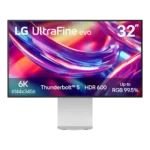
LG UltraFine 6K Evo 32U990A Feature Scores
Explore all 49 feature scores for LG UltraFine 6K Evo 32U990A, organized into pros and cons.
Scores by Feature
Summary
49 reviewed features-
Very positive 4.5-5.018 (37%)
-
Positive 3.5-4.411 (22%)
-
Neutral 2.5-3.411 (22%)
-
Negative 1.5-2.49 (18%)
Pros
Sort
-
The 6K panel is the defining strength, delivering Retina-like density and far more working detail than 4K at the same general size. Reviewers consistently see the 6144×3456 canvas as the reason to buy.
-
Productivity is the strongest use case: the 6K canvas can show a full 4K preview alongside timelines, tools, code, or multiple large apps. Creators and developers repeatedly report faster, more comfortable workflows.
-
Sharpness is nearly unanimous praise: text is crisp, UI elements look Retina-like, and high-resolution photos and video show exceptional fine detail. The 224ppi density is one of the monitor's strongest advantages.
-
At roughly 32 inches, the display gives creative apps, code editors, timelines, and multiple windows noticeably more breathing room. Several reviewers call this size a sweet spot for a primary productivity screen.
-
Connectivity is one of the clearest consensus strengths: Thunderbolt 5, USB-C, HDMI 2.1, and DisplayPort 2.1 cover most modern workflows. Reviewers repeatedly praise the flexibility for laptops, desktops, daisy chains, and multiple systems.
-
The clean, minimal, Apple-inspired look earns near-universal praise. Slim bezels, simple lines, and understated branding make it feel at home in premium Mac-oriented desk setups even when the materials fall short.
-
Wide-gamut coverage is excellent, with repeated measurements around the high 90s for DCI-P3 and very strong Adobe RGB coverage. Reviewers consistently praise the vivid, professional-grade color range.
-
Color accuracy is a major strength, with several reviews reporting highly accurate out-of-box results and realistic-looking color. A few reviewers noted calibration or white-balance quirks, but the overall creative performance is strong.
-
Brightness is consistently excellent, with measured SDR and HDR output strong enough for bright rooms. Even the harshest reviewer considered brightness one of the monitor's best traits.
-
Overall image quality is strong for productivity and creative work, especially in sharpness, color, and brightness. The biggest caveats are IPS black depth, limited HDR contrast, coating preferences, and unit-to-unit uniformity concerns.
-
The built-in USB-C and Thunderbolt hub can replace part of a desktop dock, supporting accessories and daisy-chained devices. Most reviewers find it useful, though one reported intermittent keyboard lag and others miss USB-A or Ethernet.
-
The built-in KVM is a standout productivity feature, with reviewers describing switching between connected systems as seamless or superb. It helps the monitor serve as a multi-computer workstation hub.
-
Most reviewers are positive because of the 6K workspace, color, design, and connectivity, but enthusiasm is tempered by price, 60Hz, HDR limits, software friction, and isolated severe uniformity problems.
-
Cross-platform compatibility is excellent, with reviewers reporting easy use across Macs and PCs and full on-screen controls outside macOS. Gaming performance is still constrained by the 60Hz panel.
-
Wake and power-on behavior is excellent in the tested setups. Reviewers report consistent recovery from sleep and little to no startup delay.
-
Setup is generally straightforward, though the stand requires two screws rather than fully tool-free assembly. Several reviewers still describe the process as easy once the parts are aligned.
-
The stand offers useful height, tilt, and portrait rotation, with some versions also described as swiveling. Its biggest drawback is stiff, clunky movement, and several reviewers wished it moved more smoothly or lower.
-
Most reviews describe standard 100×100 VESA support and easy arm mounting, though one embedded comment claimed the opposite. Rear-facing ports can also make wall-mounted setups awkward.
-
IPS Black reduces the usual glow and bleed effectively on the better-tested units. Reviewers still found small bright areas, but they were often unobtrusive in normal use.
-
IPS Black gives the monitor better depth than standard IPS, but results range from merely acceptable to very good for the panel type. OLED comparisons repeatedly expose the remaining contrast gap.
-
Packaging was judged adequate to good in the reviews that discussed it, with the monitor arriving protected and the included components well packed.
-
The semi-matte coating cuts glare well in bright rooms, but opinions on its texture are sharply divided. Some reviewers like the practical anti-glare effect, while others dislike visible sparkle, grain, or muted-looking colors.
-
One long-term reviewer found the high-density text comfortable and relaxing to read for hours, even on bright white documents. The sharp rendering appears to reduce strain in text-heavy work.
-
Build quality lands in the middle: the monitor is generally sturdy and well assembled, but its plastic enclosure disappoints reviewers expecting metal at this price. A few praise the stand and fit, while others call the shell cheap.
-
The monitor can switch easily between computers and a game system through its multi-input setup. The connection flexibility is good, even though the panel itself is not aimed at serious gaming.
-
DisplayPort 2.1 joins Thunderbolt 5 and HDMI 2.1 in a very modern port mix. Reviewers view the overall wired connectivity as a major strength.
-
HDMI 2.1 is part of an unusually modern connection set that reviewers praise for flexibility. It complements Thunderbolt 5 and DisplayPort 2.1 rather than being the monitor's main selling point.
-
Measured input lag was low at about 8.6ms, so control response itself is not the main gaming problem. Refresh rate and motion clarity are the bigger limitations.
-
Day-to-day reliability was excellent in one several-week Mac test, including consistent wake behavior and stable connections. Another reviewer raised a longevity concern because unsupported hanging cables put stress on the ports.
Cons
Sort
-
Cable management is a repeated weakness. The stand lacks a routing hole or channel, rear cables hang visibly, and the oversized external power brick adds clutter beneath the desk.
-
Local dimming is a clear weakness because the display relies on limited edge lighting rather than dense full-array zones. Bright HDR elements can lift large portions of the image instead of staying locally controlled.
-
This is not a competitive gaming monitor. Reviewers explicitly steer serious gamers elsewhere because 60Hz and modest motion performance outweigh the otherwise low input lag.
-
The 60Hz ceiling is one of the most repeated compromises. It is tolerable for static productivity work, but scrolling, mouse motion, and gaming feel dated next to 120Hz and faster alternatives.
-
Uniformity is the most serious quality-control concern. One reviewer saw strong black uniformity, but another tested two units with obvious blue and yellow tinting across white screens, and a second review also reported blue perimeter tint.
-
Ghosting is poor in fast motion, with one measured review reporting a lot of trailing on moving objects. This is a notable weakness for gaming or rapid on-screen movement.
-
The quoted 5ms response is viewed as slow by current high-end monitor standards. It reinforces the sense that this is a productivity display rather than a motion-focused one.
-
Fast movement is a weak point: one measured review calls motion performance mediocre, with detail becoming harder to follow during quick pans and scrolling.
-
Dark, cinematic games expose IPS glow and weak black depth, and HDR contrast is not strong enough to compensate. The display can play games, but it is a poor fit for atmospheric gaming in dark rooms.
-
There is no built-in webcam, and one reviewer found that inconvenient because it forced them to reopen the MacBook or add a separate camera for meetings.
-
HDR can get bright, but limited contrast and edge lighting keep it from delivering convincing highlight-to-black separation. Multiple reviewers say it is acceptable for occasional viewing, not serious HDR mastering or cinematic use.
-
One reviewer noticed substantially more heat coming from the display at high brightness. It is not described as a failure, but high-output use can make the panel noticeably warm.
-
The monitor looks premium from a distance, but plastic bodywork keeps the tactile experience below Apple-style metal displays. Reviewers often separate its excellent appearance from its merely average material quality.
-
Speaker quality is inconsistent across reviews. Some found the 5W pair surprisingly clear and usable, while others called them weak or even terrible, so demanding listeners should not count on them.
-
IPS Black improves depth over conventional IPS, but reviewers repeatedly note that it still cannot match OLED or Mini LED for blacks, contrast, and HDR impact. The panel feels capable for work but less cutting-edge for the price.
-
Value is highly price- and workflow-dependent. Reviewers who need 6K and Thunderbolt often justify the premium, especially at discounted pricing, while others argue cheaper 6K or 4K OLED alternatives make the full asking price hard to defend.
-
LG's software adds Mac keyboard controls, firmware updates, and calibration features, but reviewers frequently call it less seamless or less capable than competing tools. Some found it finicky enough to avoid or uninstall.
-
Viewing angles are generally good for a large IPS display, though one unit showed visible banding from the side. Off-axis behavior is acceptable overall but not flawless.
-
Blacks are richer than ordinary IPS on some units, yet they still look gray or washed beside OLED and Mini LED displays. Dark-room entertainment is where the limitation becomes most obvious.
-
OSD opinions are split: some reviewers find the joystick menu clear and convenient, while others dislike the layout, rear placement, or missing fine calibration controls. Usability depends heavily on what settings you need.