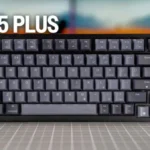
- More expensive: price versus high-end hot-swappable keyboard features The K65 Plus is positioned as a far cheaper alternative to the Asus ROG Azoth.
- Better: overall typing experience and battery The ROG Azoth is said to offer a better typing experience and better battery life, but costs more.
Corsair K65 Plus Review
Bottom Line
Choose the Corsair K65 Plus if you want a compact 75% wireless keyboard with smooth switches, quiet sound, and strong customization. Skip it if you need shine-through legends, tactile stock switches, top-tier polling, or a bundled wrist rest.
Best for users who want a compact 75% wireless keyboard that feels smooth, sounds quiet, and works across gaming and productivity setups. It especially suits people who like linear switches or plan to customize switches later.
Not for buyers who need shine-through legends, a bundled wrist rest, tactile or clicky stock switch choices, or advanced competitive features like rapid trigger and very high polling rates.
The Corsair K65 Plus earns strong reviewer support as a 75% wireless board that feels far more refined than many mainstream gaming keyboards. Its biggest wins are the smooth factory-lubed switches, effective sound dampening, sturdy compact build, stable wireless modes, and flexible controls through shortcuts or iCUE. The central tradeoff is that Corsair leans toward enthusiast feel without going fully enthusiast or fully esports-focused: the stock switch choice is narrow, 1,000Hz polling is ordinary, advanced features like rapid trigger are absent, and opaque keycaps make the RGB more decorative than practical. Reviewers who valued typing feel, quiet sound, and everyday versatility were highly positive, while value-focused or competitive-gaming reviewers were more cautious.
Compared in Reviews
Products reviewers directly compared with this model, grouped into quick takeaways.
- More expensive: compact wireless gaming keyboard budget PCMag recommends the K65 Plus if the Alienware Pro Wireless Gaming Keyboard is outside the buyer's budget.
- Better: switch options, shine-through keycaps, and sale price The Corsair K70 Pro Mini Wireless is cited as cheaper while offering more switch options and shine-through caps.
Feature Scorecards
Summary
50 reviewed features- Very positive 4.5-5.0 34% 17 features
- Positive 3.5-4.4 56% 28 features
- Neutral 2.5-3.4 6% 3 features
- Negative 1.5-2.4 4% 2 features
- Very negative below 1.5 0% 0 features
Pros
-
Wireless latency feedback was very positive, with reviewers reporting no noticeable lag or dropout issues in gaming.
-
Durability evidence was limited, but one reviewer strongly expected the sturdy build to last a long time.
-
Key spacing evidence was limited but very positive, with one reviewer saying the keys felt naturally placed and reduced mis-hits.
-
Typing feel was one of the strongest themes, with many reviewers calling it smooth, satisfying, premium, or the best Corsair typing experience.
-
Connectivity was a major positive: wired, 2.4GHz, and Bluetooth modes were repeatedly described as versatile, smooth, and easy to use.
-
Wireless performance was repeatedly praised as stable, lag-free, and reliable over 2.4GHz or Bluetooth in normal use.
-
Reviewers liked the broad platform support, including Windows, Mac, mobile devices, consoles, and multiple-device use cases.
-
Noise was widely praised as quiet, calm, and non-disruptive, making the board suitable for shared or quieter spaces.
-
Sound dampening was strongly praised, with reviewers crediting the foam and silicone layers for quieter, smoother, less hollow sound.
-
Hot-swappable switches were one of the strongest points, repeatedly praised for making the keyboard easy to tailor after purchase.
-
The 75% form factor was a major strength, balancing compactness with arrows, function keys, and everyday usability.
-
Reviewers consistently said the 75% layout frees up desk and mouse space while preserving useful keys.
-
Switch feel was widely praised for smooth, soft, factory-lubed MLX Reds, though a few reviewers wanted tactile alternatives or found them average.
-
Gaming performance was mostly praised for smooth, responsive, reliable play, though one reviewer found it merely average and not exceptional.
-
The frame was usually described as rigid and flex-resistant thanks to internal plates and solid construction, with one reviewer noting some chassis flex.
-
Build quality was a consistent strength, with reviewers calling the board sturdy, solid, hefty, and well-built despite its plastic-heavy shell.
-
Typing comfort was mostly praised over long sessions, but some reviewers found the edge angle or lack of wrist rest uncomfortable.
-
Most reviewers liked the quieter, fuller sound profile, often crediting the K65 Plus with enthusiast-like acoustics; a few noted average sound or a plasticky spacebar.
-
Stabilizers were generally strong, especially the spacebar, though a few reviewers found uneven lube or minor rattle/wobble.
-
Reviewers generally found the lighting bright or visible around the caps, helped by the reflective plate, even though it does not shine through legends.
-
The included cable received light but positive comments, with reviewers appreciating that it is braided, good-sized, and long enough for charging.
-
Evidence was limited but positive: reviewers described stable, consistent key travel and simultaneous presses registering as expected.
-
Key stability evidence was limited but positive, with reviewers noting little wobble and consistent key behavior.
-
Reliability evidence was limited but positive, with one reviewer saying the board stayed dependable in hectic gameplay.
-
Most reviewers liked the understated two-tone look and cleaner non-gamery styling, though one disliked the keycap color mix.
-
Customization was strongly praised, especially hot-swap support, onboard shortcuts, iCUE controls, remapping, lighting control, and hardware-level adjustments.
-
Battery life was widely praised, especially with RGB off; reviewers with RGB on reported shorter but still usable runtimes ranging from days to around a week.
-
RGB quality was usually praised as vibrant, tasteful, bright, or stylish despite its mostly aesthetic underglow role.
-
Reviewers generally found switch replacement and disassembly approachable, though one noted some switches required extra force.
-
Most reviewers found response strong or fast, especially for gaming, but a few described responsiveness as average or noted accidental presses.
-
Macro support was positively reviewed through iCUE and hardware workflows, though one reviewer needed time to rebuild old macros on fewer keys.
-
Volume control through the dial was liked and convenient, although reviewers noted mode limits and minor dial tolerance issues.
-
Software feedback was mostly positive for iCUE’s options and ease, but reviewers also cited limited dial control, hardware-profile limits, and occasional dependence on software.
-
The control dial was generally liked for volume, scroll, zoom, and brightness, but several reviewers wanted deeper remapping or noted slight wobble.
-
RGB customization was often praised through iCUE and onboard presets, but reviewers disliked reduced wireless customization and non-shine-through caps.
-
Value sentiment was mostly positive at the launch price, especially versus pricier gaming boards, but some reviewers felt cheaper competitors outclass it.
-
The 75% layout was praised as a productivity-and-gaming compromise, but reviewers also noted missing or awkwardly relocated keys and limited regional layouts.
-
Keycap quality was mixed: reviewers liked PBT durability and feel, but several criticized legend alignment, no shine-through, or keycaps holding back the premium impression.
-
Profile management was useful for switching setups, but opinions were mixed because onboard limits and preset behavior constrain software-free use.
-
Portability was mixed: the compact form and dongle storage help travel, but multiple reviewers noted the board is heavier than expected.
-
Onboard profile evidence was mixed: some reviewers liked saved profiles, while others criticized the lack of true hardware-profile behavior.
-
Materials drew mixed reactions: reviewers liked the premium feel from the plate and PBT caps but often wished for more metal or less plastic at the price.
-
Ergonomic feedback was mixed: adjustable feet helped some reviewers, but sharper edges and the missing wrist rest hurt long-session comfort for others.
-
The 1,000Hz polling rate was usually considered fine for casual or average gamers, but reviewers noted it trails high-end competitive boards.
-
Per-key lighting control was mixed because wired/iCUE use unlocks stronger customization, while wireless mode limits patterns and layers.
Cons
-
Gaming extras were mixed: reviewers liked Fn functions and anti-ghosting, but several felt the board lacked standout gaming features such as advanced switches or macro keys.
-
Switch options were a recurring weakness because the base board ships only with linear MLX Reds, even though hot-swap mitigates that limitation.
-
Wrist-rest feedback was negative because the keyboard lacks one, which several reviewers felt mattered at the price or for comfort.
-
Rapid trigger support was viewed as a missing or unnecessary advanced feature depending on the reviewer’s gaming needs.
-
Legend visibility was a consistent weakness because the opaque keycaps do not shine through, making dark-room typing harder.
Compared With Category Average
Compared with other Gaming Keyboard, this product is above average in hot-swappable switches, connectivity, compatibility, below average in rapid trigger support, legend visibility, extra gaming features.
Summary
8 compared features- Above average 0.4+ pts higher 63% 5 features
- Same as average within 0.3 pts 0% 0 features
- Below average 0.4+ pts lower 38% 3 features
| Attribute | This product | Category average | Difference |
|---|---|---|---|
| hot-swappable switches | 4.6 | 3.3 | +1.2 |
| rapid trigger support | 2.4 | 3.7 | -1.3 |
| legend visibility | 2.3 | 3.5 | -1.2 |
| connectivity | 4.7 | 3.9 | +0.9 |
| compatibility | 4.7 | 3.8 | +0.9 |
| extra gaming features | 3.2 | 4.0 | -0.8 |
| wireless performance | 4.7 | 4.0 | +0.7 |
| noise level | 4.6 | 3.8 | +0.8 |
FAQ
Is the Corsair K65 Plus good for gaming?
Yes, reviewers generally found it responsive, stable, and enjoyable for gaming. The caveat is that it sticks to 1,000Hz polling and lacks rapid trigger, so competitive-feature hunters may want something more specialized.
How does it feel for typing?
Typing feel is one of the strongest review themes. Reviewers repeatedly praised the smooth factory-lubed switches, quiet dampened sound, and comfortable 75% layout.
Do the RGB lights shine through the legends?
No. Reviewers repeatedly noted that the keycaps are opaque, so the RGB glows around the keys rather than through the letters, making low-light typing harder.
How is the battery life?
Battery life was praised overall, especially with RGB off. With RGB on, reviewers reported shorter runtimes ranging from a couple of days at high brightness to around a week or more depending on use.
Can you replace the switches?
Yes. Reviewers liked that the K65 Plus is hot-swappable, though several wished Corsair offered more stock switch choices beyond the linear MLX Reds.
Do you need iCUE software?
Not for basic use, since many lighting and control functions work from keyboard shortcuts. iCUE adds deeper remapping, macros, profiles, and lighting options, but some reviewers noted limits or software dependence.
Consider This Instead
If you want better legend visibility
Choose Razer Huntsman V3 Pro. It scores 5.0 vs 2.3 for legend visibility, with a 3.9 overall score.
If you want better wrist rest quality
Choose Keychron K2 HE. It scores 5.0 vs 2.6 for wrist rest quality, with a 4.2 overall score.
If you want better rapid trigger support
Choose Keychron K4 HE. It scores 4.8 vs 2.4 for rapid trigger support, with a 4.1 overall score.
If you want better extra gaming features
Choose HyperX Alloy Origins. It scores 5.0 vs 3.2 for extra gaming features, with a 3.9 overall score.
Overall Top Gaming Keyboard Alternatives
Good if you want a premium 96% Hall Effect keyboard for work and gaming with excellent build, sound, and customization. Skip it if you need cheaper esports-first speed, 8,000Hz polling,...
Pros: cable quality, typing comfort
Cons: portability, switch options
Good if you want a premium full-size Hall Effect keyboard with smooth switches, quiet sound, and deep customization. Skip it if you need a portable, budget-friendly board or broad switch...
Pros: key stability, frame rigidity
Cons: portability, switch options
Good if you want a compact Hall Effect keyboard with smooth typing, strong gaming response, bright RGB, and good value. Skip it if you need polished software, quiet heavy presses,...
Pros: desk space efficiency, layout options
Cons: compatibility
Good if you want a premium, quiet TKL Hall Effect keyboard for typing and gaming. Skip it if price, portability, 8,000Hz polling, or broad switch choice matters most.
Pros: build quality, extra gaming features
Cons: switch options, hot-swappable switches