- Worse: premium gaming features The Keychron K2 HE is named among similarly priced boards that offer Snap Tap and quad-actuation.
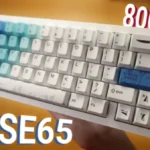
Varmilo Muse65 HE Magnetic Keyboard Review
Bottom Line
Choose the Muse65 HE for a beautiful, heavy aluminum 65% board with fast Hall-effect gaming features. Skip it if you want polished software, broader switch choice, or the best value against rivals with Snap Tap and quad-actuation.
Best for gamers who want a compact 65% aluminum board with adjustable actuation, Rapid Trigger, 8,000Hz polling, and distinctive themes, especially when design matters as much as speed.
Not for users who need frictionless software, macOS-first customization, wide switch choice, consistently polished spacebar acoustics, or maximum value against other Hall-effect boards.
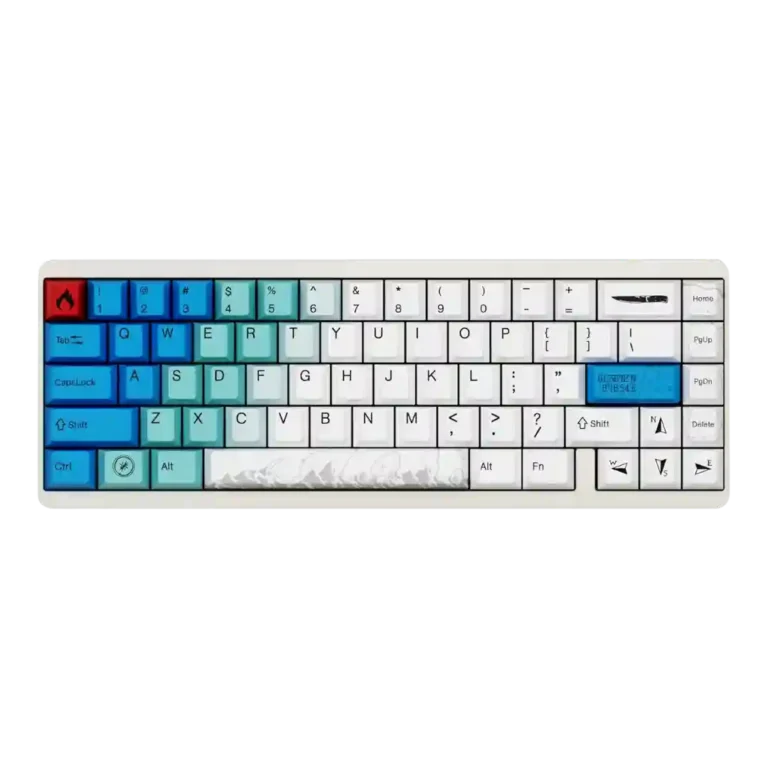
The Varmilo Muse65 HE earns praise for its striking themes, hefty aluminum case, responsive magnetic switches, adjustable actuation, Rapid Trigger, and up to 8,000Hz polling. Reviewers consistently found it fast in games, with one reporting no input lag and another saying the in-game feel was indistinguishable from a Wooting. The tradeoff is polish: software setup ranged from merely early and functional to frustrating, crash-prone, and hard to use. Sound is mostly liked, but the spacebar drew criticism, and switch choice stays limited to linear magnetic options. It suits buyers prioritizing design and raw Hall-effect specs more than those seeking refined software or maximum value.
Compared in Reviews
Products reviewers directly compared with this model, grouped into quick takeaways.
- Alternative: software and 8K polling compact keyboard The NuPhy Air60 HE is presented as a cheaper 8K-polling alternative with friendlier browser software.
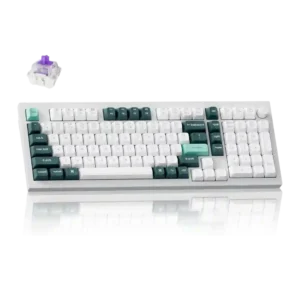
Keydous NJ98-CP V2 HE
- Similar: actuation adjustment range The Muse65 HE's 0.1mm to 4mm actuation range is compared to the Keydous NJ98-CP V2 HE.
Feature Scorecards
Pros
-
Materials quality is a clear strength thanks to the aluminum case and premium feel mentioned by several reviewers.
-
Polling rate is consistently praised because reviewers confirm support for up to 8,000Hz, even though some users may not need that ceiling.
-
Build quality is a major strength, with repeated praise for the aluminum case, heavy feel, and tank-like construction.
-
Gaming performance is strong in the evidence, with snappy movement, responsive rapid trigger, and flawless or complaint-free game testing.
-
Key responsiveness is one of the strongest areas, with reviewers citing responsive switches, zero dead zone, and quick in-game actuation.
-
Durability is positively supported by one reviewer tying the aluminum case to premium feel and durability.
-
Latency evidence is positive, with the written review reporting no noticeable input lag during testing.
-
Rapid Trigger is a core strength and appears in every review, with reviewers confirming it exists and works as intended.
-
Actuation control is well supported, with adjustable ranges, accuracy claims, slider control, and rapid-trigger actuation repeatedly mentioned.
-
Frame rigidity is strongly implied by the heavy aluminum construction, solid weight, and reports that the board stays in place.
-
Keycap quality is praised where discussed, especially the dye-sublimated or PBT Cherry-profile keycaps.
-
Switch feel is described as light, smooth, and strong across reviews, with praise for the magnetic switches and actuation force.
-
Sound dampening is supported by foam and internal layers, including dampening foam and spacebar foam.
-
Typing feel is positive overall, with reviewers describing a good typing experience and a nice feel, aided by light switches and PBT keycaps.
-
Typing comfort is positively supported by soft PBT keycaps and comfort during long typing sessions.
-
Macro customization is supported in several software walkthroughs, with reviewers showing macros and remapping options.
-
RGB lighting quality is generally acceptable to good in the limited evidence, with reviewers saying the RGB looks nice or has patterns.
-
Cable quality has limited positive evidence from the included braided USB-C cable.
-
Desk space efficiency is supported by the lack of a function row and number pad, fitting the compact 65% layout.
-
Ergonomics are positively supported by the light switch force reducing fatigue over time.
-
Stabilizer quality gets positive but limited evidence, with lubed stabilizers mentioned, although spacebar sound remains a caveat.
-
Size and form factor are mostly positive for a compact 65% board with arrow keys, though one reviewer preferred TKL.
-
Acoustics are mixed-positive: several reviewers liked the sound, but one criticized the spacebar as cheap-sounding.
-
Customization options are broad on paper, including remapping, actuation, layers, RGB, macros, and rapid trigger, but software friction hurts execution.
-
Noise level is context-dependent: one reviewer liked that it was not too loud, while another disliked the spacebar sound during gaming.
-
Ease of switch replacement follows the same split as hot-swap support: it is possible, but magnetic switch limits reduce flexibility.
-
Hot-swappable switch support is mixed-positive because some reviewers say switches can be changed, while the main written review says hot-swap ability is limited.
-
Connectivity evidence is limited to wired USB-C, with one review pointing to a USB-C port on the left side.
-
Volume control evidence is limited to software-layer customization rather than a dedicated hardware control.
Cons
-
Extra gaming features are mixed: rapid trigger, dead-zone settings, and high polling are present, but Snap Tap and quad-actuation are called out as missing.
-
Value for money is mixed: one reviewer calls the price reasonable, another likes the $155 price, but the written review says better value exists elsewhere.
-
RGB customization is mixed: it has custom lighting and patterns, but multiple reviewers found the software or lighting workflow frustrating.
-
Profile management is mixed: layers are available, but one reviewer could not find a way to set a separate profile.
-
Switch choice is a mixed point: reviewers note two or three magnetic switch options, but the main written review says the options are limited and all linear.
-
Layout options are limited in the evidence, with the board presented as a 65% layout and one reviewer wishing for TKL instead.
-
Compatibility has caveats, including Windows-focused software for customization and a narrow port opening that did not fit one coiled cable.
-
Reliability is mixed and mostly hurt by software problems, including crashes and finicky setup, despite one reviewer having no keyboard problems.
-
Per-key lighting control has evidence only through the software workflow, and one reviewer found selecting keys for custom lighting unreliable.
-
Software quality is the most divisive weakness, ranging from functional-but-early to janky, confusing, and severely frustrating.
-
Portability is weak because the board is heavier than average and built around a substantial aluminum case.
Compared With Category Average
Compared with other Gaming Keyboard, this product is above average in rapid trigger support, below average in per-key lighting control, software quality, portability.
| Attribute | This product | Category average | Difference |
|---|---|---|---|
| per-key lighting control | 2.5 | 4.1 | -1.6 |
| software quality | 2.2 | 3.7 | -1.6 |
| portability | 2.0 | 3.4 | -1.4 |
| compatibility | 2.8 | 4.1 | -1.3 |
| layout options | 2.8 | 4.0 | -1.2 |
| RGB customization | 3.1 | 4.3 | -1.2 |
| reliability | 2.6 | 3.7 | -1.1 |
| rapid trigger support | 4.4 | 3.4 | +1.0 |
FAQ
Is the Varmilo Muse65 HE good for competitive gaming?
Yes, reviewers found the keyboard fast and responsive thanks to adjustable actuation, Rapid Trigger, and up to 8,000Hz polling. One reviewer reported no input lag in Counter-Strike 2, while another said it performed as expected in Valorant.
How good is the software?
Software is the biggest weakness in the review evidence. Some reviewers found it functional enough for basics, but others described installation, firmware updates, calibration, lighting, and actuation setup as confusing or frustrating.
How does the keyboard sound?
The regular keys generally get positive sound comments, and reviewers mention internal layers, dampening foam, and spacebar foam. The main sound complaint is the spacebar, which multiple reviewers found weaker or less polished than the rest of the board.
What switch options are available?
The reviews mention Gateron Dual-Rail Magnetic White, Gateron Magnetic Jade, and TTC King of Magnetic RGB switches, though not every reviewer lists all of them. The written review emphasizes that the options are limited and linear.
Is it comfortable for typing?
Typing comfort is positive in the reviews that discuss it. The PBT keycaps, light switch force, and soft feel are credited for a good typing experience, though the 65% layout lacks a function row and numpad.
Is the Muse65 HE worth the money?
Value is mixed. Some reviewers liked the $155 starting price and premium build, while the written review argues that similarly priced alternatives offer better software or extra gaming features such as Snap Tap and quad-actuation.
Consider This Instead
If you want better software quality
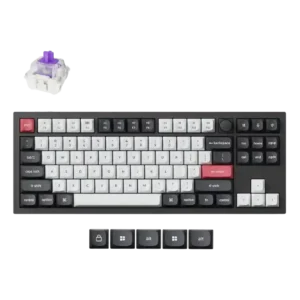
Choose Keychron Q3 HE. It scores 4.6 vs 2.2 for software quality, with a 4.4 overall score.
If you want better portability
Choose Razer Joro. It scores 4.7 vs 2.0 for portability, with a 3.5 overall score.
If you want better reliability
Choose ASUS ROG Falchion RX. It scores 4.9 vs 2.6 for reliability, with a 4.1 overall score.
If you want better per-key lighting control
Choose Razer Huntsman V2 TKL. It scores 4.8 vs 2.5 for per-key lighting control, with a 3.9 overall score.
Overall Top Gaming Keyboard Alternatives
Best for 8K polling, magnetic-switch gaming control, premium build, and deep web customization. Skip it if you need broad switch compatibility, USB passthrough, a wrist rest, or a portable keyboard.
Pros: latency, polling rate
Cons: portability, switch options
Good if you want a premium full-size Hall Effect keyboard with smooth switches, strong gaming controls, and quiet acoustics. Skip it if you need a portable, budget, or broadly switch-compatible...
Pros: key stability, frame rigidity
Cons: portability, switch options
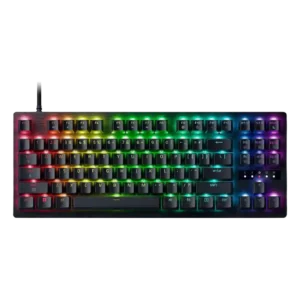
Best for a premium, quiet Hall Effect TKL with strong wireless, software, and gaming features. Skip it if price, switch flexibility, USB passthrough, or an included wrist rest matter most.
Pros: rapid trigger support, typing feel
Cons: switch options, portability
Best for a premium 96% metal keyboard with Hall Effect tuning, strong wireless, and excellent typing feel. Skip it for travel, bargain pricing, or maximum esports specs.
Pros: build quality, frame rigidity
Cons: portability, switch options