Best for charging convenience
ASUS ROG Harpe Ace Aim Lab
5.0 feature score
Highest scored product for this feature based on supporting review evidence.
Highest scored product for this feature based on supporting review evidence.
Balances feature score, supporting reviews, and overall product strength.
Has the broadest review evidence for this feature.
Strongest overall product among items with scored evidence for this feature.
Showing ASUS only. Switch back to all brands anytime.

Charging convenience was praised, with reviewers noting quick top-ups from under 30 minutes to about an hour.
Pros: button responsiveness, cable flexibility
Cons: firmware reliability, MMO gaming suitability

Charging convenience was positive because reviewers could keep playing while charging or recover hours of play from short top-ups.
Pros: acceleration control, wireless latency
Cons: onboard memory, MMO gaming suitability
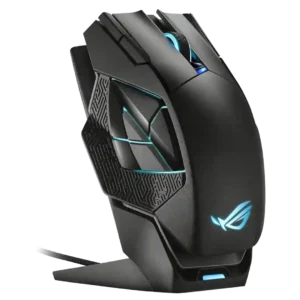
Charging convenience was a major strength, especially because the magnetic dock made it easy to keep the mouse topped up.
Pros: motion consistency, 2.4GHz connectivity
Cons: fingertip grip comfort, cross-platform compatibility

Charging convenience was praised because the mouse can be used while charging and has convenient USB-C behavior.
Pros: motion consistency, surface compatibility
Cons: handedness options, software stability

Charging convenience had limited but positive evidence, especially around USB-C fast charging and quick top-ups.
Pros: cable flexibility, weight
Cons: software stability, handedness options

Charging convenience was mostly praised for quick charging, Qi support, and accessible charging, with one caveat about keeping USB-C nearby.
Pros: premium feel, Accuracy and tracking precision
Cons: software stability, FPS gaming suitability

Charging and dongle convenience were mixed: USB-C and cable placement helped, but the booster/dongle setup could feel chunky.
Pros: connection stability, weight
Cons: handedness options, software usability

Power and charging convenience is mixed: some reviewers like easy-to-buy batteries, while others dislike needing spares or missing an internal rechargeable battery.
Pros: motion consistency, Accuracy and tracking precision
Cons: cable flexibility, palm grip comfort