Review: ASUS ROG Harpe Ace Aim Lab

Updated: 9 minutes ago
4.1
Based on methodology below
350
Insights analyzed
55
Grouped by key features
19
From expert reviews
Scores below reflect consolidated expert coverage across these features.
Bottom Line

Choose the ROG Harpe Ace Aim Lab for ultra-light FPS precision and strong wireless battery life. Skip it if you need many buttons, top-mounted DPI control, or software that stays out of the way.

Best for

Best for FPS and esports-focused players who want a featherweight wireless mouse with precise tracking, smooth glide, strong battery life, and deep Aim Lab or Armoury Crate tuning.

Not for

Not for MMO players, frequent on-the-fly DPI switchers, or buyers who need a shape that suits every hand. It is also a weaker fit for anyone who dislikes Armoury Crate.

Verdict

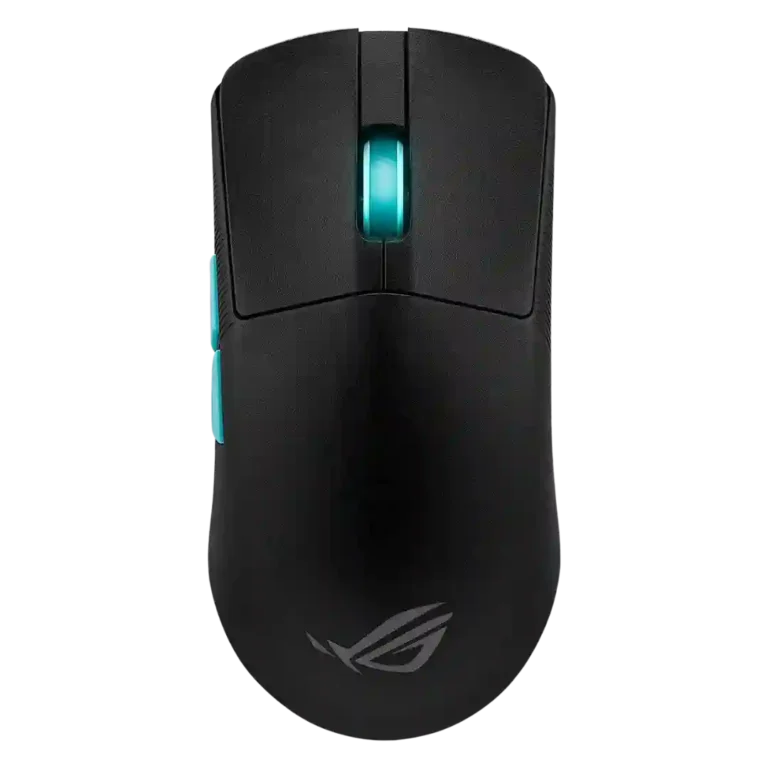
The ASUS ROG Harpe Ace Aim Lab is best understood as a focused esports mouse built around low weight, high sensor capability, and deep aim-focused tuning. Reviewers repeatedly praised its 54g-class shell, fast tracking, smooth glide, strong battery life, and flexible wired, Bluetooth, and 2.4GHz connectivity. The tradeoff is specialization. The sparse button layout, underside DPI control, and polarizing hump or narrow shape make it less ideal for MMO players, larger hands, or users who change sensitivity constantly. Armoury Crate also weakens the experience with update friction and stability complaints. Still, for FPS players who want a light wireless mouse with strong tuning tools and can live with the shape, the review evidence points to a high-performing premium option.

What Reviewers Agree On

The strongest agreement across the reviews is that the ROG Harpe Ace Aim Lab is built for speed and precision. Reviewers repeatedly point to the 54g-class weight, 36,000 DPI-class AimPoint sensor, smooth PTFE glide, and responsive switches as the core reasons it performs well in FPS and esports-style play. Wireless performance is also treated as a strength: 2.4GHz mode is repeatedly described as low-latency or close to wired, while Bluetooth adds useful flexibility for laptops, desktops, or travel setups. Battery life is another consistent bright spot, with many reviews citing roughly 90 hours or multi-week practical use depending on lighting.

The main disagreement is not whether the mouse is capable, but whether its shape and stripped-down layout suit the buyer. Some reviewers found the symmetrical body comfortable for palm, claw, or fingertip use, while others struggled with the pronounced hump, long body, narrow frame, or front-weighted feel. The buttons are generally responsive and tactile, but the side buttons are sometimes described as small or mushy, and the limited button count makes it less attractive for MMO or input-heavy games. The underside DPI placement also comes up repeatedly as inconvenient for users who switch sensitivity during play.

The biggest tradeoff is that the same minimal design that makes the mouse so light also reduces utility. Aim Lab integration, Armoury Crate settings, onboard profiles, lift-off tuning, and surface calibration give serious FPS players a lot to adjust, but the software experience itself is uneven. Reviewers praise the depth of settings while criticizing update friction, loading, Windows recognition issues, or general Armoury Crate frustration. Buyers most likely to be satisfied are FPS-focused players who prioritize weight, sensor performance, glide, and wireless flexibility over extra buttons or a universally safe shape.

Pros

  • 4.8
    based on 10 reviews
    weight: 4.8, based on 10 reviews
    Weight is the product's most repeated strength. Nearly every scored review emphasizes the 54g-class shell or unusually light feel, with the benefit tied to quick movements and reduced fatigue.
  • 4.7
    based on 11 reviews
    sensor performance: 4.7, based on 11 reviews
    Reviewers repeatedly highlight the ROG AimPoint sensor and its high-end behavior. The sensor is described as fast, accurate, responsive, and precise, with only isolated caveats tied to testing method or shape rather than sensor hardware.
  • 4.6
    based on 9 reviews
    switch durability: 4.6, based on 9 reviews
    Switch durability is strongly supported by repeated 70-million-click lifespan references. No transcript reports long-term switch failure, so the evidence supports high expected durability rather than proven multi-year endurance.
  • 4.6
    based on 3 reviews
    long-session comfort: 4.6, based on 3 reviews
    Long-session comfort is positive in reviews that fit the shape, with comments about relaxed fingers and comfort over longer play. Shape mismatches keep this from being universally ideal.
  • 4.6
    based on 2 reviews
    cable flexibility: 4.6, based on 2 reviews
    Cable flexibility is praised wherever it is discussed. The included cable or paracord is described as light, flexible, braided, and unlikely to get in the way.
  • 4.6
    based on 10 reviews
    DPI range: 4.6, based on 10 reviews
    The DPI range is one of the clearest strengths. Multiple reviews cite the 36,000 DPI class capability, though some reviewers note that very high DPI settings are not practical for every user.
  • 4.6
    based on 3 reviews
    left and right click quality: 4.6, based on 3 reviews
    Left and right click quality is consistently framed as responsive and tactile. Reviewers highlight consistent click feel, though some comments suggest the click weight may not suit every preference.
  • 4.6
    based on 14 reviews
    battery life: 4.6, based on 14 reviews
    Battery life is consistently strong, with many reviews citing about 90 hours or multi-week practical use. RGB use can reduce runtime, but reviewers still found endurance competitive.
  • 4.6
    based on 11 reviews
    glide smoothness: 4.6, based on 11 reviews
    Glide smoothness is a clear strength. Reviews repeatedly mention PTFE feet, smooth motion, low friction, and easy movement across pads or surfaces.
  • 4.5
    based on 3 reviews
    surface compatibility: 4.5, based on 3 reviews
    Surface compatibility is supported through smooth performance on surfaces and software calibration. The strongest evidence comes from reviews describing surface or mousepad calibration features.
  • 4.5
    based on 6 reviews
    button responsiveness: 4.5, based on 6 reviews
    Button responsiveness is generally praised. Reviewers cite reactive clicks, minimal pre-travel, fast response, and clean actuation, with the main caveats tied to stiffness or hand-fit rather than missed inputs.
  • 4.5
    based on 13 reviews
    ecosystem integration: 4.5, based on 13 reviews
    Ecosystem integration is strong through Aim Lab, Armoury Crate, ROG Omni Receiver, Aura-style lighting, and shared ROG receiver comments. The main caveat is software friction.
  • 4.5
    based on 8 reviews
    build quality: 4.5, based on 8 reviews
    Build quality is generally strong. Reviewers cite solid shells, no creaking, durable construction, and sturdy materials, with one caveat that lightweight plastic can feel cheaper to some users.
  • 4.5
    based on 8 reviews
    switch feel: 4.5, based on 8 reviews
    Switch feel is usually positive, especially for tactile, consistent, purposeful, or crisp clicking. Some reviewers found the switches slightly stiff or heavier than preferred, so the score is strong but not universally perfect.
  • 4.4
    based on 3 reviews
    durability over time: 4.4, based on 3 reviews
    Durability over time is inferred from sturdy construction, no creaking, 70-million-click switches, and replaceable skates. The transcripts support expected durability more than long-term aging evidence.
  • 4.4
    based on 4 reviews
    premium feel: 4.4, based on 4 reviews
    Premium feel is generally positive. Reviewers cite high-end specs, premium-feeling plastic, build quality, and strong feature density, though the minimal appearance is not flashy.
  • 4.4
    based on 8 reviews
    2.4GHz connectivity: 4.4, based on 8 reviews
    2.4GHz connectivity is widely supported through RF, Wi-Fi, Omni Receiver, and SpeedNova references. Reviewers generally present it as the preferred wireless gaming mode.
  • 4.4
    based on 9 reviews
    FPS gaming suitability: 4.4, based on 9 reviews
    FPS gaming suitability is one of the strongest use-case fits. Reviews repeatedly frame the mouse as an esports or FPS-focused device with speed, precision, low weight, and Aim Lab integration.
  • 4.4
    based on 2 reviews
    motion consistency: 4.4, based on 2 reviews
    Motion consistency is supported by reviewers who described stable tracking, less miss-hitting, no unwanted jolts, or no apparent jittering. The strongest evidence comes from gameplay and mouse-tester comments rather than a standardized lab benchmark.
  • 4.4
    based on 1 review
    onboard memory: 4.4, based on 1 review
    Onboard memory is supported by reviews noting onboard profile storage and programmable onboard profiles. The feature lets configured settings travel with the mouse after setup.
  • 4.4
    based on 13 reviews
    wireless performance: 4.4, based on 13 reviews
    Wireless performance is a major strength overall. Reviewers praise SpeedNova, 2.4GHz performance, and parity with wired use, though one review reports minor lag or interference.
  • 4.4
    based on 12 reviews
    Accuracy and tracking precision: 4.4, based on 12 reviews
    Across the scored reviews, tracking and accuracy are strong, with several reviewers calling the mouse fast, precise, or responsive. A few Aim Lab results were more mixed, so the evidence favors strong hardware accuracy more than guaranteed skill improvement.
  • 4.4
    based on 6 reviews
    portability: 4.4, based on 6 reviews
    Portability is strong because reviewers mention the low weight, dongle storage, pouch, and multi-device travel setups. The mouse is repeatedly framed as easy to carry or use across devices.
  • 4.3
    based on 4 reviews
    charging convenience: 4.3, based on 4 reviews
    Charging convenience is positive where tested. Reviewers cite USB-C charging, quick top-ups, battery-status alerts, and in one case under-30-minute charging.
  • 4.3
    based on 7 reviews
    acceleration control: 4.3, based on 7 reviews
    Acceleration and angle behavior are configurable in several reviews through angle snapping, angle tuning, acceleration settings, or Aim Lab recommendations. Hardware acceleration tolerance is also cited, making this a defensible tuning strength.
  • 4.3
    based on 1 review
    macro support: 4.3, based on 1 review
    Macro support appears in software-focused reviews, which describe macro activation or macros in Armoury Crate. The evidence confirms support but does not emphasize advanced macro workflows.
  • 4.3
    based on 8 reviews
    Bluetooth support: 4.3, based on 8 reviews
    Bluetooth support is repeatedly confirmed. Reviewers appreciate it for multi-device or dongle-free use, while still treating 2.4GHz or wired modes as preferable for gaming.
  • 4.3
    based on 10 reviews
    button customization: 4.3, based on 10 reviews
    Button customization is widely supported through Armoury Crate, hardware controls, and profile commands. The main limitation is that the sparse button layout leaves fewer physical inputs to customize.
  • 4.3
    based on 7 reviews
    wireless latency: 4.3, based on 7 reviews
    Wireless latency is generally low in the evidence. Most reviews report little or no lag, while a few mention brief input lag, slight jitter, or wake-from-sleep delay.
  • 4.3
    based on 3 reviews
    materials quality: 4.3, based on 3 reviews
    Materials quality is supported by repeated nylon and bio-based shell references. Reviewers usually frame the material as light and sturdy, though one describes the plastic feel as somewhat cheap.
  • 4.3
    based on 2 reviews
    click latency: 4.3, based on 2 reviews
    Click latency is supported indirectly through responsiveness comments and click-speed testing language. Reviews describe click response as quick or responsive, but the transcripts do not provide a dedicated measured click-latency benchmark.
  • 4.2
    based on 5 reviews
    skate durability: 4.2, based on 5 reviews
    Skate durability is supported mainly by included replacement PTFE feet rather than long-term wear testing. The evidence suggests maintainability and easy replacement.
  • 4.1
    based on 6 reviews
    lift-off distance: 4.1, based on 6 reviews
    Lift-off distance is well supported through Armoury Crate, Aim Lab, and hardware-control references. Reviews show that it can be adjusted or included in optimization, though the depth of control varies by reviewer.
  • 4.1
    based on 11 reviews
    grip texture: 4.1, based on 11 reviews
    Grip texture is mostly positive thanks to textured sides, matte surfaces, and optional grip tape. A small number of reviews found the sides slippery or the tape styling unattractive.
  • 4.1
    based on 6 reviews
    profile switching: 4.1, based on 6 reviews
    Profile switching is supported through DPI/profile references and onboard profile controls. Reviewers praise the existence of multiple profiles but often criticize the underside DPI/profile controls for convenience.
  • 4.1
    based on 2 reviews
    cross-platform compatibility: 4.1, based on 2 reviews
    Cross-platform compatibility is supported through Bluetooth, wired, laptop/desktop/phone use, and Windows notes. The strongest caveat is a Windows 10 recognition issue in one review.
  • 4.0
    based on 3 reviews
    fingertip grip comfort: 4.0, based on 3 reviews
    Fingertip grip comfort is supported by the light weight and symmetrical shell, with reviewers saying fingertip use works. A few comments still warn that the rear hump can interfere with micro-adjustments.
  • 4.0
    based on 11 reviews
    value for money: 4.0, based on 11 reviews
    Value depends on price sensitivity. Reviewers often justify the premium with specs, weight, and wireless features, while casual users or feature-seekers may find the price high.
  • 3.9
    based on 5 reviews
    handedness options: 3.9, based on 5 reviews
    Handedness is mixed. The shell is repeatedly described as ambidextrous or symmetrical, but several reviews note that side-button placement still favors right-handed thumb use.
  • 3.9
    based on 7 reviews
    ergonomic design: 3.9, based on 7 reviews
    Ergonomics are strong for many competitive users but not universal. Reviews praise comfort and FPS fit, while negative comments mostly come from hand-size or hump-placement mismatches.
  • 3.9
    based on 11 reviews
    polling rate: 3.9, based on 11 reviews
    Polling-rate evidence centers on a 1,000Hz ceiling. Reviewers generally considered it adequate for competitive use, but several noted that higher-rate competitors exist and that 1,000Hz is not class-leading.
  • 3.9
    based on 6 reviews
    claw grip comfort: 3.9, based on 6 reviews
    Claw grip comfort is generally workable, especially for upright claw users, but not universal. Shape length and the rear hump bothered some smaller-hand or specific-claw reviewers.
  • 3.9
    based on 4 reviews
    connection stability: 3.9, based on 4 reviews
    Connection stability is mostly good but not flawless. Several reviews cite stable low-latency connectivity, while some report interference, software hiccups, or wake-up delays.
  • 3.8
    based on 10 reviews
    shape comfort: 3.8, based on 10 reviews
    Shape comfort is polarizing. Many reviewers like the symmetrical esports shape, while others find the hump, length, or narrow body uncomfortable depending on hand size and grip style.
  • 3.8
    based on 6 reviews
    scroll wheel quality: 3.8, based on 6 reviews
    Scroll wheel quality receives mixed-to-good feedback. Some reviewers call it tactile and easy to control, while others criticize its resistance, basic feel, or minor wobble.
  • 3.8
    based on 8 reviews
    RGB features: 3.8, based on 8 reviews
    RGB is limited mainly to the scroll wheel. Reviewers appreciate customization and battery/status signaling, but the narrow lighting zone keeps this from being a major visual feature.
  • 3.7
    based on 3 reviews
    programmable buttons: 3.7, based on 3 reviews
    Programmable-button coverage is modest because the mouse has a streamlined five-button layout. Reviewers confirm programmable buttons, but several also note the limited number of inputs.
  • 3.7
    based on 1 review
    click noise: 3.7, based on 1 review
    Click noise is mixed and lightly covered. Reviewers mention deeper sound signatures or less-audible clicks, so the mouse is not described as silent but does not appear unusually loud across the evidence.
  • 3.6
    based on 6 reviews
    palm grip comfort: 3.6, based on 6 reviews
    Palm grip comfort is mixed. Some reviewers found palm grip comfortable, but others said the hump, narrowness, or hand size made palm grip less ideal.
  • 3.6
    based on 4 reviews
    side button quality: 3.6, based on 4 reviews
    Side button quality is mixed. Several reviews found the side buttons reachable or tactile, while others described them as small, centered awkwardly, or slightly mushy.
  • 3.6
    based on 2 reviews
    balance and weight distribution: 3.6, based on 2 reviews
    Balance and weight distribution receive mixed evidence. Reviewers praise the low weight, but one notes front-leaning weight distribution and others describe the shell/hump as noticeable.
  • 3.5
    based on 13 reviews
    software usability: 3.5, based on 13 reviews
    Software usability is mixed. Armoury Crate and Aim Lab expose many useful settings, but reviewers also complain about resource use, loading, update prompts, and weaker premium features.

Cons

  • 3.0
    based on 3 reviews
    firmware reliability: 3.0, based on 3 reviews
    Firmware reliability is mixed and mostly tied to update handling. Reviews confirm firmware-update support but criticize annoying update requirements and software limitations around updates.
  • 2.4
    based on 5 reviews
    software stability: 2.4, based on 5 reviews
    Software stability is one of the weaker areas. Several reviewers report Armoury Crate problems, update friction, Windows 10 recognition trouble, or general software hiccups.
  • 2.4
    based on 1 review
    MMO gaming suitability: 2.4, based on 1 review
    MMO suitability is weak. The main direct evidence says the streamlined button layout is less attractive for input-heavy MMOs and similar games.

FAQ

Is the ASUS ROG Harpe Ace Aim Lab worth buying?

It is worth considering for FPS-focused players who value a very light wireless mouse, strong sensor performance, smooth glide, and Aim Lab tuning. It is less compelling if you mostly play button-heavy games or dislike Armoury Crate.

Who is the ROG Harpe Ace Aim Lab best for?

It fits competitive FPS and esports-style players who want a 54g-class mouse with 2.4GHz wireless, Bluetooth, wired play, and deep settings control. Reviewers most often connect its strengths to fast aiming and precision.

What is the main drawback?

The biggest drawbacks are shape fit and convenience. Several reviewers disliked the hump, narrow or long body, underside DPI button, limited button count, or Armoury Crate software experience.

Is the wireless performance good enough for gaming?

Most reviews describe 2.4GHz wireless performance as fast, low-latency, or close to wired. A few mention interference, slight jitter, or brief input lag, so the evidence is strong but not flawless.

How is the battery life?

Battery life is one of the stronger areas. Many reviewers cite about 90 hours without lighting or multi-week practical use, while RGB lighting can reduce runtime.

Is it good for palm, claw, and fingertip grips?

It can work across grip styles, but the fit is personal. Some reviewers liked it for palm, claw, or fingertip grip, while others found the hump, length, or narrow body uncomfortable for their hand size.

Is it good for MMO gaming?

The review evidence does not favor it for MMO use. One reviewer specifically warns that the minimal two-thumb-button layout is less useful for input-heavy MMOs and mil-sims.

Reviews we analyzed

Video Reviews

Article Reviews

#1
4.4
Choose the Harpe II Ace for ultralight FPS control, 8K wireless, and easy web setup. Skip it if you need many buttons or...
Pros: polling rate, weight, wireless performance, DPI range, switch durability, sensor performance, motion consistency
Cons: onboard memory, MMO gaming suitability, software stability, profile switching
#2
4.4
Choose it if you want a compact, comfortable work-and-play mouse with strong wireless options and battery life. Skip it if you want true...
Pros: switch durability, wireless performance, wireless latency, ecosystem integration, glide smoothness, Accuracy and tracking precision, DPI range
Cons: click noise, RGB features
#3
4.2
Choose it for elite FPS performance, a featherweight 49-50g shell, and standout battery life. Skip it if you need quieter clicks, more ergonomic...
Pros: DPI range, click latency, build quality, materials quality, wireless latency, connection stability, weight
Cons: Bluetooth support, dock compatibility, RGB features, handedness options, cable flexibility, portability, click noise
#4
4.2
Choose the Logitech G Pro X Superlight 2 for elite wireless FPS performance in a very light shell. Skip it if you need...
Pros: connection stability, cross-platform compatibility, FPS gaming suitability, wireless performance, motion consistency, macro support, build quality
Cons: Bluetooth support, RGB features, cable flexibility, skate durability, MMO gaming suitability, scroll wheel quality, side button quality