Best for charging convenience
Razer DeathAdder V3
5.0 feature score
Highest scored product for this feature based on supporting review evidence.
Highest scored product for this feature based on supporting review evidence.
Balances feature score, supporting reviews, and overall product strength.
Has the broadest review evidence for this feature.
Strongest overall product among items with scored evidence for this feature.

Charging convenience was praised because the wired design avoids charging and battery maintenance entirely.
Pros: Accuracy and tracking precision, sensor performance
Cons: handedness options, tilt gesture controls

Charging convenience was praised, with reviewers noting quick top-ups from under 30 minutes to about an hour.
Pros: button responsiveness, cable flexibility
Cons: firmware reliability, MMO gaming suitability
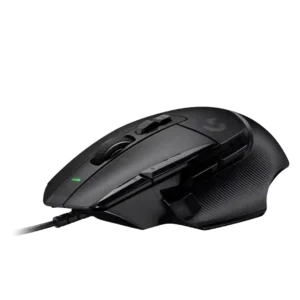
Charging convenience scored well only because one reviewer valued the wired model not needing charging.
Pros: Accuracy and tracking precision, click latency
Cons: claw grip comfort, portability

Charging convenience was praised for USB-C, PowerPlay-style charging support, and not needing to think much about recharging.
Pros: click latency, motion consistency
Cons: software stability, cross-platform compatibility

Charging convenience was positive because reviewers could keep playing while charging or recover hours of play from short top-ups.
Pros: acceleration control, wireless latency
Cons: onboard memory, MMO gaming suitability

Charging convenience scores well thanks to PowerPlay support, USB-C charging, and quick recovery from low battery in reviewer testing.
Pros: left and right click quality, dock compatibility
Cons: Bluetooth support, cross-platform compatibility

Charging convenience was positive because reviewers appreciated the wired design avoiding charging and battery maintenance.
Pros: FPS gaming suitability, weight
Cons: fingertip grip comfort, handedness options

Charging convenience was a strength thanks to fast USB-C top-ups, charge-and-play support, and painless cable use.
Pros: motion consistency, connection stability
Cons: weight tuning, fingertip grip comfort

Charging convenience was viewed positively through quick practical recharge outcomes, a usable charging cable, and comfortable use while charging.
Pros: click latency, macro support
Cons: firmware reliability, tilt gesture controls

Charging convenience was positive thanks to quick charging, rapid USB-C top-ups, and the ability to charge without much disruption.
Pros: weight, balance and weight distribution
Cons: water and dust resistance, RGB features
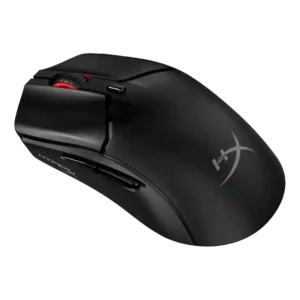
Charging convenience was positive because the mouse can be used while charging from a front USB-C port.
Pros: cable flexibility, connection stability
Cons: motion consistency, software stability

Charging convenience was praised for flexible cables, easy wired charging, and the ability to keep playing while charging.
Pros: left and right click quality, software stability
Cons: polling rate, cross-platform compatibility

Charging convenience is strong thanks to fast charging impressions, USB-C, and Power Play/constant-power convenience.
Pros: palm grip comfort, handedness options
Cons: Bluetooth support, MMO gaming suitability

Charging convenience was praised for USB-C, faster charging, and fewer desk cables.
Pros: macro support, fingertip grip comfort
Cons: weight tuning, cable flexibility

Charging convenience was positive overall thanks to USB-C quick charging and the ability to use the mouse while plugged in.
Pros: wireless latency, surface compatibility
Cons: RGB features, firmware reliability

Charging convenience was a standout because the hot-swap battery system reduced cable interruptions, with minor one-handed and clutter caveats.
Pros: glide smoothness, sensor performance
Cons: grip texture, firmware reliability
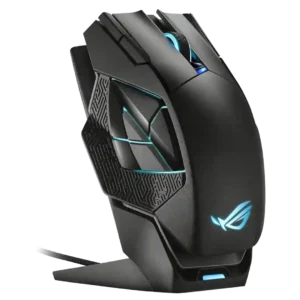
Charging convenience was a major strength, especially because the magnetic dock made it easy to keep the mouse topped up.
Pros: motion consistency, 2.4GHz connectivity
Cons: fingertip grip comfort, cross-platform compatibility

Charging convenience was a strength, with reviewers praising fast charging, quick top-ups, and easy cable access.
Pros: motion consistency, surface compatibility
Cons: onboard memory, handedness options
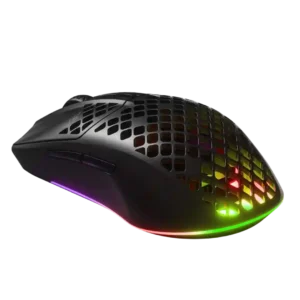
Charging convenience was a clear strength thanks to USB-C, fast charging, and easy wired use while charging.
Pros: Accuracy and tracking precision, surface compatibility
Cons: firmware reliability, palm grip comfort

Charging convenience was praised because the mouse can be used while charging and has convenient USB-C behavior.
Pros: motion consistency, surface compatibility
Cons: handedness options, software stability

Charging convenience was the headline strength for most reviewers, though one reviewer disliked the extra battery-management steps.
Pros: battery life, programmable buttons
Cons: software stability, firmware reliability

Charging convenience was positive thanks to fast top-ups and enough quick-charge power for practical use.
Pros: ecosystem integration, sensor performance
Cons: AI Prompt Master, durability over time

Charging convenience was strongest with PowerPlay or AA swapping, though one review disliked the lack of USB-C charging.
Pros: click latency, onboard memory
Cons: lift-off distance, debounce customization

Charging convenience had limited but positive evidence, especially around USB-C fast charging and quick top-ups.
Pros: cable flexibility, weight
Cons: software stability, handedness options
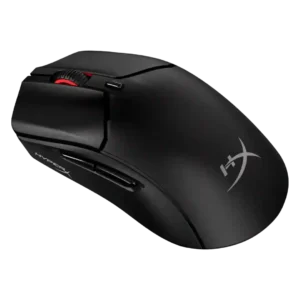
Charging convenience was positive, with reviewers appreciating wired use while charging, plug-and-play charging, and fast-enough recharge times.
Pros: long-session comfort, balance and weight distribution
Cons: software stability, firmware reliability

Charging convenience was usually praised because of the dock and quick charge, but several reviewers disliked dock sensitivity, complexity, or unusability while docked.
Pros: click latency, motion consistency
Cons: firmware reliability, weight tuning
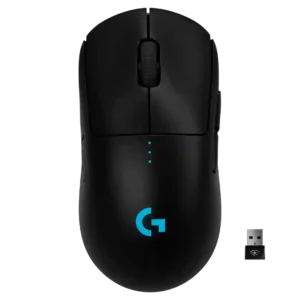
Charging convenience was mostly positive, helped by fast charging, wired-use capability, and PowerPlay support, though micro-USB was viewed as dated.
Pros: polling rate, motion consistency
Cons: MOBA gaming suitability, durability over time

Charging convenience was well received thanks to USB-C, fast recharge mentions, and the ability to keep using the mouse while charging.
Pros: 2.4GHz connectivity, connection stability
Cons: cable flexibility, handedness options

Charging convenience was strong when using USB-C or Powerplay, though one reviewer criticized the full recharge time.
Pros: motion consistency, acceleration control
Cons: cable flexibility, cross-platform compatibility

Charging convenience was positive thanks to fast recharge and easy USB-C top-ups.
Pros: handedness options, Accuracy and tracking precision
Cons: tilt gesture controls, software stability

Charging convenience ranged from excellent with the dock to frustrating when relying on quick wired top-ups.
Pros: lift-off distance, motion consistency
Cons: cross-platform compatibility, handedness options

Charging convenience was positive overall thanks to wired-use charging and long cables, though peak-performance polling requires more frequent charging.
Pros: click latency, motion consistency
Cons: palm grip comfort, fingertip grip comfort

Charging convenience is generally positive, helped by USB-C, around-75-minute recharge comments, and usable wired operation.
Pros: click latency, fingertip grip comfort
Cons: firmware reliability, skate durability
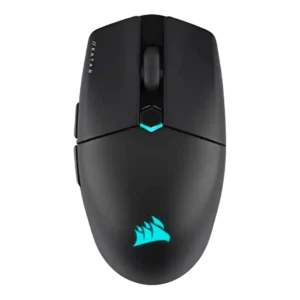
Charging convenience was positive because the rechargeable battery, USB-C cable, and wired fallback reduced battery anxiety.
Pros: software stability, click latency
Cons: MMO gaming suitability, palm grip comfort

Charging convenience was generally positive thanks to USB-C and charge-while-playing, though one reviewer found the USB-C port fiddly.
Pros: Accuracy and tracking precision, motion consistency
Cons: handedness options, lift-off distance

Charging was mostly convenient, especially through the flexible cable or optional dock, though one user disliked unplugging the cable and others questioned dock value.
Pros: sensor performance, click latency
Cons: software stability, Bluetooth support
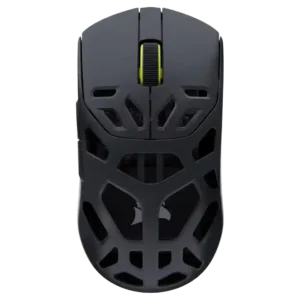
Charging convenience was positive where reviewed, with quick charging and short full-charge timing balancing the stiff cable complaint.
Pros: Accuracy and tracking precision, click latency
Cons: cable flexibility, ecosystem integration
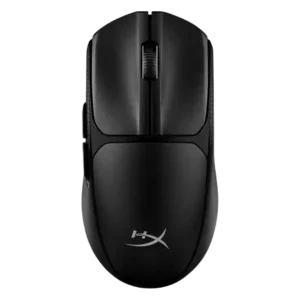
Charging convenience is really battery-swap convenience: reviewers liked the quick removable cover and fast AAA replacement despite no rechargeable battery.
Pros: wireless latency, Accuracy and tracking precision
Cons: side button quality, materials quality

Charging convenience was mostly praised for quick charging, Qi support, and accessible charging, with one caveat about keeping USB-C nearby.
Pros: premium feel, Accuracy and tracking precision
Cons: software stability, FPS gaming suitability

Charging was generally considered simple and convenient, with reviewers pointing to straightforward USB-C charging and about a two-hour charge estimate.
Pros: drag click support, claw grip comfort
Cons: handedness options, Bluetooth support

Charging convenience has limited but positive support, with one review praising the USB-C setup for fast data transfer and quick charging.
Pros: durability over time, sensor performance
Cons: MMO gaming suitability, surface compatibility

Charging convenience received limited positive evidence from the front port placement being exactly where expected.
Pros: motion consistency, wireless latency
Cons: palm grip comfort, software stability

Charging convenience was positive where reviewers noted cable charging was easy and the mouse could continue working while plugged in.
Pros: Accuracy and tracking precision, sensor performance
Cons: onboard memory, handedness options

Charging convenience was acceptable to the reviewer because plugging in during breaks was not treated as a major burden.
Pros: click latency, motion consistency
Cons: handedness options, portability

Charging convenience was useful but accessory-dependent, with praise for cable play-and-charge and dock charging offset by complaints that charging accessories cost extra.
Pros: motion consistency, sensor performance
Cons: software stability, MMO gaming suitability

Charging convenience was split: wireless charging accessories impressed reviewers, but the need to buy extras and slower charging drew criticism.
Pros: 2.4GHz connectivity, surface compatibility
Cons: click noise, software stability

Charging and dongle convenience were mixed: USB-C and cable placement helped, but the booster/dongle setup could feel chunky.
Pros: connection stability, weight
Cons: handedness options, software usability

Power and charging convenience is mixed: some reviewers like easy-to-buy batteries, while others dislike needing spares or missing an internal rechargeable battery.
Pros: motion consistency, Accuracy and tracking precision
Cons: cable flexibility, palm grip comfort

Charging convenience was mixed: long battery life reduces the issue, but cable-only charging and stiff cables drew criticism.
Pros: balance and weight distribution, build quality
Cons: dock compatibility, Bluetooth support

Charging itself was convenient by USB-C, but the short or unpleasant cable hurt the charging-and-play experience for some reviewers.
Pros: click latency, motion consistency
Cons: handedness options, Bluetooth support