Best for click noise
Corsair Darkstar RGB
4.3 feature score
Highest scored product for this feature based on supporting review evidence.
Highest scored product for this feature based on supporting review evidence.
Balances feature score, supporting reviews, and overall product strength.
Has the broadest review evidence for this feature.
Strongest overall product among items with scored evidence for this feature.
Showing Corsair only. Switch back to all brands anytime.

Click noise is generally favorable, with reviewers describing the switches as quiet or not overly noisy while keeping tactile feel.
Pros: long-session comfort, sensor performance
Cons: handedness options, software stability
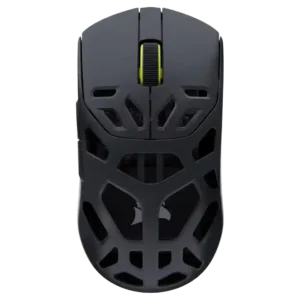
Click noise was positive where mentioned, with reviewers appreciating quieter primary clicks and a scroll action that was satisfying without being loud.
Pros: Accuracy and tracking precision, click latency
Cons: cable flexibility, ecosystem integration
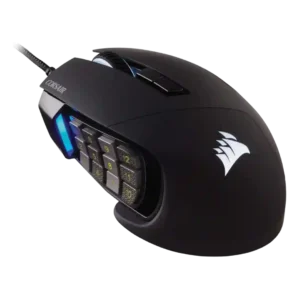
Click and scroll noise evidence was limited but positive, with one reviewer specifically calling the scroll wheel quiet.
Pros: button responsiveness, long-session comfort
Cons: handedness options, switch durability

Click noise is mixed, ranging from quiet or acceptable to noisy buttons and louder scrolling.
Pros: click latency, fingertip grip comfort
Cons: firmware reliability, skate durability

Click noise varied: some reviewers disliked elevated, hollow, or noisy feedback, while one saw muted buttons as a benefit for quiet use.
Pros: connection stability, weight
Cons: click latency, cable flexibility

Click noise was a minor caveat in one review, which found the optical switches somewhat loud.
Pros: click latency, macro support
Cons: firmware reliability, tilt gesture controls

Click noise was a drawback in multiple reviews, with louder or noisier clicks than expected.
Pros: handedness options, Accuracy and tracking precision
Cons: tilt gesture controls, software stability