Best for click noise
Razer DeathAdder V3
5.0 feature score
Highest scored product for this feature based on supporting review evidence.
Highest scored product for this feature based on supporting review evidence.
Balances feature score, supporting reviews, and overall product strength.
Has the broadest review evidence for this feature.
Strongest overall product among items with scored evidence for this feature.

Click noise evidence was limited but positive, with one reviewer saying the clicks were quieter than a comparable Razer mouse.
Pros: Accuracy and tracking precision, sensor performance
Cons: handedness options, tilt gesture controls

Click noise was praised for satisfying audio feedback and best-sounding switch behavior.
Pros: motion consistency, wireless latency
Cons: palm grip comfort, software stability
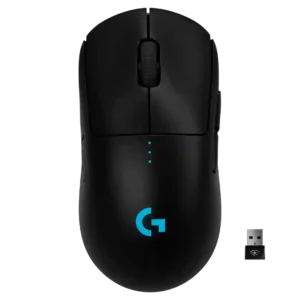
Click noise was viewed favorably in the few reviews that addressed it, with comments about quiet or pleasant-sounding clicks.
Pros: polling rate, motion consistency
Cons: MOBA gaming suitability, durability over time

Click noise is a positive for many reviewers because the haptic clicks are quieter and more muted than conventional mechanical mouse clicks.
Pros: left and right click quality, dock compatibility
Cons: Bluetooth support, cross-platform compatibility
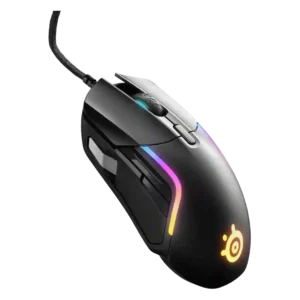
Click noise was viewed positively, with reviewers describing the switches or pressure points as quiet or pleasant rather than distracting.
Pros: switch durability, surface compatibility
Cons: weight tuning, portability

Click noise was positive, with reviewers saying the clicks were crisp but not loud enough to bother others.
Pros: FPS gaming suitability, weight
Cons: fingertip grip comfort, handedness options
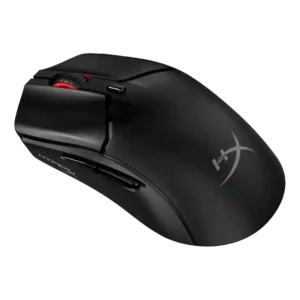
Click sound was praised in one review as sharp, precise, and satisfying.
Pros: cable flexibility, connection stability
Cons: motion consistency, software stability

Click noise had limited evidence, but the scroll-wheel click was praised as quiet and non-disruptive.
Pros: 2.4GHz connectivity, connection stability
Cons: cable flexibility, handedness options

Click noise feedback was limited but positive, with one reviewer specifically liking the quiet, precise button actuation.
Pros: motion consistency, connection stability
Cons: weight tuning, fingertip grip comfort

Click noise was mixed, with some reviewers calling it quiet and others noting sharper or louder clicks.
Pros: lift-off distance, motion consistency
Cons: cross-platform compatibility, handedness options

Click noise is generally favorable, with reviewers describing the switches as quiet or not overly noisy while keeping tactile feel.
Pros: long-session comfort, sensor performance
Cons: handedness options, software stability

Click noise impressions were mixed, from quiet and pleasant to fairly loud, depending on reviewer and switch comparison.
Pros: connection stability, weight
Cons: handedness options, software usability
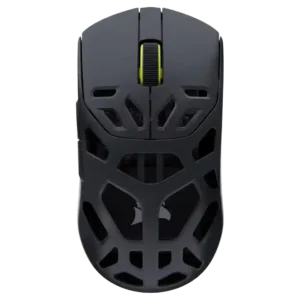
Click noise was positive where mentioned, with reviewers appreciating quieter primary clicks and a scroll action that was satisfying without being loud.
Pros: Accuracy and tracking precision, click latency
Cons: cable flexibility, ecosystem integration

Click noise drew mixed but mostly positive comments: one reviewer loved the sound, another found switches loud, and one noted a quieter scroll wheel.
Pros: click latency, motion consistency
Cons: palm grip comfort, fingertip grip comfort
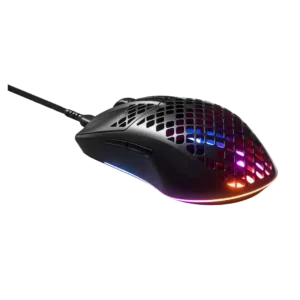
Click noise was acceptable to good, with one review saying the clicks were not annoying or overly loud.
Pros: click latency, acceleration control
Cons: palm grip comfort, onboard memory

Click noise was liked in the one review that addressed it, with a dampened sound profile.
Pros: premium feel, Accuracy and tracking precision
Cons: software stability, FPS gaming suitability
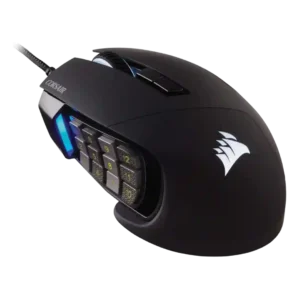
Click and scroll noise evidence was limited but positive, with one reviewer specifically calling the scroll wheel quiet.
Pros: button responsiveness, long-session comfort
Cons: handedness options, switch durability
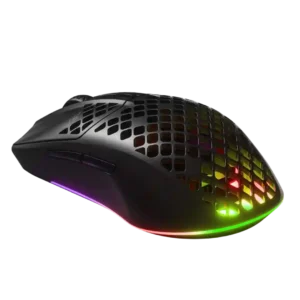
Click noise was relatively positive in the available evidence because the main buttons were described as quieter than another SteelSeries line.
Pros: Accuracy and tracking precision, surface compatibility
Cons: firmware reliability, palm grip comfort

Click noise was lightly praised in one review where audible clicks helped confirm registered button presses.
Pros: motion consistency, surface compatibility
Cons: onboard memory, handedness options

Click noise was acceptable: the switches were described as crisp without being overly loud or heavy.
Pros: connection stability, left and right click quality
Cons: palm grip comfort, profile switching

Click sound was mixed, ranging from barely audible or satisfying to loud, echoey, and cheap when pressed hard.
Pros: build quality, ergonomic design
Cons: handedness options, RGB features

Click noise was acceptable to positive: one reviewer found clicks louder than the predecessor, while another found the optical sound mild.
Pros: acceleration control, wireless latency
Cons: onboard memory, MMO gaming suitability

Click noise is moderate rather than silent, with reviewers describing crisp audible clicks or minimal noise depending on the review.
Pros: motion consistency, Accuracy and tracking precision
Cons: cable flexibility, palm grip comfort

Click noise was split, with one reviewer calling the mouse very quiet and another saying the switches were not especially quiet.
Pros: glide smoothness, sensor performance
Cons: grip texture, firmware reliability

Click noise was mixed, ranging from consistent and satisfying sound to louder, deeper switches or clicks that were less audible than some competitors.
Pros: button responsiveness, cable flexibility
Cons: firmware reliability, MMO gaming suitability
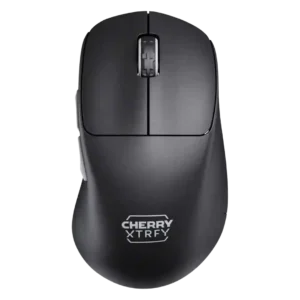
Click noise was acceptable to mixed, ranging from loud in one review to balanced or mellow in others.
Pros: 2.4GHz connectivity, long-session comfort
Cons: debounce customization, fingertip grip comfort
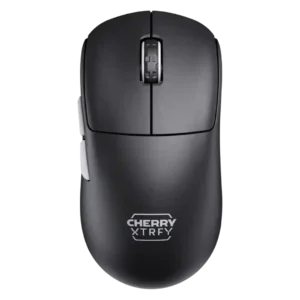
Click noise was acceptable to positive for some reviewers, but another found the buttons pretty loud.
Pros: 2.4GHz connectivity, long-session comfort
Cons: programmable buttons, button customization

Click noise was mixed but generally acceptable, ranging from pronounced and loud to pleasant rather than overpowering.
Pros: motion consistency, sensor performance
Cons: software stability, MMO gaming suitability

Click noise was mixed, with quiet main clicks in one review but squeaking called out in another.
Pros: onboard memory, software stability
Cons: handedness options

Click noise is mixed: one review liked the satisfying thocky sound, while another found the side buttons louder and hollower than the main clicks.
Pros: durability over time, sensor performance
Cons: MMO gaming suitability, surface compatibility

Click noise evidence was limited and mixed, with one reviewer noting the clicks were a bit loud but not worse than some alternatives.
Pros: weight, balance and weight distribution
Cons: water and dust resistance, RGB features
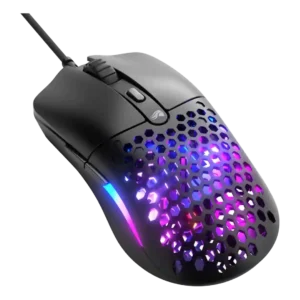
Click noise was mixed: one review liked the crisp but controlled sound, another found clicks loud, and another called them prominent but not hollow.
Pros: value for money, click latency
Cons: water and dust resistance, cable flexibility

Click noise was mixed: button clicks were often quiet or unobtrusive, but the scroll wheel could be extremely loud.
Pros: click latency, motion consistency
Cons: firmware reliability, weight tuning

Click noise was mixed but generally acceptable: one reviewer found the click louder, while another said the mouse kept noise muted.
Pros: motion consistency, wireless latency
Cons: handedness options, onboard memory
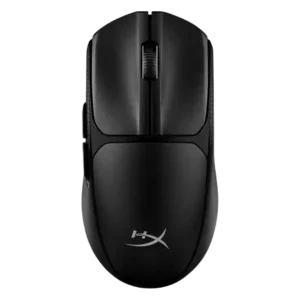
Click noise was mixed, with one reviewer saying the clicks were not quiet and another saying they were not overly loud.
Pros: wireless latency, Accuracy and tracking precision
Cons: side button quality, materials quality

Click noise was mixed: some liked the satisfying click sound, while others found it loud or high-pitched.
Pros: macro support, fingertip grip comfort
Cons: weight tuning, cable flexibility

Click noise was mixed, with damped clicks pleasing one reviewer while others wanted quieter buttons or found them loud.
Pros: ecosystem integration, sensor performance
Cons: AI Prompt Master, durability over time

Click noise is mixed, ranging from quiet or acceptable to noisy buttons and louder scrolling.
Pros: click latency, fingertip grip comfort
Cons: firmware reliability, skate durability

Click noise was mixed: some found it quiet or acceptable, while others called it noisy or cheap-sounding.
Pros: motion consistency, surface compatibility
Cons: handedness options, software stability

Click noise was mixed, with one reviewer criticizing cheap, echoey clicks and another praising the click sound.
Pros: click latency, motion consistency
Cons: software stability, cross-platform compatibility

Click noise was mixed, with one reviewer calling the sound hollow and another noting the optical switches are on the louder side.
Pros: click latency, motion consistency
Cons: handedness options, portability

Click noise was mixed-low in one review because the clicks were described as hollow sounding.
Pros: left and right click quality, software stability
Cons: polling rate, cross-platform compatibility

Click noise was mixed to negative overall, with loud-switch complaints offset by quieter or controlled sound in one review.
Pros: wireless latency, surface compatibility
Cons: RGB features, firmware reliability

Click noise varied: some reviewers disliked elevated, hollow, or noisy feedback, while one saw muted buttons as a benefit for quiet use.
Pros: connection stability, weight
Cons: click latency, cable flexibility

Click noise was mixed; reviewers liked the click feel but some found the optical clicks loud or potentially distracting.
Pros: click latency, balance and weight distribution
Cons: 2.4GHz connectivity, software stability

Click noise was a caveat: reviewers found the switches crisp or pleasant but often not quiet, and sometimes quite loud.
Pros: Accuracy and tracking precision, sensor performance
Cons: software stability, value for money

Click noise was a minor caveat in one review, which found the optical switches somewhat loud.
Pros: click latency, macro support
Cons: firmware reliability, tilt gesture controls

Click noise was only judged in one review, which found the clicks somewhat loud but not as loud as a pricier Logitech model.
Pros: click latency, onboard memory
Cons: lift-off distance, debounce customization
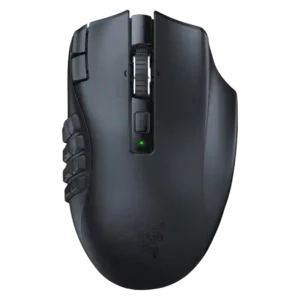
Click noise was middle-of-the-road, with the reviewer saying it was neither very quiet nor especially loud.
Pros: Accuracy and tracking precision, sensor performance
Cons: handedness options, fingertip grip comfort
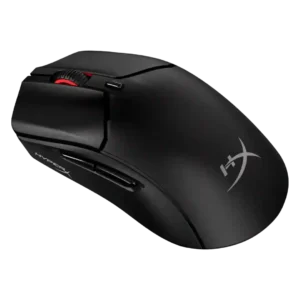
Click noise was mixed-to-negative: some liked the clicky sound, but others found it loud or wished it were quieter.
Pros: long-session comfort, balance and weight distribution
Cons: software stability, firmware reliability