Best for side button quality
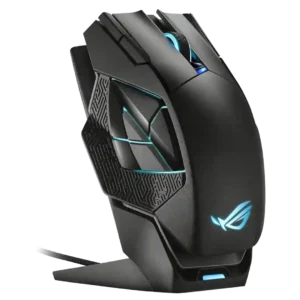
ASUS ROG Harpe II Ace
4.6 feature score
Highest scored product for this feature based on supporting review evidence.
Highest scored product for this feature based on supporting review evidence.
Balances feature score, supporting reviews, and overall product strength.
Has the broadest review evidence for this feature.
Strongest overall product among items with scored evidence for this feature.
Showing ASUS only. Switch back to all brands anytime.

Side buttons were broadly praised for placement, crispness, accessibility, and reduced accidental presses.
Pros: acceleration control, wireless latency
Cons: onboard memory, MMO gaming suitability

Side button quality was praised for tactile feedback, placement, and responsiveness, with only limited caveats around reach.
Pros: motion consistency, surface compatibility
Cons: handedness options, software stability

Side button quality was generally praised, with reviewers noting satisfying side clicks, easy thumb access, and good in-game feel.
Pros: cable flexibility, weight
Cons: software stability, handedness options

Side buttons are mostly liked for clear actuation and placement, but one reviewer found them mushier than the main clicks.
Pros: motion consistency, Accuracy and tracking precision
Cons: cable flexibility, palm grip comfort

Side button quality was context-dependent, with praise for tactile feedback and convenient placement but a left-hand usability complaint.
Pros: onboard memory, software stability
Cons: handedness options

Side button quality was mixed: several reviewers praised crisp placement, while others found them small, high, or stiff.
Pros: connection stability, weight
Cons: handedness options, software usability

Side button quality was mixed, with some reviewers liking reach and tactility while others found the buttons small or mushy.
Pros: button responsiveness, cable flexibility
Cons: firmware reliability, MMO gaming suitability
Side button quality was the most repeated functional concern, with reviewers calling the cluster awkward, hard to discern, spongy, or mushy.
Pros: motion consistency, 2.4GHz connectivity
Cons: fingertip grip comfort, cross-platform compatibility

Side buttons were a repeated weakness, criticized for being tiny, awkward, too far apart, or easy to hit accidentally.
Pros: premium feel, Accuracy and tracking precision
Cons: software stability, FPS gaming suitability