- More expensive: price The review says the G515 costs significantly less than the G915.
- Older model: overall upgrade The reviewer sees the G515 as a major step up from the G915.
- Alternative: affordability and generational improvement The G515 is presented as a more affordable alternative to the older G915, with better switches, acoustics, and software.
Logitech G515 Lightspeed Review
Bottom Line
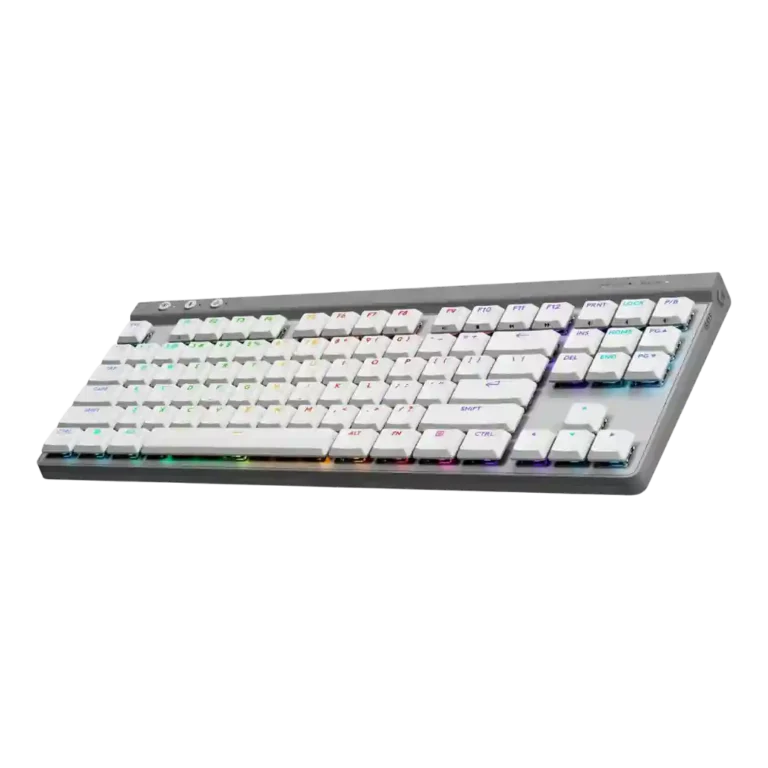
Choose the Logitech G515 Lightspeed if you want a slim, quiet low-profile TKL with strong Lightspeed wireless and deep G Hub customization. Skip it if you need a volume wheel, hot-swap switches, rapid trigger, multi-device Bluetooth, or long RGB-on endurance.
Best for gamers and productivity users who want a slim, quiet TKL keyboard with fast Lightspeed wireless, comfortable low-profile switches, and deep G Hub key, macro, profile, and RGB customization.
Not for buyers who prioritize enthusiast hardware features such as hot-swappable switches, rapid trigger, dedicated media controls, a volume wheel, USB passthrough, multi-device Bluetooth, or the longest possible RGB-on battery life.
Across the reviews, the Logitech G515 Lightspeed lands as a polished low-profile TKL that gets the fundamentals right: quiet typing, sturdy plastic construction, PBT keycaps, fast Lightspeed wireless, and unusually deep G Hub remapping. The tradeoff is that many of its strengths are software-driven rather than hardware-rich. Reviewers liked the slim shape, comfortable switches, and responsive gaming feel, but repeatedly missed a volume dial, dedicated media keys, hot-swap switches, and stronger RGB-on endurance compared with some rivals. It feels like a strong mainstream gaming-and-productivity board for people who value thinness, silence, and customization more than enthusiast extras.
Compared in Reviews
Products reviewers directly compared with this model, grouped into quick takeaways.
- Better: rapid trigger and gaming features The SteelSeries Apex Pro Mini is cited as a slightly pricier option with rapid trigger support that the G515 lacks.
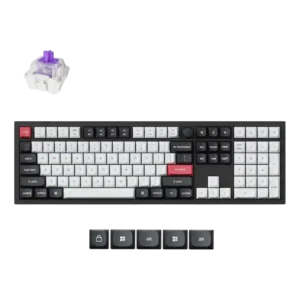
Keychron V1
- Better: build quality and price The review suggests the Keychron V1 may offer better build quality for less money.
Feature Scorecards
Pros
-
Macro customization was one of the most supported strengths, with reviewers repeatedly citing KEYCONTROL, G-Shift, profiles, and up to 15 functions per key.
-
Wireless performance was one of the strongest consensus points, with Lightspeed described as stable, low-latency, rock solid, or indistinguishable from wired.
-
Latency was a standout strength over Lightspeed, with reviewers repeatedly reporting no noticeable lag, no missed inputs, or wired-like response.
-
Per-key lighting control was well supported, with reviewers mentioning individual key lighting, per-key RGB, and key-by-key color customization.
-
Customization was a major strength, especially through G Hub and KEYCONTROL, which let users remap keys, layers, lighting, profiles, and game-mode behavior.
-
Switch feel was strongly praised, especially the tactile low-profile GL switches, pre-lubed travel, and satisfying keypress feel.
-
Frame rigidity was a strong point; multiple reviewers noted little or no deck flex even though the chassis is plastic.
-
Onboard memory received positive evidence where mentioned, letting users store lighting, profiles, or settings on the keyboard.
-
Durability evidence was positive, centered on sturdy construction, PBT keycaps, and in one review a replaceable battery design.
-
Connectivity was one of the most consistently praised areas, with reviewers highlighting Lightspeed, Bluetooth, wired USB-C, and dongle-sharing options.
-
Size and form factor were a core strength: reviewers repeatedly praised the thin, low-profile, TKL design.
-
RGB customization was widely praised for presets, animations, per-key setup, app control, and broad color options.
-
Profile management was a strength in G Hub, with reviewers noting presets, per-game profiles, profile switching, and onboard profile storage.
-
Sound dampening was a clear strength, with many reviewers citing foam, acoustic material, or damped construction that improves the typing sound.
-
Gaming performance was praised across wired and wireless use, with reviewers describing responsive, reliable play in shooters and other games.
-
Where reviewers discussed consistency, they described the switches as smooth, responsive, and consistent across keys.
-
Typing feel was a standout strength, with reviewers describing satisfying, smooth, manicured, solid, or error-free typing.
-
Typing comfort was consistently strong after adjustment, with reviewers calling the board easy, comfortable, and pleasant for long writing or work sessions.
-
Keycap quality was widely praised for double-shot PBT material, texture, grip, and shine-through legends, though a few reviewers disliked the flat or smooth feel.
-
Noise level was consistently praised, with reviewers calling the board quiet, soft, pleasant, muted, or office-friendly.
-
Key responsiveness was praised, largely because of the short 1.3 mm actuation point and quick, responsive low-profile switch action.
-
Build quality drew mostly positive comments: reviewers repeatedly found the plastic body sturdy, dense, and solid despite the lower-cost materials.
-
Ergonomics were rated well thanks to the low profile, tilt feet, easy hand position, and comfort without necessarily needing a wrist rest.
-
Reliability was broadly strong in testing, especially for Lightspeed and input stability, though one reviewer raised concern about double-pressing with similar switches.
-
Polling-rate evidence was mostly positive for Lightspeed’s 1,000 Hz behavior, though one review noted two-device dongle use may lower polling rates.
-
Layout evidence was positive for shoppers who want a conventional TKL arrangement rather than a more compressed 60%, 65%, or 75% board.
-
Portability was good for a low-profile TKL board, helped by slim dimensions and dongle storage, though one review missed an included carry case.
-
Reviewers generally found the G515’s sound profile quiet and pleasant, with damped acoustics that avoid harsh rattle or hollow case noise.
-
The tenkeyless layout was repeatedly praised for saving desk space while preserving a familiar key arrangement.
-
Gaming extras are useful but software-led: reviewers liked Game Mode, n-key rollover, and key disabling, while some missed more dedicated hardware features.
-
The included USB-C cable and related charging hardware were generally described as adequate to good, with one review calling the cable flexible and high quality.
-
Key spacing and access were generally comfortable, though one review found the flatter keys more challenging in speed-and-accuracy games.
-
Value was generally favorable at its price, especially versus pricier Logitech models, but a few reviews said competitors can offer more features or build quality.
-
Stabilizer quality was mixed-positive: several reviewers liked the stabilizers, while one noted rattle typical of prebuilt gaming keyboards.
-
Materials quality was usually viewed as good for plastic, with reviewers describing sturdy, thick, or high-quality plastic while noting it is not as luxurious as metal.
-
Software quality was mostly positive because G Hub is powerful and mature, though some reviewers found it dense, daunting, or resource-heavy.
-
Battery life was usually treated as good for a slim wireless board, but several reviewers noted that RGB-on endurance is only moderate versus some competitors.
-
RGB lighting quality was generally good, with bright or clean shine-through effects, but a few reviews noted uneven legends or dimmer output.
-
Backlighting was usually viewed as useful and configurable, though one review noted it is not extremely bright beyond normal desk use.
-
Switch options are adequate but limited: reviewers noted tactile and linear choices, while some missed a clicky option.
-
Key stability was mixed: some reviewers reported minimal wobble or improved stability, while others noticed loose or wobbly keycaps.
-
Legend visibility was mixed: shine-through legends were often praised, but some reviews noted uneven lighting, hard-to-read unlit legends, or localized legend issues.
-
Compatibility is strongest within Logitech’s ecosystem and basic Bluetooth/Lightspeed use, but reviewers noted limits such as one Bluetooth profile or no multi-device Bluetooth pairing.
Cons
-
Switch replacement is limited because the switches are not hot-swappable or are soldered, though keycap replacement is possible with low-profile compatible caps.
-
Media controls were a recurring weakness because most reviewers missed dedicated media keys and instead had to use function-layer controls.
-
Volume control was one of the most repeated complaints because the G515 lacks a dedicated volume wheel or dial.
-
Wrist-rest support is weak because reviewers repeatedly noted that no wrist rest is included, even if the low-profile design reduces the need.
-
Rapid trigger support is a limitation because one review explicitly named rapid trigger among similarly priced gaming-board features the G515 lacks.
-
Hot-swap support is a clear weakness because multiple reviewers explicitly said the switches are not hot-swappable or are soldered.
-
Passthrough support was a weakness where mentioned because one review specifically called out the absence of a USB passthrough port.
Compared With Category Average
Compared with other Gaming Keyboard, this product is above average in wireless performance, portability, value for money, below average in volume control, media controls, hot-swappable switches.
| Attribute | This product | Category average | Difference |
|---|---|---|---|
| volume control | 2.0 | 3.9 | -1.9 |
| media controls | 2.2 | 3.8 | -1.6 |
| hot-swappable switches | 1.5 | 3.3 | -1.8 |
| rapid trigger support | 1.8 | 3.5 | -1.7 |
| wireless performance | 4.6 | 3.2 | +1.4 |
| ease of switch replacement | 2.3 | 3.4 | -1.1 |
| portability | 4.3 | 3.4 | +0.9 |
| value for money | 4.2 | 3.6 | +0.5 |
FAQ
Is the Logitech G515 Lightspeed good for gaming?
Yes. Reviewers repeatedly described Lightspeed wireless as low-latency and stable, with quick actuation and responsive performance in games.
Is it comfortable for typing?
Yes for most reviewers, especially after adjusting to the low-profile shape. Several reviews praised the comfortable switches, quiet sound, and satisfying typing feel.
Does the G515 have hot-swappable switches?
No. Multiple reviewers noted that the switches are not hot-swappable or are soldered, though keycaps can be replaced with compatible low-profile keycaps.
How is the battery life?
Reviews generally found battery life good for a slim wireless keyboard, but RGB brightness and lighting mode matter a lot. Some reviewers considered RGB-on endurance only average versus competitors.
Does it have dedicated media controls or a volume wheel?
No. This was one of the most common complaints; media and volume controls are available through function-layer keys rather than dedicated hardware.
How customizable is the keyboard?
Very customizable. Reviewers highlighted G Hub, KEYCONTROL, G-Shift layers, macros, profiles, game mode, and per-key RGB or lighting effects.
Consider This Instead
If you want better hot-swappable switches
Choose Corsair K65 Plus. It scores 5.0 vs 1.5 for hot-swappable switches, with a 4.1 overall score.
If you want better volume control
Choose Keychron Q6 HE. It scores 4.8 vs 2.0 for volume control, with a 4.4 overall score.
If you want better rapid trigger support
Choose Keychron Q3 HE 8K. It scores 5.0 vs 1.8 for rapid trigger support, with a 4.5 overall score.
If you want better media controls
Choose Keychron Q3 HE. It scores 4.6 vs 2.2 for media controls, with a 4.4 overall score.
Overall Top Gaming Keyboard Alternatives
Best for 8K polling, magnetic-switch gaming control, premium build, and deep web customization. Skip it if you need broad switch compatibility, USB passthrough, a wrist rest, or a portable keyboard.
Pros: latency, polling rate
Cons: portability, switch options
Good if you want a premium full-size Hall Effect keyboard with smooth switches, strong gaming controls, and quiet acoustics. Skip it if you need a portable, budget, or broadly switch-compatible...
Pros: key stability, frame rigidity
Cons: portability, switch options
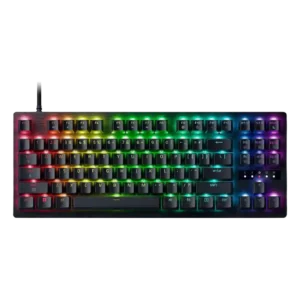
Best for a premium, quiet Hall Effect TKL with strong wireless, software, and gaming features. Skip it if price, switch flexibility, USB passthrough, or an included wrist rest matter most.
Pros: rapid trigger support, typing feel
Cons: switch options, portability
Best for a premium 96% metal keyboard with Hall Effect tuning, strong wireless, and excellent typing feel. Skip it for travel, bargain pricing, or maximum esports specs.
Pros: build quality, frame rigidity
Cons: portability, switch options