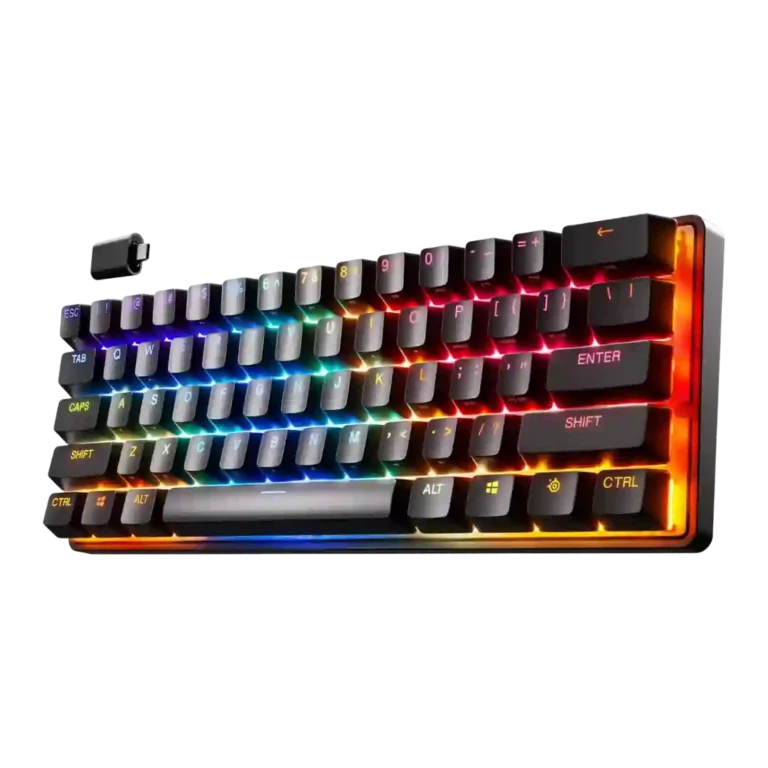
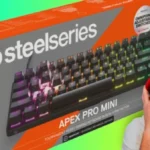
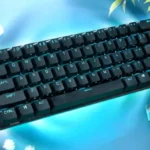
Choose it for fast, compact gaming with deep actuation tuning and strong wireless feel. Skip it if you need full-size keys, simple typing, hot-swap modding, or value-first pricing.
Best for
Best for competitive or enthusiast gamers who want a compact 60-percent board, fast linear switches, adjustable actuation, strong RGB, and wireless freedom when buying the wireless model.
Not for
Not for value-first buyers, productivity-heavy typists, layout-sensitive users, or keyboard modders who want hot-swappable switches, a full-size layout, or an included wrist rest.
Verdict
Across the review set, the SteelSeries Apex Pro Mini comes across as a specialist compact gaming keyboard built around OmniPoint 2.0 actuation. Reviewers repeatedly praised its fast, smooth switch feel, strong gaming responsiveness, PBT keycaps, compact desk footprint, and generally reliable wireless performance on the wireless variant. The tradeoff is that the same 60-percent design that helps FPS gaming and travel also makes typing, arrow-key use, and productivity more awkward for several reviewers. Software and customization are powerful, but not universally intuitive, especially dual-actuation behavior. The biggest friction point is price: many reviewers liked the board while still questioning whether its feature set justifies the premium.
Responsiveness was one of the strongest areas: reviewers repeatedly described fast actuation, fewer missed strokes, quicker reactions, and very fast in-game feel, with only sensitivity-related caveats at low actuation.
Gaming performance received the strongest consensus: reviewers repeatedly called it seamless, phenomenal, snappy, responsive, or even their best dedicated gaming keyboard experience.
Adjustable actuation was widely praised for meaningful tuning from hair-trigger to firmer presses, though a few reviewers noted accidental double-typing or that very low settings need care.
RGB lighting quality was broadly positive, with reviewers praising brightness, smooth color cycling, bold colors, vibrant lighting, and clean shine-through.
desk space efficiency: 4.5, 6 reviews, strong consensus
Desk space efficiency was consistently positive, with reviewers praising the compact layout for reclaiming desk space and enabling larger mouse movements.
Most reviewers liked the smooth linear OmniPoint feel, with repeated praise for speed and smoothness; one typing-focused review found the linear feel a little spongy and another noted only a basic smooth feel.
Latency impressions were very positive in gaming-focused reviews, where the board was described as lightning fast, hair-trigger, and immediately in sync with movement.
Frame rigidity was usually praised: reviewers noted little or no flex during normal use, an inflexible body, and a stable aluminum-backed construction.
Typing feel was generally good to excellent once adjusted, with several reviewers praising the typing experience, though one review only liked it and did not love it due to linear switches and layout.
Durability evidence was positive, with reviewers citing the 100-million keypress claim favorably and praising tough PBT caps with less worry about wear.
Macro customization was strong, with reviewers noting macro assignment, extensive key binding control, and the ability to program macros deeply through SteelSeries GG.
Compatibility evidence was positive, with reviewers citing useful profiles or successful operation across phones, tablets, PlayStation, and mobile devices.
Cable quality was positive overall, with reviewers describing the detachable USB-C cable as nice, braided, heavy duty, premium, or durable, though not exceptional.
Acoustics were subjective but often liked, with praise for thock, clocky sound, and satisfying clickety-clack; IGN was the clearest negative outlier on switch/stabilizer rattle.
Build quality ranged from strong praise for sturdiness and rigidity to criticism of plastic feel, slight flex, squeaking, and value mismatch at the price.
Profile management was useful but not seamless, with praise for onboard/game/device profiles and a caveat that Bluetooth profile swapping takes time to learn.
Typing comfort was polarized: some reviewers found long sessions or on-the-go writing comfortable, while others reported typos or discomfort from the tiny layout.
size and form factor: 3.9, 7 reviews, strong consensus
The 60-percent size was praised for compactness, travel, and gaming, but several reviewers found it too small or disruptive for productivity and typing.
RGB customization was generally liked for per-key and preset control, but one review found SteelSeries GG's illumination section broken during testing.
Ergonomics were mixed: the compact shape fit one reviewer very comfortably, but several reviews disliked stability when feet were deployed or noted sliding.
Software quality was powerful but imperfect: reviewers praised expansive tuning and intuitive customization, while also noting learning curves, confusing firmware updates, bugs, and complexity.
Design aesthetics were mixed: some liked the simple, compact, sleek look, while others found the case generic, plastic-feeling, or not premium enough for the price.
value for money: 2.5, 12 reviews, moderate consensus
Value for money was the most repeated criticism, with many reviewers saying the keyboard is expensive or hard to justify unless the user will exploit its specialized features.
Legend visibility was mixed: shine-through legends and front legends helped some reviewers, while others found secondary functions hard to read or hidden by lighting, shadows, or the layout.
Hot-swappable switch evidence was negative because one review criticized that the switches are not hot-swappable, limiting sound-profile changes and modifications.
analog input support: 3.2, 6 reviews, moderate consensus
Analog-like and dual-actuation features split reviewers: some liked walk/run-style control and dual bindings, while others found the behavior unintuitive, questionable in games, or difficult to train.
Materials quality was mixed because reviewers appreciated solid construction but repeatedly pointed out the plastic case, with one calling it disappointing for the price.
Battery life was a mild concern rather than a strength: reviewers accepted the rated life but criticized regular charging, aggressive sleep behavior, and wake delay.
extra gaming features: 3.4, 9 reviews, moderate consensus
Extra gaming features split reviewers: dual actions and game-specific tuning were praised by enthusiasts but criticized by others as hard to master or not clearly beneficial.
Layout options were the clearest usability tradeoff: some reviewers loved the intuitive secondary bindings, but others struggled with missing arrow, function, and navigation keys.
Media controls were mixed: one reviewer found secondary media toggles clunky in the 60-percent layout, while another successfully mapped play/pause behavior.
Onboard memory was mixed: one review praised up to five onboard profiles, while another criticized the inability to save lighting profiles to onboard memory.
Per-key lighting control drew one strong praise for being fantastic and one criticism because the software section handling illumination was broken.
Compared With Category Average
Compared with other Gaming Keyboards, this product is above average in portability, wireless performance, connectivity, near average in actuation consistency, software quality, below average in ease of switch replacement, hot-swappable switches, value for money.
Summary
48 compared features
Above average0.4+ pts higher
6(13%)
Same as averagewithin 0.3 pts
24(50%)
Below average0.4+ pts lower
18(38%)
Largest category differences
Attribute
This product
Category average
Difference
ease of switch replacement
1.8
3.8
-2.0
hot-swappable switches
1.8
3.5
-1.7
value for money
2.5
3.7
-1.3
key spacing
2.5
3.9
-1.5
wrist rest quality
2.0
3.3
-1.3
materials quality
3.1
4.2
-1.1
battery life
2.9
4.0
-1.1
design aesthetics
3.5
4.4
-0.9
Consider This Instead
If you want better battery life
Choose ASUS ROG Falchion RX. It scores 4.7 vs 2.9 for battery life, with a 4.4 overall score.
Similar: adjustable actuation and dual-step actuationTom's Hardware noted that Razer's Huntsman V2 Analog also offers adjustable actuation and dual-step actuation.
FAQ
Is the SteelSeries Apex Pro Mini good for gaming?
Yes. Reviewers repeatedly praised its fast OmniPoint switches, snappy response, compact FPS-friendly footprint, and strong gaming feel.
Is it good for typing?
Typing opinions were mixed. Some reviewers loved the feel after adjustment, while others struggled with linear switches, missing arrow keys, or the tight 60-percent layout.
How useful is dual actuation?
It depends on the user. Enthusiasts liked the walk/run-style possibilities, but several reviewers found it unintuitive, hard to master, or not clearly useful in real matches.
Is the wireless version reliable?
Most wireless impressions were positive, with reviewers reporting solid 2.4GHz performance and little to no lag. The main caveats were battery life, sleep wake-up delay, and one early Bluetooth issue.
Does the compact layout save desk space?
Yes. Reviewers consistently liked the freed desk space and portability, especially for gaming and travel, though the missing keys created a learning curve.
Is it worth the price?
Only for buyers who will use the actuation tuning, compact form factor, RGB, and wireless features. Many reviewers liked the keyboard but still called the price hard to justify.
Sample Expert Reviews We Analyzed
These are a few of the reviews included in our analysis.
Good if you want a premium 96% Hall Effect keyboard for work and gaming with excellent build, sound, and customization. Skip it if you need cheaper esports-first speed, 8,000Hz polling,...
Good if you want a premium, quiet TKL Hall Effect keyboard for typing and gaming. Skip it if price, portability, 8,000Hz polling, or broad switch choice matters most.
Good if you want a premium full-size Hall Effect keyboard with smooth switches, quiet sound, and deep customization. Skip it if you need a portable, budget-friendly board or broad switch...