
Click noise was praised for satisfying audio feedback and best-sounding switch behavior.
Pros: motion consistency, wireless latency
Cons: palm grip comfort, software stability
Showing Gaming Products only. Switch back to all Gaming Mice anytime.
Click noise was praised for satisfying audio feedback and best-sounding switch behavior.
Pros: motion consistency, wireless latency
Cons: palm grip comfort, software stability

Click noise was acceptable: the switches were described as crisp without being overly loud or heavy.
Pros: connection stability, left and right click quality
Cons: palm grip comfort, profile switching

Click sound was mixed, ranging from barely audible or satisfying to loud, echoey, and cheap when pressed hard.
Pros: build quality, ergonomic design
Cons: handedness options, RGB features

Click noise was acceptable to positive: one reviewer found clicks louder than the predecessor, while another found the optical sound mild.
Pros: acceleration control, wireless latency
Cons: onboard memory, MMO gaming suitability

Click noise was split, with one reviewer calling the mouse very quiet and another saying the switches were not especially quiet.
Pros: glide smoothness, sensor performance
Cons: grip texture, firmware reliability

Click noise was mixed, with quiet main clicks in one review but squeaking called out in another.
Pros: onboard memory, software stability
Cons: handedness options
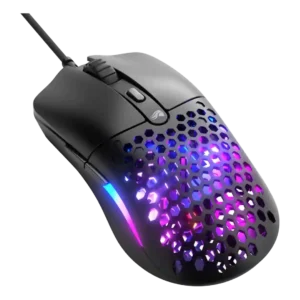
Click noise was mixed: one review liked the crisp but controlled sound, another found clicks loud, and another called them prominent but not hollow.
Pros: value for money, click latency
Cons: water and dust resistance, cable flexibility
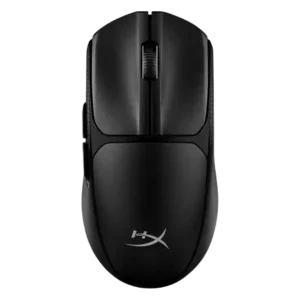
Click noise was mixed, with one reviewer saying the clicks were not quiet and another saying they were not overly loud.
Pros: wireless latency, Accuracy and tracking precision
Cons: side button quality, materials quality

Click noise was mixed, with damped clicks pleasing one reviewer while others wanted quieter buttons or found them loud.
Pros: ecosystem integration, sensor performance
Cons: AI Prompt Master, durability over time

Click noise was mixed to negative overall, with loud-switch complaints offset by quieter or controlled sound in one review.
Pros: wireless latency, surface compatibility
Cons: RGB features, firmware reliability

Click noise varied: some reviewers disliked elevated, hollow, or noisy feedback, while one saw muted buttons as a benefit for quiet use.
Pros: connection stability, weight
Cons: click latency, cable flexibility

Click noise was a minor caveat in one review, which found the optical switches somewhat loud.
Pros: click latency, macro support
Cons: firmware reliability, tilt gesture controls

Click noise was the most common tactile complaint, with many reviewers describing the main clicks as loud, hollow, pingy, or annoying.
Pros: Accuracy and tracking precision, sensor performance
Cons: onboard memory, handedness options

Click noise was the most repeated complaint, with multiple reviewers calling the Gen-4 switches loud, hollow, pingy, or distracting.
Pros: 2.4GHz connectivity, surface compatibility
Cons: click noise, software stability

Click noise was a drawback in one review, where squeak and ping stood out during quiet moments.
Pros: battery life, programmable buttons
Cons: software stability, firmware reliability