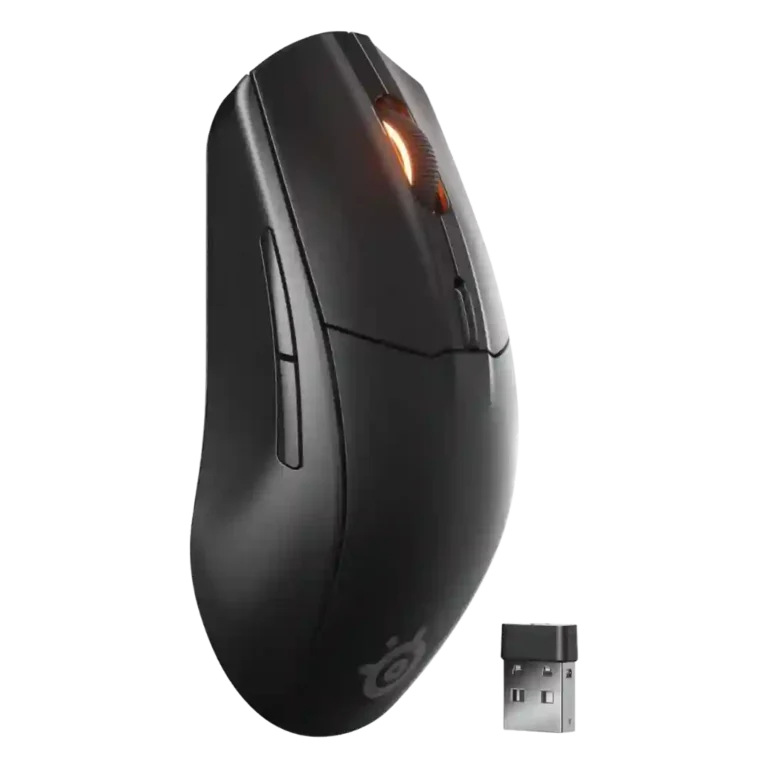
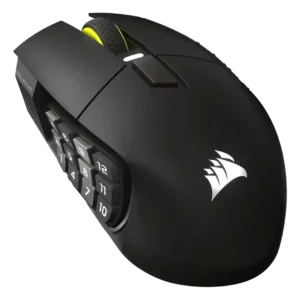
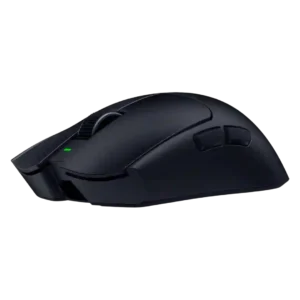
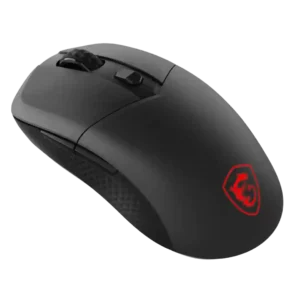
- Compared: sensor and connectivity PCMag positions the G305 as the closest wireless peer, but notes it lacks Bluetooth.
SteelSeries Rival 3 Gen 2 Wireless Review
Bottom Line
Choose it for budget wireless gaming, long AAA battery life, dual 2.4GHz/Bluetooth, and casual FPS comfort. Skip it if you want ultralight esports speed, USB-C charging, stronger side buttons, or richer RGB.
Best for budget-conscious casual gamers, students, travelers, and multi-device users who want a comfortable wireless mouse with long battery life and both 2.4GHz and Bluetooth. It also fits players who prefer claw or fingertip grips over full palm support.
Not ideal for esports-focused FPS players, ultralight mouse fans, left-handed users, or anyone who wants USB-C charging, deep RGB customization, a premium scroll wheel, or many MMO/MOBA buttons.
The SteelSeries Rival 3 Gen 2 Wireless lands as a practical budget all-rounder rather than a pure esports mouse. Reviewers repeatedly praise its dual 2.4GHz and Bluetooth connectivity, long AAA battery life, sturdy shell, grippy finish, and dependable casual gaming performance. The tradeoff is that the same replaceable-battery design makes it heavy, sometimes rear-weighted, and less nimble than modern ultralight rivals. Its TrueMove Air sensor, 1,000Hz polling, and 1.9 ms click latency are good enough for most players, but competitive FPS reviewers point to fixed lift-off distance, older sensor tech, and weight as limitations. Software support is useful, and value is strong, while thin side buttons, limited RGB, and mixed scroll-wheel impressions keep it from feeling fully premium.
Compared in Reviews
Products reviewers directly compared with this model, grouped into quick takeaways.
- Better: performance, weight, and battery life Windows Central says spending a little more on Razer’s option can buy better performance and a lighter design.
- Compared: sensor, feel, and Aim Trainer performance The reviewer says the wireless Rival 3 shares the Aerox line sensor and delivers comparable gaming performance, though the Aerox feels more premium and lighter.
Feature Scorecards
Pros
-
Battery life is one of the strongest consensus positives, with reviewers repeatedly citing hundreds of hours from one or two AAA batteries.
-
Build quality is repeatedly praised as solid, sturdy, and better than expected for the budget price.
-
Cross-platform compatibility is a strength, with reviews citing PC, Mac, consoles, Android, iOS, tablets, and mobile-device use.
-
Weight tuning is unusually useful because the mouse can run on one AAA battery to reduce weight at the cost of battery life.
-
Wireless latency is viewed positively, with 1.9 ms and low-latency mode repeatedly described as adequate or better than expected.
-
Macro support is available through SteelSeries GG and is repeatedly described as easy or powerful.
-
Reviewers consistently describe the 2.4GHz dongle mode as the gaming-first connection, with low-latency behavior and broad praise, though some note placement and interference can matter.
-
Portability is strong because the mouse is compact, has dongle storage, supports Bluetooth, and can travel without a charging cable.
-
Software-level acceleration and deceleration controls are available, and at least one review highlights no artificial acceleration for one-to-one tracking.
-
Programmable buttons are a strength, with six buttons and often the scroll wheel available for customization.
-
Glide is a strong point thanks to PTFE feet, with reviewers describing smooth movement across pads, desks, and other surfaces.
-
Bluetooth support is widely valued for laptops, tablets, consoles, and low-stakes use, though one reviewer had trouble pairing over Bluetooth.
-
Click latency is repeatedly described as low enough or improved at 1.9 ms, with no meaningful delay noticed in normal gaming.
-
Primary click quality is generally praised as snappy, responsive, tactile, and satisfying.
-
SteelSeries ecosystem integration is supported through GG on Windows and macOS, with settings, profiles, power modes, and device controls.
-
Button customization is well supported through SteelSeries GG, including remapping, DPI controls, and other settings.
-
Wireless performance is generally strong in 2.4GHz mode, with reviewers calling it solid, reliable, and good for casual gaming.
-
Accuracy is generally praised for casual and mainstream gaming, with reviewers reporting precise shots and reliable movement rather than elite esports-grade precision.
-
Grip texture is praised for matte, lightly textured, non-slip plastic that feels secure during use.
-
Value for money is a major strength, especially for budget shoppers who want dual wireless and solid gaming fundamentals.
-
Fingertip grip comfort is repeatedly supported by reviewers who call the shape suitable for fingertip use and extended sessions.
-
Button responsiveness is generally strong, with reviewers describing short travel, satisfying inputs, and clicky/bouncy action.
-
Onboard memory is a plus where mentioned, allowing settings or profiles to live on the mouse for use on other devices.
-
Materials are usually praised as matte ABS or polymer plastic that feels solid, grippy, and above its price.
-
The 18,000 DPI ceiling is viewed as sufficient for most users, even if it is not a flagship-level spec.
-
Shape comfort is generally positive for a compact, symmetrical, low-profile shell, especially outside full palm-grip use.
-
The low, symmetrical shape works especially well for claw grip users across multiple reviews.
-
Long-session comfort is generally good for claw/fingertip or casual use, but heavy weight can be tiring for some extended gaming sessions.
-
Switch durability is strong on paper and in reviewer impressions, with frequent references to 60 million clicks or actuations.
-
Ergonomic feedback is positive for a low-profile right-handed shape, though it is not a deeply sculpted ergonomic mouse.
-
Software usability is mostly positive for basic mouse settings, though some reviewers find GG cluttered, antiquated, or less intuitive than rivals.
-
Premium feel is mixed: several reviewers say the finish and price feel surprisingly premium, while weight, scroll wheel, or buttons undercut that feel.
-
Switch feel is mostly positive, described as crisp, clicky, responsive, or satisfying, though a few reviewers note dampened feel.
-
Surface compatibility is generally good across pads, desks, wood, plastic, and glass, with one beginner review noting faux leather problems.
-
Skate durability has limited but positive evidence, with PTFE feet described as durable and removable with less damage risk.
-
Software stability evidence is limited but acceptable, with reviews saying GG is not resource-heavy and works at its core.
-
The 1,000Hz polling rate is considered standard and fine for casual gaming, while Bluetooth drops lower and esports-focused rivals go higher.
-
Sensor performance is good for mainstream and casual play, though some reviewers call the TrueMove Air older or below top-tier alternatives.
-
Connection stability is mostly good in 2.4GHz use, but reviewers mention wake delays, Bluetooth-switch fussiness, interference, and occasional dropouts.
-
The mouse is broadly suitable for casual FPS play, but multiple reviewers caution that competitive or pro-level FPS players may want lighter, faster alternatives.
-
Motion consistency is mostly reliable, but a few reviewers measured or noticed tracking deviation, jitter at higher DPI, or below-average sensor consistency.
-
Click noise opinions vary from very low and pleasant to loud, echoey, cheap, or dampened depending on reviewer and usage.
-
Durability impressions are generally positive for the shell and switches, but wake delay and scroll-wheel squeak concerns lower confidence in long-term refinement.
-
Profile switching is available but imperfect because some switching requires GG software or lacks a dedicated hardware profile button.
Cons
-
Scroll wheel quality is one of the most mixed areas, ranging from fantastic and responsive to loose, mushy, squeaky, or cheap-feeling.
-
Charging convenience is a tradeoff: removable AAA batteries avoid charging cables but require spare or rechargeable batteries and offer no USB-C wired fallback.
-
Palm grip comfort is mixed to weak because the low, short body can feel awkward or insufficiently supportive for palm users.
-
MMO suitability is limited because reviewers describe the mouse as basic and lacking enough extra buttons for serious MMO players.
-
MOBA suitability is limited for players who want more buttons and deeper customization, though it can work for beginners or casual use.
-
Side buttons are a common concern because many reviewers find them thin, pointy, finicky, or hard to hit quickly.
-
Weight is the most repeated drawback: the mouse can reach roughly 106 to 110 g with two AAA batteries and remains heavy by modern gaming standards.
-
Balance feedback is mixed: some reviewers find the battery placement manageable, while several report rear drag or extra effort from the AAA battery weight.
-
Handedness is a limitation: the shape is symmetrical, but side-button placement makes it right-handed in practice and there is no left-handed version.
-
Lift-off distance is a recurring limitation because it is fixed and not individually adjustable like newer competing sensors.
-
RGB is a clear limitation on the wireless model, usually restricted to a scroll-wheel indicator rather than customizable lighting.
Compared With Category Average
Compared with other Gaming Mouse, this product is above average in weight tuning, Bluetooth support, below average in weight, lift-off distance, balance and weight distribution.
| Attribute | This product | Category average | Difference |
|---|---|---|---|
| weight tuning | 4.5 | 2.4 | +2.1 |
| weight | 2.7 | 4.1 | -1.4 |
| lift-off distance | 2.4 | 4.0 | -1.7 |
| balance and weight distribution | 2.7 | 4.1 | -1.4 |
| Bluetooth support | 4.4 | 3.2 | +1.1 |
| RGB features | 2.1 | 3.1 | -1.1 |
| charging convenience | 3.1 | 4.1 | -1.0 |
| side button quality | 2.7 | 3.8 | -1.1 |
FAQ
Is the SteelSeries Rival 3 Gen 2 Wireless good for FPS games?
Yes for casual and mainstream FPS play. Reviewers found it accurate and responsive, but competitive players may want a lighter mouse with a newer sensor, higher polling options, and adjustable lift-off distance.
How is the battery life?
Battery life is one of its strongest areas. Reviews repeatedly cite roughly 200 hours over 2.4GHz and up to 400–450 hours over Bluetooth depending on settings and batteries.
Can it run on one AAA battery?
Yes. Multiple reviewers note that it works with one AAA battery to reduce weight, though that also reduces runtime.
Does it support Bluetooth and 2.4GHz wireless?
Yes. Reviewers consistently highlight dual wireless connectivity, with 2.4GHz better for gaming and Bluetooth useful for laptops, tablets, consoles, and travel.
Is it comfortable for palm grip?
Palm grip comfort is mixed. Several reviewers say the low, short shape is better for claw or fingertip grip and may feel awkward or under-supported for full palm users.
Does it have RGB lighting?
The wireless model has very limited lighting, mainly a scroll-wheel indicator for DPI or connection status. Reviewers who wanted customizable gaming RGB generally saw this as a drawback.
What are the biggest downsides?
The biggest downsides are its AAA-battery weight, thin side buttons, limited RGB, no USB-C wired mode, and mixed scroll-wheel impressions. Some reviewers also mention wake delay or connection interference in specific setups.
Consider This Instead
If you want better RGB features
Choose Razer Cobra Pro. It scores 4.6 vs 2.1 for RGB features, with a 4.0 overall score.
If you want better weight
Choose ASUS ROG Keris II Ace. It scores 5.0 vs 2.7 for weight, with a 4.2 overall score.
If you want better lift-off distance
Choose Glorious Model D3. It scores 4.9 vs 2.4 for lift-off distance, with a 4.4 overall score.
If you want better side button quality
Choose Razer Naga V2 Pro. It scores 4.8 vs 2.7 for side button quality, with a 4.3 overall score.
Overall Top Gaming Mouse Alternatives
Best for a 47g, high-performance 8K wireless mouse with excellent shape, skates, clicks, and web controls. Skip it if stiff side buttons, shorter high-polling battery life, or app/cable quirks would...
Pros: Accuracy and tracking precision, sensor performance
Cons: cable flexibility
Choose it if you want a comfortable, feature-rich wireless mouse for mixed gaming and productivity. Skip it if you need ultralight FPS speed, left-handed support, or better value than discounted...
Pros: programmable buttons, Bluetooth support
Cons: handedness options, firmware reliability
Good if you want an ultra-light esports mouse with 8K wireless, precise tracking, and web setup. Skip it if you need MMO buttons, onboard memory, large-hand palm support, or the...
Pros: polling rate, click latency
Cons: onboard memory, tilt gesture controls
Good if you want ergonomic wireless gaming with hot-swappable batteries and strong tuning. Skip it if price, dock clutter, or short 8K battery life matters most.
Pros: switch durability, DPI range
Cons: grip texture, portability