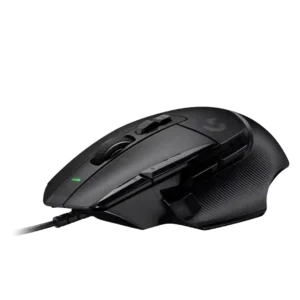
Charging convenience scored well only because one reviewer valued the wired model not needing charging.
Pros: Accuracy and tracking precision, click latency
Cons: claw grip comfort, portability
Charging convenience scored well only because one reviewer valued the wired model not needing charging.
Pros: Accuracy and tracking precision, click latency
Cons: claw grip comfort, portability

Charging convenience was praised for USB-C, PowerPlay-style charging support, and not needing to think much about recharging.
Pros: click latency, motion consistency
Cons: software stability, cross-platform compatibility

Charging convenience was a strength thanks to fast USB-C top-ups, charge-and-play support, and painless cable use.
Pros: motion consistency, connection stability
Cons: weight tuning, fingertip grip comfort

Charging convenience was a strength, with reviewers praising fast charging, quick top-ups, and easy cable access.
Pros: motion consistency, surface compatibility
Cons: onboard memory, handedness options

Charging convenience was praised because the mouse can be used while charging and has convenient USB-C behavior.
Pros: motion consistency, surface compatibility
Cons: handedness options, software stability

Charging convenience was usually praised because of the dock and quick charge, but several reviewers disliked dock sensitivity, complexity, or unusability while docked.
Pros: click latency, motion consistency
Cons: firmware reliability, weight tuning

Charging convenience was well received thanks to USB-C, fast recharge mentions, and the ability to keep using the mouse while charging.
Pros: 2.4GHz connectivity, connection stability
Cons: cable flexibility, handedness options
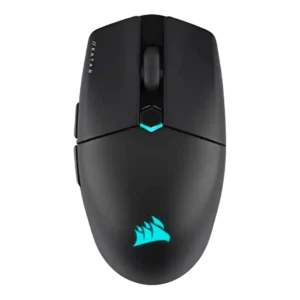
Charging convenience was positive because the rechargeable battery, USB-C cable, and wired fallback reduced battery anxiety.
Pros: software stability, click latency
Cons: MMO gaming suitability, palm grip comfort

Charging convenience was generally positive thanks to USB-C and charge-while-playing, though one reviewer found the USB-C port fiddly.
Pros: Accuracy and tracking precision, motion consistency
Cons: handedness options, lift-off distance

Charging was mostly convenient, especially through the flexible cable or optional dock, though one user disliked unplugging the cable and others questioned dock value.
Pros: sensor performance, click latency
Cons: software stability, Bluetooth support
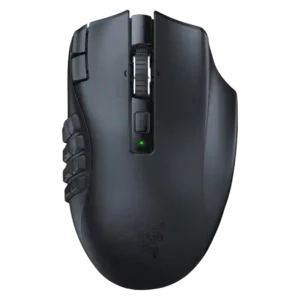
Charging convenience was mixed to negative: battery swapping can be useful mid-session, but several reviewers disliked the lack of charging.
Pros: Accuracy and tracking precision, sensor performance
Cons: handedness options, fingertip grip comfort