
Charging convenience was positive because reviewers appreciated the wired design avoiding charging and battery maintenance.
Pros: FPS gaming suitability, weight
Cons: fingertip grip comfort, handedness options
Charging convenience was positive because reviewers appreciated the wired design avoiding charging and battery maintenance.
Pros: FPS gaming suitability, weight
Cons: fingertip grip comfort, handedness options

Charging convenience was positive thanks to quick charging, rapid USB-C top-ups, and the ability to charge without much disruption.
Pros: weight, balance and weight distribution
Cons: water and dust resistance, RGB features
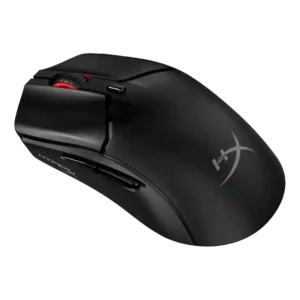
Charging convenience was positive because the mouse can be used while charging from a front USB-C port.
Pros: cable flexibility, connection stability
Cons: motion consistency, software stability

Charging convenience was praised for flexible cables, easy wired charging, and the ability to keep playing while charging.
Pros: left and right click quality, software stability
Cons: polling rate, cross-platform compatibility

Charging convenience is strong thanks to fast charging impressions, USB-C, and Power Play/constant-power convenience.
Pros: palm grip comfort, handedness options
Cons: Bluetooth support, MMO gaming suitability

Charging convenience was strongest with PowerPlay or AA swapping, though one review disliked the lack of USB-C charging.
Pros: click latency, onboard memory
Cons: lift-off distance, debounce customization

Charging convenience had limited but positive evidence, especially around USB-C fast charging and quick top-ups.
Pros: cable flexibility, weight
Cons: software stability, handedness options

Charging convenience was strong when using USB-C or Powerplay, though one reviewer criticized the full recharge time.
Pros: motion consistency, acceleration control
Cons: cable flexibility, cross-platform compatibility

Charging convenience was positive thanks to fast recharge and easy USB-C top-ups.
Pros: handedness options, Accuracy and tracking precision
Cons: tilt gesture controls, software stability

Charging convenience ranged from excellent with the dock to frustrating when relying on quick wired top-ups.
Pros: lift-off distance, motion consistency
Cons: cross-platform compatibility, handedness options

Charging was generally considered simple and convenient, with reviewers pointing to straightforward USB-C charging and about a two-hour charge estimate.
Pros: drag click support, claw grip comfort
Cons: handedness options, Bluetooth support

Charging convenience was acceptable to the reviewer because plugging in during breaks was not treated as a major burden.
Pros: click latency, motion consistency
Cons: handedness options, portability

Charging and dongle convenience were mixed: USB-C and cable placement helped, but the booster/dongle setup could feel chunky.
Pros: connection stability, weight
Cons: handedness options, software usability

Power and charging convenience is mixed: some reviewers like easy-to-buy batteries, while others dislike needing spares or missing an internal rechargeable battery.
Pros: motion consistency, Accuracy and tracking precision
Cons: cable flexibility, palm grip comfort

Charging itself was convenient by USB-C, but the short or unpleasant cable hurt the charging-and-play experience for some reviewers.
Pros: click latency, motion consistency
Cons: handedness options, Bluetooth support

Charging convenience was only lightly covered, but reviewers appreciated fast or usable charging while wishing for a dock or stand.
Pros: click latency, balance and weight distribution
Cons: 2.4GHz connectivity, software stability

Charging convenience was only lightly discussed, with USB-C charging working but the included cable feeling somewhat stiff to one reviewer.
Pros: Accuracy and tracking precision, sensor performance
Cons: software stability, value for money
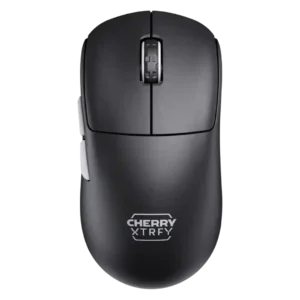
Charging convenience was sharply mixed: quick charging and flexible cables helped, but the side USB-C placement annoyed many reviewers.
Pros: 2.4GHz connectivity, long-session comfort
Cons: programmable buttons, button customization
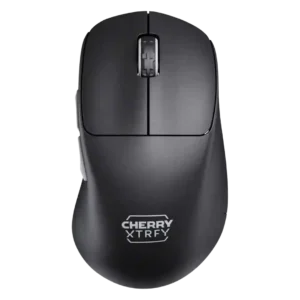
Charging convenience was the most common drawback, with quick charging and flexible cables offset by an awkward side port.
Pros: 2.4GHz connectivity, long-session comfort
Cons: debounce customization, fingertip grip comfort
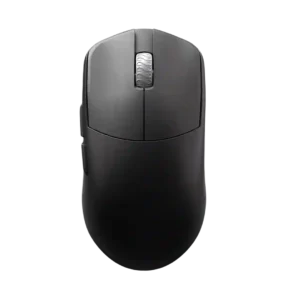
Charging convenience is weak because the included cable makes using the mouse while charging difficult.
Pros: DPI range, balance and weight distribution
Cons: charging convenience, click noise