Best for profile switching
Logitech G502 X Lightspeed
5.0 feature score
Highest scored product for this feature based on supporting review evidence.
Highest scored product for this feature based on supporting review evidence.
Balances feature score, supporting reviews, and overall product strength.
Has the broadest review evidence for this feature.
Strongest overall product among items with scored evidence for this feature.
Showing Logitech only. Switch back to all brands anytime.

Profile switching was praised as easy when moving between onboard and software profiles.
Pros: click latency, motion consistency
Cons: software stability, cross-platform compatibility

Profile switching was viewed favorably, especially for on-the-fly sensitivity changes and multiple profile support.
Pros: click latency, onboard memory
Cons: lift-off distance, debounce customization

Profile switching had limited but positive evidence, with one reviewer appreciating quick profile cycling in loading screens.
Pros: Accuracy and tracking precision, motion consistency
Cons: handedness options, lift-off distance
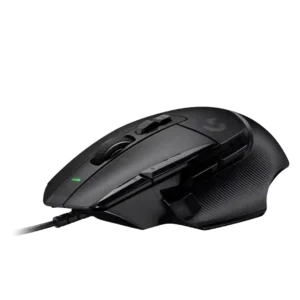
Profile switching was useful through automatic app profiles, although profile visibility suffered without more lighting.
Pros: Accuracy and tracking precision, click latency
Cons: claw grip comfort, portability
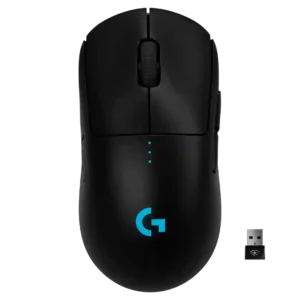
Profile and DPI switching were useful when remapped, but bottom placement made quick switching less convenient for some users.
Pros: polling rate, motion consistency
Cons: MOBA gaming suitability, durability over time
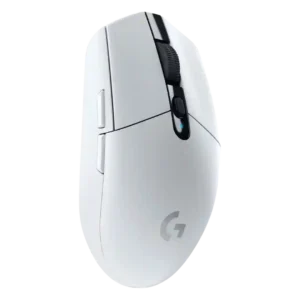
Profile switching was generally useful through G Hub and onboard memory, though limited onboard profile storage drew one complaint.
Pros: motion consistency, wireless latency
Cons: Bluetooth support, acceleration control
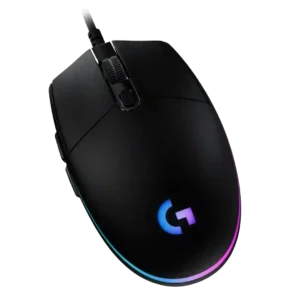
Profile switching is useful when tied to DPI shifts, CPI presets, or game profiles, but one review found profile management unnecessarily painful.
Pros: acceleration control, dock compatibility
Cons: portability, onboard memory

Profile switching was mixed: software profiles were useful, but GamesRadar criticized that cycling profiles could not be done directly on the mouse.
Pros: 2.4GHz connectivity, connection stability
Cons: cable flexibility, handedness options

Profile behavior was mixed: app-linked settings were useful, but onboard-profile handling was described as confusing in G Hub.
Pros: macro support, fingertip grip comfort
Cons: weight tuning, cable flexibility

Profile switching is mixed: software profiles help, but missing physical DPI/profile controls frustrate several reviewers.
Pros: left and right click quality, dock compatibility
Cons: Bluetooth support, cross-platform compatibility

Profile switching was a recurring weakness because reviewers missed a physical DPI/profile button and disliked leaving games to change settings.
Pros: motion consistency, acceleration control
Cons: cable flexibility, cross-platform compatibility

Profile or DPI switching is hurt by the bottom-mounted button, which reviewers found inconvenient for quick changes.
Pros: palm grip comfort, handedness options
Cons: Bluetooth support, MMO gaming suitability