Best for profile switching
Logitech G502 X Lightspeed
5.0 feature score
Highest scored product for this feature based on supporting review evidence.
Highest scored product for this feature based on supporting review evidence.
Balances feature score, supporting reviews, and overall product strength.
Has the broadest review evidence for this feature.
Strongest overall product among items with scored evidence for this feature.

Profile switching was praised as easy when moving between onboard and software profiles.
Pros: click latency, motion consistency
Cons: software stability, cross-platform compatibility

Profile switching was praised for onboard profiles, easy game-specific setups, and app or game profile changes.
Pros: click latency, macro support
Cons: firmware reliability, tilt gesture controls

Profile switching was viewed favorably, especially for on-the-fly sensitivity changes and multiple profile support.
Pros: click latency, onboard memory
Cons: lift-off distance, debounce customization

Profile switching was useful where reviewers could store or cycle profiles without constantly returning to Synapse.
Pros: lift-off distance, motion consistency
Cons: cross-platform compatibility, handedness options

Profile switching was praised as convenient, simple, and available directly from the mouse.
Pros: motion consistency, surface compatibility
Cons: handedness options, software stability

Profile switching was praised for easy profile storage, app activation, and quick switching without constant software use.
Pros: click latency, motion consistency
Cons: firmware reliability, weight tuning

Profile switching was praised for five profiles and work/game setups, especially for users who move between games or devices.
Pros: left and right click quality, software stability
Cons: polling rate, cross-platform compatibility

Profile switching evidence was limited but positive, with one reviewer saying profiles made it easy to change settings by game.
Pros: weight, balance and weight distribution
Cons: water and dust resistance, RGB features

Profile switching was useful because profiles and key settings could be handled on-mouse or saved without keeping software open.
Pros: Accuracy and tracking precision, sensor performance
Cons: software stability, value for money
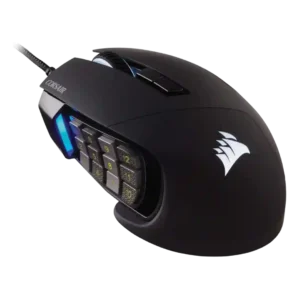
Profile switching was praised where evaluated, especially for swapping game/app configurations and DPI/profile setups.
Pros: button responsiveness, long-session comfort
Cons: handedness options, switch durability

Profile switching was praised for game-specific saved settings and automatic profile changes that adjust DPI, macros, and polling behavior.
Pros: click latency, motion consistency
Cons: palm grip comfort, fingertip grip comfort
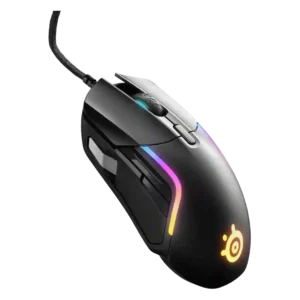
Profile switching evidence was positive but limited, centered on easy game-specific switching and automatic settings changes.
Pros: switch durability, surface compatibility
Cons: weight tuning, portability

Profile switching was useful in the reviews that discussed it, especially for setting up different games or work profiles.
Pros: click latency, motion consistency
Cons: handedness options, portability

Profile switching had limited but positive evidence, with one reviewer appreciating quick profile cycling in loading screens.
Pros: Accuracy and tracking precision, motion consistency
Cons: handedness options, lift-off distance
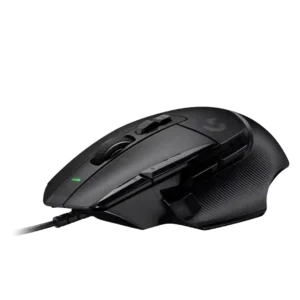
Profile switching was useful through automatic app profiles, although profile visibility suffered without more lighting.
Pros: Accuracy and tracking precision, click latency
Cons: claw grip comfort, portability

Profile switching received positive mention as a way to tailor settings for different game genres.
Pros: 2.4GHz connectivity, surface compatibility
Cons: click noise, software stability

Profile switching was praised when the reviewer could quickly see or cycle DPI/profile states, though evidence was limited.
Pros: motion consistency, wireless latency
Cons: handedness options, onboard memory

Profile switching is useful once configured, with reviewers highlighting game-specific modes and on-the-fly profile changes.
Pros: long-session comfort, sensor performance
Cons: handedness options, software stability

Profile switching was praised for convenient on-the-go use and per-game or per-program configurations.
Pros: ecosystem integration, sensor performance
Cons: AI Prompt Master, durability over time

Profile switching is positively supported by the ability to switch saved profiles easily.
Pros: motion consistency, Accuracy and tracking precision
Cons: cable flexibility, palm grip comfort

Profile switching was useful for genre changes, device movement, and easily swapping settings.
Pros: skate durability, cross-platform compatibility
Cons: handedness options, click noise
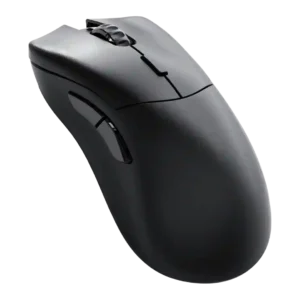
Profile switching was praised where discussed, especially for quickly changing profiles and swapping settings between PCs or games.
Pros: click latency, switch durability
Cons: Bluetooth support, handedness options

Profile and mode switching drew positive reactions for Zone Mode convenience, but underside DPI/profile controls created a usability caveat.
Pros: acceleration control, wireless latency
Cons: onboard memory, MMO gaming suitability

Profile switching was praised for making it easy to move between games or setups.
Pros: premium feel, Accuracy and tracking precision
Cons: software stability, FPS gaming suitability
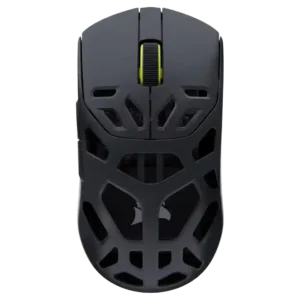
Profile switching and setup were described as simple, with profiles available for different uses and retained on the mouse.
Pros: Accuracy and tracking precision, click latency
Cons: cable flexibility, ecosystem integration
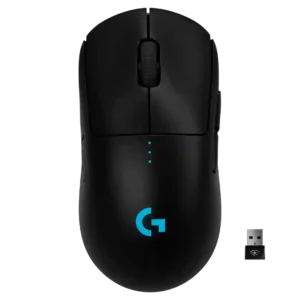
Profile and DPI switching were useful when remapped, but bottom placement made quick switching less convenient for some users.
Pros: polling rate, motion consistency
Cons: MOBA gaming suitability, durability over time

Profile switching was treated as useful because saved profiles could be quickly loaded for different games or preferences.
Pros: glide smoothness, sensor performance
Cons: grip texture, firmware reliability
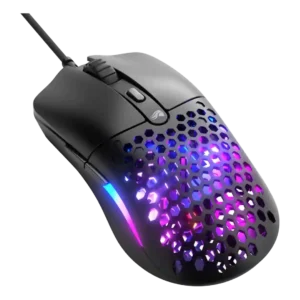
Profile switching evidence was positive where the review praised storing up to three individual profiles on onboard memory.
Pros: value for money, click latency
Cons: water and dust resistance, cable flexibility
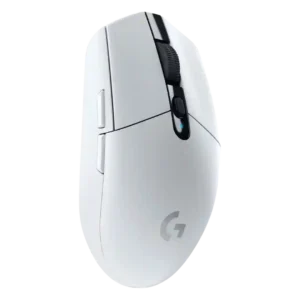
Profile switching was generally useful through G Hub and onboard memory, though limited onboard profile storage drew one complaint.
Pros: motion consistency, wireless latency
Cons: Bluetooth support, acceleration control
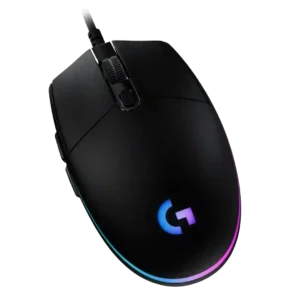
Profile switching is useful when tied to DPI shifts, CPI presets, or game profiles, but one review found profile management unnecessarily painful.
Pros: acceleration control, dock compatibility
Cons: portability, onboard memory

Profile switching was supported by positive on-the-fly profile-switching evidence from the Gear Link review.
Pros: onboard memory, software stability
Cons: handedness options

Profile switching has limited positive support from one review that praised software customization of settings and profiles.
Pros: durability over time, sensor performance
Cons: MMO gaming suitability, surface compatibility

Profile or DPI switching earned limited but positive evidence because the lighting indicator made the active DPI setting easier to identify.
Pros: motion consistency, wireless latency
Cons: palm grip comfort, software stability

Profile switching was positively noted in Windows software, especially for creating and switching multiple profiles.
Pros: motion consistency, connection stability
Cons: weight tuning, fingertip grip comfort

Profile switching was mixed: some found setup and switching simple, while one productivity-focused review found switching unresponsive.
Pros: motion consistency, surface compatibility
Cons: onboard memory, handedness options

Profile switching was powerful when it worked, but one user had unstable automatic switching and awkward manual access.
Pros: sensor performance, click latency
Cons: software stability, Bluetooth support

Profile switching was polarizing: some liked stored profiles and software-free switching, while others found the underside button odd or awkward.
Pros: motion consistency, sensor performance
Cons: software stability, MMO gaming suitability

Profile switching was useful in principle, but one reviewer found the onboard controls clunky.
Pros: cable flexibility, weight
Cons: software stability, handedness options
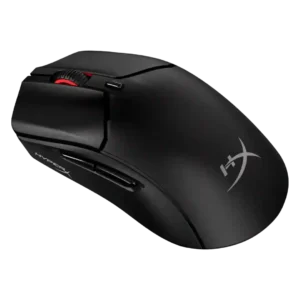
Profile switching was mixed: app-linked presets saved time, but the lack of multiple onboard profiles or a physical profile switch disappointed reviewers.
Pros: long-session comfort, balance and weight distribution
Cons: software stability, firmware reliability

Profile switching was split: one reviewer liked the top button placement, while another found profile changes harder to track because there are no LEDs.
Pros: FPS gaming suitability, weight
Cons: fingertip grip comfort, handedness options
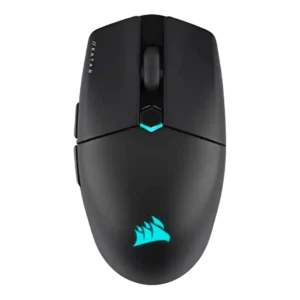
Profile switching is strong in software but limited by the mouse storing only one onboard profile for game-specific changes.
Pros: software stability, click latency
Cons: MMO gaming suitability, palm grip comfort

Profile switching was mixed, with convenient profile toggling offset by complaints about the underside DPI/profile button placement.
Pros: Accuracy and tracking precision, sensor performance
Cons: handedness options, tilt gesture controls

Profile switching was mixed, with praise for onboard switching but criticism of the underside DPI/profile button placement.
Pros: connection stability, weight
Cons: handedness options, software usability

Profile switching was mixed: software profiles were useful, but GamesRadar criticized that cycling profiles could not be done directly on the mouse.
Pros: 2.4GHz connectivity, connection stability
Cons: cable flexibility, handedness options

Profile switching was mixed because software profiles are useful, but bottom-mounted DPI/profile control felt awkward or finicky to some reviewers.
Pros: click latency, balance and weight distribution
Cons: 2.4GHz connectivity, software stability

Profile behavior was mixed: app-linked settings were useful, but onboard-profile handling was described as confusing in G Hub.
Pros: macro support, fingertip grip comfort
Cons: weight tuning, cable flexibility

Profile handling was seen as limited because switching configurations depends on software or requires remapping a button.
Pros: build quality, ergonomic design
Cons: handedness options, RGB features

Profile switching was somewhat limited because there is no dedicated profile button by default, though remapping is possible.
Pros: connection stability, left and right click quality
Cons: palm grip comfort, profile switching

Profile and DPI switching divided reviewers: some liked the underside placement, while others found it annoying or tedious during use.
Pros: Accuracy and tracking precision, sensor performance
Cons: onboard memory, handedness options

Profile switching is mixed: software profiles help, but missing physical DPI/profile controls frustrate several reviewers.
Pros: left and right click quality, dock compatibility
Cons: Bluetooth support, cross-platform compatibility