
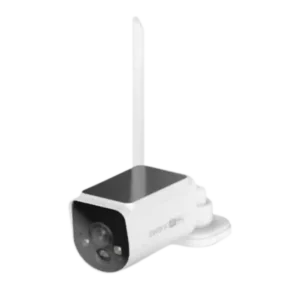
Review: Swann MaxRanger4K Wireless Solar Camera
Updated: 3 weeks ago
4.0
Based on methodology below
298
Insights analyzed
45
Grouped by key features
12
From expert reviews
Scores below reflect consolidated expert coverage across these features.
Bottom Line
Choose the Swann MaxRanger4K if you need reliable long-range, solar-assisted 4K coverage on big properties with local recording. Skip it if you want a cheap, hub-free camera or expect polished app-first controls and broad Alexa/Google/HomeKit integration.
Best for
Large homes, acreage, rural properties, or small businesses that need stable coverage far from the router and want local recording without relying on a subscription.
Not for
Shoppers who want an inexpensive single-camera setup, anyone who needs hub-free simplicity, or people expecting seamless voice-assistant smart-home viewing and all settings managed cleanly inside one app.
Verdict
Swann’s MaxRanger4K stands out for one thing above all: dependable long-range connectivity that lets you place cameras where normal Wi-Fi setups fail. Reviewers consistently praise the crisp 4K detail, solid weatherproof build, and the convenience of hub-based local storage that avoids mandatory monthly fees. Solar assist can keep batteries topped up in good sun, but busy scenes and high sensitivity can still drain power. The tradeoff is a premium upfront price and a hub-centric workflow where some advanced settings live outside the mobile app. Smart-home integration expectations should be modest or plan-dependent.
Pros
-
4.5based on 8 reviewsWeather resistance rating (IP code): 4.5, based on 8 reviewsIP66 weather resistance is repeatedly mentioned and generally inspires confidence for outdoor use in rain and dust; multiple reviewers report solid performance through bad weather.
-
4.5based on 3 reviewsDurability: 4.5, based on 3 reviewsDurability feedback is strong, with weatherproofing and solid construction repeatedly cited; long-term confidence is generally high, though ongoing app and firmware polish matter for sustained satisfaction.
-
4.5based on 3 reviewsDigital zoom clarity: 4.5, based on 3 reviewsDigital zoom benefits from 4K source footage and is frequently described as holding detail well for identifying faces or plates at reasonable distances, though quality naturally degrades when the system drops resolution to maintain link stability.
-
4.5based on 7 reviewsSystem scalability: 4.5, based on 7 reviewsSystem scalability is a clear advantage: most reviews cite support for up to eight cameras on the hub, making it suitable for large homes, acreage, or small business coverage.
-
4.5based on 9 reviewsBuild quality: 4.5, based on 9 reviewsBuild quality is typically described as sturdy and well-finished, with cameras and hub feeling premium for a DIY kit; accessories like antennas and mounts are generally solid.
-
4.5based on 12 reviewsVideo resolution and detail: 4.5, based on 12 reviewsAcross reviews, 4K footage is consistently described as sharp with strong daytime detail; night footage remains usable, especially with spotlights or infrared. A few testers note resolution can drop when signal is weak or when viewing at longer distances from the hub.
-
4.4based on 11 reviewsLocal storage option convenience: 4.4, based on 11 reviewsLocal recording via the hub is a major strength: included microSD storage is easy to use and expandable, and several reviewers appreciate keeping footage in-home rather than relying on a subscription.
-
4.4based on 7 reviewsDetection features: 4.4, based on 7 reviewsDetection features combine motion and heat with AI labels for people and vehicles, and most reviewers report accurate alerts; busy scenes and untuned defaults can lead to battery drain or missed nuance.
-
4.4based on 2 reviewsOperating temperature range: 4.4, based on 2 reviewsAn operating range around -30C to 60C is referenced in reviews, supporting year-round outdoor placement in many climates when mounted securely and kept reasonably exposed for solar charging.
-
4.4based on 12 reviewsPower options (solar panel): 4.4, based on 12 reviewsIntegrated solar panels are a major convenience and can keep batteries topped up in good sun, but performance depends on exposure and alert volume; shaded installs may need repositioning or optional external solar accessories.
-
4.3based on 11 reviewsPower options (battery): 4.3, based on 11 reviewsPower can come from the built-in battery and USB-C charging, with battery endurance heavily influenced by detection sensitivity and scene activity; placement and charging habits matter as much as raw capacity.
-
4.3based on 5 reviewsMounting flexibility: 4.3, based on 5 reviewsMounting flexibility is a highlight: reviewers mount under eaves, on corners, and at distance from buildings, with the long-range link making placement less constrained than standard Wi-Fi cameras.
-
4.3based on 12 reviewsConnectivity options: 4.3, based on 12 reviewsConnectivity is the standout: the long-range 900MHz HaLow-style link to a hub is widely praised for stability through walls and distance, though a few reviewers saw quality scaling or slow live-view when the link weakened.
-
4.3based on 8 reviewsFalse alert filter effectiveness: 4.3, based on 8 reviewsFalse alerts are often reduced by heat plus motion detection and good zone setup, and several reviewers highlight fewer wind or foliage triggers than typical cameras; misclassification still happens occasionally.
-
4.3based on 12 reviewsNight vision: 4.3, based on 12 reviewsNight vision performance lands above average in most reviews, with effective infrared and optional color via spotlights; a couple of reviewers rate it as only mid-pack without added light. Night range is usually reported as strong for a battery camera system, with practical visibility around 20m in some setups and longer reach advertised or observed when using infrared or color modes with lighting.
-
4.2based on 8 reviewsStreaming reliability: 4.2, based on 8 reviewsStreaming is often reported as stable with minimal buffering when the hub link is strong; however, some reviewers saw slower live-view connections or quality drops at longer distances or through heavy obstructions.
-
4.2based on 7 reviewsInstallation and Mounting: 4.2, based on 7 reviewsInstallation is usually straightforward once you accept the hub-first workflow; several reviewers praise clear instructions and pre-paired cameras, while others note extra steps like Ethernet-to-router and optional HDMI/monitor setup.
-
4.2based on 6 reviewsNotification management: 4.2, based on 6 reviewsNotification management includes modes and schedules that are easy to use for most people; deeper customization is sometimes limited, and some settings live in the hub interface rather than the app.
-
4.2based on 9 reviewsOn-device processing (AI): 4.2, based on 9 reviewsOn-device AI detection is a core selling point and usually works well for people/vehicle classification; reviewers still report occasional mislabels, and performance improves noticeably with sensitivity tuning.
-
4.2based on 1 reviewSpotlight features: 4.2, based on 1 reviewSpotlights and siren features are frequently used as deterrents and to enable color night vision; several reviewers turn them off for neighbor-friendliness, but still appreciate the option.
-
4.2based on 10 reviewsLow-light performance: 4.2, based on 10 reviewsLow-light performance is often praised thanks to STARVIS sensors and spotlight-assisted color, but results depend on ambient light and settings; some reviewers prefer infrared for clearer, less noisy night clips.
-
4.2based on 10 reviewsBattery life: 4.2, based on 10 reviewsBattery life can be excellent with solar exposure and tuned sensitivity, but high-traffic views or overly sensitive settings can drain the battery in weeks; installers should plan placement and settings together.
-
4.2based on 9 reviewsCustomizable motion zones: 4.2, based on 9 reviewsMotion zones are available and help cut unwanted alerts, but the editing experience varies: some find it flexible and effective, while others describe blocky or scattered settings across app vs hub menus.
-
4.2based on 3 reviewsCustomer support responsiveness: 4.2, based on 3 reviewsSupport impressions range from excellent, proactive help and replacements to slower or mixed responsiveness in user feedback summaries; warranty and plan tiers are sometimes tied to priority support.
-
4.1based on 6 reviewsEvent recording reliability: 4.1, based on 6 reviewsEvent clips are commonly described as accurate and dependable once settings are dialed in, with good labeling of people or vehicles; a few reports mention missed or delayed events when defaults are left untouched. Overall recording reliability is viewed positively, with consistent motion clips and dependable playback in many tests; weaker signal, high sensitivity, or heavy traffic areas can reduce consistency and battery endurance.
-
4.1based on 9 reviewsNotification speed: 4.1, based on 9 reviewsNotification speed is usually quick to reasonably prompt, though a few reviewers mention delays or the lack of richer preview-style alerts depending on plan and app behavior.
-
4.1based on 6 reviewsSpeaker volume: 4.1, based on 6 reviewsSpeaker and siren output are typically described as loud enough to deter or communicate, though a few reviews call the two-way talk volume average or softer than expected.
-
4.0based on 4 reviewsIncluded accessories: 4.0, based on 4 reviewsBundles are generally well stocked with mounts, antennas, cables, and storage, but some kits and reviewers mention missing charging bricks or limited included cables for multi-camera charging.
-
4.0based on 2 reviewsField of view: 4.0, based on 2 reviewsThe typical field of view called out is around 105 degrees, which covers a broad area but still benefits from careful aiming to avoid roads or high-traffic zones that can trigger frequent events.
-
4.0based on 1 reviewRecording start-time lag: 4.0, based on 1 reviewRecording start-time is generally responsive once tuned, with reviewers noting better capture after adjusting detection and AI sensitivity; inconsistent setup can cause missed early moments in some scenarios.
-
4.0based on 9 reviewsMobile app reliability: 4.0, based on 9 reviewsApp reliability ranges from very smooth in day-to-day use to occasional slow connections or menu friction; overall, most reviewers still consider the app usable and responsive after initial setup.
-
3.9based on 10 reviewsCloud storage plan value: 3.9, based on 10 reviewsCloud value is largely framed as optional: many reviewers are happy using local storage, while cloud or Dropbox backup is positioned as extra redundancy; paid tiers add features, but not everyone finds them necessary.
-
3.8based on 9 reviewsApp controls and settings: 3.8, based on 9 reviewsControls are split between the Swann app and the hub interface. Many reviewers find the basics intuitive, but some report that advanced sensitivity and AI controls are easier or only possible from the hub, creating a learning curve.
-
3.7based on 6 reviewsAudio recording quality: 3.7, based on 6 reviewsAudio capture is serviceable: microphones can pick up nearby speech and ambient sound, but clarity varies, and at least one reviewer noted sync issues between audio and video.
-
3.7based on 2 reviewsMicrophone sensitivity: 3.7, based on 2 reviewsMicrophone performance is mixed, ranging from clear enough for close conversations to softer pickup depending on distance and environment; it works best when subjects are near the camera.
-
3.6based on 11 reviewsPrice value: 3.6, based on 11 reviewsValue is split: reviewers love the long-range, 4K, and subscription-optional local recording, but the upfront bundle price is high; discounts and the lack of mandatory fees improve the equation over time.
-
3.5based on 3 reviewsDetection range: 3.5, based on 3 reviewsDetection range is highly settings-dependent: some reviewers report limited out-of-box reach, while others achieve solid detection once AI and sensitivity are tuned; large properties still benefit from careful placement and zone setup.
-
3.5based on 2 reviewsFrame rate: 3.5, based on 2 reviewsFrame rate is generally acceptable for security clips, but some reviewers observed choppier footage or reduced frame rate when the link quality drops or when the system scales distance/quality down to maintain connection.
Cons
-
3.0based on 12 reviewsHub requirement: 3.0, based on 12 reviewsA hub is required to bridge the long-range link and provide storage, which adds cost and setup steps but also enables local recording and multi-camera scaling; it is a key architectural tradeoff of this system.
-
3.0based on 2 reviewsWeb portal access: 3.0, based on 2 reviewsTV/monitor viewing via the hub exists but is described as clunky by some, including login friction and limited layouts; for most users, the phone app remains the primary viewing method.
-
2.6based on 3 reviewsPrivacy zone masking ease: 2.6, based on 3 reviewsPrivacy masking support is inconsistent across sources: some reviews say privacy zones are missing while others describe privacy-style controls in-app, so expectations should be set around motion zones first, with masking treated as a maybe.
-
2.6based on 2 reviewsSmart-home integration (Alexa, Google, Siri, HomeKit, Matter, Thread): 2.6, based on 2 reviewsSmart-home integration is limited or plan-dependent in the coverage here: some sources mention Alexa/Google/IFTTT support via paid tiers, while others call out no voice-assistant viewing, so buyers should not assume broad platform support.
-
1.5based on 1 reviewContinuous recording capability: 1.5, based on 1 reviewContinuous recording is generally not the focus for these battery-first kits; some reviewers explicitly note there is no 24/7 recording to protect battery life, with the system relying on motion-triggered clips instead.
FAQ
Do you have to use the hub?
Yes. The cameras connect to the MaxRanger hub for the long-range link and for recording storage, rather than connecting directly to a standard home Wi-Fi router.
Will the built-in solar panel keep the camera charged?
Often, if the camera gets consistent direct sunlight and sensitivity is tuned. High-traffic views, darker seasons, or shaded mounting spots can still require manual USB charging or better placement.
Does it record 24/7 continuously?
Most coverage describes it as motion-event based to protect battery life, not true 24/7 continuous recording. The hub and app focus on event clips and playback filtering.
Where is footage stored?
Recordings are stored locally on the hub’s microSD storage (expandable), with options to add USB storage; some sources also describe optional cloud tiers or Dropbox backup for redundancy.
Can you view cameras on a TV or monitor?
Yes, the hub can output to a TV/monitor via HDMI, but multiple reviewers still prefer the phone app and note that the monitor interface can feel clunky for deeper settings.
Reviews we analyzed
Video Reviews



Article Reviews
Best Surveillance Cameras
#1
4.3
Choose the S4 Max for fast PoE reliability, local AI search, and cross-camera tracking; Skip if you cannot run Ethernet or need HomeKit...
Pros: Cloud storage plan value, PoE), Dual-camera design, Recording start-time lag, Event recording reliability, Cross-camera tracking, Articulation range
Cons: ONVIF/RTSP support, IFTTT/automation compatibility, HomeKit integration
#2
4.2
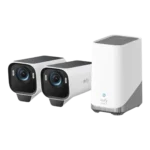
Choose the EufyCam S3 Pro for subscription-free 4K footage and standout color night vision; Skip it if you need smoother high-fps motion or...
Pros: Weather resistance rating (IP code), Recording start-time lag, Installation ease, Durability, Video resolution & detail, Included accessories, Night vision brightness & detail
Cons: Cloud storage plan value, Frame rate, Connectivity options
#3
4.1
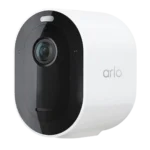
Choose it for sharp 2K HDR video and lightning-fast, accurate alerts. Skip it if you do not want to pay for Arlo Secure...
Pros: Event recording reliability, Field of view, Notification speed, Smart home integration (Alexa, IFTTT/automation compatibility, Power options (solar panel), Notification management
Cons: Customer support responsiveness, HomeKit integration, Cloud storage plan value, Local storage option convenience, Durability, Hub requirement, Price value
#4

4.1
Choose the G5 Pro for standout color night vision and a built-in Matter/Thread hub; Skip it if you need battery or solar flexibility,...
Pros: Connectivity options, PoE, ONVIF/RTSP support, On-device processing (AI), Operating temperature range, Smart home accessory compatibility, HomeKit integration
Cons: Power options (solar panel), Power options (battery, Pre-event recording length, Included accessories, Cloud storage plan value, Sound detection accuracy, Cable management