Best for dock compatibility
Logitech G203 LightSync
5.0 feature score
Highest scored product for this feature based on supporting review evidence.
Highest scored product for this feature based on supporting review evidence.
Balances feature score, supporting reviews, and overall product strength.
Has the broadest review evidence for this feature.
Strongest overall product among items with scored evidence for this feature.

Dock compatibility is supported by PowerPlay use, which one reviewer says removes charging anxiety entirely.
Pros: left and right click quality, dock compatibility
Cons: Bluetooth support, cross-platform compatibility
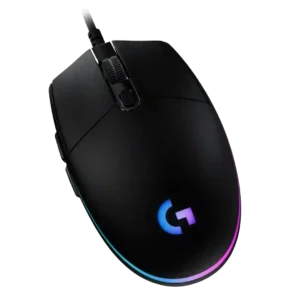
Dock compatibility has one positive report: connection behavior stayed unchanged when the mouse was used through a docking station.
Pros: acceleration control, dock compatibility
Cons: portability, onboard memory

Dock and dongle accessories were liked as useful or impressive quality-of-life additions.
Pros: motion consistency, surface compatibility
Cons: handedness options, software stability

Dock compatibility was viewed positively because the Guardian/dock system added controls, charging, and integration benefits.
Pros: glide smoothness, sensor performance
Cons: grip texture, firmware reliability

Dock or Power Play compatibility was praised as a solid way to use the mouse without battery worry.
Pros: palm grip comfort, handedness options
Cons: Bluetooth support, MMO gaming suitability

Dock compatibility was valued through Powerplay support, with reviewers praising continuous charging or easy mat integration despite cost caveats.
Pros: motion consistency, acceleration control
Cons: cable flexibility, cross-platform compatibility

Dock compatibility and dock behavior were mostly praised for easy placement, stability, and convenience, with isolated complaints about sensitivity or slipping.
Pros: click latency, motion consistency
Cons: firmware reliability, weight tuning
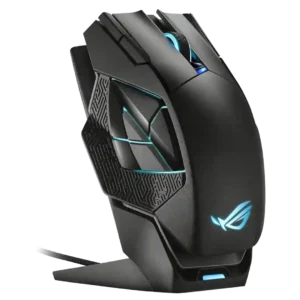
Dock compatibility and physical docking were generally praised for magnetic ease, though one reviewer had to stabilize the dock on the desk.
Pros: motion consistency, 2.4GHz connectivity
Cons: fingertip grip comfort, cross-platform compatibility

PowerPlay compatibility was viewed positively, though one reviewer called the accessory expensive.
Pros: macro support, fingertip grip comfort
Cons: weight tuning, cable flexibility

Dock compatibility was a clear advantage for PowerPlay owners, with reviewers calling it a strong pairing and a path to unlimited battery life.
Pros: click latency, onboard memory
Cons: lift-off distance, debounce customization

Dock support was praised for convenience and higher polling, but reviewers often noted extra cost or availability issues.
Pros: lift-off distance, motion consistency
Cons: cross-platform compatibility, handedness options

Dock compatibility was useful and sometimes excellent, but reviewers repeatedly noted that the best dock or wireless charging experience costs extra.
Pros: 2.4GHz connectivity, surface compatibility
Cons: click noise, software stability

Dock usefulness ranged from seamless and flexible to bulky and space-consuming, making it a practical but polarizing accessory.
Pros: battery life, programmable buttons
Cons: software stability, firmware reliability

Dock compatibility was useful when paired with Powerplay, but reviewers criticized the extra cost or missing included puck.
Pros: Accuracy and tracking precision, motion consistency
Cons: handedness options, lift-off distance

Dock support was useful and convenient for some reviewers, but others noted it added cost or was unnecessary if the cable worked well.
Pros: sensor performance, click latency
Cons: software stability, Bluetooth support
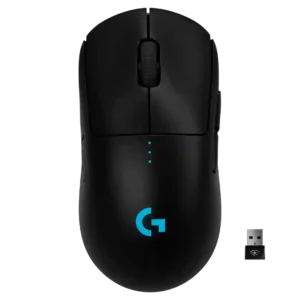
PowerPlay or wireless-charging compatibility was treated as a useful convenience, though micro-USB charging itself felt dated to one reviewer.
Pros: polling rate, motion consistency
Cons: MOBA gaming suitability, durability over time

Dock compatibility was useful for charging and HyperPolling when available, but reviewers noted limited dock compatibility and added cost.
Pros: motion consistency, sensor performance
Cons: software stability, MMO gaming suitability

Dock compatibility was a limitation rather than a strength, with one review noting there is no wireless charging option or dock.
Pros: click latency, macro support
Cons: firmware reliability, tilt gesture controls
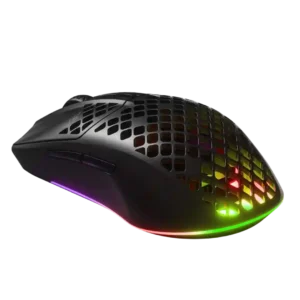
Dock compatibility was a minor weakness because reviewers wished for a charging dock or wireless charging option.
Pros: Accuracy and tracking precision, surface compatibility
Cons: firmware reliability, palm grip comfort

Dock compatibility was weakly supported by complaints about the dongle/stand situation rather than praise for a dock setup.
Pros: motion consistency, surface compatibility
Cons: onboard memory, handedness options

Dock compatibility was a downside where reviewers wanted charging or docking support and noted it was absent.
Pros: Accuracy and tracking precision, sensor performance
Cons: onboard memory, handedness options

Dock compatibility was a clear downside where mentioned because the mouse does not support dock-style charging.
Pros: balance and weight distribution, build quality
Cons: dock compatibility, Bluetooth support