
Profile switching was praised for onboard profiles, easy game-specific setups, and app or game profile changes.
Pros: click latency, macro support
Cons: firmware reliability, tilt gesture controls
Profile switching was praised for onboard profiles, easy game-specific setups, and app or game profile changes.
Pros: click latency, macro support
Cons: firmware reliability, tilt gesture controls

Profile switching received positive mention as a way to tailor settings for different game genres.
Pros: 2.4GHz connectivity, surface compatibility
Cons: click noise, software stability

Profile switching was praised for convenient on-the-go use and per-game or per-program configurations.
Pros: ecosystem integration, sensor performance
Cons: AI Prompt Master, durability over time

Profile and mode switching drew positive reactions for Zone Mode convenience, but underside DPI/profile controls created a usability caveat.
Pros: acceleration control, wireless latency
Cons: onboard memory, MMO gaming suitability

Profile switching was treated as useful because saved profiles could be quickly loaded for different games or preferences.
Pros: glide smoothness, sensor performance
Cons: grip texture, firmware reliability
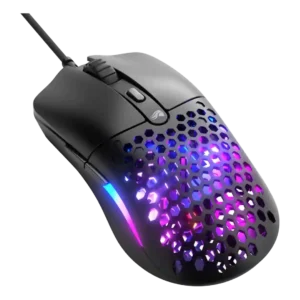
Profile switching evidence was positive where the review praised storing up to three individual profiles on onboard memory.
Pros: value for money, click latency
Cons: water and dust resistance, cable flexibility

Profile switching was supported by positive on-the-fly profile-switching evidence from the Gear Link review.
Pros: onboard memory, software stability
Cons: handedness options

Profile or DPI switching earned limited but positive evidence because the lighting indicator made the active DPI setting easier to identify.
Pros: motion consistency, wireless latency
Cons: palm grip comfort, software stability

Profile handling was seen as limited because switching configurations depends on software or requires remapping a button.
Pros: build quality, ergonomic design
Cons: handedness options, RGB features

Profile switching was somewhat limited because there is no dedicated profile button by default, though remapping is possible.
Pros: connection stability, left and right click quality
Cons: palm grip comfort, profile switching

Profile and DPI switching divided reviewers: some liked the underside placement, while others found it annoying or tedious during use.
Pros: Accuracy and tracking precision, sensor performance
Cons: onboard memory, handedness options

Profile switching was hurt by the lack of game-recognition behavior in one software review.
Pros: battery life, programmable buttons
Cons: software stability, firmware reliability

Profile switching was a recurring weakness because there is no dedicated profile/DPI button and the shortcut or software workflow was called slow or convoluted.
Pros: connection stability, weight
Cons: click latency, cable flexibility