
Profile switching was viewed favorably, especially for on-the-fly sensitivity changes and multiple profile support.
Pros: click latency, onboard memory
Cons: lift-off distance, debounce customization
Profile switching was viewed favorably, especially for on-the-fly sensitivity changes and multiple profile support.
Pros: click latency, onboard memory
Cons: lift-off distance, debounce customization

Profile switching was useful where reviewers could store or cycle profiles without constantly returning to Synapse.
Pros: lift-off distance, motion consistency
Cons: cross-platform compatibility, handedness options

Profile switching was praised for five profiles and work/game setups, especially for users who move between games or devices.
Pros: left and right click quality, software stability
Cons: polling rate, cross-platform compatibility

Profile switching evidence was limited but positive, with one reviewer saying profiles made it easy to change settings by game.
Pros: weight, balance and weight distribution
Cons: water and dust resistance, RGB features

Profile switching was useful because profiles and key settings could be handled on-mouse or saved without keeping software open.
Pros: Accuracy and tracking precision, sensor performance
Cons: software stability, value for money

Profile switching was useful in the reviews that discussed it, especially for setting up different games or work profiles.
Pros: click latency, motion consistency
Cons: handedness options, portability

Profile switching is positively supported by the ability to switch saved profiles easily.
Pros: motion consistency, Accuracy and tracking precision
Cons: cable flexibility, palm grip comfort

Profile switching was useful in principle, but one reviewer found the onboard controls clunky.
Pros: cable flexibility, weight
Cons: software stability, handedness options

Profile switching was split: one reviewer liked the top button placement, while another found profile changes harder to track because there are no LEDs.
Pros: FPS gaming suitability, weight
Cons: fingertip grip comfort, handedness options

Profile switching was mixed, with praise for onboard switching but criticism of the underside DPI/profile button placement.
Pros: connection stability, weight
Cons: handedness options, software usability

Profile switching was mixed because software profiles are useful, but bottom-mounted DPI/profile control felt awkward or finicky to some reviewers.
Pros: click latency, balance and weight distribution
Cons: 2.4GHz connectivity, software stability

Profile switching was limited by the single onboard profile, forcing more manual settings changes for different games or PCs.
Pros: click latency, motion consistency
Cons: handedness options, Bluetooth support

Profile switching was a recurring weakness because reviewers missed a physical DPI/profile button and disliked leaving games to change settings.
Pros: motion consistency, acceleration control
Cons: cable flexibility, cross-platform compatibility
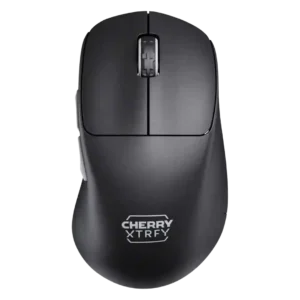
Profile and setting switching was divisive: on-device presets can be quick, but bottom controls and indicator-light workflows were tedious or problematic.
Pros: 2.4GHz connectivity, long-session comfort
Cons: debounce customization, fingertip grip comfort

Profile and DPI switching drew mixed reactions: one reviewer liked on-device tuning, but several disliked the underside DPI control or missing automatic profile switching.
Pros: handedness options, Accuracy and tracking precision
Cons: tilt gesture controls, software stability

Profile or DPI switching is hurt by the bottom-mounted button, which reviewers found inconvenient for quick changes.
Pros: palm grip comfort, handedness options
Cons: Bluetooth support, MMO gaming suitability

Profile switching drew criticism because the CPI/profile button sits on the underside, making on-the-fly adjustments inconvenient.
Pros: drag click support, claw grip comfort
Cons: handedness options, Bluetooth support