
Side button quality was praised for tactile feedback, placement, and responsiveness, with only limited caveats around reach.
Pros: motion consistency, surface compatibility
Cons: handedness options, software stability
Side button quality was praised for tactile feedback, placement, and responsiveness, with only limited caveats around reach.
Pros: motion consistency, surface compatibility
Cons: handedness options, software stability

Side button quality was usually praised for tactile feel and secure panels, though the dense 12-button layout challenged some users.
Pros: sensor performance, click latency
Cons: software stability, Bluetooth support
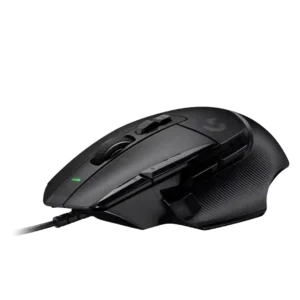
Side button quality was a major strength for most reviewers because the thumb/sniper button was easier to reach and customizable, though small-hand reach was a concern.
Pros: Accuracy and tracking precision, click latency
Cons: claw grip comfort, portability

Side buttons were praised for placement, snappiness, and quality, with no major issues reported.
Pros: 2.4GHz connectivity, connection stability
Cons: cable flexibility, handedness options

Side-button quality was usually praised for placement, tactile feel, and low accidental-click risk, though some reviewers found access cramped, sensitive, or only average.
Pros: click latency, motion consistency
Cons: firmware reliability, weight tuning
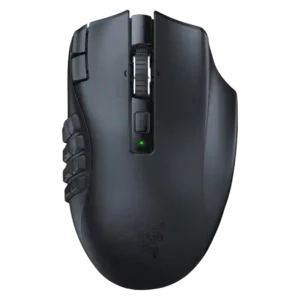
Side button quality was mixed but mostly positive: several reviewers liked reach, tactility, and click feel, while one found the grid hard to learn.
Pros: Accuracy and tracking precision, sensor performance
Cons: handedness options, fingertip grip comfort
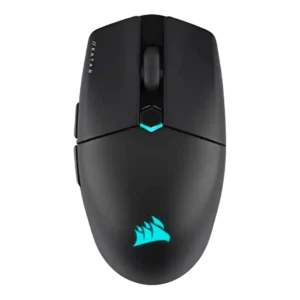
Side buttons were praised for placement and definition in some reviews, but others disliked their resistance or had game-registration problems.
Pros: software stability, click latency
Cons: MMO gaming suitability, palm grip comfort

Side button quality was the most divided attribute: some found the grid tactile and easy, while others found it cramped, stiff, or hard to distinguish.
Pros: motion consistency, surface compatibility
Cons: onboard memory, handedness options

Side button feedback was mixed: some reviewers liked the improved shapes and placement, while many complained about accidental presses or squeaks.
Pros: Accuracy and tracking precision, motion consistency
Cons: handedness options, lift-off distance

Side button quality was mixed: reviewers liked the improved/swappable sniper-style button, but several struggled with reach or accidental fat-fingering.
Pros: click latency, motion consistency
Cons: software stability, cross-platform compatibility

Side button quality was the most repeated ergonomic issue, especially the forward button and up/down rocker being hard to reach or actuate.
Pros: motion consistency, connection stability
Cons: weight tuning, fingertip grip comfort
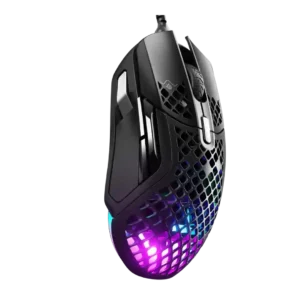
Side button quality was the most divisive area: some found the buttons natural and reachable, while others reported narrow, uncomfortable, or misclick-prone controls.
Pros: glide smoothness, click latency
Cons: handedness options, DPI range