
Side buttons were one of the most consistent positives, with reviewers calling them easier to reach, premium, and among Razer's best.
Pros: motion consistency, wireless latency
Cons: handedness options, onboard memory
Side buttons were one of the most consistent positives, with reviewers calling them easier to reach, premium, and among Razer's best.
Pros: motion consistency, wireless latency
Cons: handedness options, onboard memory

Side button quality was mostly praised for placement, tactile feel, and low accidental-press risk, though one reviewer struggled with reach.
Pros: Accuracy and tracking precision, sensor performance
Cons: handedness options, tilt gesture controls

Side button quality is generally praised as crisp, tactile, and premium, with one negative review finding them harsh and undampened.
Pros: durability over time, sensor performance
Cons: MMO gaming suitability, surface compatibility

Side buttons were usually praised for access, low travel, and tactility, with a few reviewers finding them softer or simply adequate.
Pros: motion consistency, sensor performance
Cons: software stability, MMO gaming suitability

Side button quality is mixed-positive: placement is often praised, but reviewers also complain about low-key, recessed, flush, or slippery buttons.
Pros: click latency, fingertip grip comfort
Cons: firmware reliability, skate durability

Side button quality was mixed, with some reviewers liking reach and tactility while others found the buttons small or mushy.
Pros: button responsiveness, cable flexibility
Cons: firmware reliability, MMO gaming suitability
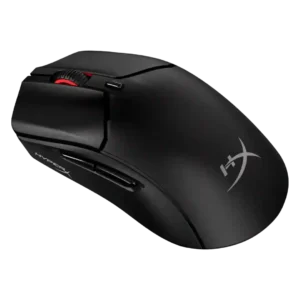
Side button quality was one of the more divisive areas, with some praising improved firmness and others criticizing shallow travel, looseness, or heavy post-travel.
Pros: long-session comfort, balance and weight distribution
Cons: software stability, firmware reliability
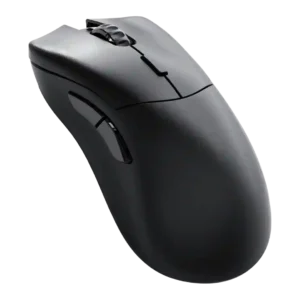
Side button quality was highly mixed, with some reviewers praising access and solidity while others found the placement awkward or too close.
Pros: click latency, switch durability
Cons: Bluetooth support, handedness options

Side button quality was mixed, with praise for placement and speed but criticism of free play, hollowness, or loudness in some reviews.
Pros: Accuracy and tracking precision, motion consistency
Cons: click noise, onboard memory

Side-button feedback was mixed: reviewers liked the modularity and access, but some found placement crowded, slick, or awkward.
Pros: skate durability, cross-platform compatibility
Cons: handedness options, click noise

Side button quality is the most divisive control issue: reviewers like the concept, but many complain that some buttons are hard to reach, unintuitive, or hit-or-miss.
Pros: long-session comfort, sensor performance
Cons: handedness options, software stability

Side button quality was the most contested control area, ranging from well-placed and improved to repeatedly described as mushy.
Pros: macro support, fingertip grip comfort
Cons: weight tuning, cable flexibility

Side buttons were a repeated weakness, criticized for being tiny, awkward, too far apart, or easy to hit accidentally.
Pros: premium feel, Accuracy and tracking precision
Cons: software stability, FPS gaming suitability