
Side buttons were widely praised for better spacing, tactile response, and easier identification in fast gameplay.
Pros: Accuracy and tracking precision, sensor performance
Cons: onboard memory, handedness options
Side buttons were widely praised for better spacing, tactile response, and easier identification in fast gameplay.
Pros: Accuracy and tracking precision, sensor performance
Cons: onboard memory, handedness options

Side buttons were broadly praised for placement, crispness, accessibility, and reduced accidental presses.
Pros: acceleration control, wireless latency
Cons: onboard memory, MMO gaming suitability

Side button quality was widely praised for tactile actuation, force, placement, and adjustability, with a few concerns about learning curve or jitter.
Pros: click latency, macro support
Cons: firmware reliability, tilt gesture controls

Side buttons were mostly well received for access and precision, with some notes that they were louder or more traditional than the mains.
Pros: wireless latency, surface compatibility
Cons: RGB features, firmware reliability

Side button feedback was polarized, with strong praise from some reviewers and a budget-feeling complaint from another.
Pros: 2.4GHz connectivity, surface compatibility
Cons: click noise, software stability

Side buttons were generally accessible and comfortable, though one reviewer wanted larger D3 side buttons.
Pros: glide smoothness, sensor performance
Cons: grip texture, firmware reliability

Side button quality was context-dependent, with praise for tactile feedback and convenient placement but a left-hand usability complaint.
Pros: onboard memory, software stability
Cons: handedness options

Side buttons divided reviewers, ranging from underwhelming low tension to very good placement and feel.
Pros: battery life, programmable buttons
Cons: software stability, firmware reliability

Side button quality was mixed: some reviewers liked the feel, bounce, and feedback, while another criticized rigid, cheap-feeling plastic.
Pros: motion consistency, wireless latency
Cons: palm grip comfort, software stability

Side buttons were useful and tactile for some reviewers, but their smaller size and third-button placement created strain or mis-click concerns for others.
Pros: ecosystem integration, sensor performance
Cons: AI Prompt Master, durability over time

Side button quality was mixed, ranging from thin and less premium to easily accessible and functional.
Pros: connection stability, left and right click quality
Cons: palm grip comfort, profile switching
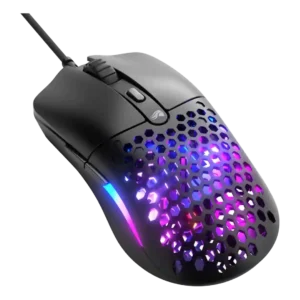
Side button quality was divisive: one reviewer strongly criticized size and misclicks, while others found the buttons large or convenient.
Pros: value for money, click latency
Cons: water and dust resistance, cable flexibility

Side buttons were the most common button-quality complaint, with repeated notes about extra travel, mushiness, or buttons sinking into the shell despite some positive placement feedback.
Pros: connection stability, weight
Cons: click latency, cable flexibility

Side buttons were the most repeated control complaint, often described as thin, finicky, hard to hit, or easy to mis-click, though one reviewer found them improved.
Pros: build quality, ergonomic design
Cons: handedness options, RGB features
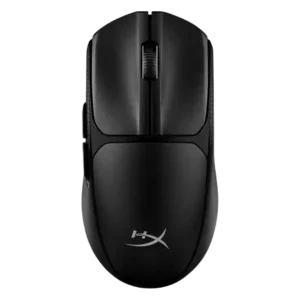
Side buttons were a major complaint in the one detailed negative review, which found them uncomfortable, stiff, and poorly suited to quick reactions.
Pros: wireless latency, Accuracy and tracking precision
Cons: side button quality, materials quality