
Customization drew positive comments for granular controls and strong software-hardware integration, though it still depends heavily on G Hub.
Pros: macro support, fingertip grip comfort
Cons: weight tuning, cable flexibility
Customization drew positive comments for granular controls and strong software-hardware integration, though it still depends heavily on G Hub.
Pros: macro support, fingertip grip comfort
Cons: weight tuning, cable flexibility

Button customization was a clear strength, with Synapse remapping, profiles, and extra functions repeatedly praised as useful.
Pros: motion consistency, sensor performance
Cons: software stability, MMO gaming suitability
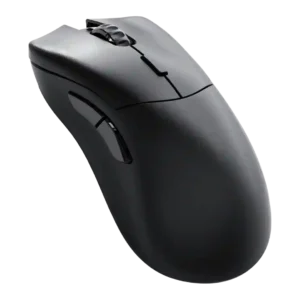
Customization drew strong praise because Glorious Core made remapping and performance settings easy, with many options available.
Pros: click latency, switch durability
Cons: Bluetooth support, handedness options

Customization is one of the strongest themes, with reviewers praising deep button, DPI, RGB, gesture, and profile control despite software friction.
Pros: long-session comfort, sensor performance
Cons: handedness options, software stability

Customization was praised when reviewers focused on deep performance tuning and highly configurable buttons, but criticized when the physical button layout felt too sparse.
Pros: button responsiveness, cable flexibility
Cons: firmware reliability, MMO gaming suitability

Button remapping and customization were praised through Synapse, though one first-impression review was less enthusiastic overall.
Pros: Accuracy and tracking precision, motion consistency
Cons: click noise, onboard memory

Button customization through Synapse was seen as useful and accessible, including remapping and DPI-related controls.
Pros: motion consistency, wireless latency
Cons: handedness options, onboard memory

Button customization was a major strength, with extensive remapping and joystick mode flexibility, despite software caveats.
Pros: premium feel, Accuracy and tracking precision
Cons: software stability, FPS gaming suitability

Button customization is generally praised because reviewers found remapping and settings easy, though the broader software presentation is not always polished.
Pros: durability over time, sensor performance
Cons: MMO gaming suitability, surface compatibility
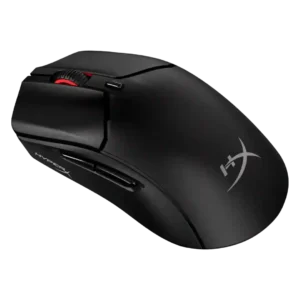
Button customization was broadly useful and straightforward, especially for remapping and DPI controls, though one reviewer found programming somewhat limited.
Pros: long-session comfort, balance and weight distribution
Cons: software stability, firmware reliability

Button customization was positive overall through Synapse remapping and Hypershift, but reviewers still considered overall customization limited.
Pros: Accuracy and tracking precision, sensor performance
Cons: handedness options, tilt gesture controls

Button customization was broadly appreciated, though implementation varied by reviewer due to comfort, missing pieces, or side-button fit.
Pros: skate durability, cross-platform compatibility
Cons: handedness options, click noise

Button customization is mixed: software remapping is useful, but reviewers criticize limits and reliance on iCUE.
Pros: click latency, fingertip grip comfort
Cons: firmware reliability, skate durability