
Button customization was one of the most consistently praised features, with reviewers emphasizing Easy-Shift, broad remapping, and extensive command options.
Pros: click latency, motion consistency
Cons: handedness options, portability
Button customization was one of the most consistently praised features, with reviewers emphasizing Easy-Shift, broad remapping, and extensive command options.
Pros: click latency, motion consistency
Cons: handedness options, portability

Customization was a major strength, with extensive remapping, HyperShift, and button control through Synapse.
Pros: lift-off distance, motion consistency
Cons: cross-platform compatibility, handedness options

Button customization was consistently praised, especially Easy-Shift and profile-based control, though one review wanted more useful default secondary functions.
Pros: left and right click quality, software stability
Cons: polling rate, cross-platform compatibility

Button customization was consistently praised for flexible remapping and personalized layouts.
Pros: handedness options, Accuracy and tracking precision
Cons: tilt gesture controls, software stability

Button customization is a strength, with reviewers highlighting unusually good customization for the price, gameplay versatility, and broad control in software.
Pros: motion consistency, Accuracy and tracking precision
Cons: cable flexibility, palm grip comfort

Button customization was praised for easy programming and broad finetuning options.
Pros: cable flexibility, weight
Cons: software stability, handedness options

Button customization is a major advantage, with reviewers praising the easy magnetic swaps, remapping flexibility, and G Hub input options.
Pros: palm grip comfort, handedness options
Cons: Bluetooth support, MMO gaming suitability

Button customization was considered useful and easy in Swarm II, though one review called the limited remappable options a constraint.
Pros: weight, balance and weight distribution
Cons: water and dust resistance, RGB features

Button customization was considered useful through G Hub, with remapping and binding flexibility praised even when advanced depth was limited.
Pros: click latency, onboard memory
Cons: lift-off distance, debounce customization

Button customization was considered useful and broad overall, though one reviewer called out the limited number of buttons available for mapping.
Pros: FPS gaming suitability, weight
Cons: fingertip grip comfort, handedness options

Button customization was strong in software, especially drag-and-drop remapping, but constrained by the DEX's simplified button layout.
Pros: motion consistency, acceleration control
Cons: cable flexibility, cross-platform compatibility

Button customization and rebinding were useful through Synapse, although most of the praise was tied to practical remapping rather than a large button count.
Pros: click latency, motion consistency
Cons: handedness options, Bluetooth support

Button customization was considered strong because Synapse supports remapping, HyperShift layers, and profile-specific setup.
Pros: click latency, balance and weight distribution
Cons: 2.4GHz connectivity, software stability

Customization was considered adequate to strong where reviewers described remapping, DPI, and profile tools as straightforward or sufficient.
Pros: connection stability, weight
Cons: handedness options, software usability

Button remapping and assignment were available and generally treated as straightforward, especially through the lighter Armoury Crate Gear software.
Pros: Accuracy and tracking precision, sensor performance
Cons: software stability, value for money

Button remapping was considered functional and easy, but reviewers described the options as basic rather than deep.
Pros: drag click support, claw grip comfort
Cons: handedness options, Bluetooth support
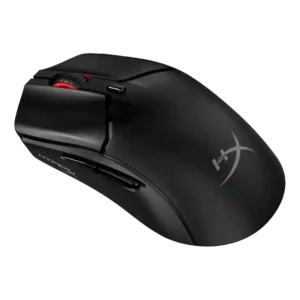
Button customization was described as basic, with missing system-level and media shortcut options limiting depth.
Pros: cable flexibility, connection stability
Cons: motion consistency, software stability
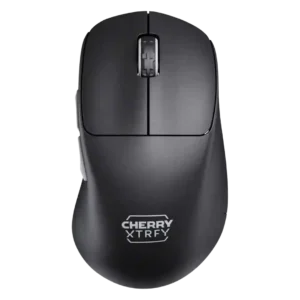
Button customization was limited in the one scored review, which said the mouse restricts customization.
Pros: 2.4GHz connectivity, long-session comfort
Cons: debounce customization, fingertip grip comfort
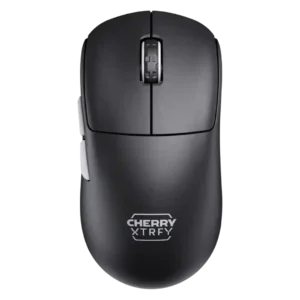
Button customization was limited by the software-free design, especially for remapping and fine adjustments.
Pros: 2.4GHz connectivity, long-session comfort
Cons: programmable buttons, button customization