
Button customization earned strong praise for easy DPI, binding, and dock adjustment options.
Pros: battery life, programmable buttons
Cons: software stability, firmware reliability
Button customization earned strong praise for easy DPI, binding, and dock adjustment options.
Pros: battery life, programmable buttons
Cons: software stability, firmware reliability

The adjustable side keypad and button mapping were repeatedly praised as practical, comfort-improving, and easy to tailor, though one reviewer found the adjustability less impactful.
Pros: click latency, macro support
Cons: firmware reliability, tilt gesture controls

Button customization was viewed positively, especially through Razer Synapse remapping and broad command assignment.
Pros: 2.4GHz connectivity, surface compatibility
Cons: click noise, software stability

Button customization was rated well because Gear Link exposes broad assignment controls and reviewers found the interface comprehensive.
Pros: acceleration control, wireless latency
Cons: onboard memory, MMO gaming suitability

Button customization was a clear strength, with reviewers praising flexible keybinds and dock controls.
Pros: glide smoothness, sensor performance
Cons: grip texture, firmware reliability

Button customization was a major strength across reviews, especially hot-swappable switches, second-layer inputs, and broad button reassignment.
Pros: onboard memory, software stability
Cons: handedness options

Button customization was praised through Synapse and Hypershift options, especially for users willing to configure the mouse.
Pros: Accuracy and tracking precision, sensor performance
Cons: onboard memory, handedness options

Customization was a clear strength, with remapping, HyperShift, macros, and workflow personalization praised across several reviews.
Pros: ecosystem integration, sensor performance
Cons: AI Prompt Master, durability over time

Button customization was a clear strength, with several reviewers noting easy remapping and broad control options.
Pros: wireless latency, surface compatibility
Cons: RGB features, firmware reliability
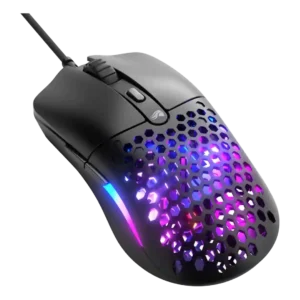
Button customization was reviewed positively through Glorious Core, with simple effective programming and free reconfiguration of mouse buttons.
Pros: value for money, click latency
Cons: water and dust resistance, cable flexibility

Reviewers liked the ability to remap buttons and adjust controls in SteelSeries GG, although Bluetooth mode and profile switching added some limitations.
Pros: build quality, ergonomic design
Cons: handedness options, RGB features

Button customization was viewed positively when discussed, with remapping and button mapping available through Web Hub, though the five-button layout limits what can be customized.
Pros: connection stability, weight
Cons: click latency, cable flexibility

Button customization was seen as giving useful flexibility and control over play style through software adjustments.
Pros: connection stability, left and right click quality
Cons: palm grip comfort, profile switching

Button customization was useful and often easy, though reviewers also noted limited software depth and missing multi-layer rebinding.
Pros: motion consistency, wireless latency
Cons: palm grip comfort, software stability
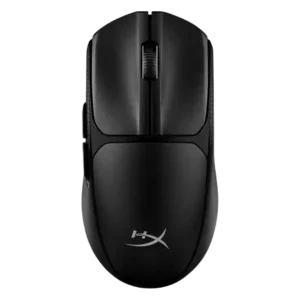
Button customization was useful for some reviewers, but one reviewer felt the customization pitch was too limited to matter.
Pros: wireless latency, Accuracy and tracking precision
Cons: side button quality, materials quality