
Polling rate was treated as sufficient for the product category, with reviewers saying 1000Hz is enough for MMO-focused use.
Pros: click latency, macro support
Cons: firmware reliability, tilt gesture controls
Polling rate was treated as sufficient for the product category, with reviewers saying 1000Hz is enough for MMO-focused use.
Pros: click latency, macro support
Cons: firmware reliability, tilt gesture controls

8K polling was praised as a serious competitive feature, though several reviewers said gains can be subtle and battery cost rises at high rates.
Pros: acceleration control, wireless latency
Cons: onboard memory, MMO gaming suitability

8,000Hz polling was viewed as cutting-edge and useful for esports, but several reviewers said many casual players may barely notice it and it hurts battery life.
Pros: Accuracy and tracking precision, sensor performance
Cons: onboard memory, handedness options

Polling was praised in 2.4GHz mode, but Bluetooth’s lower polling and latency limits made performance mode choice important.
Pros: ecosystem integration, sensor performance
Cons: AI Prompt Master, durability over time

Polling-rate support was useful and flexible, though 8K polling was criticized for draining battery quickly.
Pros: glide smoothness, sensor performance
Cons: grip texture, firmware reliability
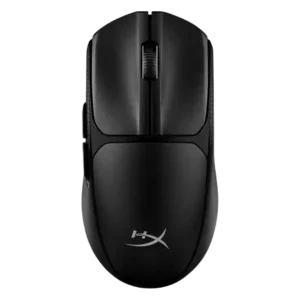
The 1000Hz polling rate was viewed as sufficient or industry-standard, with one reviewer saying higher rates would add little benefit.
Pros: wireless latency, Accuracy and tracking precision
Cons: side button quality, materials quality

Polling-rate feedback was mixed but generally adequate: 1,000Hz was called standard or delay-free, while PCMag called it low but acceptable.
Pros: connection stability, left and right click quality
Cons: palm grip comfort, profile switching

The high polling rate was treated as a performance-focused feature most useful for high-refresh competitive play.
Pros: battery life, programmable buttons
Cons: software stability, firmware reliability

Polling-rate impressions were mixed: the 8K headline impressed some reviewers, while others called the benefit subtle or mostly box-ticking.
Pros: wireless latency, surface compatibility
Cons: RGB features, firmware reliability

The 8K polling rate impressed some reviewers and supported fast play, but several saw it as overkill, battery-hungry, or less stable at higher wireless rates.
Pros: connection stability, weight
Cons: click latency, cable flexibility

The 1,000Hz cap was considered perfectly fine for most casual players, though below the 4,000Hz or 8,000Hz modes found in pricier mice.
Pros: build quality, ergonomic design
Cons: handedness options, RGB features

Polling-rate impressions were mixed: 4K felt smoother and valuable for pro/FPS play, but several reviewers said the benefit is subtle or not worth the battery tradeoff for most users.
Pros: motion consistency, wireless latency
Cons: palm grip comfort, software stability

The default 1,000 Hz polling rate was generally considered good enough, but reviewers criticized the need for extra hardware to unlock higher polling.
Pros: 2.4GHz connectivity, surface compatibility
Cons: click noise, software stability
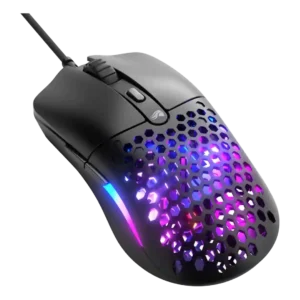
Polling rate was viewed as adequate for most buyers, but 1,000Hz is a clear budget limitation versus higher-end mice.
Pros: value for money, click latency
Cons: water and dust resistance, cable flexibility

Polling evidence was split: one review found average performance with jitter, while another did not notice significant inconsistencies.
Pros: onboard memory, software stability
Cons: handedness options