
DPI range evidence was positive, with reviewers treating the 30K ceiling and wider adjustment range as a precision benefit.
Pros: Accuracy and tracking precision, sensor performance
Cons: handedness options, tilt gesture controls
DPI range evidence was positive, with reviewers treating the 30K ceiling and wider adjustment range as a precision benefit.
Pros: Accuracy and tracking precision, sensor performance
Cons: handedness options, tilt gesture controls

The 36,000 DPI range was repeatedly praised as extremely high-end and more than enough for competitive sensitivity needs.
Pros: button responsiveness, cable flexibility
Cons: firmware reliability, MMO gaming suitability

The DPI system was praised mainly for easy, visible sensitivity switching rather than raw maximum DPI alone.
Pros: skate durability, cross-platform compatibility
Cons: handedness options, click noise

The 26,000 DPI ceiling is treated as more than enough for most users, with praise for sensitivity and fine adjustment.
Pros: long-session comfort, sensor performance
Cons: handedness options, software stability

The DPI range was viewed as very broad and highly adjustable, though one review considered the top end overkill for most players.
Pros: premium feel, Accuracy and tracking precision
Cons: software stability, FPS gaming suitability

DPI and sensitivity were considered sufficient for most users, with reviewers finding the 8500 DPI range smooth or workable in practice.
Pros: Accuracy and tracking precision, motion consistency
Cons: click noise, onboard memory

The DPI range is viewed as generous and precise, though reviewers often pair that praise with frustration over hardware DPI switching.
Pros: click latency, fingertip grip comfort
Cons: firmware reliability, skate durability

DPI range is generally useful for sensitivity tuning and accuracy, but one reviewer warned very high DPI can feel jumpy in everyday use.
Pros: durability over time, sensor performance
Cons: MMO gaming suitability, surface compatibility

The 30K DPI ceiling was considered powerful for FPS use, though one reviewer viewed extreme DPI as more buzzword than necessity.
Pros: motion consistency, wireless latency
Cons: handedness options, onboard memory
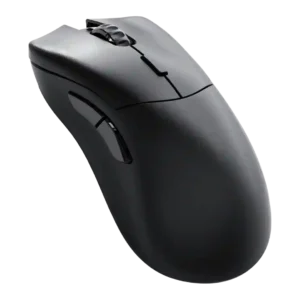
DPI evidence was mixed but generally useful: reviewers valued adjustment and 26,000 DPI headroom, while one found very high DPI practically unusable.
Pros: click latency, switch durability
Cons: Bluetooth support, handedness options
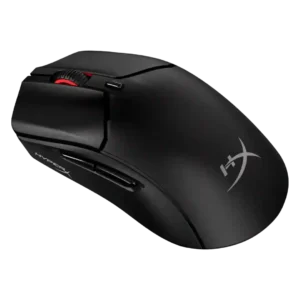
The DPI ceiling was viewed as generous and flexible, but some reviewers found very high settings too frantic or touchy for normal use.
Pros: long-session comfort, balance and weight distribution
Cons: software stability, firmware reliability

DPI coverage was seen as technically strong and granular, but one reviewer felt the extreme ceiling is more marketing than everyday value.
Pros: macro support, fingertip grip comfort
Cons: weight tuning, cable flexibility

DPI control was mixed: dedicated up/down controls were praised for fast switching, but some reviewers called 30,000 DPI overkill, wonky at extremes, or cheaply implemented on the top buttons.
Pros: motion consistency, sensor performance
Cons: software stability, MMO gaming suitability