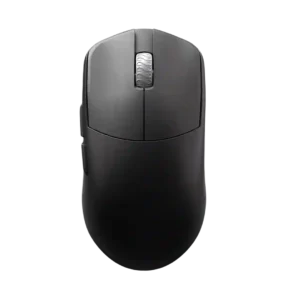
The DPI range receives positive evidence because it is considered more than enough even for very high-sensitivity players.
Pros: DPI range, balance and weight distribution
Cons: charging convenience, click noise
The DPI range receives positive evidence because it is considered more than enough even for very high-sensitivity players.
Pros: DPI range, balance and weight distribution
Cons: charging convenience, click noise

The DPI ceiling was treated as extremely high and impressive, with fine adjustment praised by reviewers who used G Hub.
Pros: motion consistency, acceleration control
Cons: cable flexibility, cross-platform compatibility

The DPI range is treated as more than enough for high-resolution and fast gaming use, though one reviewer’s praise ties the range mainly to precision.
Pros: motion consistency, Accuracy and tracking precision
Cons: cable flexibility, palm grip comfort
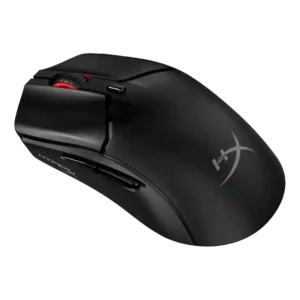
The 26,000 DPI ceiling was treated as more than enough and even described as fantastic.
Pros: cable flexibility, connection stability
Cons: motion consistency, software stability

The 26K DPI range was treated as high-end and useful for users who want very high sensitivity, even if most reviewers did not need the maximum.
Pros: click latency, motion consistency
Cons: handedness options, portability

DPI range was viewed positively because reviewers found the 26K ceiling and fine adjustment easy to tailor, even if extreme DPI was impractical for some.
Pros: left and right click quality, software stability
Cons: polling rate, cross-platform compatibility

DPI range was treated as a strength where reviewers evaluated sensitivity, especially versus smaller or older rivals.
Pros: cable flexibility, weight
Cons: software stability, handedness options

The DPI/CPI ceiling was considered more than enough for competitive shooter play.
Pros: drag click support, claw grip comfort
Cons: handedness options, Bluetooth support

The DPI range is treated as a strength because reviewers noted a wide sensitivity range and unusually high sensor ceiling.
Pros: palm grip comfort, handedness options
Cons: Bluetooth support, MMO gaming suitability

The DPI range was viewed positively for high-end headroom, though one reviewer noted very high DPI can be unusable for typical personal settings.
Pros: FPS gaming suitability, weight
Cons: fingertip grip comfort, handedness options

DPI range was viewed as useful for presets and micro-adjustments, especially by reviewers who valued sensitivity control for gaming and desktop precision.
Pros: click latency, onboard memory
Cons: lift-off distance, debounce customization

The DPI range was seen as broad and flexible, though one reviewer found the very high settings excessive for normal use.
Pros: weight, balance and weight distribution
Cons: water and dust resistance, RGB features

DPI/CPI range was technically extreme and often praised, though some reviewers viewed the 42,000 DPI figure as excessive marketing.
Pros: Accuracy and tracking precision, sensor performance
Cons: software stability, value for money

The DPI ceiling was seen as technically impressive, but one reviewer found very high DPI practically unusable.
Pros: connection stability, weight
Cons: handedness options, software usability

The 26K DPI ceiling was considered enough for nearly all gamers, even though some reviewers noted it is lower than flagship sensors or impractical at the top end.
Pros: click latency, motion consistency
Cons: handedness options, Bluetooth support

The DPI ceiling was considered strong for most players, though one reviewer noted it is not the highest available.
Pros: handedness options, Accuracy and tracking precision
Cons: tilt gesture controls, software stability

Reviewers treated the 35K DPI ceiling and single-step adjustment as technically impressive, though often more than most players need.
Pros: click latency, balance and weight distribution
Cons: 2.4GHz connectivity, software stability

DPI/CPI coverage was useful for preset users, but reviewers criticized the lack of granular software tuning for non-preset sensitivities.
Pros: 2.4GHz connectivity, long-session comfort
Cons: programmable buttons, button customization

The 35K DPI ceiling was viewed as technically impressive but often overkill or not worth paying extra for.
Pros: lift-off distance, motion consistency
Cons: cross-platform compatibility, handedness options
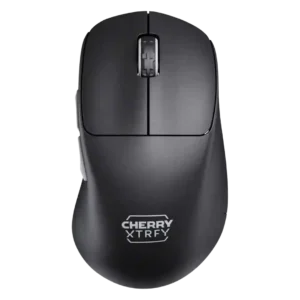
DPI range was mixed: one reviewer found enough presets to settle in, while another criticized the lack of fine granularity.
Pros: 2.4GHz connectivity, long-session comfort
Cons: debounce customization, fingertip grip comfort