Best for DPI range
Razer DeathAdder V3
5.0 feature score
Highest scored product for this feature based on supporting review evidence.
Highest scored product for this feature based on supporting review evidence.
Balances feature score, supporting reviews, and overall product strength.
Has the broadest review evidence for this feature.
Strongest overall product among items with scored evidence for this feature.

DPI range evidence was positive, with reviewers treating the 30K ceiling and wider adjustment range as a precision benefit.
Pros: Accuracy and tracking precision, sensor performance
Cons: handedness options, tilt gesture controls

The extreme DPI ceiling was valued by reviewers who cared about surgical tuning and peak sensor headroom.
Pros: Accuracy and tracking precision, sensor performance
Cons: onboard memory, handedness options
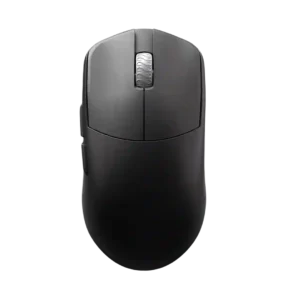
The DPI range receives positive evidence because it is considered more than enough even for very high-sensitivity players.
Pros: DPI range, balance and weight distribution
Cons: charging convenience, click noise

The 36,000 DPI range was repeatedly praised as extremely high-end and more than enough for competitive sensitivity needs.
Pros: button responsiveness, cable flexibility
Cons: firmware reliability, MMO gaming suitability

The DPI ceiling was treated as extremely high and impressive, with fine adjustment praised by reviewers who used G Hub.
Pros: motion consistency, acceleration control
Cons: cable flexibility, cross-platform compatibility

The DPI range is treated as more than enough for high-resolution and fast gaming use, though one reviewer’s praise ties the range mainly to precision.
Pros: motion consistency, Accuracy and tracking precision
Cons: cable flexibility, palm grip comfort

The high DPI range was treated as fast and capable, with reviewers tying it to broad sensitivity coverage rather than everyday necessity.
Pros: wireless latency, surface compatibility
Cons: RGB features, firmware reliability

The high DPI range and DPI configuration options were praised as part of the mouse's high-performance sensor package.
Pros: sensor performance, click latency
Cons: software stability, Bluetooth support
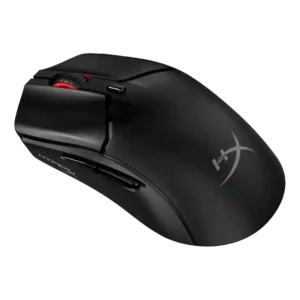
The 26,000 DPI ceiling was treated as more than enough and even described as fantastic.
Pros: cable flexibility, connection stability
Cons: motion consistency, software stability

The 26K DPI range was treated as high-end and useful for users who want very high sensitivity, even if most reviewers did not need the maximum.
Pros: click latency, motion consistency
Cons: handedness options, portability

DPI range was viewed positively because reviewers found the 26K ceiling and fine adjustment easy to tailor, even if extreme DPI was impractical for some.
Pros: left and right click quality, software stability
Cons: polling rate, cross-platform compatibility

DPI range was treated as a strength where reviewers evaluated sensitivity, especially versus smaller or older rivals.
Pros: cable flexibility, weight
Cons: software stability, handedness options

Reviewers praised the high DPI ceiling and sensitivity, saying it made movement easier across screens and placed the mouse among very sensitive options.
Pros: onboard memory, software stability
Cons: handedness options

DPI control was viewed positively because reviewers could make fine adjustments and quick in-game changes.
Pros: glide smoothness, sensor performance
Cons: grip texture, firmware reliability

DPI range was seen as technically strong and highly configurable, though reviewers often framed the 33K ceiling as more than most users need.
Pros: click latency, macro support
Cons: firmware reliability, tilt gesture controls

The DPI system was praised mainly for easy, visible sensitivity switching rather than raw maximum DPI alone.
Pros: skate durability, cross-platform compatibility
Cons: handedness options, click noise

The DPI range was praised as impressive and more than enough for most gamers, though broader DPI convenience concerns were covered under profile switching.
Pros: connection stability, weight
Cons: click latency, cable flexibility
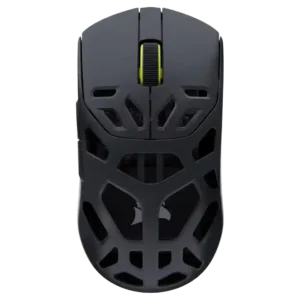
One reviewer noted the DPI sensor was not the fastest seen, but still far above most competition.
Pros: Accuracy and tracking precision, click latency
Cons: cable flexibility, ecosystem integration

The DPI/CPI ceiling was considered more than enough for competitive shooter play.
Pros: drag click support, claw grip comfort
Cons: handedness options, Bluetooth support

The DPI range is treated as a premium spec, with one reviewer calling the 44,000 DPI ceiling among the highest they had seen.
Pros: left and right click quality, dock compatibility
Cons: Bluetooth support, cross-platform compatibility
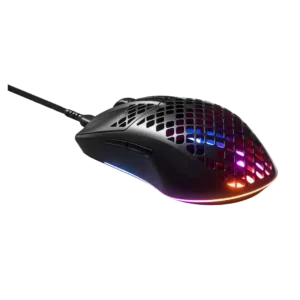
The DPI range was valued where it translated into fast, precise cursor movement over long distances.
Pros: click latency, acceleration control
Cons: palm grip comfort, onboard memory

The 26,000 DPI ceiling is treated as more than enough for most users, with praise for sensitivity and fine adjustment.
Pros: long-session comfort, sensor performance
Cons: handedness options, software stability

The DPI range is treated as a strength because reviewers noted a wide sensitivity range and unusually high sensor ceiling.
Pros: palm grip comfort, handedness options
Cons: Bluetooth support, MMO gaming suitability
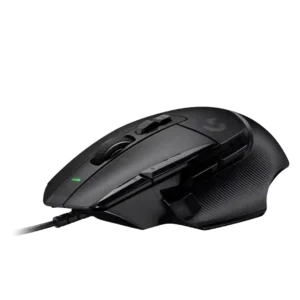
DPI capability and quick DPI changes were viewed positively, especially for fast movement and on-the-fly sensitivity control.
Pros: Accuracy and tracking precision, click latency
Cons: claw grip comfort, portability

The DPI range was viewed positively for high-end headroom, though one reviewer noted very high DPI can be unusable for typical personal settings.
Pros: FPS gaming suitability, weight
Cons: fingertip grip comfort, handedness options

The DPI range was viewed as very broad and highly adjustable, though one review considered the top end overkill for most players.
Pros: premium feel, Accuracy and tracking precision
Cons: software stability, FPS gaming suitability

DPI range was viewed as useful for presets and micro-adjustments, especially by reviewers who valued sensitivity control for gaming and desktop precision.
Pros: click latency, onboard memory
Cons: lift-off distance, debounce customization

DPI control was generally praised for its wide range and fine increments, though one reviewer questioned the practical value of ultra-high DPI.
Pros: Accuracy and tracking precision, motion consistency
Cons: handedness options, lift-off distance

The DPI range was seen as broad and flexible, though one reviewer found the very high settings excessive for normal use.
Pros: weight, balance and weight distribution
Cons: water and dust resistance, RGB features
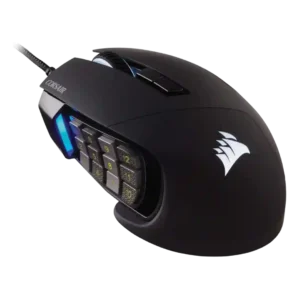
Reviewers viewed the high DPI range and sensitivity options as impressive, though not always practically necessary.
Pros: button responsiveness, long-session comfort
Cons: handedness options, switch durability

DPI and sensitivity were considered sufficient for most users, with reviewers finding the 8500 DPI range smooth or workable in practice.
Pros: Accuracy and tracking precision, motion consistency
Cons: click noise, onboard memory
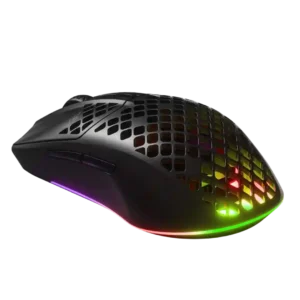
Reviewers found the available CPI/DPI range more than sufficient, with high ceilings available for users who want extreme sensitivity.
Pros: Accuracy and tracking precision, surface compatibility
Cons: firmware reliability, palm grip comfort

DPI range and adjustment were praised as broad and easy to customize, even if bottom-button placement was divisive.
Pros: polling rate, motion consistency
Cons: MOBA gaming suitability, durability over time
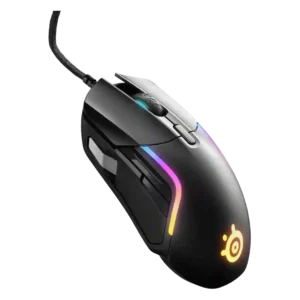
The wide DPI/CPI range was viewed as useful and flexible, although several reviewers noted the highest settings were more than they personally needed.
Pros: switch durability, surface compatibility
Cons: weight tuning, portability

DPI range was viewed as sufficient for most gamers and competitive enough for premium use, despite one review noting rivals can reach higher DPI.
Pros: 2.4GHz connectivity, surface compatibility
Cons: click noise, software stability

The DPI range is viewed as generous and precise, though reviewers often pair that praise with frustration over hardware DPI switching.
Pros: click latency, fingertip grip comfort
Cons: firmware reliability, skate durability
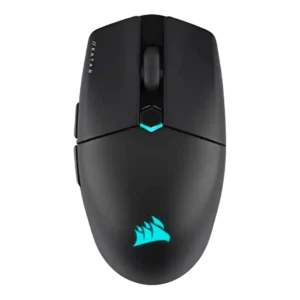
The DPI range was seen as strong and highly adjustable, but not every reviewer found the highest settings or comparative DPI feel equally useful.
Pros: software stability, click latency
Cons: MMO gaming suitability, palm grip comfort

DPI/CPI range was viewed as more than enough for most gamers, with some caveats that rivals offer higher maximum specs.
Pros: motion consistency, surface compatibility
Cons: onboard memory, handedness options

The 18,000 CPI range was useful for most reviewers, but some considered it merely middling against other high-end mice.
Pros: motion consistency, connection stability
Cons: weight tuning, fingertip grip comfort

DPI control was viewed as flexible and easy to tune, though one reviewer noted the full 25K-style range is more than most users would ever maximize.
Pros: click latency, motion consistency
Cons: software stability, cross-platform compatibility
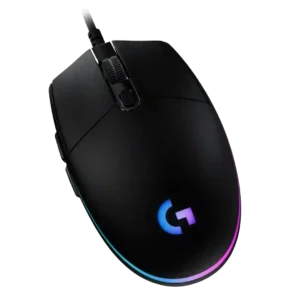
The 200-8,000 DPI range is usually viewed as sufficient and flexible for casual gaming, with some reviewers praising fine increments while noting higher-end mice offer more range.
Pros: acceleration control, dock compatibility
Cons: portability, onboard memory

The 18,000 DPI range was considered more than enough for most users, with several reviewers noting that very high DPI numbers matter less outside pro-level play.
Pros: build quality, ergonomic design
Cons: handedness options, RGB features

DPI handling was generally strong, with instant drift-free shifts, though one reviewer disliked the lack of a default DPI switcher.
Pros: ecosystem integration, sensor performance
Cons: AI Prompt Master, durability over time
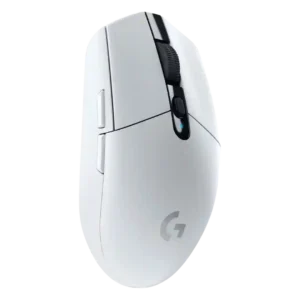
The 12,000 DPI range was mostly considered enough for mainstream users, though reviewers noted it trails newer or higher-end gaming mice.
Pros: motion consistency, wireless latency
Cons: Bluetooth support, acceleration control

The 26K DPI range was valued for flexibility and on-the-fly tuning, though several reviewers said extreme DPI levels could feel jumpy or unnecessary.
Pros: click latency, motion consistency
Cons: palm grip comfort, fingertip grip comfort

DPI/CPI range was technically extreme and often praised, though some reviewers viewed the 42,000 DPI figure as excessive marketing.
Pros: Accuracy and tracking precision, sensor performance
Cons: software stability, value for money

The DPI ceiling was seen as technically impressive, but one reviewer found very high DPI practically unusable.
Pros: connection stability, weight
Cons: handedness options, software usability

DPI range is generally useful for sensitivity tuning and accuracy, but one reviewer warned very high DPI can feel jumpy in everyday use.
Pros: durability over time, sensor performance
Cons: MMO gaming suitability, surface compatibility
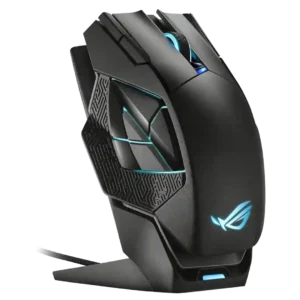
DPI range was powerful but somewhat excessive: reviewers liked the high ceiling, while one questioned who would actually use 19,000 DPI.
Pros: motion consistency, 2.4GHz connectivity
Cons: fingertip grip comfort, cross-platform compatibility

DPI range drew qualified praise: reviewers said 26,000 DPI is more than enough, though one found it overkill in practice.
Pros: motion consistency, wireless latency
Cons: palm grip comfort, software stability