
The extreme DPI ceiling was valued by reviewers who cared about surgical tuning and peak sensor headroom.
Pros: Accuracy and tracking precision, sensor performance
Cons: onboard memory, handedness options
The extreme DPI ceiling was valued by reviewers who cared about surgical tuning and peak sensor headroom.
Pros: Accuracy and tracking precision, sensor performance
Cons: onboard memory, handedness options

The high DPI range was treated as fast and capable, with reviewers tying it to broad sensitivity coverage rather than everyday necessity.
Pros: wireless latency, surface compatibility
Cons: RGB features, firmware reliability

Reviewers praised the high DPI ceiling and sensitivity, saying it made movement easier across screens and placed the mouse among very sensitive options.
Pros: onboard memory, software stability
Cons: handedness options

DPI control was viewed positively because reviewers could make fine adjustments and quick in-game changes.
Pros: glide smoothness, sensor performance
Cons: grip texture, firmware reliability

DPI range was seen as technically strong and highly configurable, though reviewers often framed the 33K ceiling as more than most users need.
Pros: click latency, macro support
Cons: firmware reliability, tilt gesture controls

The DPI range was praised as impressive and more than enough for most gamers, though broader DPI convenience concerns were covered under profile switching.
Pros: connection stability, weight
Cons: click latency, cable flexibility

DPI range was viewed as sufficient for most gamers and competitive enough for premium use, despite one review noting rivals can reach higher DPI.
Pros: 2.4GHz connectivity, surface compatibility
Cons: click noise, software stability

The 18,000 DPI range was considered more than enough for most users, with several reviewers noting that very high DPI numbers matter less outside pro-level play.
Pros: build quality, ergonomic design
Cons: handedness options, RGB features

DPI handling was generally strong, with instant drift-free shifts, though one reviewer disliked the lack of a default DPI switcher.
Pros: ecosystem integration, sensor performance
Cons: AI Prompt Master, durability over time

DPI range drew qualified praise: reviewers said 26,000 DPI is more than enough, though one found it overkill in practice.
Pros: motion consistency, wireless latency
Cons: palm grip comfort, software stability
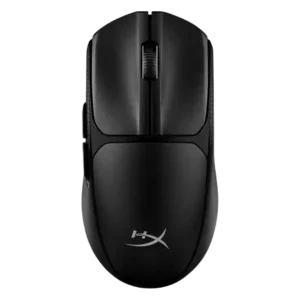
The 12,000 DPI ceiling was generally considered ample, though one reviewer felt the top end was too sensitive for most users.
Pros: wireless latency, Accuracy and tracking precision
Cons: side button quality, materials quality
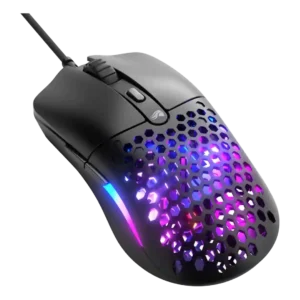
The DPI range was generally seen as enough for most budget buyers, though reviewers noted it trails the extreme numbers of high-end mice.
Pros: value for money, click latency
Cons: water and dust resistance, cable flexibility

The 42,000 DPI ceiling was seen as impressive but partly overkill, with reviewers noting most players will never use such a high range.
Pros: acceleration control, wireless latency
Cons: onboard memory, MMO gaming suitability

The 8,500 DPI ceiling was usually considered enough for gaming, though one reviewer warned the lower peak sensitivity could matter to some users.
Pros: connection stability, left and right click quality
Cons: palm grip comfort, profile switching

DPI capability was considered adequate to normal for modern gaming mice rather than a major differentiator.
Pros: battery life, programmable buttons
Cons: software stability, firmware reliability