
Macro support was a strength through Synapse, HyperShift, and extra programmable controls.
Pros: lift-off distance, motion consistency
Cons: cross-platform compatibility, handedness options
Macro support was a strength through Synapse, HyperShift, and extra programmable controls.
Pros: lift-off distance, motion consistency
Cons: cross-platform compatibility, handedness options

Macro support was praised for game and productivity use, with several reviewers highlighting easy macro setup or useful extra mapped actions.
Pros: click latency, motion consistency
Cons: handedness options, portability

Macro and custom action support was described as useful for assigning extra in-game controls to the side buttons.
Pros: click latency, balance and weight distribution
Cons: 2.4GHz connectivity, software stability

Macro support was viewed positively because SWARM II made macro creation or recording accessible, with built-in and custom macro options.
Pros: left and right click quality, software stability
Cons: polling rate, cross-platform compatibility

Macro support was present and useful for games or device control, with Easy Shift adding utility beyond basic commands.
Pros: weight, balance and weight distribution
Cons: water and dust resistance, RGB features

Macro support is supported by the software evidence, where macro creation sits alongside profiles and other user-friendly customization tools.
Pros: motion consistency, Accuracy and tracking precision
Cons: cable flexibility, palm grip comfort

Macro support was viewed positively where mentioned, with iCUE allowing shortcuts, media controls, app launches, and macros.
Pros: handedness options, Accuracy and tracking precision
Cons: tilt gesture controls, software stability

Macro support was viewed as useful across reviews, but practical flexibility is constrained by the small number of buttons.
Pros: FPS gaming suitability, weight
Cons: fingertip grip comfort, handedness options

Macro support was positively noted in one review through G Hub, where the reviewer highlighted the ability to create macros.
Pros: click latency, onboard memory
Cons: lift-off distance, debounce customization

Macro support was useful through G Hub, but the limited button count reduced how far reviewers could take macro-heavy setups.
Pros: motion consistency, acceleration control
Cons: cable flexibility, cross-platform compatibility

Macro support was functional but not a highlight; the one review mentioning it said routine macro creation was easy enough in the companion app.
Pros: drag click support, claw grip comfort
Cons: handedness options, Bluetooth support
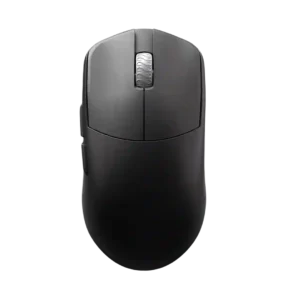
Macro support is present through software and judged useful, though the same review criticized the app's lag.
Pros: DPI range, balance and weight distribution
Cons: charging convenience, click noise

Macro support was mixed: software allowed macro-style reassignment, but one reviewer criticized the practical usefulness of the bottom button for macros.
Pros: click latency, motion consistency
Cons: handedness options, Bluetooth support

Macro support had limited negative evidence because one reviewer disliked needing the large Armoury Crate suite for macros.
Pros: cable flexibility, weight
Cons: software stability, handedness options