Best for debounce customization
MSI Versa 300 Wireless 8K
5.0 feature score
Highest scored product for this feature based on supporting review evidence.
Highest scored product for this feature based on supporting review evidence.
Balances feature score, supporting reviews, and overall product strength.
Has the broadest review evidence for this feature.
Strongest overall product among items with scored evidence for this feature.

MSI Center exposes fine debounce adjustment from 0 to 30ms, giving competitive users useful control over click behavior.
Pros: Accuracy and tracking precision, click latency
Cons: software stability, profile switching

Debounce customization was praised as a useful tuning option for competitive players.
Pros: glide smoothness, sensor performance
Cons: grip texture, firmware reliability

Debounce customization was praised in one review because SWARM II explained debounce and related settings clearly.
Pros: left and right click quality, software stability
Cons: polling rate, cross-platform compatibility

Debounce customization was viewed positively where tested, helping prevent accidental double clicks or supporting faster recognition.
Pros: weight, balance and weight distribution
Cons: water and dust resistance, RGB features

Debounce customization was viewed positively as a useful control for click behavior.
Pros: wireless latency, surface compatibility
Cons: RGB features, firmware reliability

Debounce customization was praised as useful for super-competitive players through the Glorious software.
Pros: battery life, programmable buttons
Cons: software stability, firmware reliability

Debounce and reset customization is praised through Rapid Trigger, though one reviewer says the differences between levels can feel subtle.
Pros: left and right click quality, dock compatibility
Cons: Bluetooth support, cross-platform compatibility

Debounce customization was seen as useful because it can be lowered to zero, improving click latency or click registration for certain uses.
Pros: drag click support, claw grip comfort
Cons: handedness options, Bluetooth support
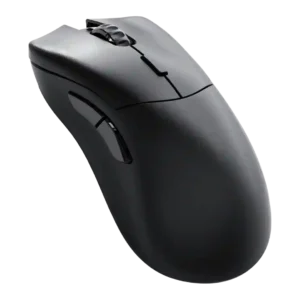
Debounce customization was viewed positively where discussed, with reviewers noting accessible performance-parameter and debounce settings.
Pros: click latency, switch durability
Cons: Bluetooth support, handedness options

Debounce customization is seen as a meaningful enthusiast feature, especially for multi-click filtering and double-click protection, though some settings require tuning.
Pros: durability over time, sensor performance
Cons: MMO gaming suitability, surface compatibility
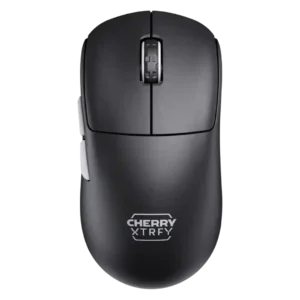
Debounce customization had enough increments for preferences in one review, but broader setup friction remained tied to no software.
Pros: 2.4GHz connectivity, long-session comfort
Cons: programmable buttons, button customization

Debounce customization was positive because adjustable debounce supported drag-click use.
Pros: skate durability, cross-platform compatibility
Cons: handedness options, click noise

Debounce customization had limited positive evidence, with one reviewer calling adjustable debounce a notable gaming feature but caveating its usefulness for casual players.
Pros: click latency, motion consistency
Cons: firmware reliability, weight tuning
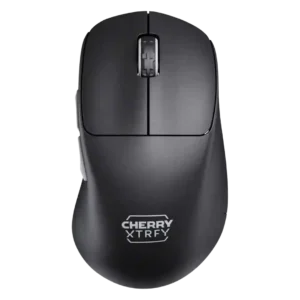
Debounce customization received negative evidence from one reviewer, who found the lowest debounce setting caused ghost or slam-click behavior.
Pros: 2.4GHz connectivity, long-session comfort
Cons: debounce customization, fingertip grip comfort
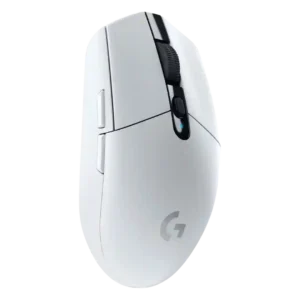
Debounce customization was a weakness because reviewers noted competing budget mice offer adjustable debounce while the G305 does not.
Pros: motion consistency, wireless latency
Cons: Bluetooth support, acceleration control

Debounce customization was criticized only where advanced software tweaks were discussed, with TechRadar noting debounce time adjustment was absent.
Pros: click latency, onboard memory
Cons: lift-off distance, debounce customization

Debounce customization was only mentioned as a missing high-end feature, making it a weakness for advanced users.
Pros: motion consistency, connection stability
Cons: weight tuning, fingertip grip comfort

Debounce customization was a clear technical gap because reviewers said the mouse was stuck at an 8 ms debounce or lacked a public adjustment option.
Pros: connection stability, weight
Cons: click latency, cable flexibility