
Reviewers who discussed the 2.4GHz link found it responsive, with solid signal behavior and wired-like performance when using the dongle.
Pros: click latency, motion consistency
Cons: handedness options, Bluetooth support
Showing Gaming Products only. Switch back to all Gaming Mice anytime.
Reviewers who discussed the 2.4GHz link found it responsive, with solid signal behavior and wired-like performance when using the dongle.
Pros: click latency, motion consistency
Cons: handedness options, Bluetooth support

The 2.4GHz connection was praised directly as fast and reliable in competitive use.
Pros: 2.4GHz connectivity, long-session comfort
Cons: programmable buttons, button customization

The 2.4GHz connection was praised for higher performance, lower latency, and a much higher polling rate than Bluetooth.
Pros: click latency, motion consistency
Cons: handedness options, portability

2.4GHz connectivity was praised as the preferred low-latency, high-performance wireless mode for gaming.
Pros: left and right click quality, software stability
Cons: polling rate, cross-platform compatibility

2.4GHz connectivity was praised for stable, speedy Lightspeed/2.4GHz operation and high polling without a bulky receiver.
Pros: motion consistency, acceleration control
Cons: cable flexibility, cross-platform compatibility

The 2.4GHz connection was praised in one review as both fast and reliable.
Pros: 2.4GHz connectivity, long-session comfort
Cons: debounce customization, fingertip grip comfort

2.4GHz connectivity is praised for stable SpeedNova/Omni performance, a strong signal, and responsive operation.
Pros: motion consistency, Accuracy and tracking precision
Cons: cable flexibility, palm grip comfort

Reviewers liked the included HyperSpeed or 2.4GHz path for low-latency wireless use, with multi-device dongle convenience also mentioned.
Pros: lift-off distance, motion consistency
Cons: cross-platform compatibility, handedness options

2.4GHz connectivity was praised for easy setup, low-latency use, and stronger gaming-oriented signal behavior.
Pros: weight, balance and weight distribution
Cons: water and dust resistance, RGB features

2.4GHz connectivity was praised for easy setup, SpeedNova precision, reliable performance, and top-notch wireless behavior.
Pros: cable flexibility, weight
Cons: software stability, handedness options

Reviewers discussed the 2.4GHz receiver mainly as part of the broader wireless setup, with praise for low-latency use when paired with the booster.
Pros: connection stability, weight
Cons: handedness options, software usability

The dongle-based wireless connection drew positive feedback for avoiding connection drops, though the evidence is about stable 2.4GHz use rather than broader wireless flexibility.
Pros: drag click support, claw grip comfort
Cons: handedness options, Bluetooth support
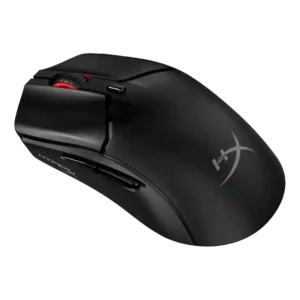
The 2.4GHz connection received direct praise as the best-feeling mode in one review.
Pros: cable flexibility, connection stability
Cons: motion consistency, software stability

2.4GHz connectivity was praised for speed, responsiveness, and practical wireless switching.
Pros: handedness options, Accuracy and tracking precision
Cons: tilt gesture controls, software stability

2.4GHz connectivity was useful for low-latency performance, though one reviewer disliked needing separate Lightspeed receivers.
Pros: click latency, onboard memory
Cons: lift-off distance, debounce customization

Reviewers liked that 2.4 GHz mode unlocked the mouse’s strongest gaming performance, though one reviewer reported a connection issue.
Pros: Accuracy and tracking precision, sensor performance
Cons: software stability, value for money

The HyperPolling receiver supports elite wireless performance, but lack of a simpler 2.4GHz USB dongle was criticized as inconvenient.
Pros: click latency, balance and weight distribution
Cons: 2.4GHz connectivity, software stability