Best overall
Corsair Scimitar Elite Wireless SE
4.4 overall score
Highest ranked Corsair product by consolidated review score.
Highest ranked Corsair product by consolidated review score.
Balances a strong score with broader review coverage.
The product with the broadest review base in this brand lineup.
Where this brand scores best across its ranked products.
The category where this brand has the most ranked options.

Choose it if you want a premium MMO/productivity mouse with 12 adjustable side buttons, strong battery life, and Stream Deck integration. Skip it if you need an ultralight FPS mouse,...
Pros: click latency, macro support
Cons: firmware reliability, tilt gesture controls
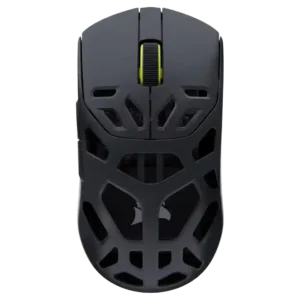
Best for a sturdy, light magnesium mouse with precise wireless performance and strong battery life. Skip it if you want the absolute lightest shell, sculpted ergonomics, flexible wired use, or...
Pros: Accuracy and tracking precision, click latency
Cons: cable flexibility, ecosystem integration
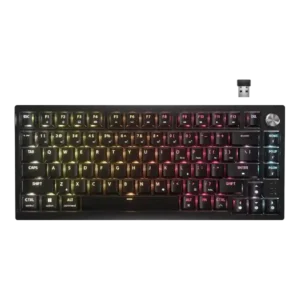
Good if you want a compact 75% wireless keyboard with smooth switches, quiet sound, and strong customization. Skip it if you need shine-through legends, tactile stock switches, top-tier polling, or...
Pros: latency, durability
Cons: legend visibility, rapid trigger support
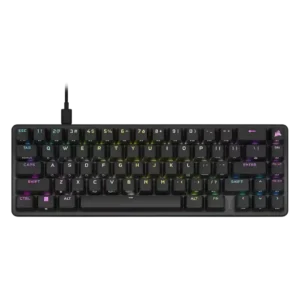
Best for a compact wired board with fast OPX switches, sturdy build, strong layout, and pleasing sound. Skip it if you need wireless, broad switch choice, a wrist rest, or...
Pros: volume control, key responsiveness
Cons: wireless performance, wrist rest quality
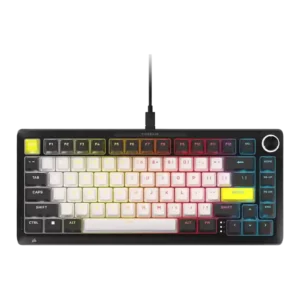
Good if you want a heavy aluminum Hall Effect board with polished customization and fast gaming response. Skip it if price, wireless out of the box, softer typing, or thocky...
Pros: per-key lighting control, durability
Cons: portability, noise level
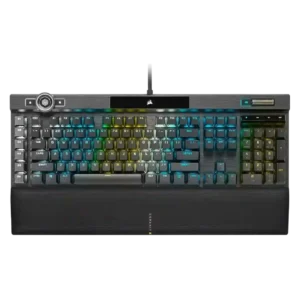
Good if you want a full-size, feature-loaded wired gaming keyboard with fast switches, lush RGB and a great wrist rest. Skip it if price, desk space, noise, simple software or...
Pros: actuation consistency, key stability
Cons: hot-swappable switches, switch options
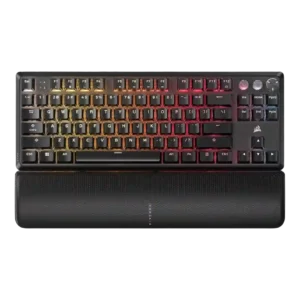
Best for fast wired gaming, deep RGB, sturdy construction, and profiles. Skip it if you need wireless freedom, quiet acoustics, hot-swap repairability, or a lower price.
Pros: per-key lighting control, key responsiveness
Cons: ease of switch replacement, battery life
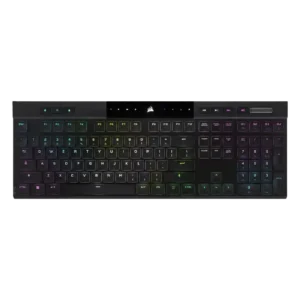
Good if you want an ultra-thin, premium wireless keyboard with strong typing, RGB, battery life, and responsiveness. Skip it if price, repairability, quieter acoustics, or traditional full-height switches matter more.
Pros: backlight brightness, actuation consistency
Cons: sound dampening, stabilizer quality
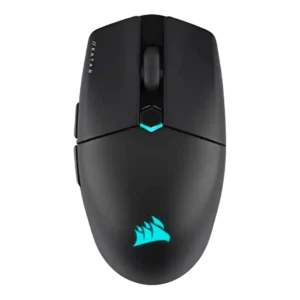
Best for lightweight FPS play, claw/fingertip comfort, smooth glide and stable 2.4GHz wireless. Skip it if you need palm support, MMO buttons, premium materials or a universally comfortable shape.
Pros: software stability, click latency
Cons: MMO gaming suitability, palm grip comfort
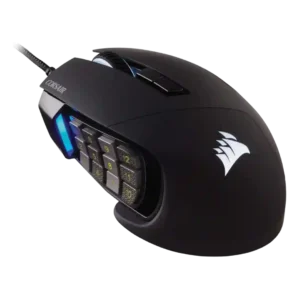
Choose the Scimitar RGB Elite for MMO/MOBA macros, palm comfort, and precise tracking. Skip it for left-handed use, competitive FPS play, or plug-and-play simplicity.
Pros: button responsiveness, long-session comfort
Cons: handedness options, switch durability
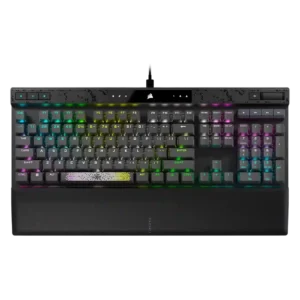
Good if you want deep actuation tuning, fast gaming response, strong RGB, and a plush wrist rest. Skip it if loud typing, full-size desk space, or paying premium prices bothers...
Pros: reliability, key responsiveness
Cons: desk space efficiency, wireless performance
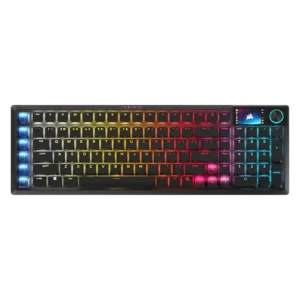
Best for exceptional low-profile typing, fast wireless gaming, and Stream Deck shortcuts in a compact numpad layout. Skip it if you want Hall Effect tuning, long battery life, mature software,...
Pros: key stability, stabilizer quality
Cons: analog input support, rapid trigger support

Good if you want a premium MMO/MOBA mouse with strong tracking, deep customization, and useful tilt gestures. Skip it if battery life, easy software, left-handed use, or lower price matters...
Pros: long-session comfort, sensor performance
Cons: handedness options, software stability

Good if you need a true ambidextrous wireless mouse with strong tracking and battery life. Skip it if you want ultra-light FPS speed, flawless side buttons, or the best value.
Pros: handedness options, Accuracy and tracking precision
Cons: tilt gesture controls, software stability

Choose the Corsair M75 Air if you want an ultralight FPS mouse with precise tracking and low-latency wireless. Skip it if you need lots of buttons, easy DPI switching, premium...
Pros: click latency, fingertip grip comfort
Cons: firmware reliability, skate durability
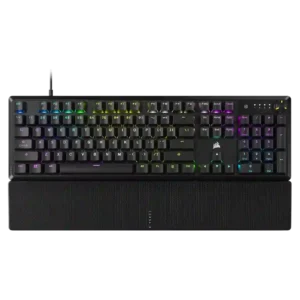
Good if you want a full-size wired keyboard with smooth, quiet typing, strong RGB, and good value. Skip it if you need a detachable cable, hot-swap switches, wireless freedom, or...
Pros: per-key lighting control, compatibility
Cons: ease of switch replacement, hot-swappable switches
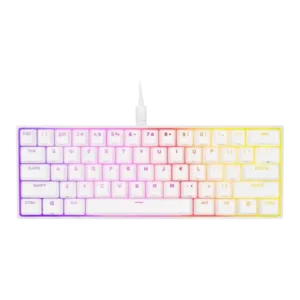
Best for a compact gaming board with strong RGB, software, and PBT keycaps. Skip it if pingy acoustics, awkward shortcuts, no hot-swap, or value versus cheaper 60% rivals matter most.
Pros: desk space efficiency, frame rigidity
Cons: sound dampening, ease of switch replacement

Good if you want an ultra-light FPS mouse with sharp tracking and minimal extras. Skip it if you need Bluetooth, strong battery life, richer software, or a more rigid premium...
Pros: connection stability, weight
Cons: click latency, cable flexibility
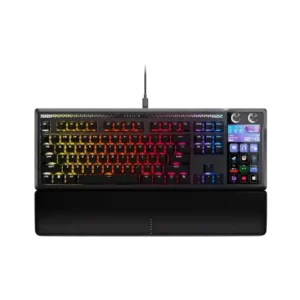
Choose it if you will truly use Stream Deck macros, dials, profiles, and premium typing every day. Skip it if price, desk space, software bugs, or reliability reports worry you.
Pros: customization options, ease of switch replacement
Cons: reliability, analog input support