
Grip texture was consistently praised: reviewers liked the side dots, no-slip grip, and comfortable micro-dot handling.
Pros: FPS gaming suitability, weight
Cons: fingertip grip comfort, handedness options
Grip texture was consistently praised: reviewers liked the side dots, no-slip grip, and comfortable micro-dot handling.
Pros: FPS gaming suitability, weight
Cons: fingertip grip comfort, handedness options

Grip texture was consistently praised for control, fingerprint resistance, and rubberized side support.
Pros: lift-off distance, motion consistency
Cons: cross-platform compatibility, handedness options

Grip texture is a strength, with reviewers saying textured or rough side surfaces improve grip and prevent slipping.
Pros: motion consistency, Accuracy and tracking precision
Cons: cable flexibility, palm grip comfort

Grip texture was generally praised for coatings, ridges, grips, and grippy surfaces, with only minor reservations about finish marking.
Pros: cable flexibility, weight
Cons: software stability, handedness options
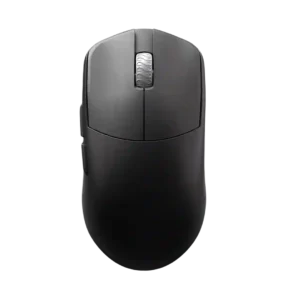
Grip texture is positive overall for coating grip, but black finish smudging and dry-coating feel make it somewhat user-dependent.
Pros: DPI range, balance and weight distribution
Cons: charging convenience, click noise

Grip texture was a common strength, praised for secure smooth-touch traction, though a few reviewers found it slippery or prone to grime and fingerprints.
Pros: click latency, balance and weight distribution
Cons: 2.4GHz connectivity, software stability

Grip texture was polarizing: many liked the smooth-touch coating, but sweaty hands, clamminess, or slipperiness remained concerns in several reviews.
Pros: click latency, motion consistency
Cons: handedness options, Bluetooth support

Grip texture was mixed: tape and satin texture helped many users, while some found the untextured shell slippery.
Pros: weight, balance and weight distribution
Cons: water and dust resistance, RGB features

Grip texture divided reviewers: many loved the grippy coating once warmed up, but others found it slippery, fingerprint-prone, or dirty-looking.
Pros: drag click support, claw grip comfort
Cons: handedness options, Bluetooth support

Grip texture was mixed: the shape and optional tape helped, but several reviewers found the smooth plastic slippery, polarizing, or less grippy than expected.
Pros: left and right click quality, software stability
Cons: polling rate, cross-platform compatibility

Grip texture feedback is modestly positive, with reviewers calling the coating fine and the matte finish appealing.
Pros: palm grip comfort, handedness options
Cons: Bluetooth support, MMO gaming suitability

Grip texture was mixed: carbon fiber and grooves helped, but some reviewers still found the plastic sides slippery.
Pros: Accuracy and tracking precision, sensor performance
Cons: software stability, value for money

Grip texture was mixed: some liked the dry or grippy coating, while others found it too smooth, sticky over time, or in need of tape.
Pros: motion consistency, acceleration control
Cons: cable flexibility, cross-platform compatibility
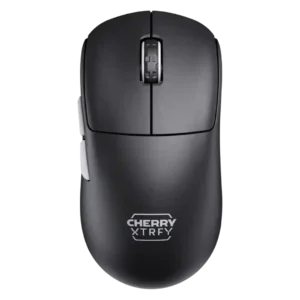
Grip texture was mixed: several reviewers liked the traction or rubber grip, while the black coating drew fingerprint complaints.
Pros: 2.4GHz connectivity, long-session comfort
Cons: programmable buttons, button customization
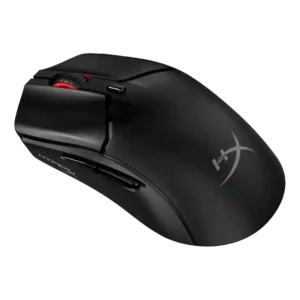
Grip texture was praised for grippiness and finger security but criticized in humid use for becoming swampy.
Pros: cable flexibility, connection stability
Cons: motion consistency, software stability

Grip texture was mixed: included grip tape helped a lot, but the smooth sides or coating were criticized for slipperiness and ordinary feel.
Pros: click latency, onboard memory
Cons: lift-off distance, debounce customization
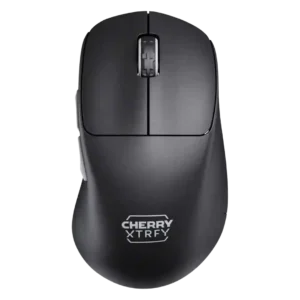
Grip texture was mixed: reviewers liked the grippy or smooth finish, while one criticized the black coating as a fingerprint magnet.
Pros: 2.4GHz connectivity, long-session comfort
Cons: debounce customization, fingertip grip comfort

Grip texture was mixed: some liked the sticky texture or included tape, while others found the surface slippery or the tape too hard.
Pros: click latency, motion consistency
Cons: handedness options, portability

Grip texture was the most divided attribute, ranging from non-slip praise to strong complaints about slippery coating.
Pros: connection stability, weight
Cons: handedness options, software usability

Grip texture was mixed: the coating handled marks well, but the smooth sides caused grip problems or finger discomfort for some.
Pros: handedness options, Accuracy and tracking precision
Cons: tilt gesture controls, software stability