
Software usability was usually praised for clean, intuitive customization, though one reviewer found parts of the UI wasteful and less intuitive.
Pros: click latency, motion consistency
Cons: handedness options, portability
Software usability was usually praised for clean, intuitive customization, though one reviewer found parts of the UI wasteful and less intuitive.
Pros: click latency, motion consistency
Cons: handedness options, portability

Software usability was a major strength: SWARM II was repeatedly called clean, intuitive, easy, powerful, and much improved.
Pros: left and right click quality, software stability
Cons: polling rate, cross-platform compatibility

Software usability is generally positive, with reviewers calling it user-friendly, easy to set up, and broad enough to control key settings.
Pros: motion consistency, Accuracy and tracking precision
Cons: cable flexibility, palm grip comfort

Software usability was mostly positive for easy navigation and useful customization, but one reviewer disliked NZXT CAM bloat.
Pros: FPS gaming suitability, weight
Cons: fingertip grip comfort, handedness options

Software usability was generally positive for G Hub customization and clarity, though some reviewers found remapping merely usable or basic.
Pros: click latency, onboard memory
Cons: lift-off distance, debounce customization

Software usability was generally positive for iCUE customization and layout, though Bluetooth limitations and learning curve were noted.
Pros: handedness options, Accuracy and tracking precision
Cons: tilt gesture controls, software stability

Software usability was generally useful for DPI, remapping, Dynamic Sensitivity, and rotation tools, though Synapse could feel unwieldy or bloated.
Pros: click latency, motion consistency
Cons: handedness options, Bluetooth support

Software usability was mixed: several reviewers found Swarm II clear or simple, while others called it clunky or Windows-limited.
Pros: weight, balance and weight distribution
Cons: water and dust resistance, RGB features

Software usability was mostly praised for being light, simple, and easy, though a couple of reviewers found it basic or slightly unpolished.
Pros: drag click support, claw grip comfort
Cons: handedness options, Bluetooth support

Software usability was powerful but mixed: reviewers liked the depth of controls, while some found Synapse annoying or overwhelming.
Pros: lift-off distance, motion consistency
Cons: cross-platform compatibility, handedness options

Software usability was mixed: Synapse offers deep, useful tuning, but some reviewers disliked its bloat, ads, crashes, or general feel.
Pros: click latency, balance and weight distribution
Cons: 2.4GHz connectivity, software stability

Software usability was generally good when G Hub worked, with useful profiles, remapping, macros, and calibration; memory use and interface speed drew criticism.
Pros: motion consistency, acceleration control
Cons: cable flexibility, cross-platform compatibility
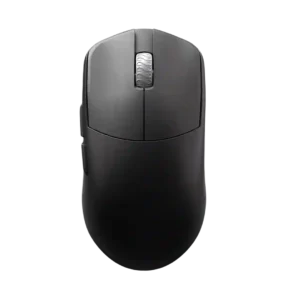
Software usability is mixed: web-based Aurora is often liked for simplicity, but one companion-app experience was slow and laggy.
Pros: DPI range, balance and weight distribution
Cons: charging convenience, click noise

Software usability was the most divided software attribute: some liked the simplified or clean app, while others found it clunky, difficult, or outdated.
Pros: cable flexibility, weight
Cons: software stability, handedness options

Software usability improved with Armoury Crate Gear, but reviewers still found it overkill, basic, or troublesome depending on setup.
Pros: Accuracy and tracking precision, sensor performance
Cons: software stability, value for money

Software usability is mixed: G Hub offers useful controls, but reviewers complained about forced software, quirks, and a desire for a better setup experience.
Pros: palm grip comfort, handedness options
Cons: Bluetooth support, MMO gaming suitability

Software usability was the clearest weakness, with repeated complaints about Armoury Crate being bloated, slow, or needing improvement.
Pros: connection stability, weight
Cons: handedness options, software usability
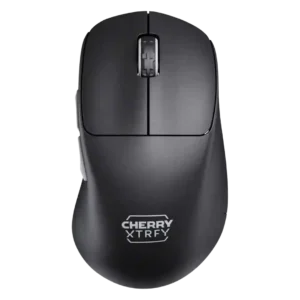
Software usability was polarizing: no-software plug-and-play appealed to some, while others found manual button combinations annoying or tedious.
Pros: 2.4GHz connectivity, long-session comfort
Cons: debounce customization, fingertip grip comfort
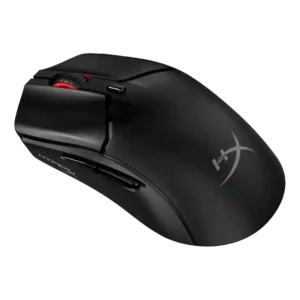
Software usability was a recurring weakness, described as confusing, limited, and barebones.
Pros: cable flexibility, connection stability
Cons: motion consistency, software stability
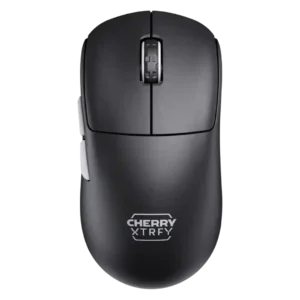
Software usability was the most repeated complaint: no software meant awkward manuals, color LEDs, and button-combo setup.
Pros: 2.4GHz connectivity, long-session comfort
Cons: programmable buttons, button customization