Best for ergonomic design
Logitech G Pro Wireless
5.0 feature score
Highest scored product for this feature based on supporting review evidence.
Highest scored product for this feature based on supporting review evidence.
Balances feature score, supporting reviews, and overall product strength.
Has the broadest review evidence for this feature.
Strongest overall product among items with scored evidence for this feature.
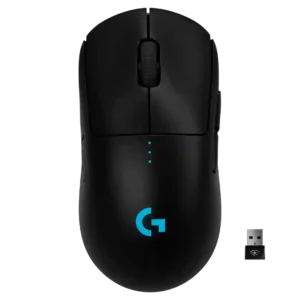
Ergonomic design was praised for a safe, adaptable shape that does not force one grip style.
Pros: polling rate, motion consistency
Cons: MOBA gaming suitability, durability over time
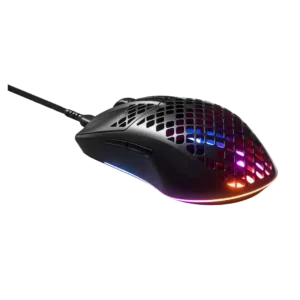
Ergonomic design scored well where comfort over use was directly praised.
Pros: click latency, acceleration control
Cons: palm grip comfort, onboard memory

Ergonomic design was a standout strength, repeatedly described as comfortable, hand-friendly, and effective for longer gaming sessions.
Pros: Accuracy and tracking precision, sensor performance
Cons: handedness options, tilt gesture controls

Ergonomic design drew strong praise for comfort, palm support, and competitive-friendly shaping.
Pros: Accuracy and tracking precision, sensor performance
Cons: onboard memory, handedness options

Ergonomic design was praised for comfort, long-use fit, and no hand fatigue in the reviews that focused on it.
Pros: click latency, motion consistency
Cons: software stability, cross-platform compatibility

The ergonomic design was praised for comfort, thumb support, and balanced handling.
Pros: 2.4GHz connectivity, surface compatibility
Cons: click noise, software stability
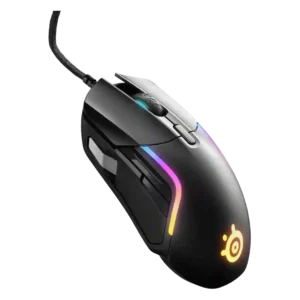
Ergonomic design was praised for thumb support, rounded edges, and a comfortable grip profile.
Pros: switch durability, surface compatibility
Cons: weight tuning, portability

Ergonomics were one of the strongest themes, especially for right-handed users and palm-focused comfort.
Pros: lift-off distance, motion consistency
Cons: cross-platform compatibility, handedness options

Ergonomic design was a major positive overall, with reviewers praising the hand support, contoured right-handed form, and FPS-friendly ergonomic balance.
Pros: motion consistency, acceleration control
Cons: cable flexibility, cross-platform compatibility

Ergonomic design was a standout strength, repeatedly described as comfortable, supremely ergonomic, and well suited to larger hands.
Pros: left and right click quality, software stability
Cons: polling rate, cross-platform compatibility
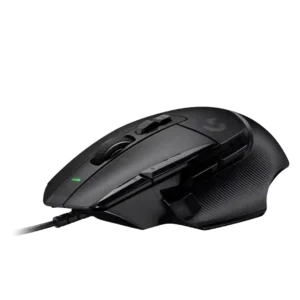
Ergonomic design was one of the strongest themes, with reviewers praising the slant, thumb rest, support, and natural hand position.
Pros: Accuracy and tracking precision, click latency
Cons: claw grip comfort, portability
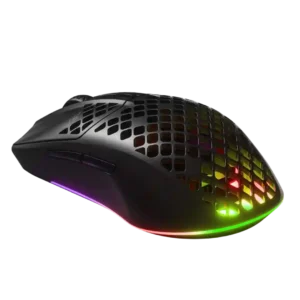
Ergonomics were praised in reviews that liked the smaller, comfortable, lightweight shape.
Pros: Accuracy and tracking precision, surface compatibility
Cons: firmware reliability, palm grip comfort

Ergonomics were widely praised, especially for medium-to-large right-handed users and long MMO sessions.
Pros: sensor performance, click latency
Cons: software stability, Bluetooth support

Ergonomics were broadly praised for comfort and hand support, with reviewers highlighting long-session usability and a safe symmetrical design.
Pros: click latency, balance and weight distribution
Cons: 2.4GHz connectivity, software stability

Ergonomics were the product's broadest strength, repeatedly described as comfortable, glove-like, and well shaped for larger hands.
Pros: click latency, motion consistency
Cons: handedness options, portability

Ergonomics were a major strength across reviews, with repeated praise for comfort, natural hand fit, and extended-session usability.
Pros: FPS gaming suitability, weight
Cons: fingertip grip comfort, handedness options

Ergonomic design was praised for comfort, control, and avoiding awkward wrist or hand angles.
Pros: handedness options, Accuracy and tracking precision
Cons: tilt gesture controls, software stability

Ergonomic design was praised for a natural thumb rest and comfortable feel.
Pros: wireless latency, surface compatibility
Cons: RGB features, firmware reliability

Ergonomic design was praised for comfort and not fighting the user's grip, but reviewers stressed that shape fit remains personal.
Pros: acceleration control, wireless latency
Cons: onboard memory, MMO gaming suitability

Ergonomics were broadly praised, with reviewers describing the mouse as comfortable, well shaped, and easy for fingertips or hands to settle into.
Pros: Accuracy and tracking precision, motion consistency
Cons: click noise, onboard memory

Ergonomic design was praised for comfort, hand support, and a relaxed shape, though one reviewer needed adjustment to the length.
Pros: motion consistency, surface compatibility
Cons: onboard memory, handedness options

Ergonomics were praised for comfort, hand fit, and a speedy full-size feel, with only minor shape reservations.
Pros: weight, balance and weight distribution
Cons: water and dust resistance, RGB features
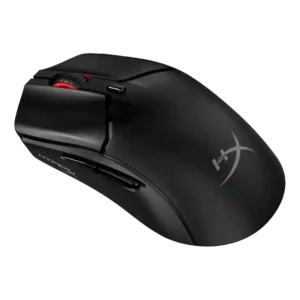
Ergonomic design drew praise for finger alignment, concave sides, and small-hand fit.
Pros: cable flexibility, connection stability
Cons: motion consistency, software stability

Ergonomics are strong for many hands, with reviewers praising the hand fit and shape across grip styles.
Pros: palm grip comfort, handedness options
Cons: Bluetooth support, MMO gaming suitability

Ergonomic design is broadly praised for natural hand feel, stability, and low strain, with some fit limits for larger hands or palm grips.
Pros: durability over time, sensor performance
Cons: MMO gaming suitability, surface compatibility
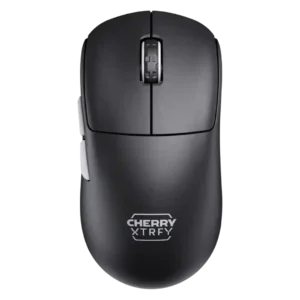
The low-front ergonomic design was widely credited with improving control, grip security, and comfort.
Pros: 2.4GHz connectivity, long-session comfort
Cons: programmable buttons, button customization
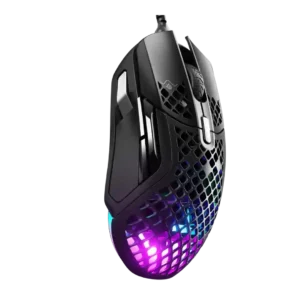
Ergonomic design was broadly praised for comfort and contouring, with repeated positive comments on hand fit and relaxed use.
Pros: glide smoothness, click latency
Cons: handedness options, DPI range
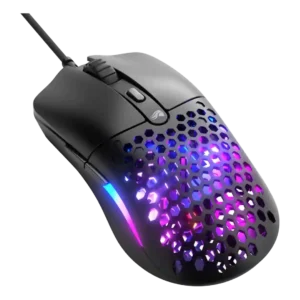
Ergonomics were broadly praised, with reviewers calling the frame comfortable, sculpted, balanced, and supportive across common grip styles.
Pros: value for money, click latency
Cons: water and dust resistance, cable flexibility

Ergonomics were mostly positive where discussed, especially for comfort and control placement, though one reviewer wanted more curves.
Pros: click latency, onboard memory
Cons: lift-off distance, debounce customization

Ergonomic design was generally praised for the revised hump, curves, and hand support, with some caveats around side support.
Pros: motion consistency, wireless latency
Cons: handedness options, onboard memory

The ergonomic design was broadly praised for right-handed comfort, while left-handed users were consistently excluded.
Pros: connection stability, weight
Cons: handedness options, software usability

Ergonomics were mostly positive, with reviewers describing the wired mouse as comfortable and improved, though not highly sculpted.
Pros: connection stability, left and right click quality
Cons: palm grip comfort, profile switching

One reviewer praised the shape for fitting naturally without forcing the hand into an awkward twist.
Pros: build quality, ergonomic design
Cons: handedness options, RGB features

The ergonomic design was generally praised for right-handed support, palm contouring, and comfort, while a few shape-specific caveats remained.
Pros: click latency, motion consistency
Cons: handedness options, Bluetooth support

Ergonomics were broadly positive, especially for lightweight control and small-hand comfort, though shape fit remained preference-dependent.
Pros: motion consistency, wireless latency
Cons: palm grip comfort, software stability

Ergonomics are generally strong for the G Pro-style shell, with comfort praised across several reviews despite some shape-specific caveats.
Pros: left and right click quality, dock compatibility
Cons: Bluetooth support, cross-platform compatibility

Ergonomic design was praised for refined comfort, natural hand fit, and better extended-use ergonomics.
Pros: Accuracy and tracking precision, motion consistency
Cons: handedness options, lift-off distance
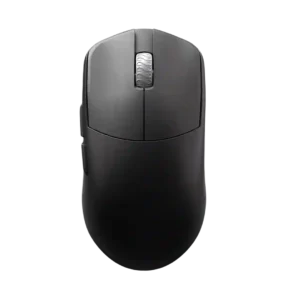
Ergonomic design is positively received for multi-grip flexibility, ergonomic button shaping, and broad grip-style support.
Pros: DPI range, balance and weight distribution
Cons: charging convenience, click noise

Ergonomics were strong for small hands, with praise for thumb support and contouring, but reviewers repeatedly warned larger hands may struggle.
Pros: 2.4GHz connectivity, connection stability
Cons: cable flexibility, handedness options

Ergonomics were mostly praised for comfort, though one reviewer treated the shape as neutral rather than standout.
Pros: motion consistency, surface compatibility
Cons: handedness options, software stability

Ergonomic design is praised for its symmetry, tapering, and broadly usable form despite the minimalist design.
Pros: click latency, fingertip grip comfort
Cons: firmware reliability, skate durability

Ergonomics were generally praised for a comfortable right-handed shape suited to palm and claw grips.
Pros: motion consistency, connection stability
Cons: weight tuning, fingertip grip comfort

Ergonomics were one of the strongest themes, especially the contoured shape, thumb rest, and long-use comfort.
Pros: skate durability, cross-platform compatibility
Cons: handedness options, click noise

Ergonomic design was praised by reviewers with smaller hands and those who liked the flat symmetrical shape, but it is not universal.
Pros: click latency, motion consistency
Cons: palm grip comfort, fingertip grip comfort

Ergonomic touches such as thumb-accessible side buttons and finger angling were praised, although the shape remains hand-size dependent.
Pros: drag click support, claw grip comfort
Cons: handedness options, Bluetooth support

Ergonomic design is generally praised for comfort, maneuverability, and right-handed control, though it is not universally the most ergonomic mouse.
Pros: long-session comfort, sensor performance
Cons: handedness options, software stability

Ergonomics were generally praised, especially for right-handed and larger-hand use.
Pros: premium feel, Accuracy and tracking precision
Cons: software stability, FPS gaming suitability

Ergonomics were usually praised as comfortable or top-notch, with one notable complaint about the D3 cut-through gap.
Pros: glide smoothness, sensor performance
Cons: grip texture, firmware reliability

Ergonomics drew broad praise for small-hand and travel-friendly comfort, but multiple reviewers noted compromises or discomfort for larger hands.
Pros: ecosystem integration, sensor performance
Cons: AI Prompt Master, durability over time

Ergonomic design was context-dependent: the compact shape pleased smaller-hand users but was less ideal for large hands or ergonomic-specific preferences.
Pros: cable flexibility, weight
Cons: software stability, handedness options